dsh-workspace-tree
Run the following command in DeepSeek Harness:
dsh plugin install pipipigu/dsh-workspace-tree
Paste the following prompt into your AI chat to install this plugin:
Run dsh plugin install pipipigu/dsh-workspace-tree in your DeepSeek Harness terminal to install this plugin; the source repository is available at https://github.com/pipipigu/dsh-workspace-tree
About this plugin
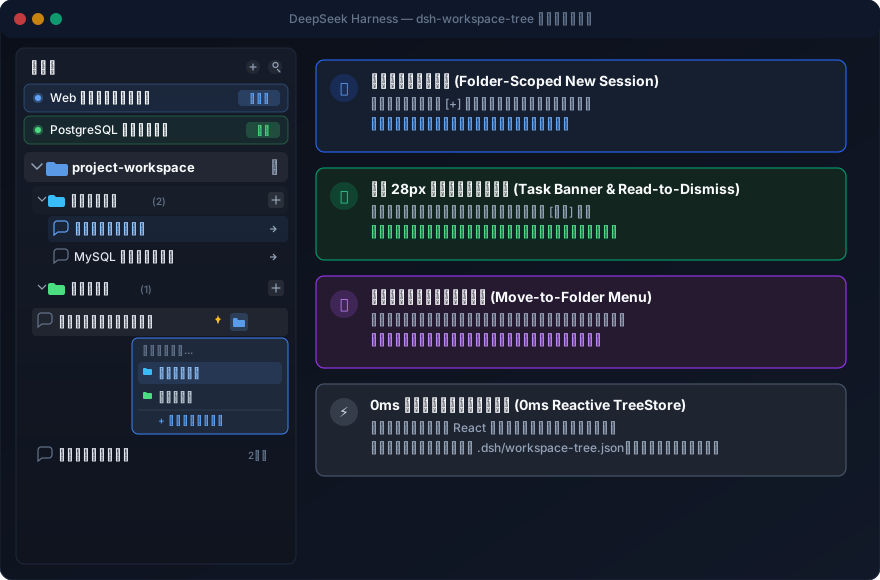
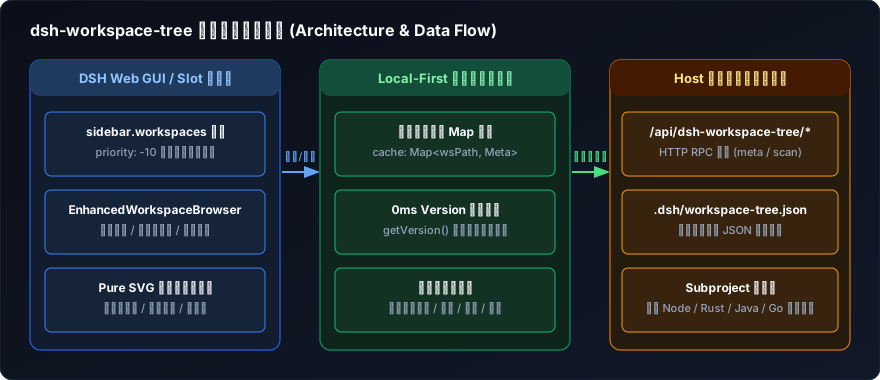
As conversations pile up in DSH, the sidebar turns into an unmanageable list: you cannot locate the task still generating, categorization means awkward drag-and-drop, and switching workspaces resets everything you organized. dsh-workspace-tree folds a full session-organization experience into the sidebar. Virtual folders never touch the filesystem; metadata is atomically persisted in a single JSON file, and each workspace keeps its own independent classification and pin queue that survives switching without interference.
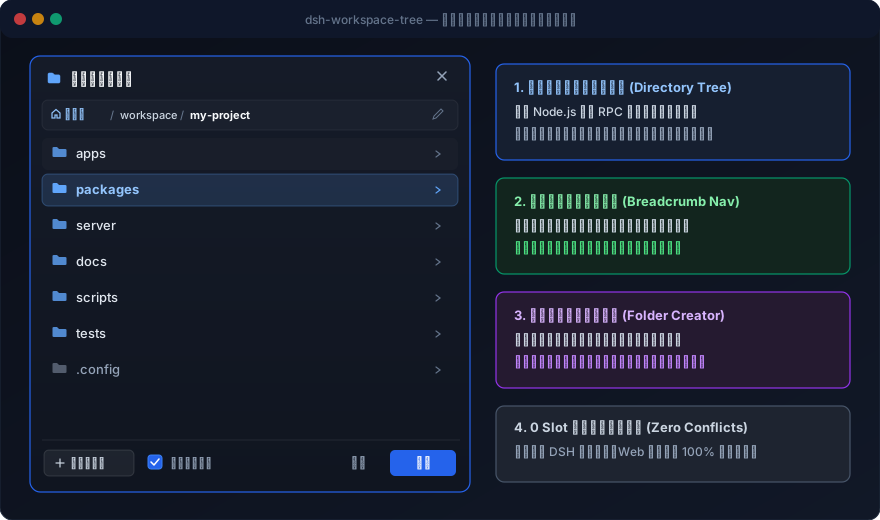
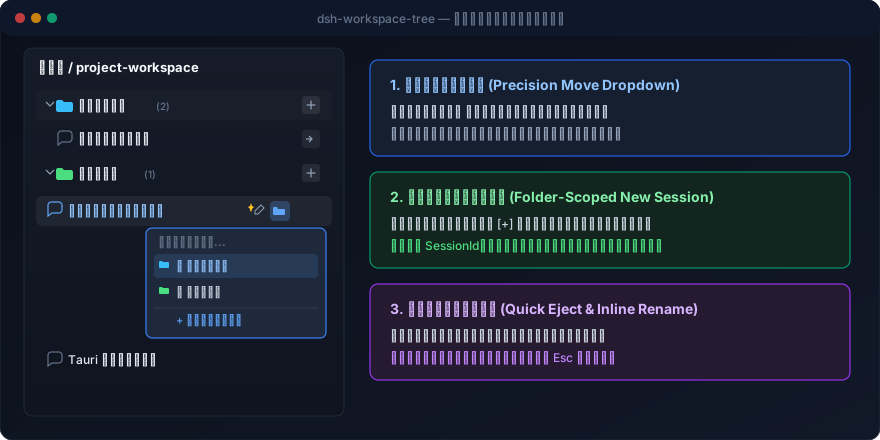
The everyday wins: hover a folder and click [+] to start a new conversation bound directly inside that folder with atomic SessionId binding; skip drag-and-drop entirely with a precise click-to-move dropdown that categorizes in one click or creates a new folder inline, complete with a dedicated eject button to return sessions to uncategorized; a compact 28px top capsule pins active running tasks and unread finished conversations at the top of the sidebar, transitioning through a pulsing blue dot to a green unread badge that auto-dismisses on read, with one-click deep-jump that auto-expands the parent workspace and folder; and when the OS file picker feels clumsy, the [+ ] on the sidebar header opens an in-app visual directory browser with breadcrumb navigation, double-click drill-down, inline subdirectory creation, and a raw-path editing toggle, all inside a native-feeling modal. Session pinning, double-click inline rename, and a default top-ten display with an expander round out the experience.
If you juggle multiple projects, maintain several workspaces, or hop between a dozen or more conversations a day, this plugin turns the DSH sidebar from a flat log into a structured, click-through workspace. It shadows the native sidebar.workspaces slot cleanly, bypasses all internal slot conflicts, and runs with 100% stability on both Web and Desktop.
Screenshots
Use Cases
- Organize conversations by topic across multiple projects with virtual folders that persist across workspace switches
- Pin active and unread-completed tasks to the top of the sidebar with automatic lifecycle transitions and deep-jump navigation
- Categorize sessions with a reliable click-to-move dropdown or create new folders inline instead of drag-and-drop
Best For
- Heavy DSH power users juggling multiple workspaces and dozens of concurrent conversations
- Users who prefer precise click-based categorization over drag-and-drop and want structured sidebar management
- Developers who need in-app visual directory navigation and raw-path editing without relying on the OS file picker
Related Plugins
A service-oriented sidebar framework for DSH, offering a full workbench with file explorer, embedded browser, real terminal, Git panel, and extensible plugin services.

A beautiful, practical Claude Code-style TUI plugin with pixel whale top bar, flowing glow title, real-time status line, streaming thought expansion, time rewind, context progress bar and TPS gauge — zero core changes.

The plugin market for DeepSeek Harness: browse/search/one-click install community plugins and themes, with updates, backup/restore, hot disable, diagnostics, and AI fix.

A persistent whale widget on the DSH web UI that shows DeepSeek balance, today's usage, and per-turn cost, with drag-and-snap and sound effects.