dsh-session-notify
Run the following command in DeepSeek Harness:
dsh plugin install TelosmaYLX/dsh-session-notify
Paste the following prompt into your AI chat to install this plugin:
Run dsh plugin install TelosmaYLX/dsh-session-notify in your terminal to install; source code is available at https://github.com/TelosmaYLX/dsh-session-notify, then refresh the browser page to activate.
About this plugin
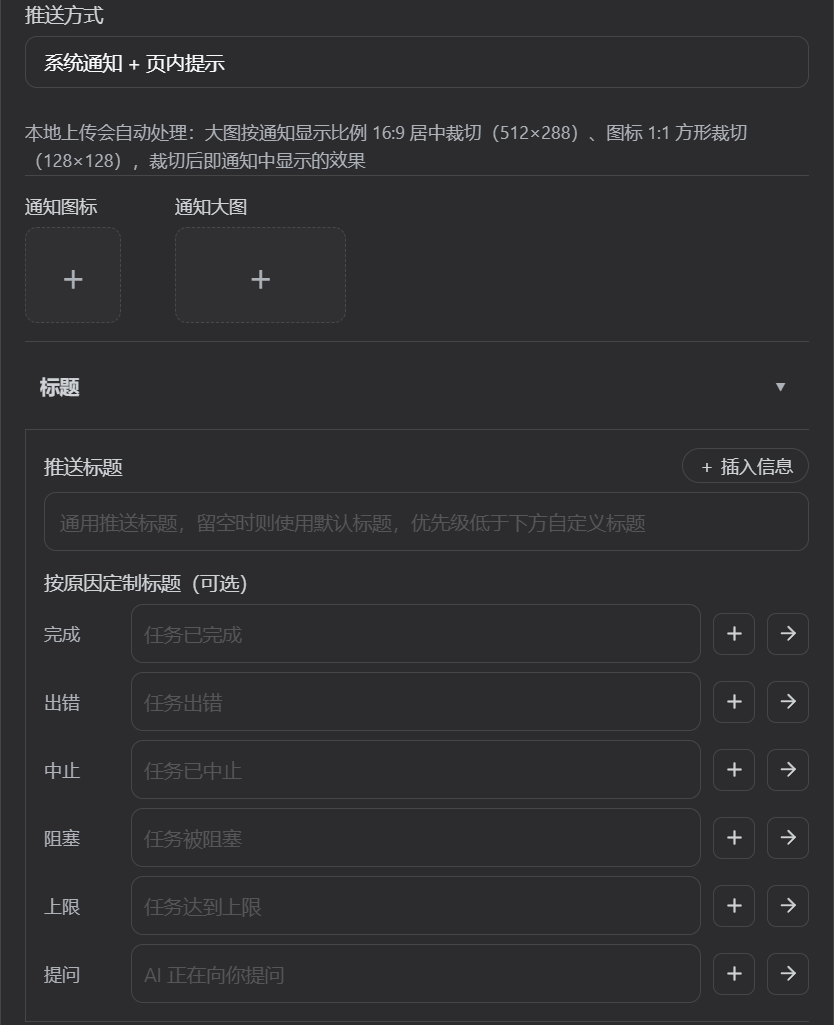
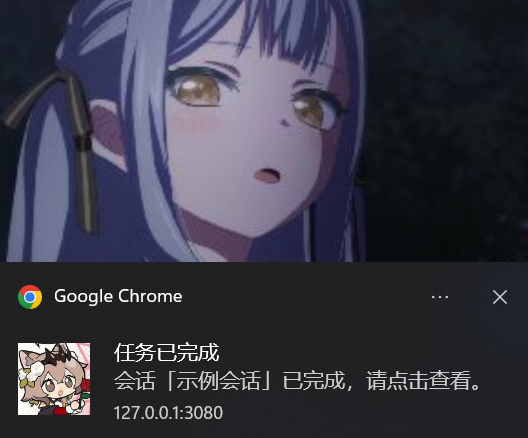
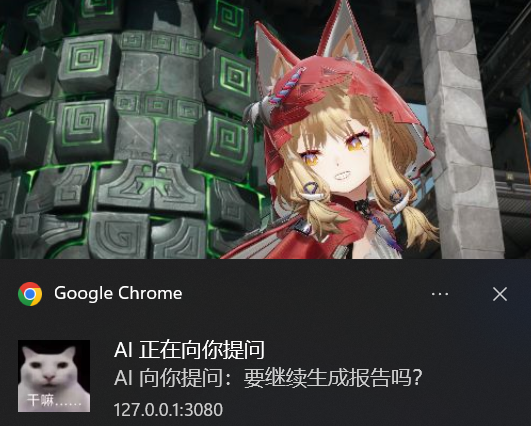
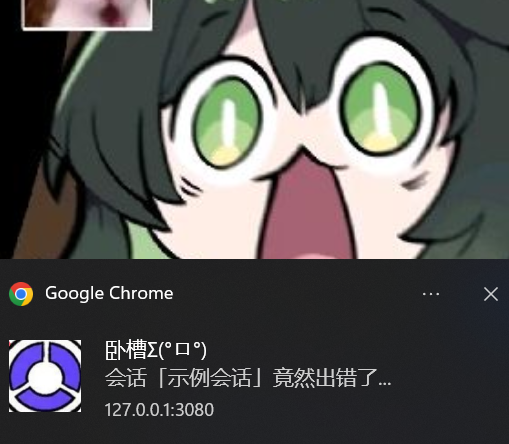
Running long tasks in DSH comes with one annoying habit: staring at the session page, waiting for the spinner to stop. You miss the finish, you miss the AI asking a question mid-task, and background sessions stay completely silent. dsh-session-notify tackles all three at once. The moment a turn ends—whether completed, errored, aborted, blocked, or max-tokens hit—the plugin writes the reason, duration, and token usage into the session log, fires a browser system notification, and drops an in-page toast. Background sessions in windows you never opened are covered too, so you stop babysitting.
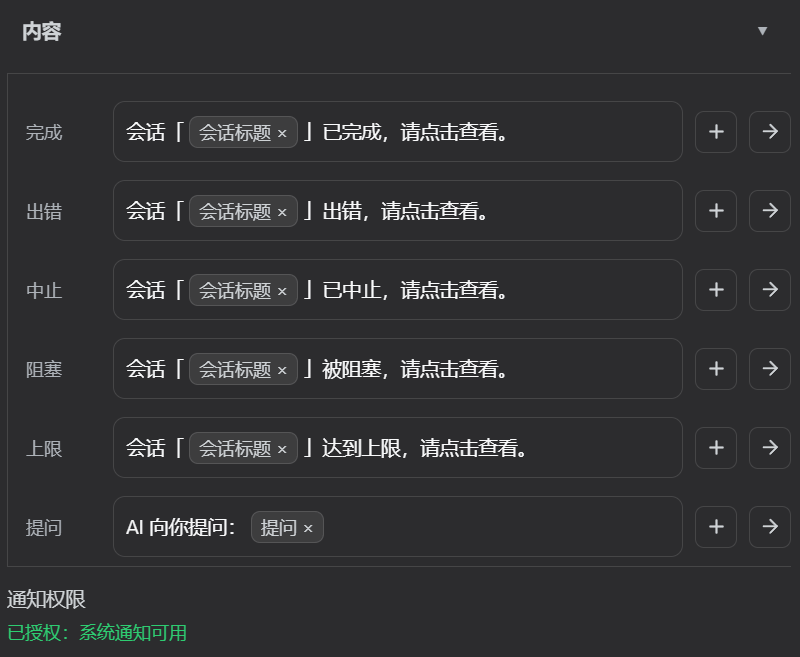
Customization is where it gets fun. Five languages switch instantly across every label and template. A visual chip editor lets you slot placeholders into the middle of a sentence without seeing raw code, and four built-in style presets (Kaoemoji, Felyne, Catgirl, DeepSeek Girl) restyle every title and body copy in one click. Save your own presets with auto-numbering, and they survive a reinstall. Cache-hit ratio and tokens-per-second pull straight from the official projection, matching the status bar exactly—no queuing, no tool time.
If you juggle multiple DSH sessions, switch tabs constantly, or want a ping the instant the AI asks a question instead of noticing minutes later, this plugin earns its spot. One command to install, one refresh to activate, and your settings and custom presets persist across reinstalls.
Screenshots
Use Cases
- Monitor multiple DSH sessions in parallel without staring at the page for each turn to finish
- Get an instant pop-up the moment the AI asks a question mid-task, never miss a pending reply
- Receive notifications for background sessions even when their windows are closed, see results the moment you switch back
Best For
- Heavy DSH users who run multiple sessions in parallel and switch tabs often
- Tinkerers who want full control over notification copy, language, and visual style
- Developers who want instant feedback on background tasks instead of babysitting the screen
Related Plugins
A service-oriented sidebar framework for DSH, offering a full workbench with file explorer, embedded browser, real terminal, Git panel, and extensible plugin services.

A beautiful, practical Claude Code-style TUI plugin with pixel whale top bar, flowing glow title, real-time status line, streaming thought expansion, time rewind, context progress bar and TPS gauge — zero core changes.

The plugin market for DeepSeek Harness: browse/search/one-click install community plugins and themes, with updates, backup/restore, hot disable, diagnostics, and AI fix.

A persistent whale widget on the DSH web UI that shows DeepSeek balance, today's usage, and per-turn cost, with drag-and-snap and sound effects.