DSH-Plugin-Manager
Run the following command in DeepSeek Harness:
dsh plugin install yunniees/DSH-Plugin-Manager
Paste the following prompt into your AI chat to install this plugin:
Run dsh plugin install yunniees/DSH-Plugin-Manager in DeepSeek Harness to install this plugin. The source code is available at https://github.com/yunniees/DSH-Plugin-Manager. After installation, restart the Harness web UI and you will find the Plugin Manager entry at the bottom of the sidebar.
About this plugin
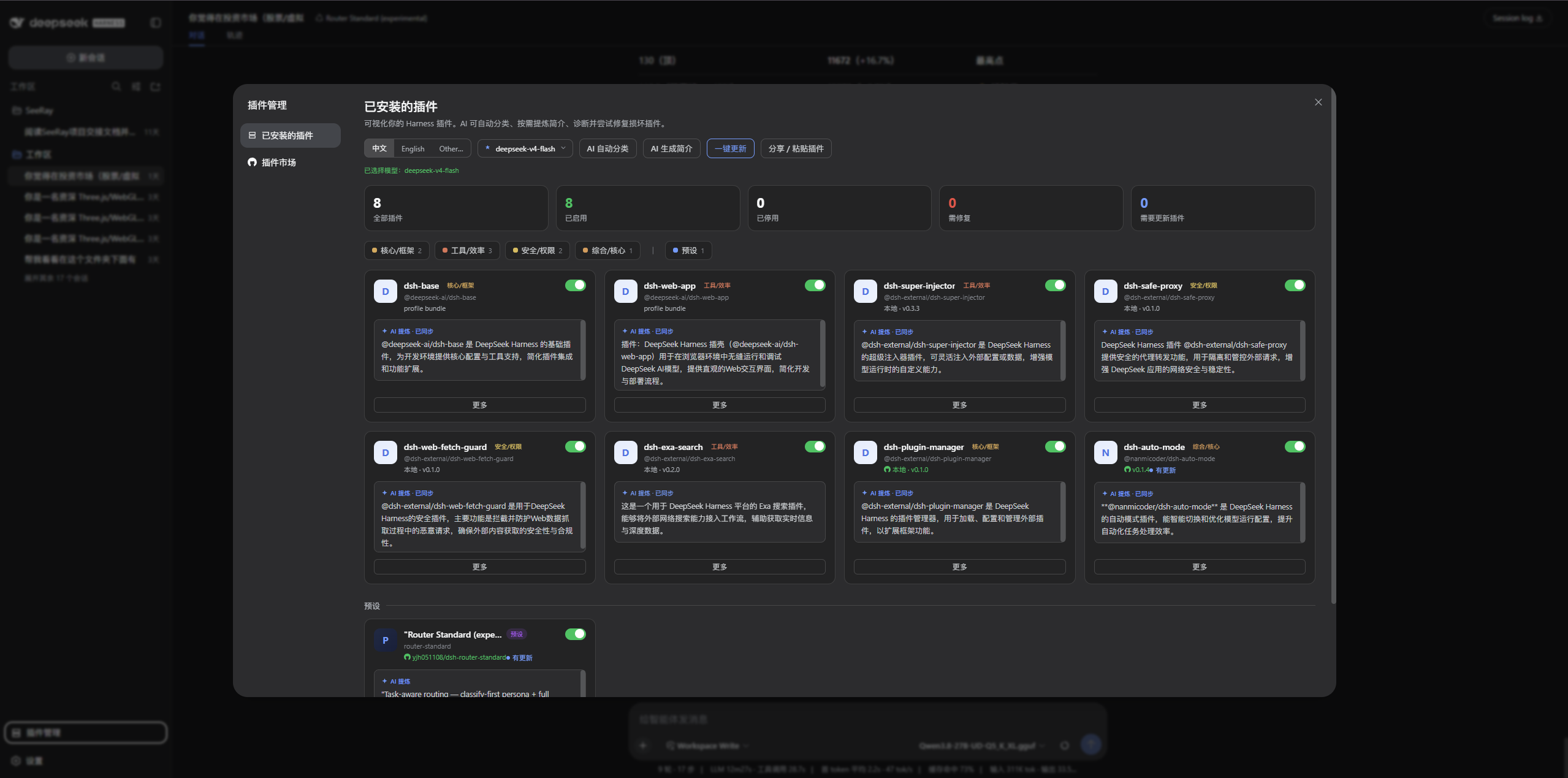
Once you have a dozen or more plugins in DeepSeek Harness, toggling, version-checking, and hunting for updates one by one through the CLI gets tedious fast. DSH-Plugin-Manager consolidates all of that into a single visual panel: a card-based inventory where you can enable, disable, delete, check updates, and re-categorize plugins with a couple of clicks. The panel itself supports AI-powered translation--wire it to any model you already have configured and the entire interface switches between Chinese, English, or a custom language, with results cached locally and zero API keys stored by the plugin.
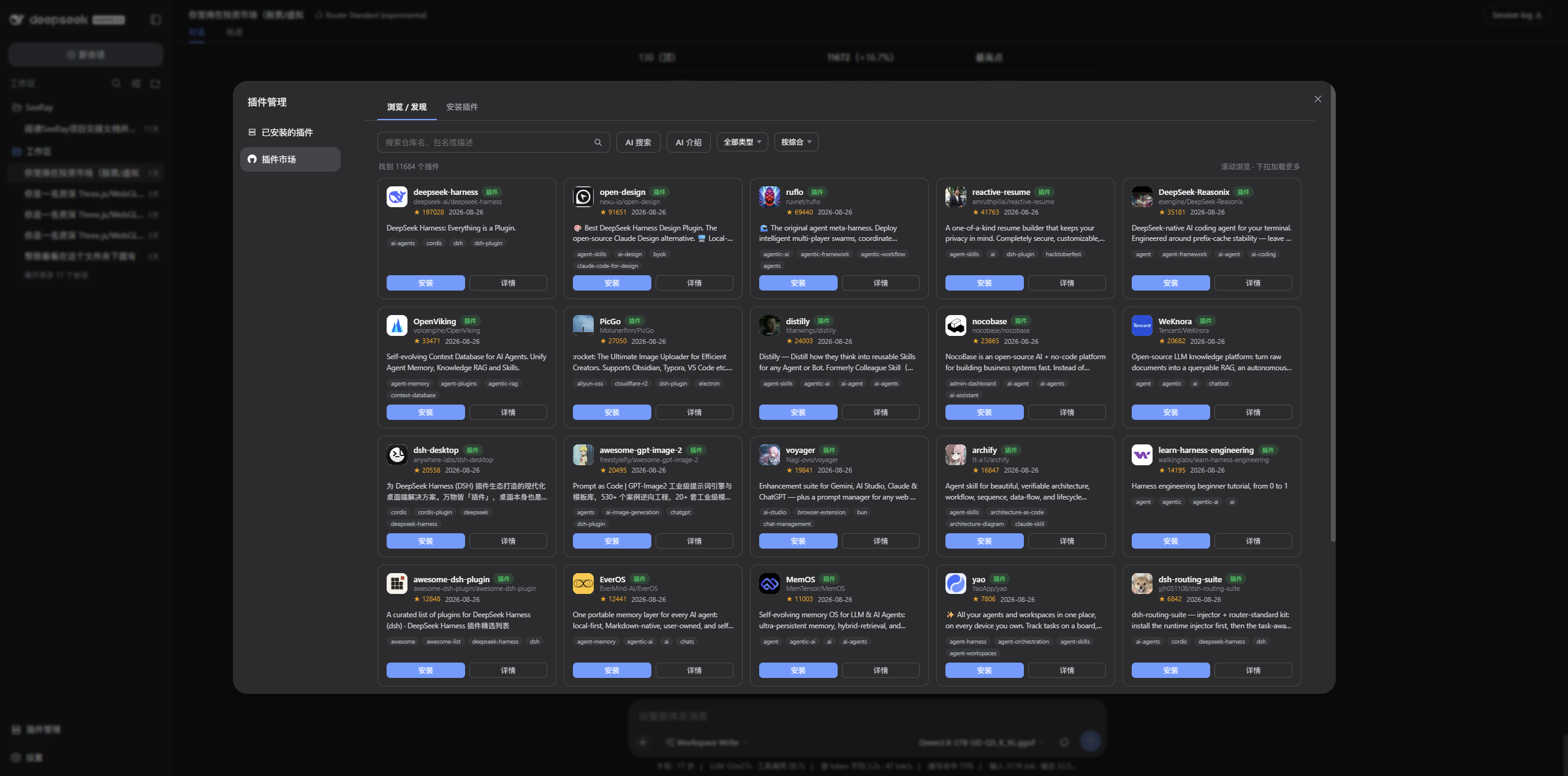
AI capabilities form the second axis. Generate a one-line summary for every installed plugin using an incremental, diff-aware approach that skips unchanged entries to save tokens. In the built-in plugin market, describe what you need in plain words and the agent breaks the request into multiple queries, scans GitHub for relevant topics and keywords, ranks candidates by relevance and stars, and installs with one click. Sharing is equally trivial: bundle any number of plugins or presets into a single dshpm:// link that recipients paste to install everything at once. Bulk updates cover both npm and GitHub sources, with manual tag selection when multiple versions exist.
It suits users who have accumulated a growing plugin collection and want a unified dashboard for daily maintenance, as well as authors who frequently share plugin bundles with teammates or the community and would rather send one link than write a step-by-step install guide. The AI translation and custom-language support also make it a natural fit for multilingual teams.
Screenshots
Use Cases
- Managing a growing plugin collection from a single visual dashboard without touching the CLI
- Sharing a preset bundle with teammates or the community via a single paste-and-install link
- Localizing the panel into Chinese, English, or a custom language for multilingual teams
Best For
- DeepSeek Harness users with a growing plugin set who want a unified maintenance panel
- Developers who regularly share plugin bundles with teammates or the community
- Multilingual teams that need a localized UI without manually translating every config entry
Related Plugins
A service-oriented sidebar framework for DSH, offering a full workbench with file explorer, embedded browser, real terminal, Git panel, and extensible plugin services.

A beautiful, practical Claude Code-style TUI plugin with pixel whale top bar, flowing glow title, real-time status line, streaming thought expansion, time rewind, context progress bar and TPS gauge — zero core changes.

The plugin market for DeepSeek Harness: browse/search/one-click install community plugins and themes, with updates, backup/restore, hot disable, diagnostics, and AI fix.

A persistent whale widget on the DSH web UI that shows DeepSeek balance, today's usage, and per-turn cost, with drag-and-snap and sound effects.