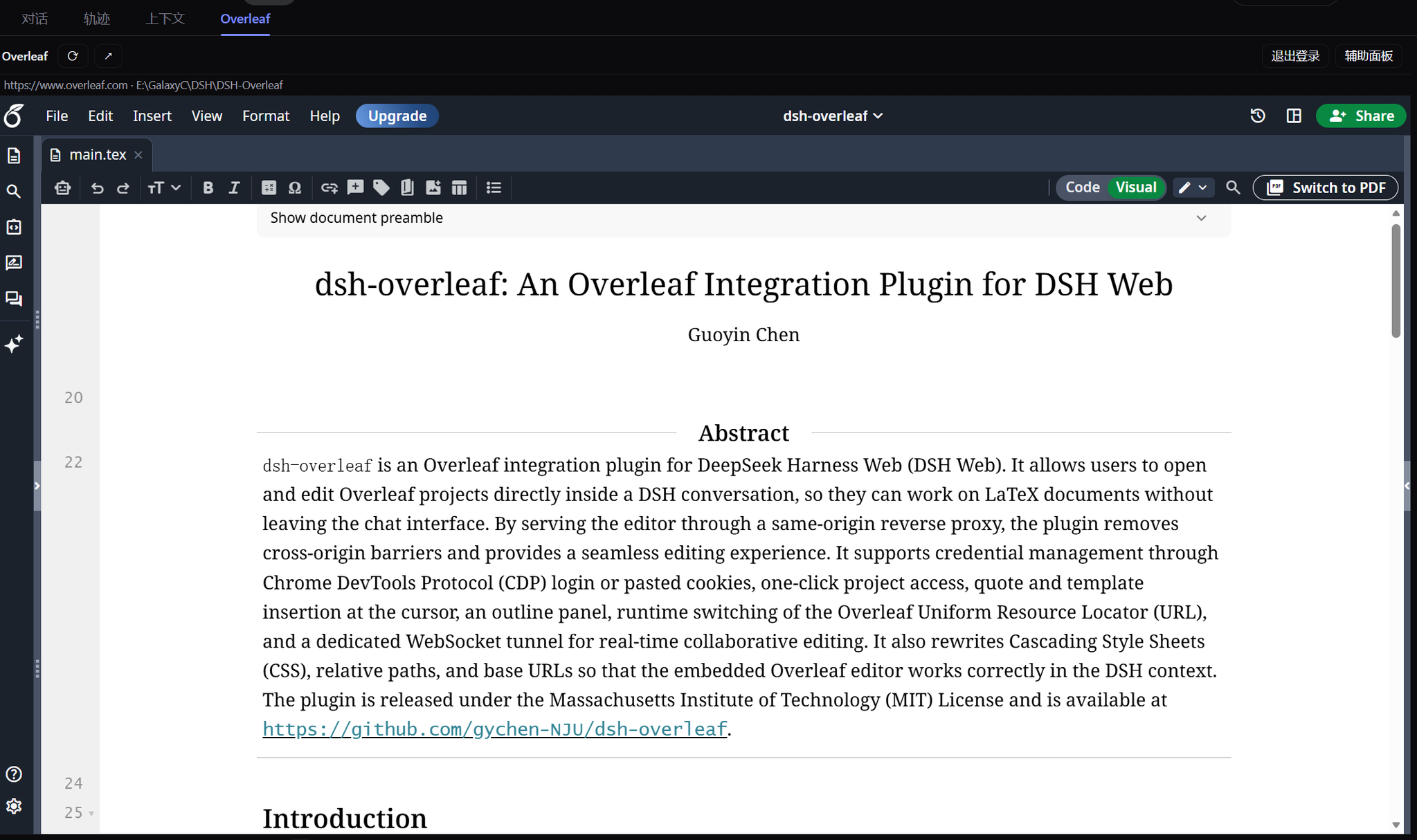
dsh-overleaf
Run the following command in DeepSeek Harness:
dsh plugin install gychen-NJU/dsh-overleaf
Paste the following prompt into your AI chat to install this plugin:
Run dsh plugin install gychen-NJU/dsh-overleaf in the DeepSeek Harness terminal; the source lives at https://github.com/gychen-NJU/dsh-overleaf, and a one-time web-service restart activates the plugin.
About this plugin
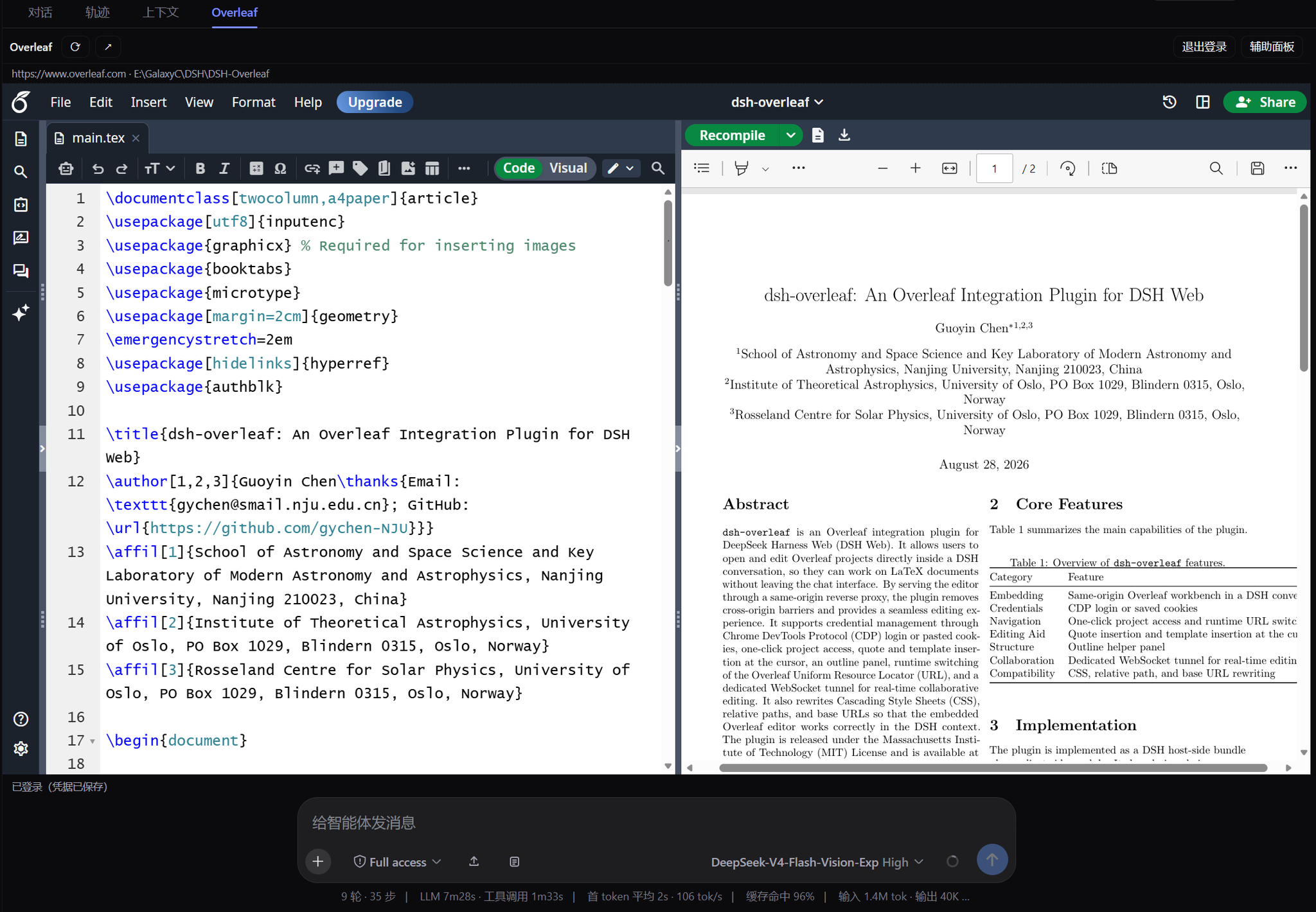
Overleaf sends X-Frame-Options and CSP frame-ancestors on every response, so a plain iframe is outright rejected by the browser. dsh-overleaf solves this by shipping a same-origin HTTP reverse proxy inside the DSH host process: all traffic flows through /overleaf-proxy/ to your configured upstream, framing headers are stripped, and a bridge script is injected. Inside the fourth session-page tab the full Overleaf experience—file-tree editing, side-by-side LaTeX source and PDF preview, Recompile—works exactly as it does in a standalone browser, while the native DSH composer stays below it for quoting, instructing, and context.
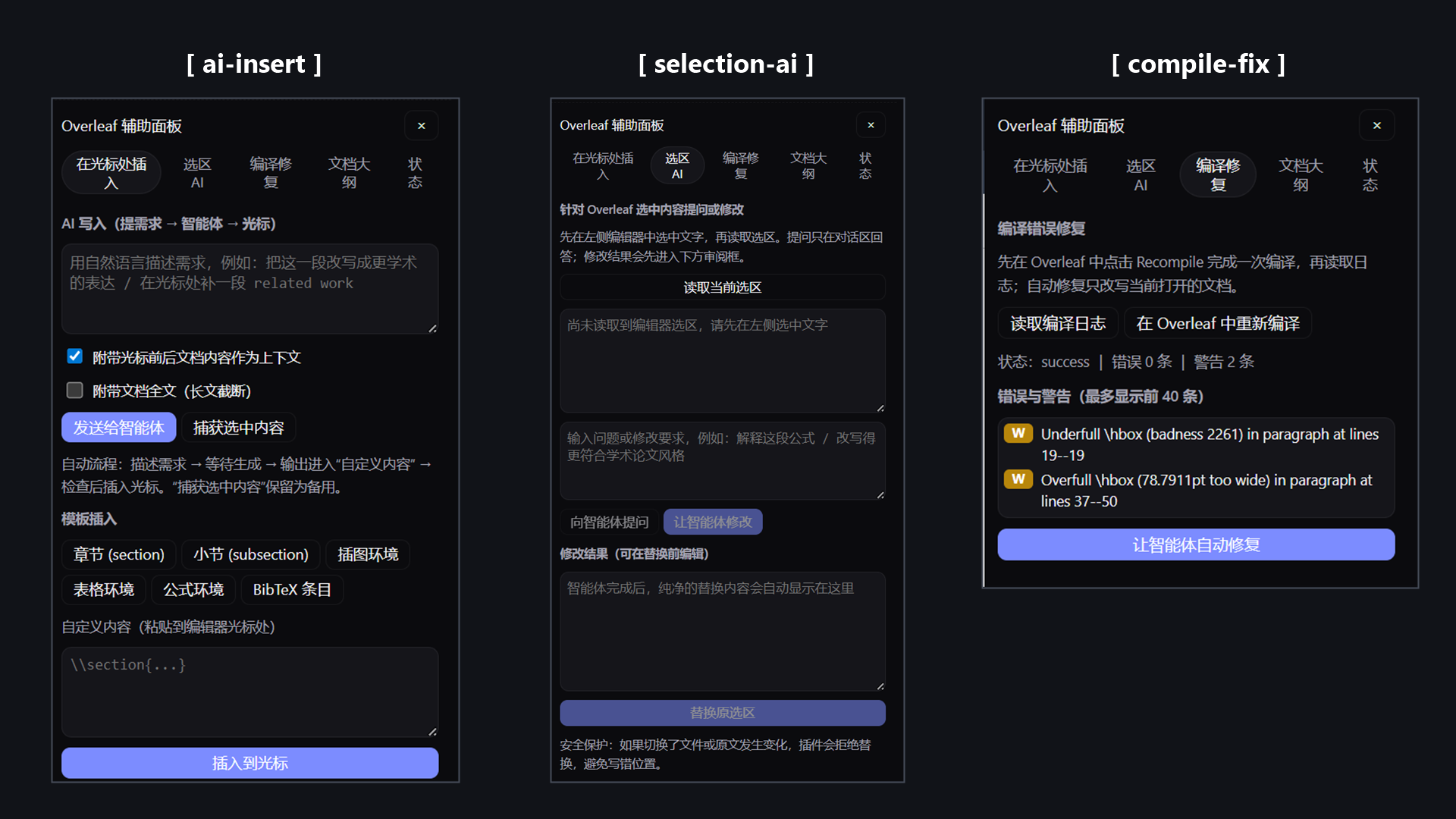
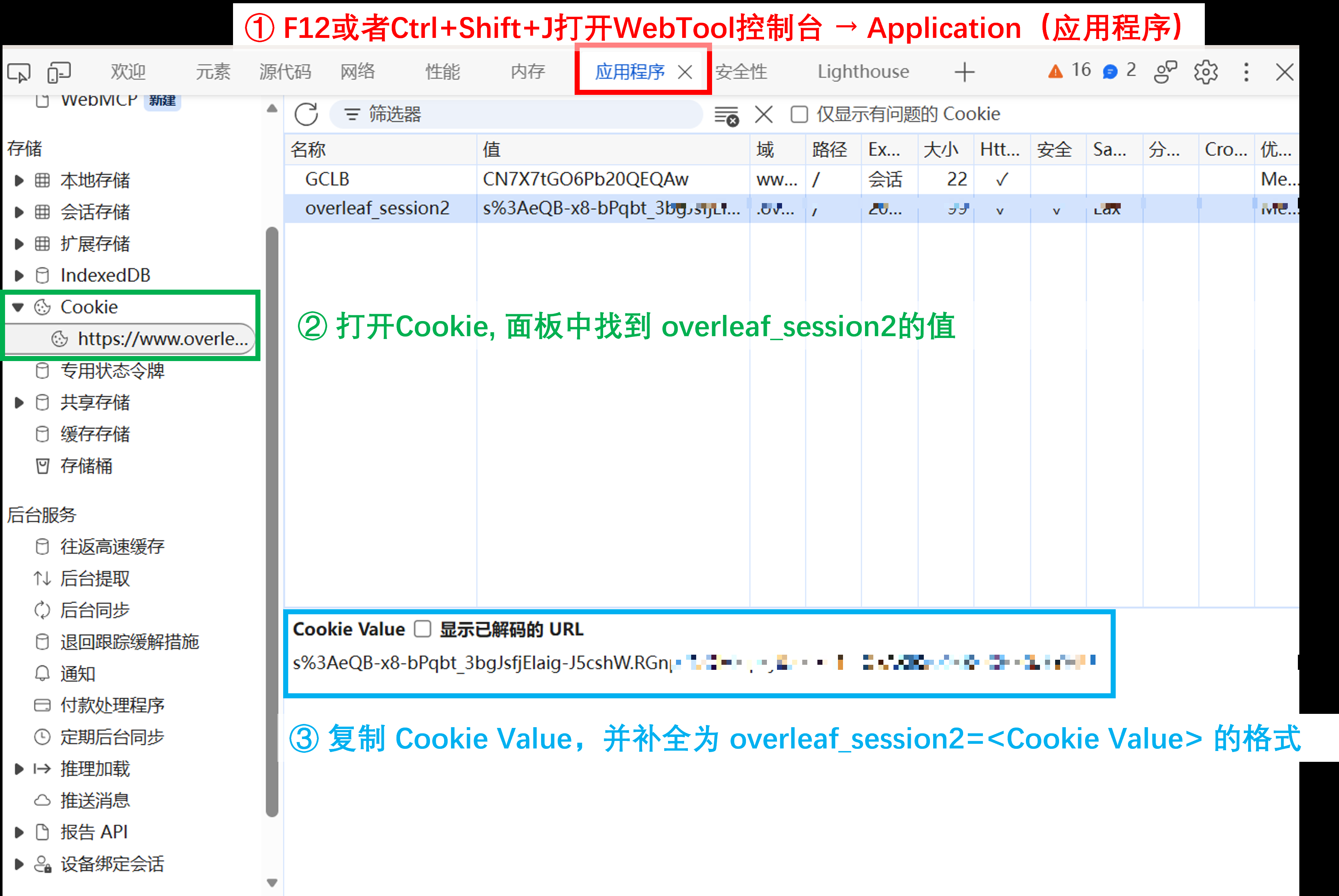
Beyond the editor, the plugin adds a three-tool assist panel. ai-insert lets you describe a change in natural language; the agent writes the LaTeX, the output is auto-captured into a review box, and on confirmation it is inserted at the editor caret via CodeMirror APIs. selection-ai works on any highlighted span: ask the agent to explain or rewrite, review the replacement, then write it back (with source and selection drift checks on by default). compile-fix reads the error and warning entries from the latest Recompile log and sends them to the agent for line-by-line fixes. Round-trip .bib detection and sync, bidirectional .tex synchronization (Overleaf-to-local by default; reverse whole-document replacement requires an explicit confirmation plus revision and snapshot checks), document outline navigation, and session login management round out the feature set.
This plugin is built for researchers and students who draft or refine LaTeX documents inside a DSH conversation and want the editor, compiler, and AI assistant in a single surface—no more tab-hopping between Overleaf and the DSH composer. Any public-cloud or self-hosted Overleaf instance is supported; switch the upstream in one settings field and the proxy target hot-swaps without a service restart.
Screenshots
Use Cases
- Edit and compile LaTeX papers in real time within a DSH session
- Let an AI agent fix compile errors and write them back to the editor
- Select, rewrite, and review LaTeX passages inside embedded Overleaf
Best For
- Researchers who frequently write LaTeX papers or lecture notes
- Graduate students iterating typeset documents within AI conversations
- University users on self-hosted Overleaf (e.g. tex.nju.edu.cn)
Related Plugins
A service-oriented sidebar framework for DSH, offering a full workbench with file explorer, embedded browser, real terminal, Git panel, and extensible plugin services.

A beautiful, practical Claude Code-style TUI plugin with pixel whale top bar, flowing glow title, real-time status line, streaming thought expansion, time rewind, context progress bar and TPS gauge — zero core changes.

The plugin market for DeepSeek Harness: browse/search/one-click install community plugins and themes, with updates, backup/restore, hot disable, diagnostics, and AI fix.

A persistent whale widget on the DSH web UI that shows DeepSeek balance, today's usage, and per-turn cost, with drag-and-snap and sound effects.