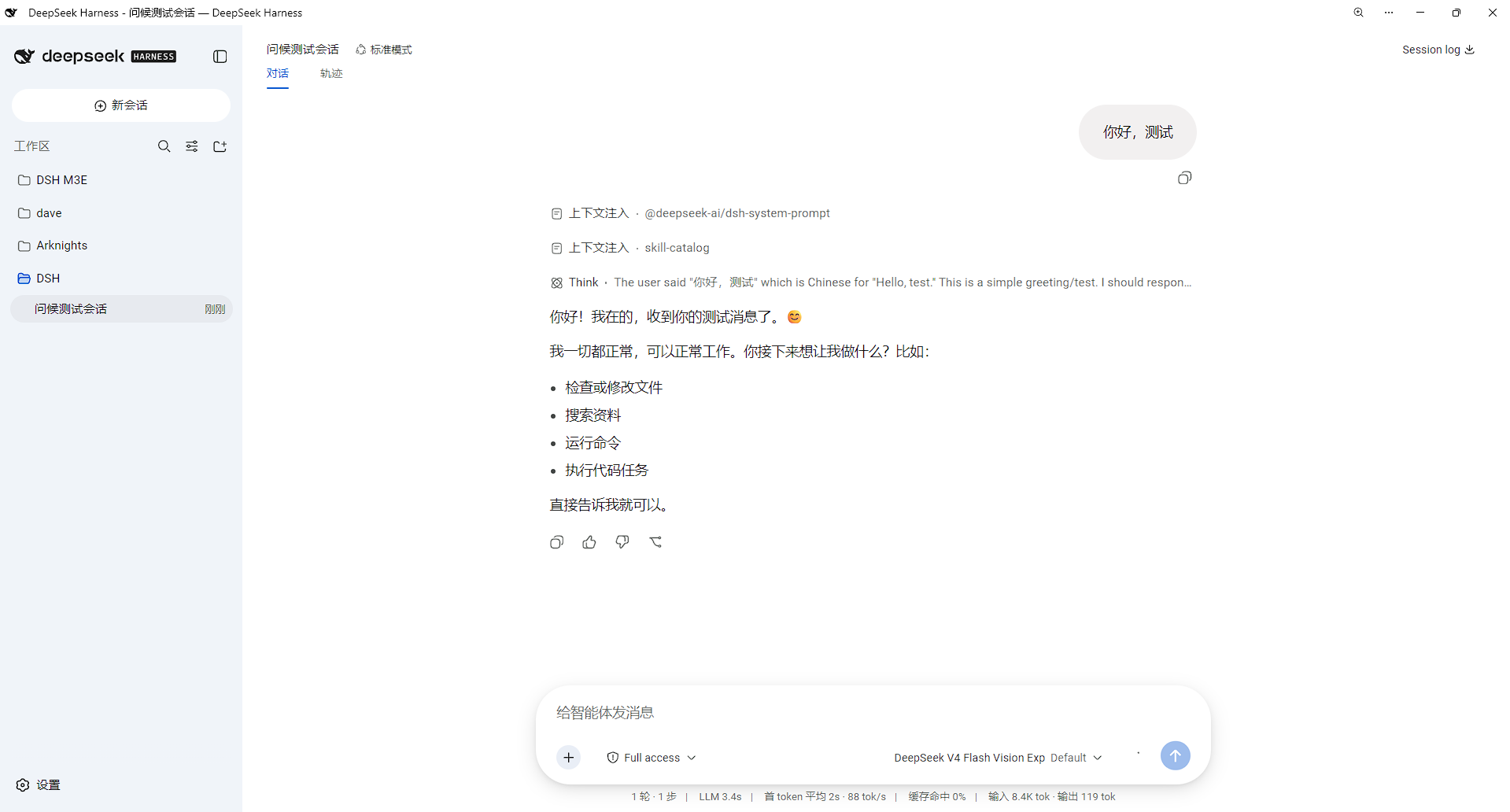
dsh-gemini-m3e-theme
Run the following command in DeepSeek Harness:
dsh plugin install makajo/dsh-gemini-m3e-theme
Paste the following prompt into your AI chat to install this plugin:
Run dsh plugin install makajo/dsh-gemini-m3e-theme in the DeepSeek Harness terminal to install the plugin; the source repository is available at https://github.com/makajo/dsh-gemini-m3e-theme .
About this plugin
DeepSeek Harness ships with a utilitarian Web UI by default. If you are drawn to the luminous Material 3 Expressive aesthetic that Google Gemini uses—soft dual-tone tokens, the Google Sans type stack, pill-shaped controls, a radial hero glow—there was previously no clean way to apply that look without patching source files. dsh-gemini-m3e-theme packages the entire visual layer into a persistent client bundle plugin that works exclusively through the official theme-token override channel and the style-injection channel, leaving zero product code untouched.
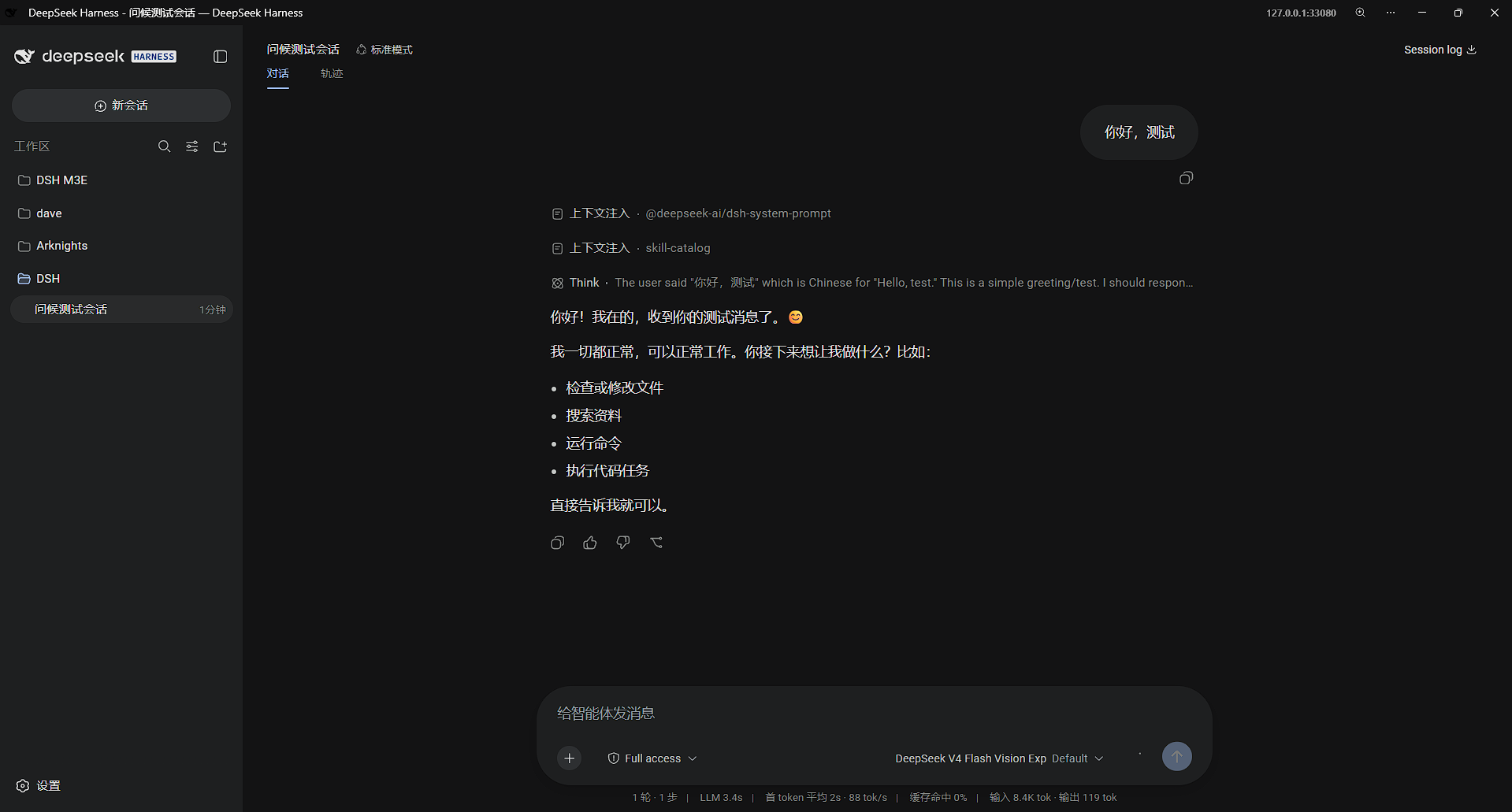
It covers six dimensions in depth: color (71 light-and-dark dual-tone tokens aligned to the Gemini luminous palette, with borders defined by surface contrast rather than stroke lines), typography (Google Sans Text fallback stack, a Mono variant for code, M3E heading scale at weight 400 with 1.5 line-height), shape (a precise radius system—40 px composer, 999 px pills, 32 px dialogs, 16 px tool blocks), glow and motion (a radial luminous hero glow, all transitions driven by a single cubic-bezier(.05,.7,.1,1) emphasized curve governing pop-in, staggered float, and dialog entry), interaction (pixel-accurate click ripples on pills and menus, interpolate-size width and height transitions, scrollbar edge fade-out and fade-in), and shadow (one soft-shadow spec shared by menus, popovers, and the Composer overlay, light on white and layered on dark, with border rings removed). Remove the bundle and every injected style disappears with it, restoring the original look with no residue.
It suits users who want a Gemini-aligned visual language inside Harness without maintaining a separate CSS patch, and teams that prefer M3E motion curves and pill geometry for a consistent brand feel. The repo ships a pre-built client bundle, so there is no local build step required—install, restart, and the theme is live.
Screenshots
Use Cases
- Restyle Harness Web UI with Gemini luminous aesthetics for a unified team look
- Apply a full Material 3 Expressive theme via official extension points, no source patches
- Prefer pill-shaped controls, emphasized motion curves, and soft layered shadows in daily work
Best For
- Harness Web UI users seeking a Gemini or Material 3 Expressive aesthetic
- Administrators who want clean install, zero source edits, and traceless removal
- Teams that enforce consistent color tokens, type stacks, and radius systems
Related Plugins

whale-girl is a desktop pet in the DSH Web GUI (bottom-right for instant companionship) — draggable, feedable, playable; completed tasks, sessions and companionship time accrue into seniority levels, titles, and memories.

Renders your local Wallpaper Engine wallpapers as the DSH web background, supporting video, web, and scene wallpapers with a liquid-glass effect and rich customization.

A WebGPU ocean skin for DeepSeek Harness with five-wave Gerstner waves, translucent theme, day/night cycle, and quick controls, installable as plugin or extension.

A Galgame-style conversation view and visual scene editor for DSH web sessions, with a real-time editing mode.