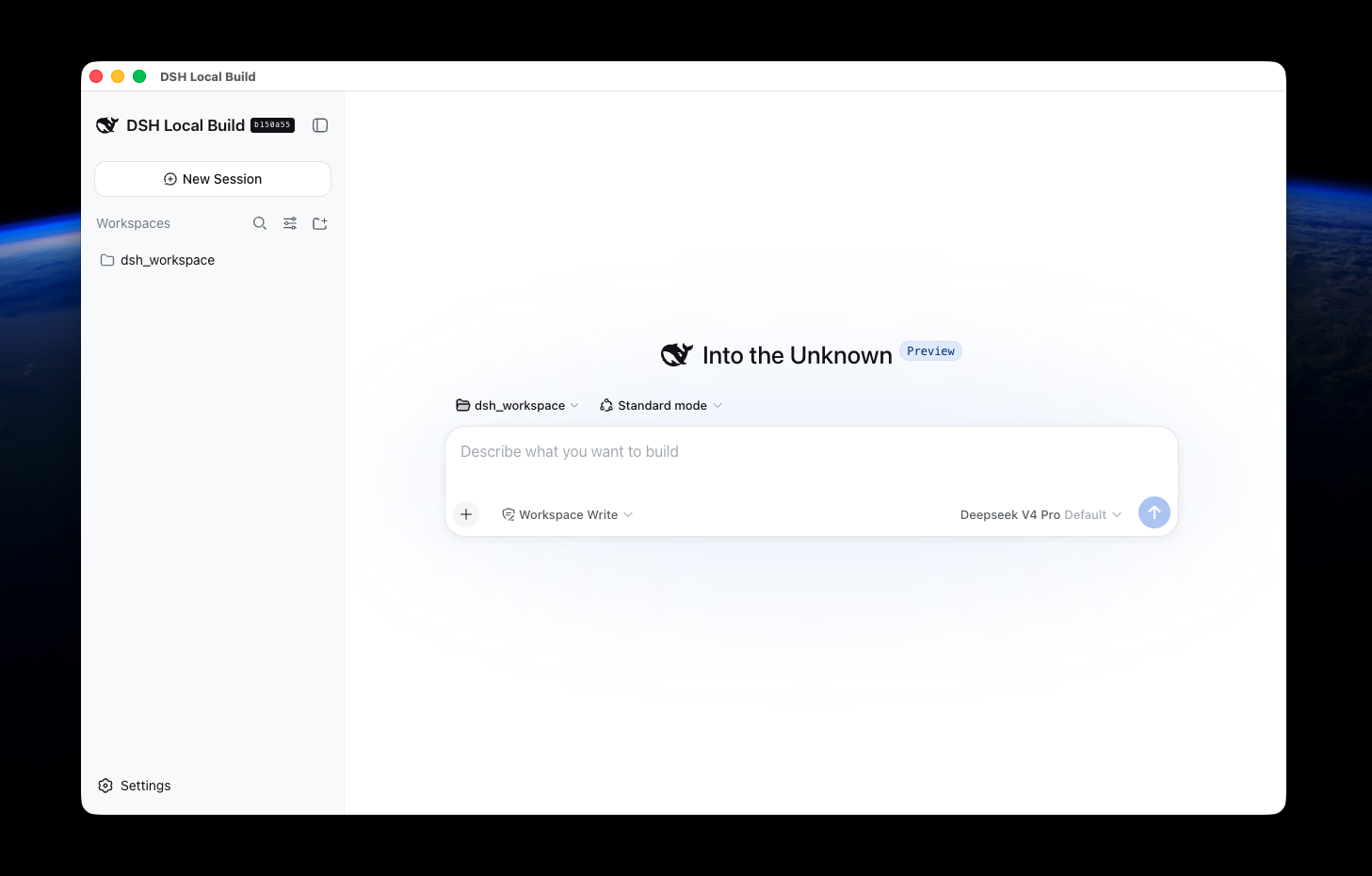
dsh-web-desktop
Run the following command in DeepSeek Harness:
dsh plugin install ningbonb/dsh-web-desktop
Paste the following prompt into your AI chat to install this plugin:
Run dsh plugin install ningbonb/dsh-web-desktop to attach the desktop launcher to your existing Web profile; source is available at https://github.com/ningbonb/dsh-web-desktop.
About this plugin
If you already run DeepSeek Harness through pnpm dsh web in a browser but also want a dedicated, focus-friendly desktop window for long sessions, dsh-web-desktop is built for that. It does not create or copy any Web profile. Instead, it attaches an Electron launcher beside your existing profile, automatically carrying the same plugin list, session history, model settings, and cordis.patch.yml. Your browser entry and desktop window stay perfectly in sync, and you no longer have to maintain two separate environments.
Three aspects define its core capability. First, it is non-invasive: it ships as a profile bundle and launcher, touching no DeepSeek Harness core, agent loop, or Web UI code. Second, it follows upstream updates: the launcher always boots the Web profile through the current local pnpm dsh, so after a DeepSeek Harness upgrade it automatically reuses the latest Web implementation and already-installed plugins. Third, it is transparently forwarding: arguments after -- are passed straight to the Web profile, while the launcher only adds its own overlay and --no-open, keeping behavior predictable.
Who is it for? Developers who rely on dsh web daily and want a pinned desktop window for lengthy document reviews or multi-turn conversations, without giving up the flexibility of the browser entry. A single dsh plugin install attaches it to your existing Web profile. Closing the Electron window leaves the Web Host running, exactly like closing a regular browser tab.
Screenshots
Use Cases
- Pin long conversations or multi-turn reviews in a dedicated desktop window to reduce browser tab clutter
- Switch between browser and desktop entries while sharing the same sessions, plugins, and model settings without re-login
- Auto-reuse the latest Web implementation in desktop mode after a DeepSeek Harness upgrade, with no extra adaptation needed
Best For
- Developers who rely on dsh web daily
- Engineers who need a dedicated window for long document reviews or multi-round iteration
- DeepSeek Harness users seeking a desktop experience with minimal invasiveness
Related Plugins
A service-oriented sidebar framework for DSH, offering a full workbench with file explorer, embedded browser, real terminal, Git panel, and extensible plugin services.

A beautiful, practical Claude Code-style TUI plugin with pixel whale top bar, flowing glow title, real-time status line, streaming thought expansion, time rewind, context progress bar and TPS gauge — zero core changes.

The plugin market for DeepSeek Harness: browse/search/one-click install community plugins and themes, with updates, backup/restore, hot disable, diagnostics, and AI fix.

A persistent whale widget on the DSH web UI that shows DeepSeek balance, today's usage, and per-turn cost, with drag-and-snap and sound effects.