dsh-skill-usage
Run the following command in DeepSeek Harness:
dsh plugin install spritebbb/dsh-skill-usage
Paste the following prompt into your AI chat to install this plugin:
Install the plugin from the DeepSeek Harness plugin store, or run dsh plugin install spritebbb/dsh-skill-usage in a terminal; the source lives at https://github.com/spritebbb/dsh-skill-usage.
About this plugin
Switching between or stacking multiple skills in a DeepSeek Harness session is easy to mismanage: which skill is actually active is hard to recall, and re-typing /name invocations adds friction. dsh-skill-usage turns that overhead into a single glance and one click on the sidebar.
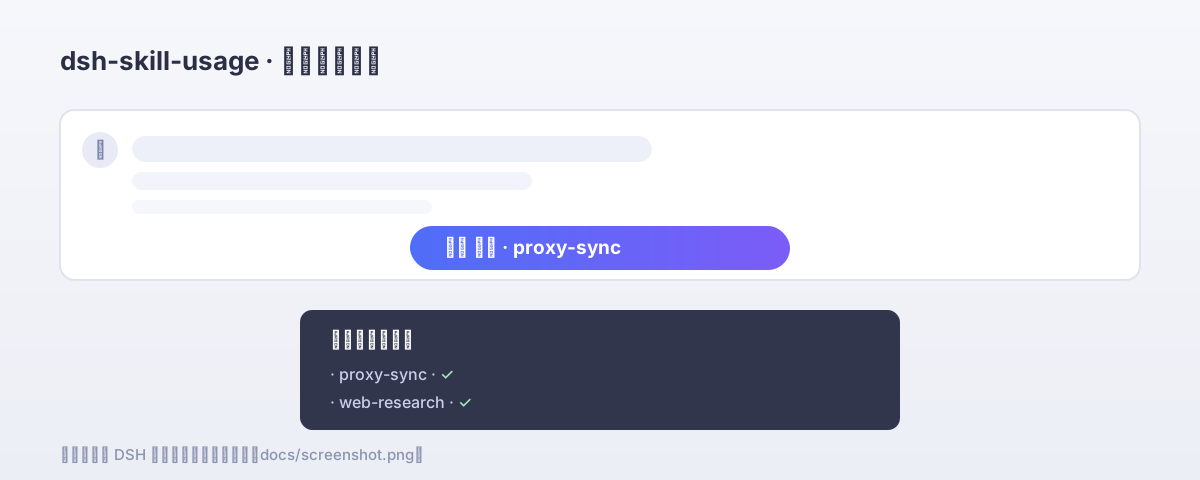
The plugin places a compact badge at the very bottom of the sidebar that always mirrors the most recently activated skill in the current session, together with its first-use history. Clicking the badge opens a two-part panel: the upper section lists every skill already used in this session; the lower section presents the available skill catalog with checkboxes. Select one or more skills and press Enable, and they are packed into a single /name prompt so the host injects each skill instruction into the conversation context, keeping them available for the entire turn.
If you routinely combine several skills in Harness, want a lightweight at-a-glance dashboard for the active skill, or simply prefer clicking over typing parameters, the plugin is ready the moment it is installed with zero configuration.
Screenshots
Use Cases
- Quickly confirm which skill is currently active in a multi-skill session
- Enable one or more skills with a single click instead of typing /name invocations
- Glide through the session skill history from the sidebar footer badge
Best For
- Users who stack multiple skills together in DeepSeek Harness
- GUI-oriented users who prefer clicking over typing /name parameters
- Lightweight plugin users who want skill visibility with zero configuration
Related Plugins
A service-oriented sidebar framework for DSH, offering a full workbench with file explorer, embedded browser, real terminal, Git panel, and extensible plugin services.

A beautiful, practical Claude Code-style TUI plugin with pixel whale top bar, flowing glow title, real-time status line, streaming thought expansion, time rewind, context progress bar and TPS gauge — zero core changes.

The plugin market for DeepSeek Harness: browse/search/one-click install community plugins and themes, with updates, backup/restore, hot disable, diagnostics, and AI fix.

A persistent whale widget on the DSH web UI that shows DeepSeek balance, today's usage, and per-turn cost, with drag-and-snap and sound effects.