dsh-version-plugin
Run the following command in DeepSeek Harness:
dsh plugin install hotpot-labs/dsh-version-plugin
Paste the following prompt into your AI chat to install this plugin:
Run dsh plugin install hotpot-labs/dsh-version-plugin in your terminal to install this plugin; the source repository is available at https://github.com/hotpot-labs/dsh-version-plugin .
About this plugin
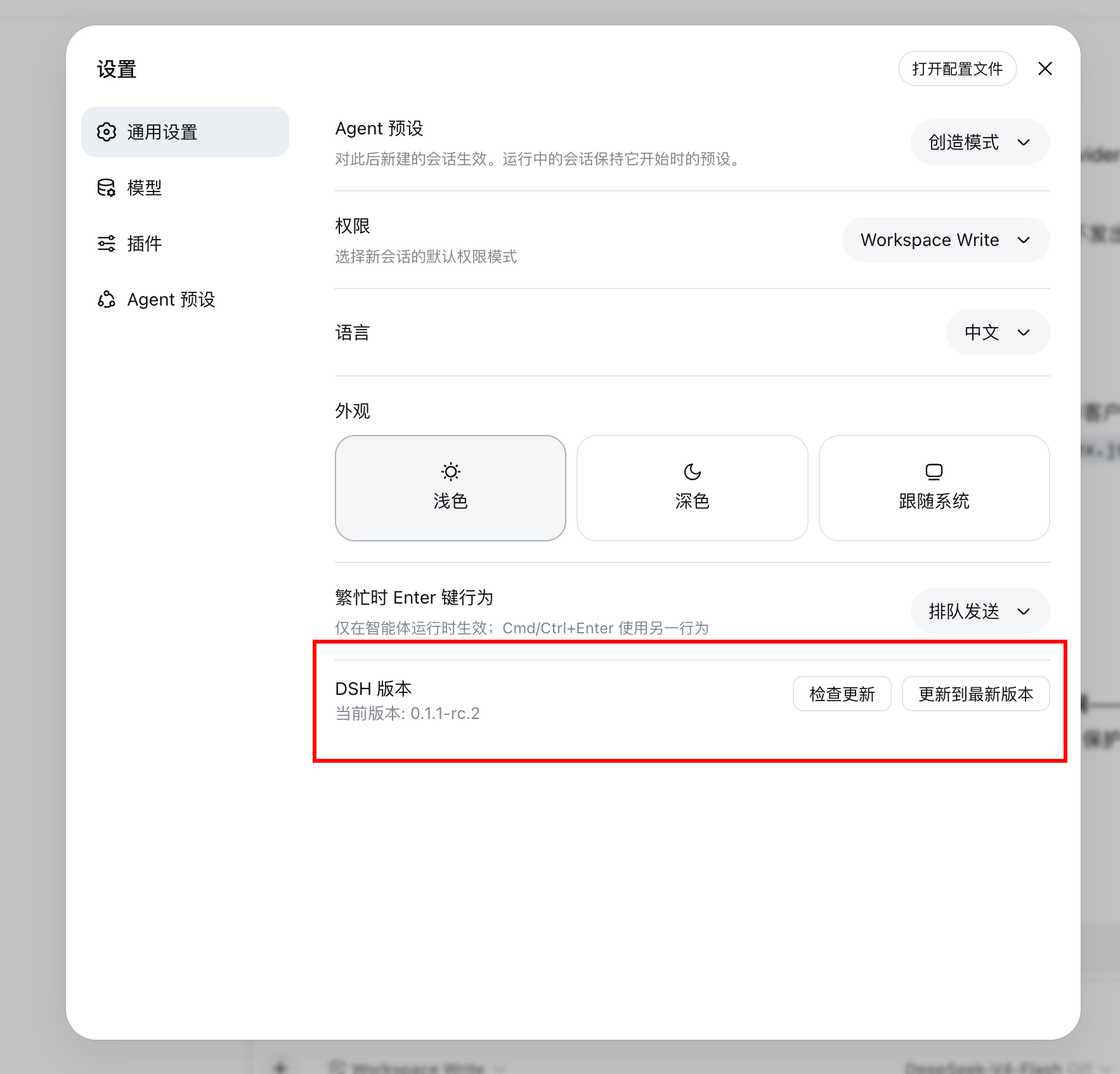
When working in DSH web mode, the global npm build and a local workspace copy can easily blur together, and checking which version actually runs requires digging through terminal logs. dsh-version-plugin brings that answer into the UI: it reads the package.json of the installed @deepseek-ai/dsh on the host and adds a DSH Version row at the bottom of Settings > General Settings, so the current version is visible at a glance.
Two buttons do the heavy lifting. Check for updates queries the npm registry for the latest available release, while Update to latest runs a global install command and streams the output directly in the UI, eliminating the need to switch back and forth to a terminal. All queries and updates travel over an RPC channel, so no extra dependencies are required.
Built for developers who use DSH in web mode day-to-day and switch frequently between global and local builds. Install from npm in one step, no local build permission needed.
Screenshots
Use Cases
- Check the current DSH version in the web settings
- Query the latest available version
- Update DSH global to the latest version
Best For
- Developers using DSH web mode
- Users who need to distinguish global and local DSH versions
- Developers who want fewer terminal commands
Related Plugins
A service-oriented sidebar framework for DSH, offering a full workbench with file explorer, embedded browser, real terminal, Git panel, and extensible plugin services.

A beautiful, practical Claude Code-style TUI plugin with pixel whale top bar, flowing glow title, real-time status line, streaming thought expansion, time rewind, context progress bar and TPS gauge — zero core changes.

The plugin market for DeepSeek Harness: browse/search/one-click install community plugins and themes, with updates, backup/restore, hot disable, diagnostics, and AI fix.

A persistent whale widget on the DSH web UI that shows DeepSeek balance, today's usage, and per-turn cost, with drag-and-snap and sound effects.