dsh-live2d
Run the following command in DeepSeek Harness:
dsh plugin install lrplrplrp/dsh-live2d
Paste the following prompt into your AI chat to install this plugin:
Run dsh plugin install lrplrplrp/dsh-live2d to install the plugin; source code is available at https://github.com/lrplrplrp/dsh-live2d .
About this plugin
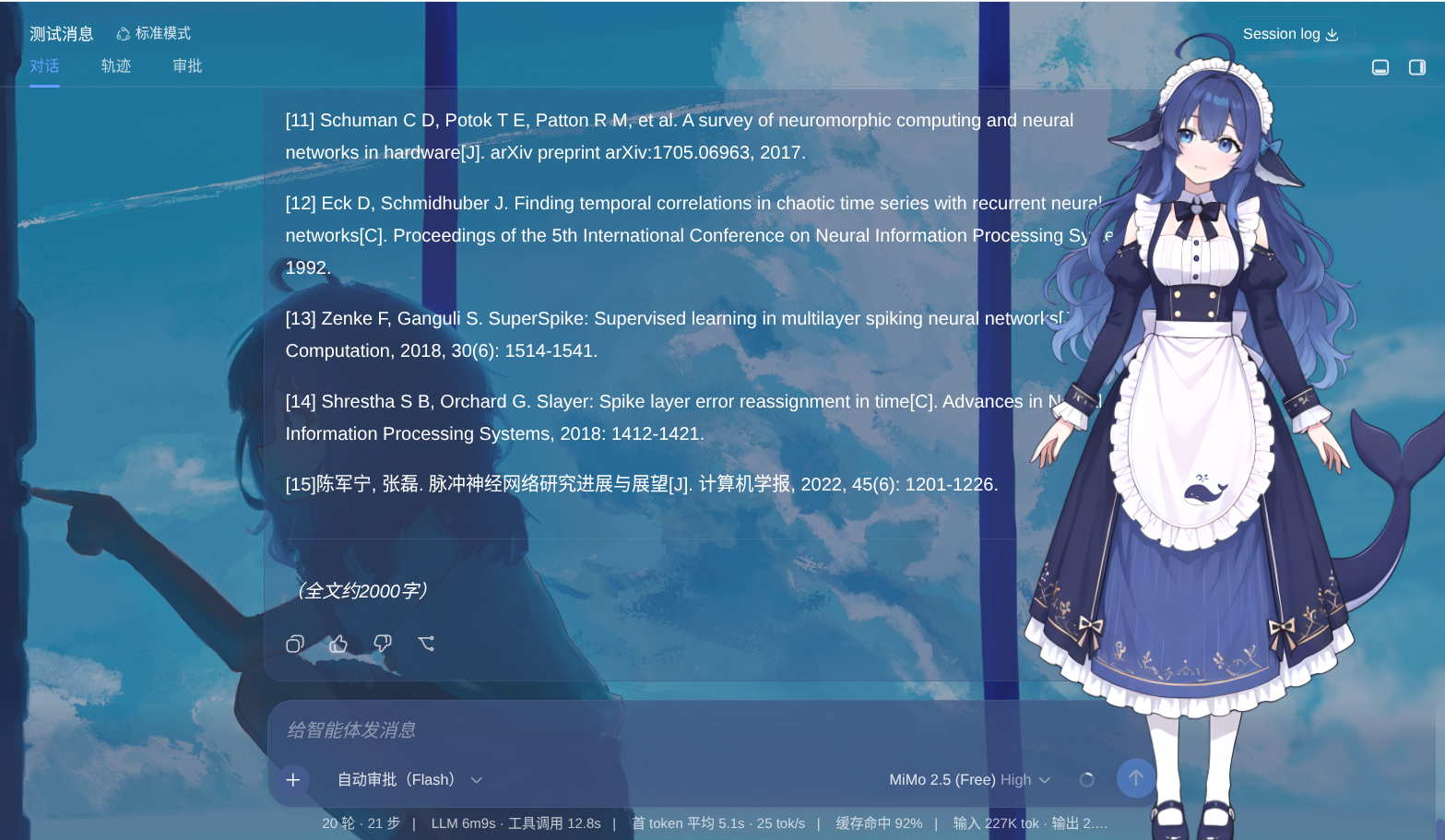
Waiting for an Agent to finish a multi-step task can feel like staring at a loading spinner. dsh-live2d puts a Live2D mascot in the corner of the DeepSeek Harness Web GUI that reacts to every state change in real time: thinking, tool-calling, speaking, success, or error. State deltas arrive over SSE so animation switches are effectively instant, and you can drag the character to a new spot, scroll to resize it, stretch the canvas with a corner handle, and even let its eyes follow your cursor. All of these preferences persist, so the layout is exactly where you left it the next time you open the app.
Out of the box the plugin ships a default DeepSeek Live2D model with a complete animation mapping (Idle, Thinking, Speak, Happy, Unhappy expressions, and more), so you see a working character the moment Harness starts. Want a different model? Drop any folder containing a .model3.json into the plugin assets/ directory, hit Refresh in the settings panel, and the new model appears ready for per-track motion and expression configuration. No manual path editing required.
Built for people who enjoy a desktop-pet companion during work but want it to reflect actual workflow states rather than looping a generic animation. No code, no extra backend, just one plugin install command and a friendlier waiting experience.
Screenshots
Use Cases
- Keep the interface lively while the Agent runs multi-step tasks
- Glance at the mascot to see thinking, success, or error at a time
- Import a local Live2D model and map it to DSH workflow states
Best For
- Users who enjoy a desktop-pet companion
- Harness users who want state feedback at a glance
- Tinkerers who want a custom Live2D model with zero code
Related Plugins

whale-girl is a desktop pet in the DSH Web GUI (bottom-right for instant companionship) — draggable, feedable, playable; completed tasks, sessions and companionship time accrue into seniority levels, titles, and memories.

Renders your local Wallpaper Engine wallpapers as the DSH web background, supporting video, web, and scene wallpapers with a liquid-glass effect and rich customization.

A WebGPU ocean skin for DeepSeek Harness with five-wave Gerstner waves, translucent theme, day/night cycle, and quick controls, installable as plugin or extension.

A Galgame-style conversation view and visual scene editor for DSH web sessions, with a real-time editing mode.