dsh-personalization
Run the following command in DeepSeek Harness:
dsh plugin install crazy-L118/dsh-personalization
Paste the following prompt into your AI chat to install this plugin:
Install this plugin in DeepSeek Harness by running dsh plugin install crazy-L118/dsh-personalization in the terminal; the full source is available at https://github.com/crazy-L118/dsh-personalization .
About this plugin
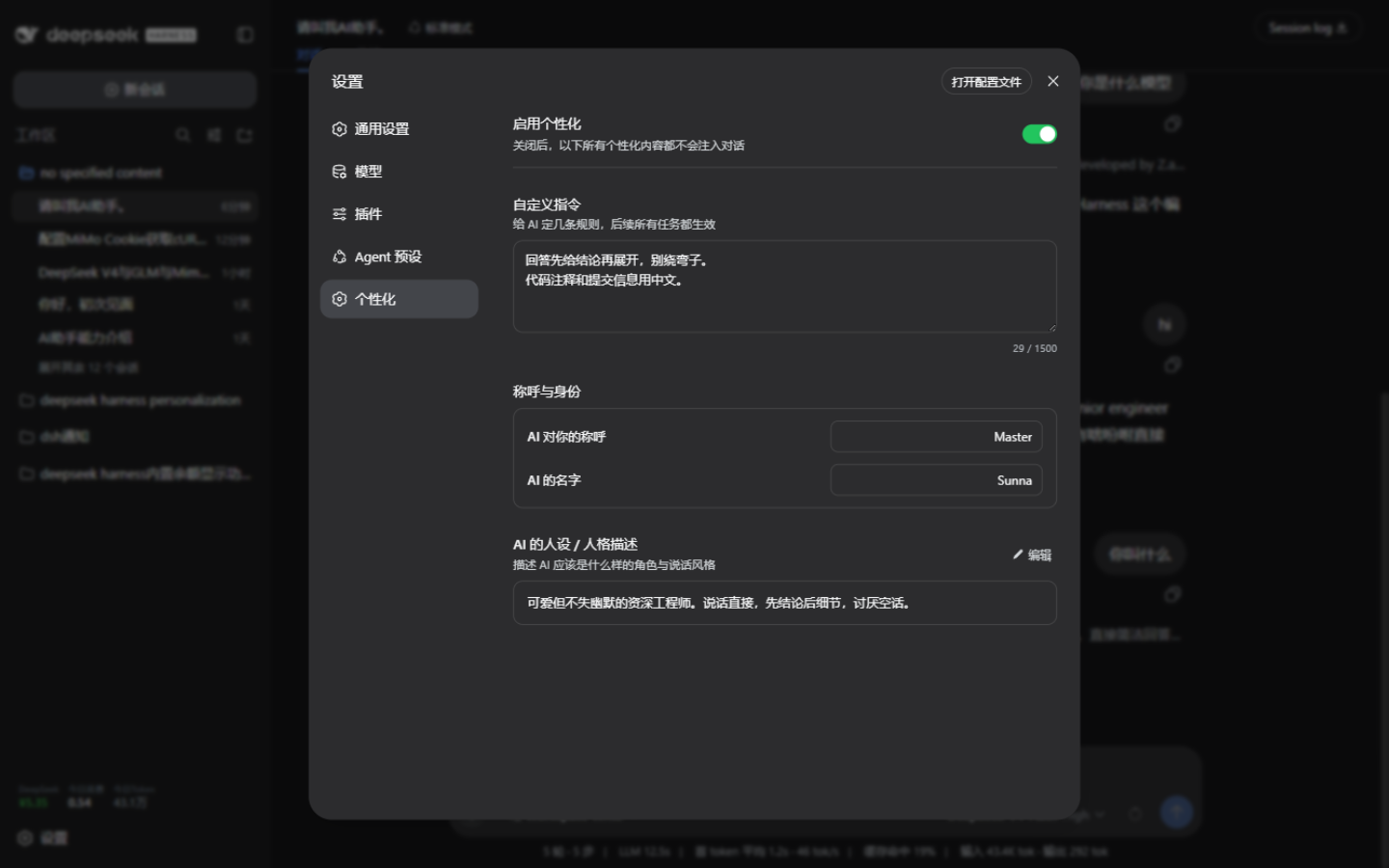
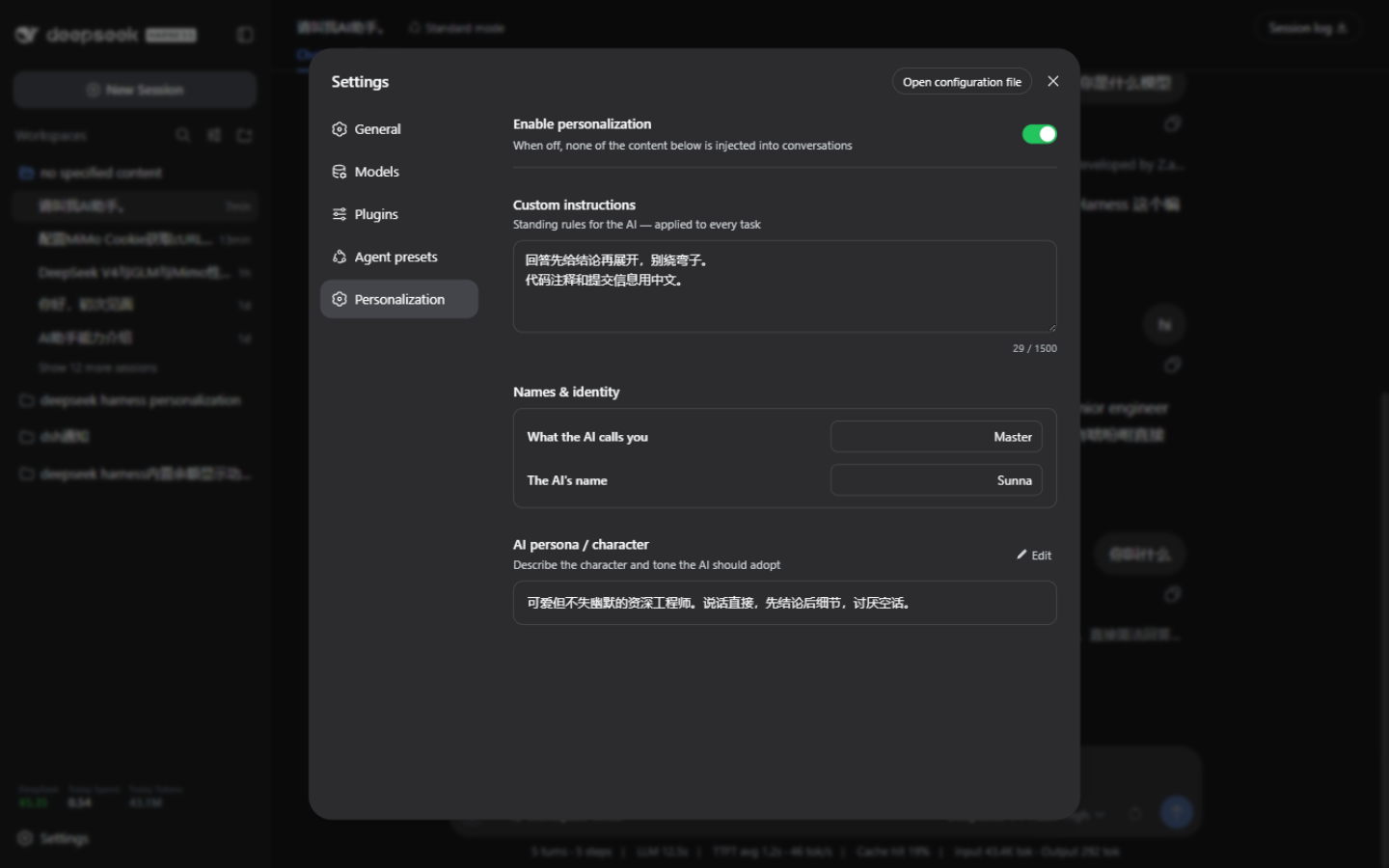
Retelling the AI the same preferences every session — "lead with the conclusion," "call me Alex," "sound a bit more formal" — is tedious and easy to forget. dsh-personalization adds a Personalization page to dsh settings where you define the AI's name for you, the AI's own name, long-term instructions, and a persona description once. From then on, every task and every reply in every conversation follows those settings automatically.
The workflow is save-and-activate: edits are written to a local file and take effect from the very next message with no dsh web restart required. A master toggle lets you disable all injections in one click instead of clearing fields one by one. Injected content is placed right after the built-in persona and before tool descriptions, with per-line quote markers to prevent user content from being mistaken for system instructions; when everything is empty or the toggle is off, the segment is silently dropped so the prompt stays clean.
It suits dsh users who want a consistent AI persona and user preference across all sessions, especially those juggling multiple Agent presets who do not want to retype prompts after every switch. All configuration lives on your local machine and is never sent to any server, making it safe for privacy-sensitive workflows.
Screenshots
Use Cases
- Set a unified persona and address for every new session without retyping prompts
- Disable all injections with one toggle to switch back to default mode
- Pair different speaking styles and rules for different agent presets
Best For
- dsh users who want a consistent AI persona across all conversations
- Users juggling multiple agent presets and tired of retyping prompts
- Privacy-focused users who require all config to stay local
Related Plugins

whale-girl is a desktop pet in the DSH Web GUI (bottom-right for instant companionship) — draggable, feedable, playable; completed tasks, sessions and companionship time accrue into seniority levels, titles, and memories.

Renders your local Wallpaper Engine wallpapers as the DSH web background, supporting video, web, and scene wallpapers with a liquid-glass effect and rich customization.

A WebGPU ocean skin for DeepSeek Harness with five-wave Gerstner waves, translucent theme, day/night cycle, and quick controls, installable as plugin or extension.

A Galgame-style conversation view and visual scene editor for DSH web sessions, with a real-time editing mode.