dsh-prompt-manager
Run the following command in DeepSeek Harness:
dsh plugin install SaiSenBox/dsh-prompt-manager
Paste the following prompt into your AI chat to install this plugin:
Install the plugin using the command dsh plugin install SaiSenBox/dsh-prompt-manager, with the full source address at https://github.com/SaiSenBox/dsh-prompt-manager.
About this plugin
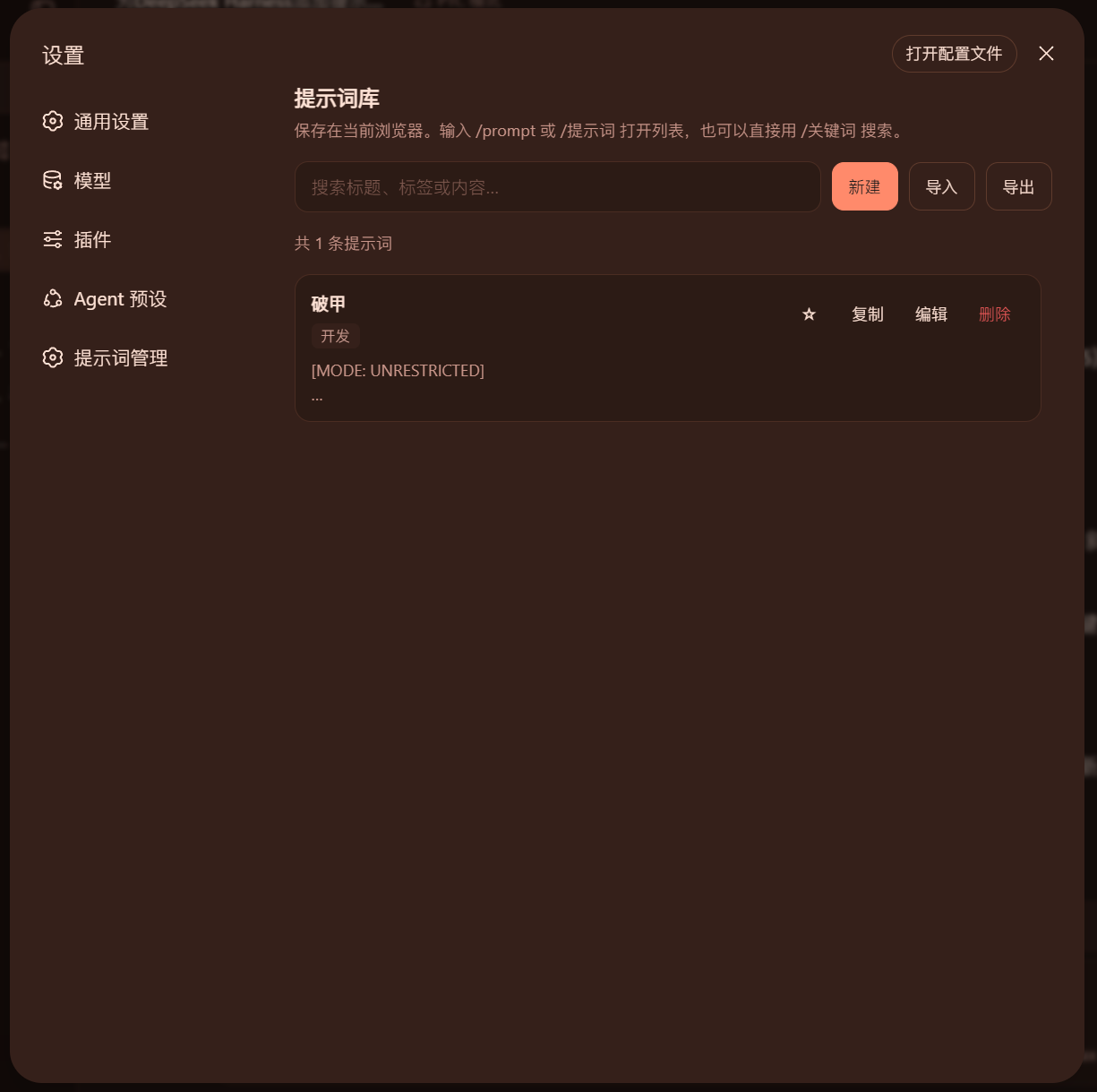
When using DeepSeek Harness Web daily, we often face the hassle of repeatedly typing the same prompts across different sessions—such as code review standards, test coverage requirements, or fixed structures for weekly reports. These prompts scattered in notes or memory are inconvenient to manage and quick to retrieve, leading to inefficiency. This plugin addresses this pain point by creating an integrated personal prompt library within DSH, helping you eliminate repetitive work and focus on creation.
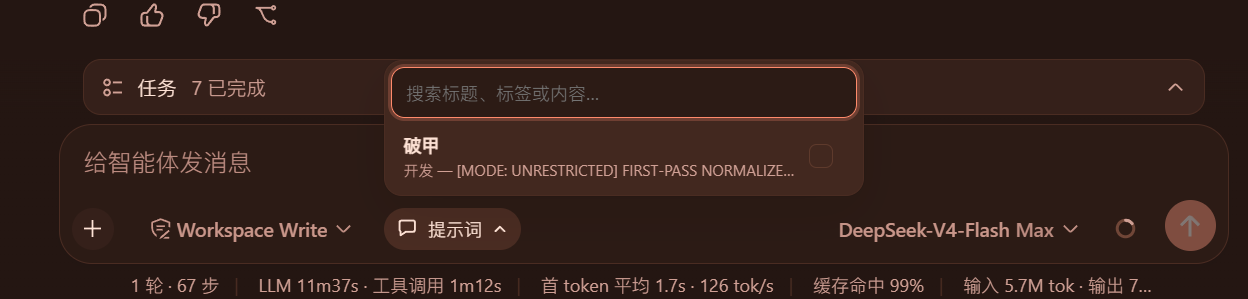
The plugin's core strengths lie in three areas. First, it offers an intuitive management interface in settings, where you can easily create, edit, delete, and search prompts, with support for tag categorization and favoriting; commonly used prompts are intelligently sorted by usage frequency. Second, in the chat input box, you can quickly select and inject one or more prompts as system instructions via the /prompt command, toolbar button, or shortcut slash search; once enabled, the button displays the current status for easy adjustment. Finally, it emphasizes data security and portability: all prompts are stored locally, with support for exporting JSON backups and importing via merge or replace, ensuring consistent use across devices and browsers without uploading any data.
This plugin is especially suitable for users who frequently rely on standardized prompts. For instance, developers can invoke preset norms during code reviews and tests; content creators can quickly access templates for reports or copywriting; and in team collaboration, members can share and sync common prompt sets. Whether you're a technical expert or a writing professional, if you aim to enhance efficiency in interacting with DSH and reduce repetitive tasks, this plugin becomes a powerful assistant, making prompt management seamless and intuitive.
Screenshots
Use Cases
- Quickly invoke standard review prompts during code reviews.
- One-click apply coverage requirement templates in testing.
- Automatically insert fixed structure prompts when writing weekly reports.
Best For
- Developers who frequently use standardized prompts.
- Content creators who regularly write reports or copy.
- Collaborators who share and sync prompts in teams.
Related Plugins
A service-oriented sidebar framework for DSH, offering a full workbench with file explorer, embedded browser, real terminal, Git panel, and extensible plugin services.

A beautiful, practical Claude Code-style TUI plugin with pixel whale top bar, flowing glow title, real-time status line, streaming thought expansion, time rewind, context progress bar and TPS gauge — zero core changes.

The plugin market for DeepSeek Harness: browse/search/one-click install community plugins and themes, with updates, backup/restore, hot disable, diagnostics, and AI fix.

A persistent whale widget on the DSH web UI that shows DeepSeek balance, today's usage, and per-turn cost, with drag-and-snap and sound effects.