
ai-input-enhancer
Run the following command in DeepSeek Harness:
dsh plugin install zhengzeyong9527-droid/ai-input-enhancer
Paste the following prompt into your AI chat to install this plugin:
Run dsh plugin install zhengzeyong9527-droid/ai-input-enhancer to install this plugin in DeepSeek Harness; source code is available at https://github.com/zhengzeyong9527-droid/ai-input-enhancer
About this plugin
Writing a sloppy prompt to an LLM usually drags the quality of the answer down, but manually polishing every sentence before hitting send is slow and breaks your flow. ai-input-enhancer adds a Prompt Optimize button right inside the DeepSeek Harness input box: click it, the current draft is rewritten by the model you have configured, the result lands back in the box, and one click reverts you to the original text. Everything stays in the conversation—no separate editor, no copy-paste round trip.
Three clearly bounded optimization modes give you control without guesswork. Fidelity improves clarity without inventing requirements, facts, or scope. Dev-oriented reformats the technical details you already provided into implementation-ready language, without picking a stack or architecture on your behalf. Spec Expansion may fill in necessary defaults, but every assumption is explicitly listed under a Default assumptions heading for your review. On the context side, the plugin supports an optional short-term memory of up to three applied optimizations within the session, and optional Markdown documents from the current workspace root. Both sources are subject to a configurable character budget and degrade gracefully if the underlying service is unavailable. You can also configure the primary model, fallback model, timeout, and max output tokens through a segmented advanced-settings panel.
This plugin is best suited for developers and product folks who rely on DSH for technical Q&A, design discussions, or spec writing and want the discipline of optimizing before sending while keeping tight control over what the model may add. Privacy-wise, the plugin never persists full drafts, conversation history, or document contents, and it does not store API keys. All extra context sources are off by default—you turn them on one at a time.
Screenshots
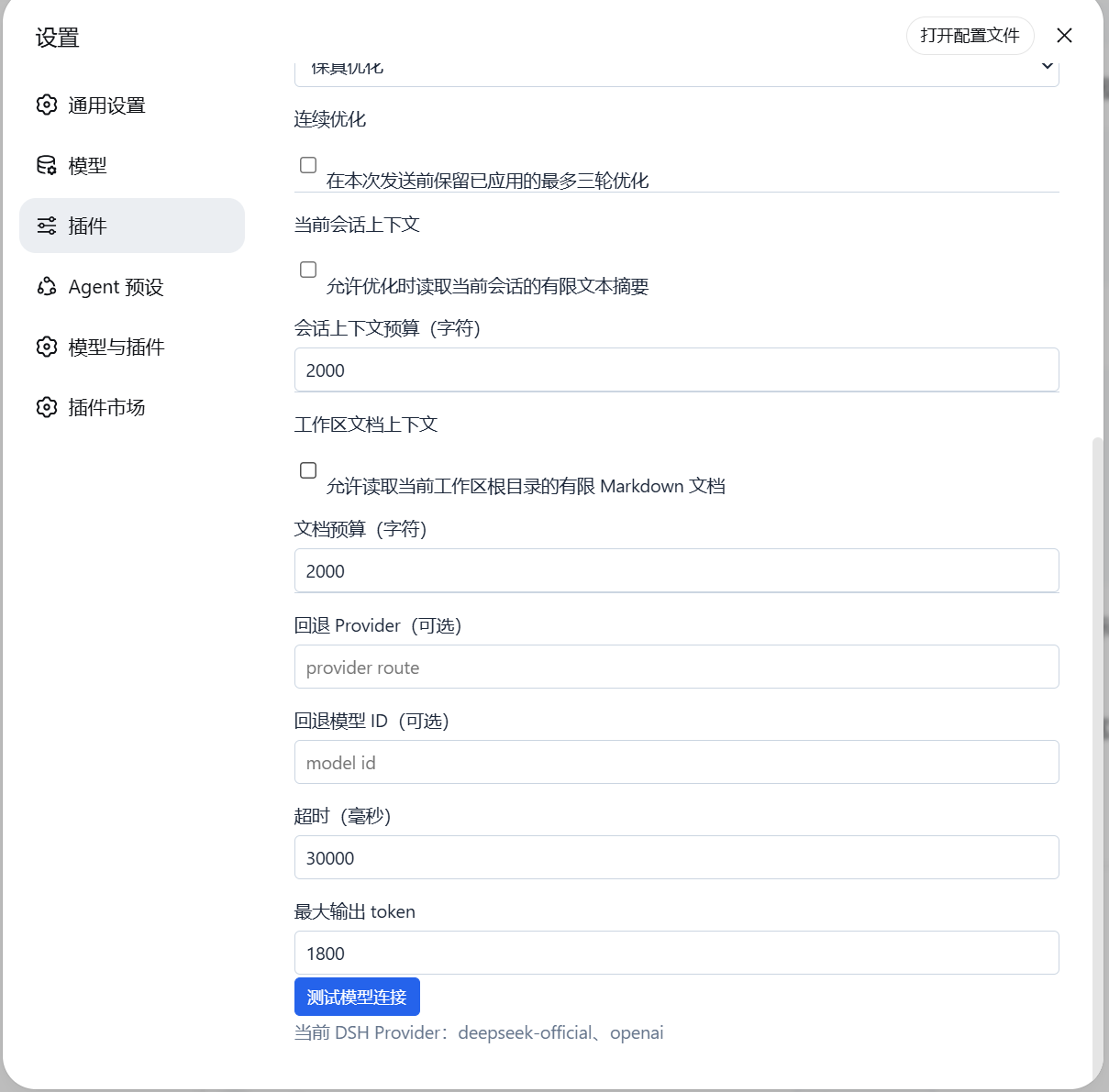
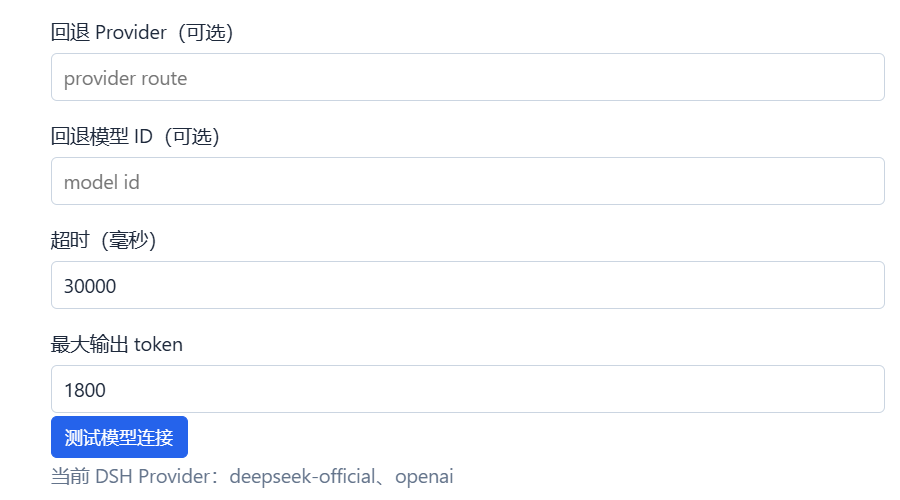
Use Cases
- Polishing a rough spec description into a structured prompt before sending to the LLM
- Reformatting verbal technical notes into implementation-ready language without imposing a stack
- Reviewing model-suggested defaults under Spec Expansion before accepting them
Best For
- Developers relying on DSH for technical Q&A and architecture discussions
- Product managers drafting specs and PRDs
- Heavy LLM users who want to refine prompts and cap model自由度 before hitting send
Related Plugins
A service-oriented sidebar framework for DSH, offering a full workbench with file explorer, embedded browser, real terminal, Git panel, and extensible plugin services.

A beautiful, practical Claude Code-style TUI plugin with pixel whale top bar, flowing glow title, real-time status line, streaming thought expansion, time rewind, context progress bar and TPS gauge — zero core changes.

The plugin market for DeepSeek Harness: browse/search/one-click install community plugins and themes, with updates, backup/restore, hot disable, diagnostics, and AI fix.

A persistent whale widget on the DSH web UI that shows DeepSeek balance, today's usage, and per-turn cost, with drag-and-snap and sound effects.