dsh-mic-dictation
Run the following command in DeepSeek Harness:
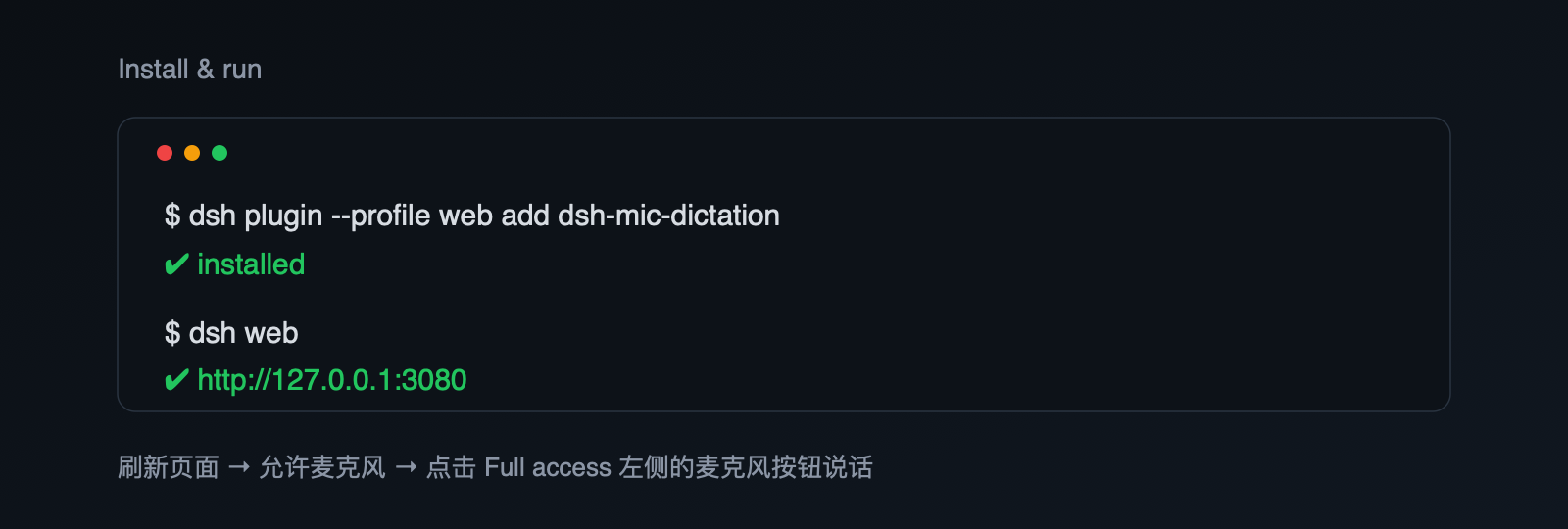
dsh plugin install Kilganon725/dsh-mic-dictation
Paste the following prompt into your AI chat to install this plugin:
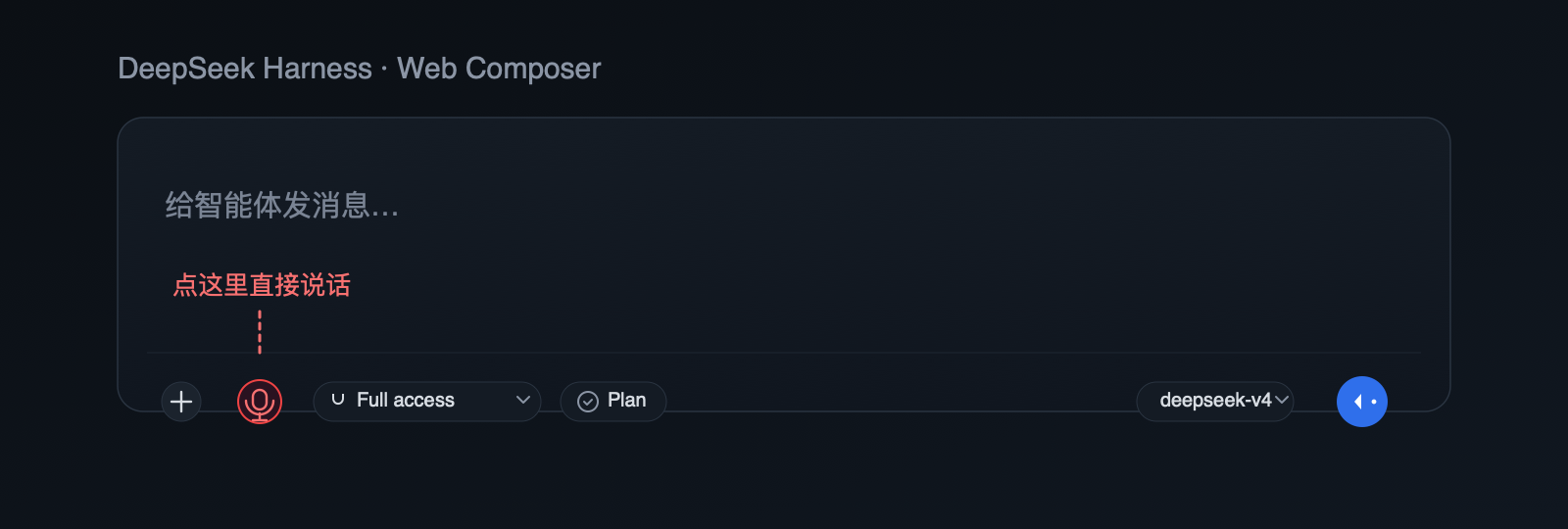
Run dsh plugin install Kilganon725/dsh-mic-dictation in your DeepSeek Harness terminal; the source code is hosted at https://github.com/Kilganon725/dsh-mic-dictation. After installation, restart dsh web and refresh the page to see the microphone button appear to the left of Full access in the composer.
About this plugin
When briefing DeepSeek through the DSH web composer, typing out a lengthy task description is not always the most natural workflow—especially when your thoughts are moving faster than your fingers. dsh-mic-dictation places a microphone button immediately to the left of the Full access control; click it, speak in Chinese, and the recognized text drops straight into the input field for you to review and send. The plugin is built entirely on the browser-native SpeechRecognition API with the language pinned to zh-CN, so Chinese speakers get the most fluid experience without extra configuration. It ships as a pure client-side bundle: no DSH source changes, no local server, and no API keys or session data are requested or stored. The button is anchored via a MutationObserver on the Full access element, so it stays precisely in place through React re-renders and HMR cycles, and every button, style rule, and listener is cleaned up when the plugin is unloaded. One practical note: in Chrome the audio stream is routed to Google Speech Services for transcription, while Safari and Edge use their own platform recognition engines—if what you say is sensitive, keep that in mind.
It is designed for Chinese-primary users who prefer to dictate tasks in DSH Web rather than type them out. The page must be served from localhost or 127.0.0.1 to satisfy the browser secure-context requirement for microphone access, and the browser must be Chrome, Edge, or Safari (Firefox lacks full SpeechRecognition support). After installing, simply refresh the page, grant the microphone permission prompt on first click, and you are ready to say your instructions out loud.
Screenshots
Use Cases
- Quickly dictate long task descriptions in DSH Web via voice
- Speak instructions to DeepSeek during meetings or commutes when typing is impractical
- Chinese task descriptions that flow more naturally when spoken than typed word by word
Best For
- DSH Web users who work primarily in Chinese
- DeepSeek users who prefer voice input over typing for efficiency
- Developers seeking a lightweight, zero-backend client-side plugin with no API key
Related Plugins
A service-oriented sidebar framework for DSH, offering a full workbench with file explorer, embedded browser, real terminal, Git panel, and extensible plugin services.

A beautiful, practical Claude Code-style TUI plugin with pixel whale top bar, flowing glow title, real-time status line, streaming thought expansion, time rewind, context progress bar and TPS gauge — zero core changes.

The plugin market for DeepSeek Harness: browse/search/one-click install community plugins and themes, with updates, backup/restore, hot disable, diagnostics, and AI fix.

A persistent whale widget on the DSH web UI that shows DeepSeek balance, today's usage, and per-turn cost, with drag-and-snap and sound effects.