dsh-tool-plus
Run the following command in DeepSeek Harness:
dsh plugin install xiaoso456/dsh-tool-plus
Paste the following prompt into your AI chat to install this plugin:
Run dsh plugin install xiaoso456/dsh-tool-plus in DeepSeek Harness to install; the source code is available at https://github.com/xiaoso456/dsh-tool-plus.
About this plugin
DeepSeek Harness ships a solid baseline of bash, file, and search tools, but real development work often outgrows them: multi-step shell state, large-file navigation, reading archives or images inline, and controllable edits. dsh-tool-plus is the enhancement layer that fills exactly that gap, taking over the official toolchain the moment it is installed with zero configuration.
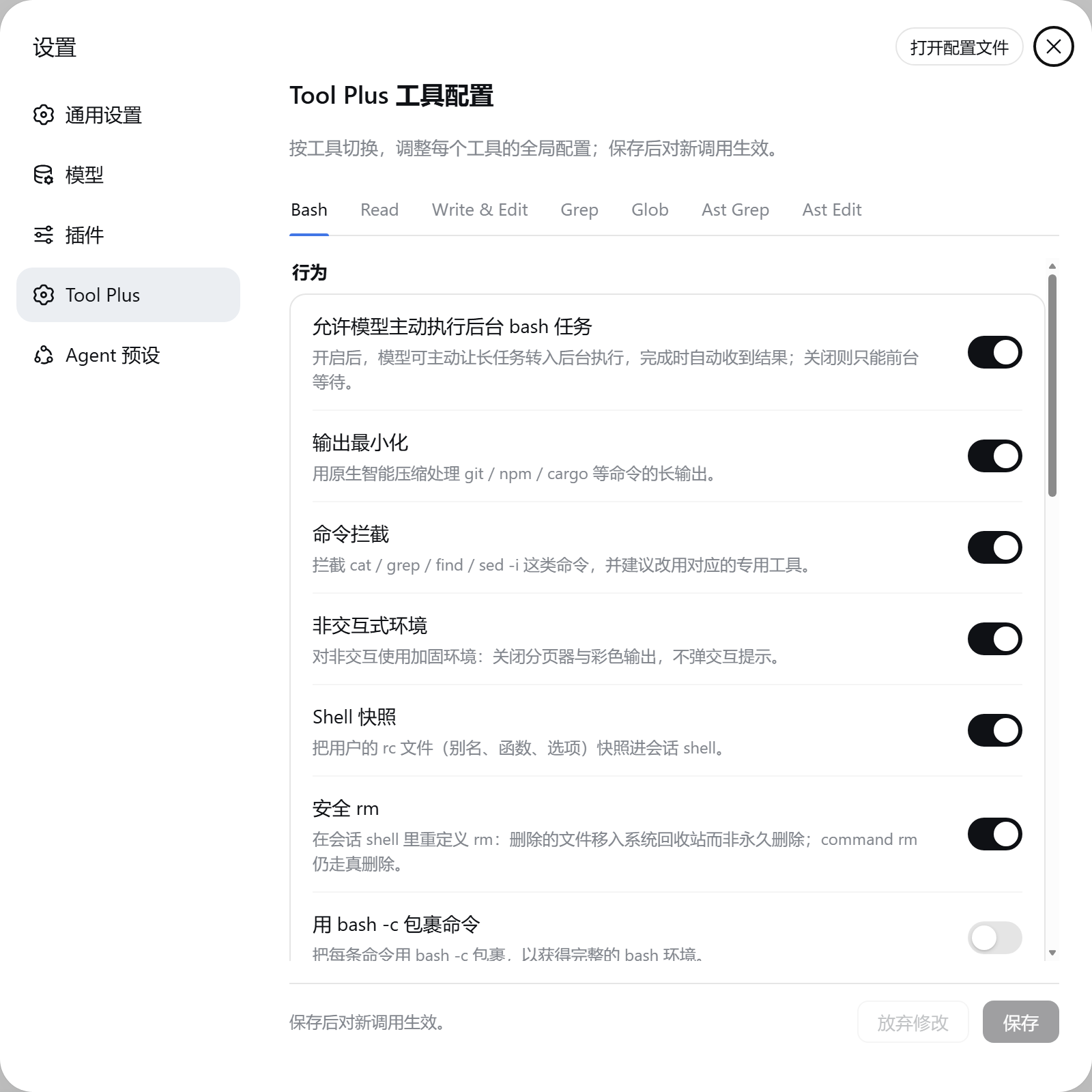
The core abilities target the operations you hit most often in a coding session. Persistent bash keeps cd and export alive across calls, compresses verbose git, npm, and cargo logs, caps overlong output to head-and-tail with the full log written to disk for later retrieval, and auto-backgrounds long-running commands. Read supports precise line-range access, returns a structural summary for large source files with details expanded on demand, opens zip and tar archives, SQLite databases, notebooks, and PDFs directly, decodes PNG, JPEG, WebP, and GIF images in place, and even renders SPA pages through a local browser before capturing them. Write is atomic and returns a diff; it can also patch members inside archives or rows in a SQLite file. Edit offers replace as the default plus patch, hashline, and apply-patch formats with uniqueness checks and whitespace-tolerant matching. By default rm moves files to the system trash instead of permanent deletion, so accidents are recoverable. For users who want syntax-aware operations, optional ast_grep and ast_edit provide tree-sitter-based structured code search and rewrite.
This plugin is for anyone whose AI coding sessions keep running into the limits of the stock toolset: you need shell state to persist across steps, want to read a large codebase or a SQLite schema in one shot, expect the model to reason over images, or prefer edits that are atomic, diffable, and auditable. Pair it with the Standard or PTC agent presets and the full toolkit is wired into DeepSeek Harness, turning your workflow from merely functional to genuinely smooth.
Screenshots
Use Cases
- Multi-step tasks requiring persistent shell state and automatic log compression
- Reading large files, SQLite databases, images, or archives in a single session
- Atomic writes with diff auditing and recoverable file deletions
Best For
- Developers using DeepSeek Harness for AI-assisted coding daily
- Power users who need large-file navigation, multi-format reading, and controllable edits
- Advanced users seeking tree-sitter-based structured code search and rewrite
Related Plugins
A service-oriented sidebar framework for DSH, offering a full workbench with file explorer, embedded browser, real terminal, Git panel, and extensible plugin services.

A beautiful, practical Claude Code-style TUI plugin with pixel whale top bar, flowing glow title, real-time status line, streaming thought expansion, time rewind, context progress bar and TPS gauge — zero core changes.

The plugin market for DeepSeek Harness: browse/search/one-click install community plugins and themes, with updates, backup/restore, hot disable, diagnostics, and AI fix.

A persistent whale widget on the DSH web UI that shows DeepSeek balance, today's usage, and per-turn cost, with drag-and-snap and sound effects.