dsh-ai-prompt-optimizer
Run the following command in DeepSeek Harness:
dsh plugin install wuchubuzai2018/dsh-ai-prompt-optimizer
Paste the following prompt into your AI chat to install this plugin:
In DeepSeek Harness, you can install this plugin by running the command dsh plugin install https://github.com/wuchubuzai2018/dsh-ai-prompt-optimizer.
About this plugin
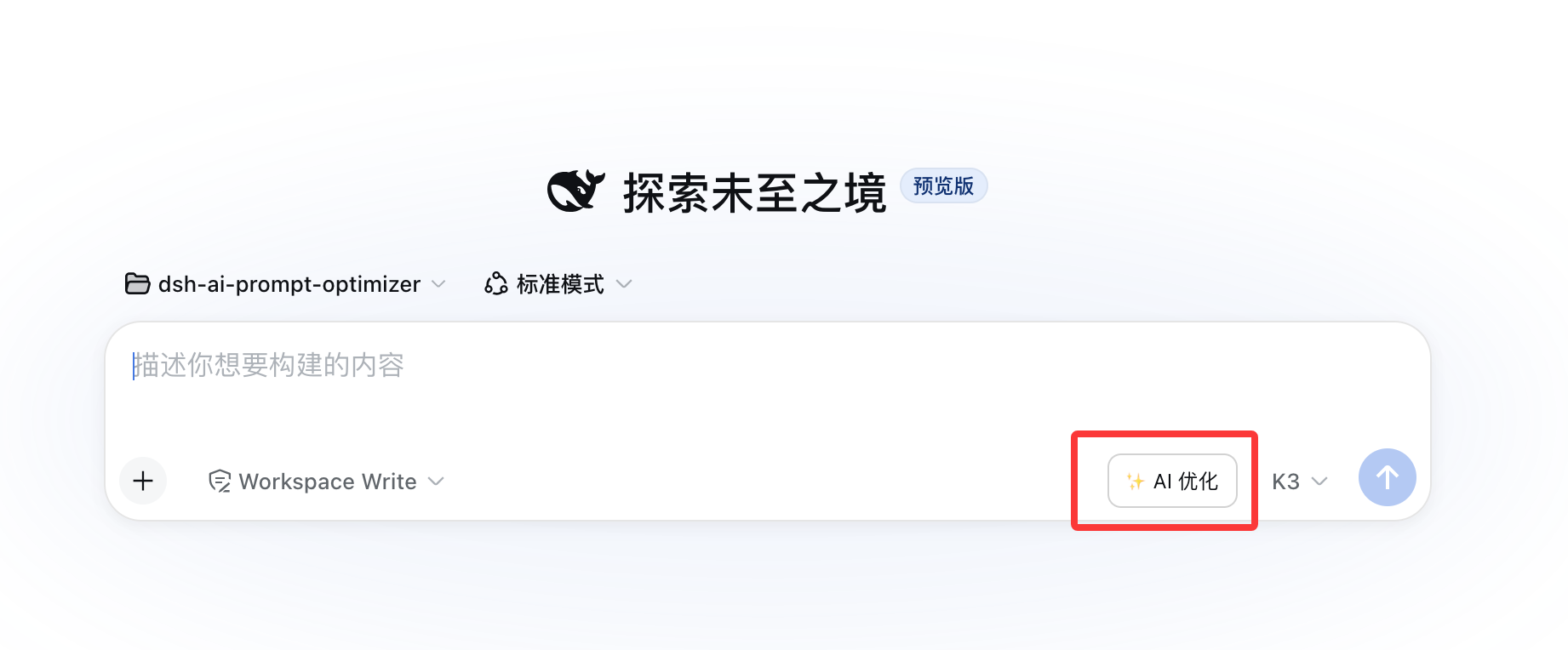
When using DeepSeek Harness Web for chat, users often input rough prompts that may lack objectives, context, or constraints, leading to unstable AI responses. The dsh-ai-prompt-optimizer plugin solves this with one-click optimization. It adds an '✨ AI Optimize' button next to the send button, which reads the current input and uses the configured model to generate an optimized version. This preserves the original intent while adding task goals, context, constraints, steps, and output formats. The optimized text is filled back into the input box, allowing users to edit before sending, ensuring clear and complete prompts for better AI responses. Ideal for all DeepSeek Harness Web users, including content creators, developers, and researchers, it streamlines prompt refinement to enhance the accuracy and relevance of AI interactions.
Screenshots
Use Cases
- Optimize chat drafts to improve AI response quality
- Quickly organize thoughts into complete prompts
- Assist in content creation and writing tasks
Best For
- Individual users who chat with AI daily
- Developers who need to optimize prompts
- Content creators and writing enthusiasts
Related Plugins
A service-oriented sidebar framework for DSH, offering a full workbench with file explorer, embedded browser, real terminal, Git panel, and extensible plugin services.

A beautiful, practical Claude Code-style TUI plugin with pixel whale top bar, flowing glow title, real-time status line, streaming thought expansion, time rewind, context progress bar and TPS gauge — zero core changes.

The plugin market for DeepSeek Harness: browse/search/one-click install community plugins and themes, with updates, backup/restore, hot disable, diagnostics, and AI fix.

A persistent whale widget on the DSH web UI that shows DeepSeek balance, today's usage, and per-turn cost, with drag-and-snap and sound effects.