dsh-plugin-loom-chat
Run the following command in DeepSeek Harness:
dsh plugin install onenameneo/dsh-plugin-loom-chat
Paste the following prompt into your AI chat to install this plugin:
Install in DeepSeek Harness by running dsh plugin install onenameneo/dsh-plugin-loom-chat; source is available at https://github.com/onenameneo/dsh-plugin-loom-chat
About this plugin
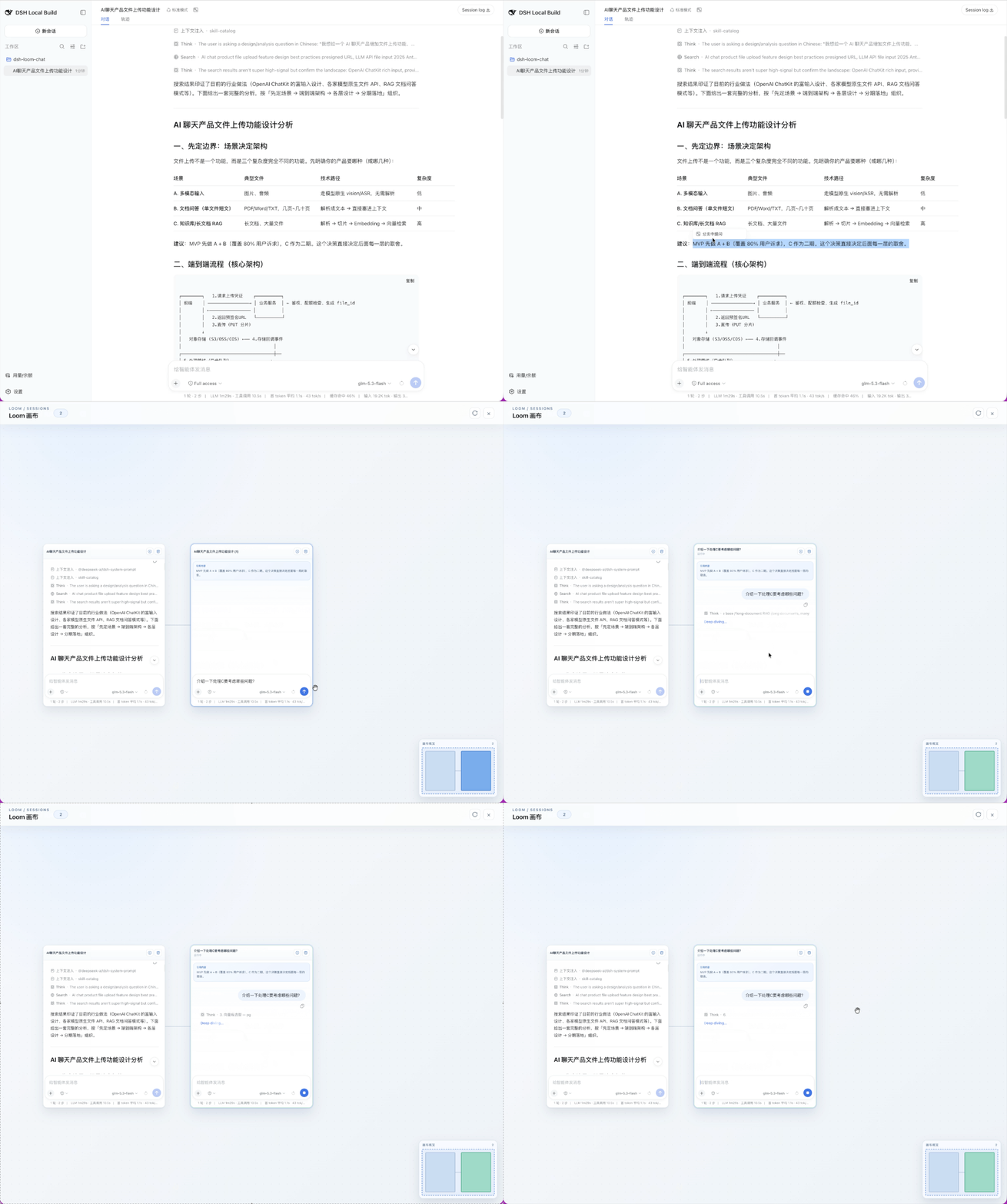
DSH Web sessions are linear by design: when a complex question invites exploration from several angles, you end up juggling tabs, losing the thread, and dropping context. Loom Chat turns that single-file record into a pannable, zoomable canvas so multiple lines of reasoning around one question stay visible and move forward in parallel without constantly switching windows.
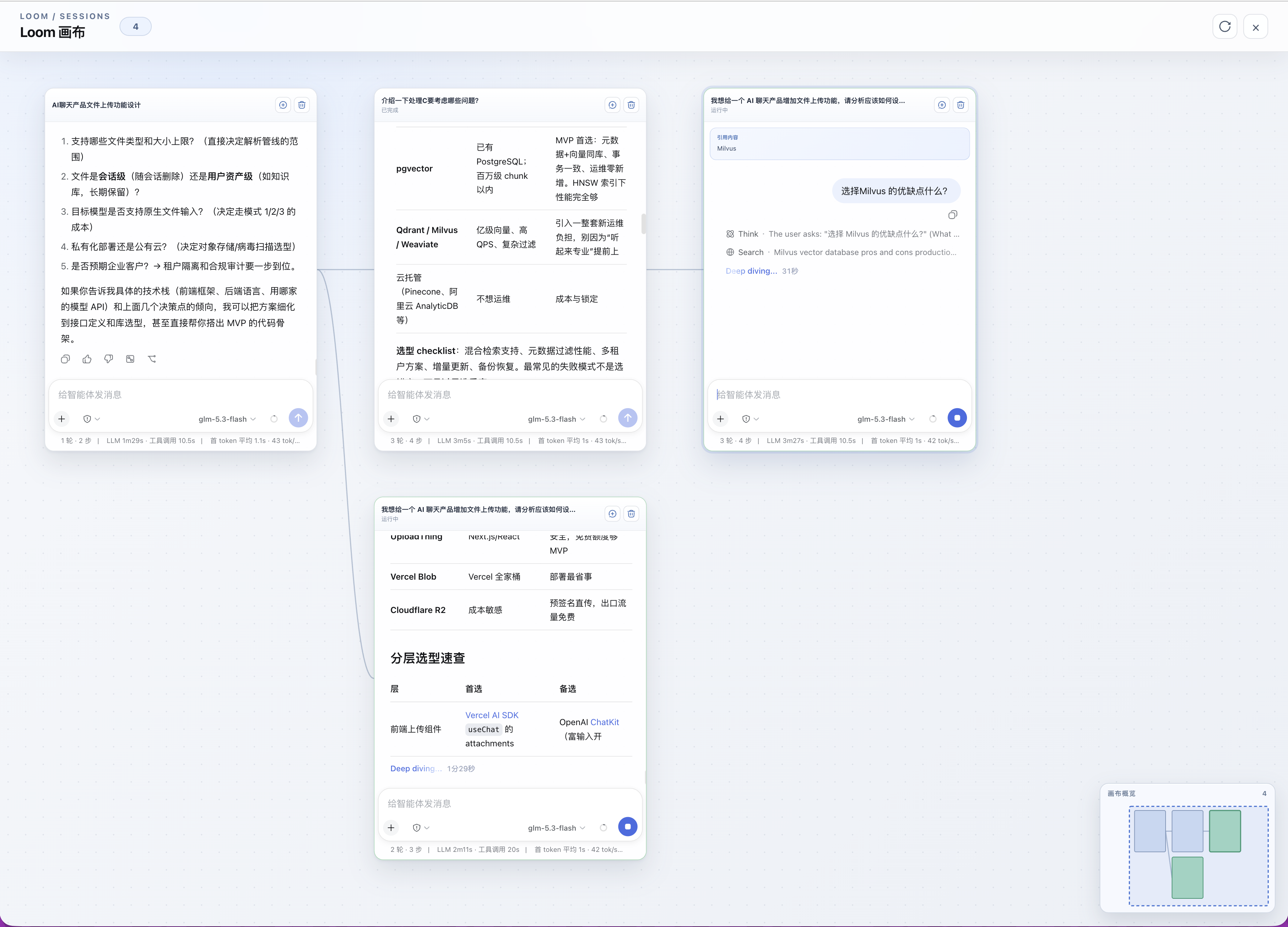
Branch from any session window with one action; the child inherits the full durable context before the fork boundary and then runs independently. Every branch keeps its own transcript, draft, send and stop controls, and multiple lines can generate side by side without overwriting each other. The canvas supports recursive branching to unlimited depth, and clicking any window snaps you back into the DSH native full editor with attachments, slash commands, model selection, and Plan controls all intact. In-canvas rendering covers Markdown, code blocks, reasoning traces, tool-call summaries, context references, and attachment links.
It suits workflows that benefit from sustained, parallel exploration: decomposing a research question into sub-questions and pursuing them concurrently; comparing derivations across course chapters in a single view; drafting multiple argument strands for a long essay at once; or keeping several implementation options alive on the same module while you iterate. If your work calls for thinking in a network rather than a single column, Loom Chat gives you the canvas to weave those threads together.
Screenshots
Use Cases
- Decompose a research question into sub-questions and pursue them in parallel on one canvas
- Draft multiple argument strands for a long essay concurrently without losing context
- Keep several implementation options alive on the same module, iterating independently without overwriting
Best For
- Researchers who explore multiple hypotheses around a single question concurrently
- Writers advancing several argument strands or chapters at the same time
- Developers who keep and compare multiple implementation approaches on the same code area
Related Plugins
A service-oriented sidebar framework for DSH, offering a full workbench with file explorer, embedded browser, real terminal, Git panel, and extensible plugin services.

A beautiful, practical Claude Code-style TUI plugin with pixel whale top bar, flowing glow title, real-time status line, streaming thought expansion, time rewind, context progress bar and TPS gauge — zero core changes.

The plugin market for DeepSeek Harness: browse/search/one-click install community plugins and themes, with updates, backup/restore, hot disable, diagnostics, and AI fix.

A persistent whale widget on the DSH web UI that shows DeepSeek balance, today's usage, and per-turn cost, with drag-and-snap and sound effects.