dsh-speech
Run the following command in DeepSeek Harness:
dsh plugin install allmodels-io/dsh-speech
Paste the following prompt into your AI chat to install this plugin:
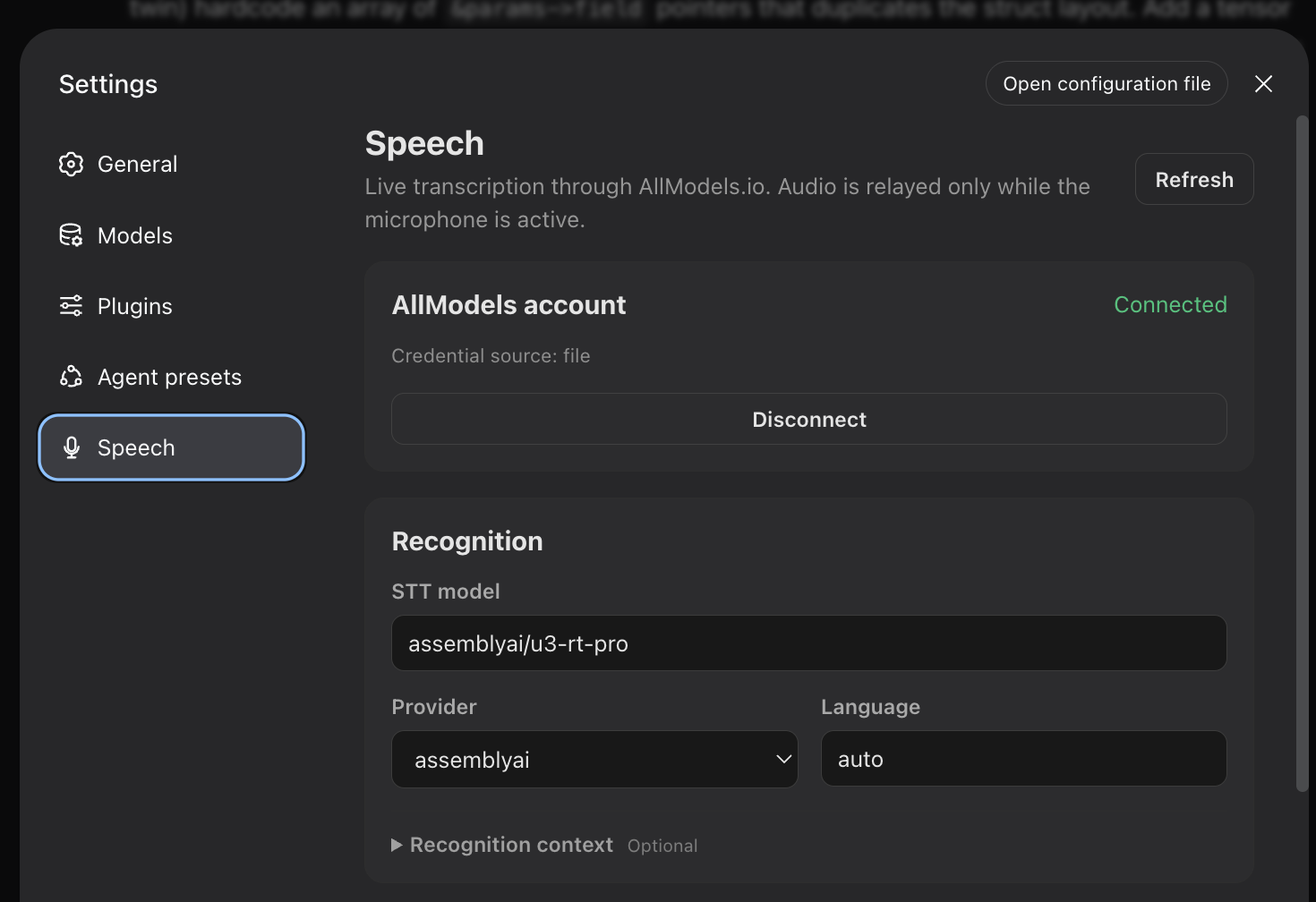
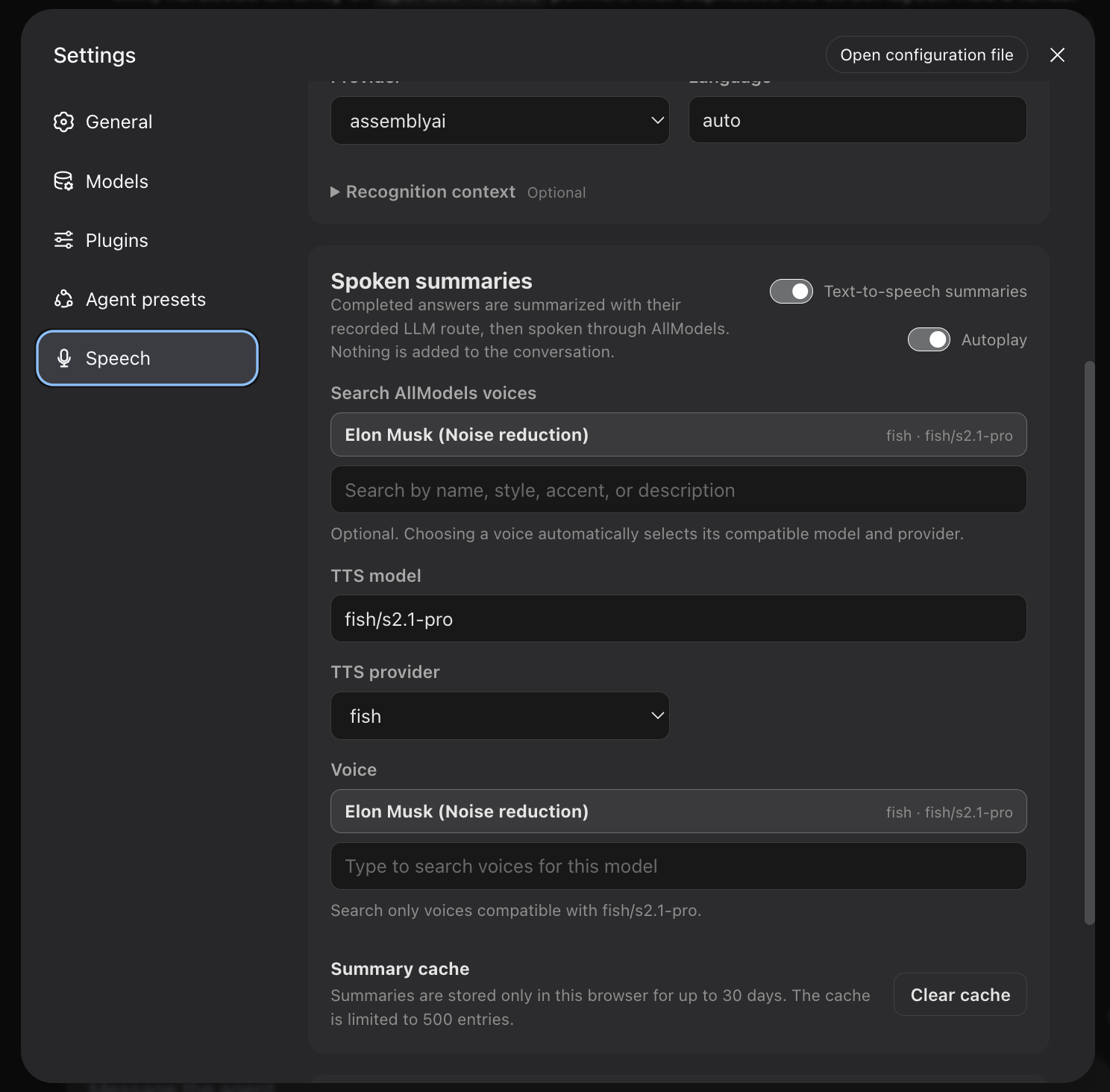
Run dsh plugin install allmodels-io/dsh-speech in your DeepSeek Harness terminal, then configure your AllModels.io account under Settings → Speech after restart, source: https://github.com/allmodels-io/dsh-speech
About this plugin
Hours of typing instructions and scrolling through output are the two biggest frictions in any coding-agent session. dsh-speech brings the most natural interface back: speak your requests aloud, then listen to a concise spoken recap once the work is finished, so your hands and eyes can rest from the screen.
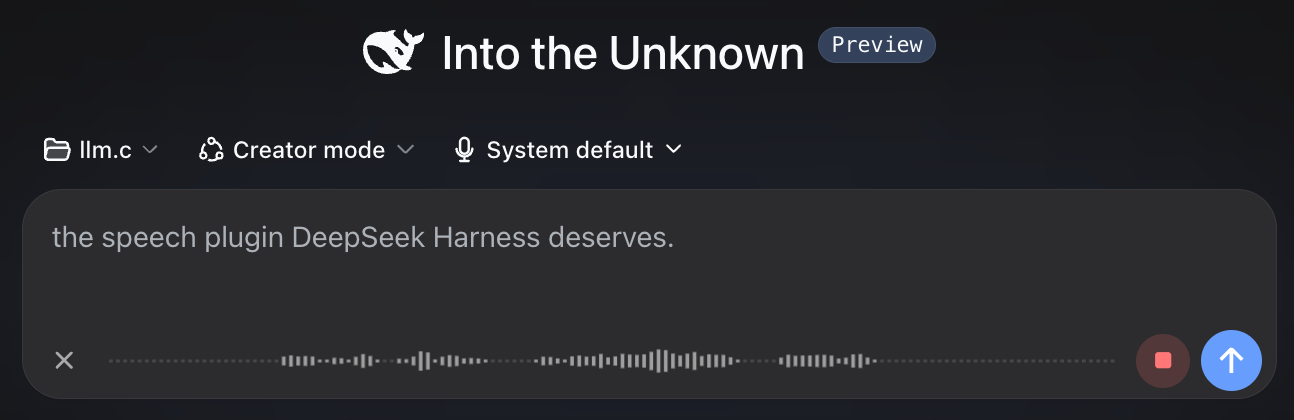
Two voice pipelines form the core. On input, tap the microphone next to the send bar and start talking; the transcript appears in real time, ready to edit before you hit send. On output, when the agent delivers its final message the plugin distills it into a short spoken summary. Enable autoplay to hear it the moment it is ready, or press play later at your convenience. All transcription and speech synthesis is powered by AllModels.io, whose starter credit covers several hours of usage.
It is built for developers who live inside DeepSeek Harness and want to cut down keystroke and screen-reading fatigue, or simply prefer to confirm task completion by ear while their attention is elsewhere.
Screenshots

Use Cases
- Dictate instructions to your coding agent without typing
- Listen to a spoken summary while your eyes are off-screen
- Transcribe speech, edit quickly, then send the refined prompt
Best For
- Developers who live inside DeepSeek Harness daily
- Coders who want to cut down keyboard and screen fatigue
- Users who prefer voice-driven workflows
Related Plugins
A service-oriented sidebar framework for DSH, offering a full workbench with file explorer, embedded browser, real terminal, Git panel, and extensible plugin services.

A beautiful, practical Claude Code-style TUI plugin with pixel whale top bar, flowing glow title, real-time status line, streaming thought expansion, time rewind, context progress bar and TPS gauge — zero core changes.

The plugin market for DeepSeek Harness: browse/search/one-click install community plugins and themes, with updates, backup/restore, hot disable, diagnostics, and AI fix.

A persistent whale widget on the DSH web UI that shows DeepSeek balance, today's usage, and per-turn cost, with drag-and-snap and sound effects.