dsh-discord
Run the following command in DeepSeek Harness:
dsh plugin install addozhang/dsh-discord
Paste the following prompt into your AI chat to install this plugin:
Install it by running dsh plugin install addozhang/dsh-discord in your terminal; the full source code is available at https://github.com/addozhang/dsh-discord .
About this plugin
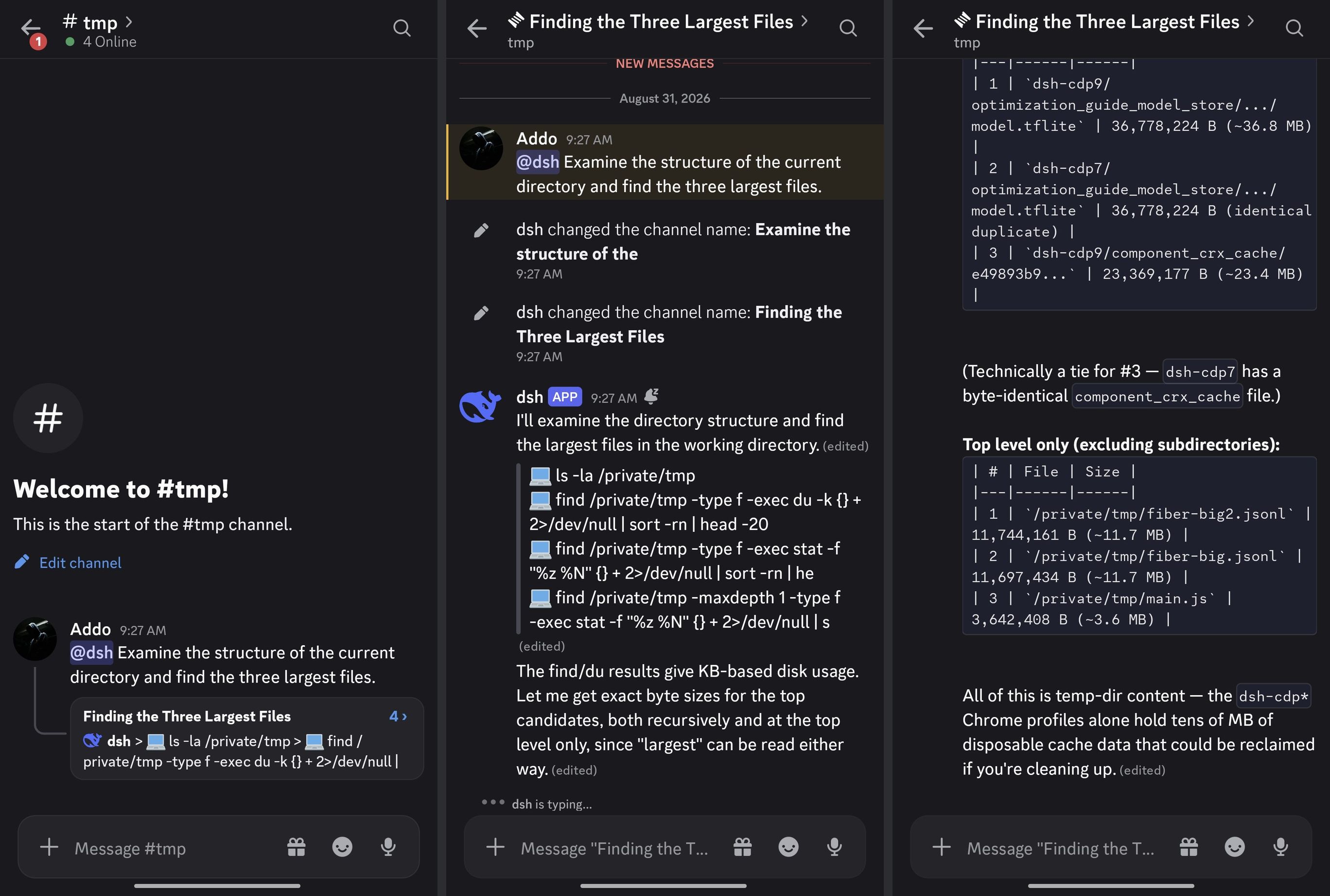
Many DSH users already coordinate in Discord servers yet must open a browser or terminal to wait for a session to finish. dsh-discord collapses that gap into the chat window you open every day: mention the bot in a bound channel, and it anchors a thread, creates the DSH session, and submits the prompt. The answer streams in character by character, tool activity appears as live status rows, and the activity message is cleaned up when the turn ends. Approval prompts become buttons, follow-up questions become select menus, and free-text asks open a modal — all answerable from your phone without switching back to a desktop client.
The plugin covers the full session lifecycle: /steer and /stop let the thread owner redirect or cancel a running turn, /queue trims the pending backlog, /model select walks an interactive provider → model → reasoning cascade, and /session resume pulls a past session from the workspace back into the current channel. Every Discord-visible string ships bilingually in Chinese and English, following the DSH language preference with zero extra configuration.
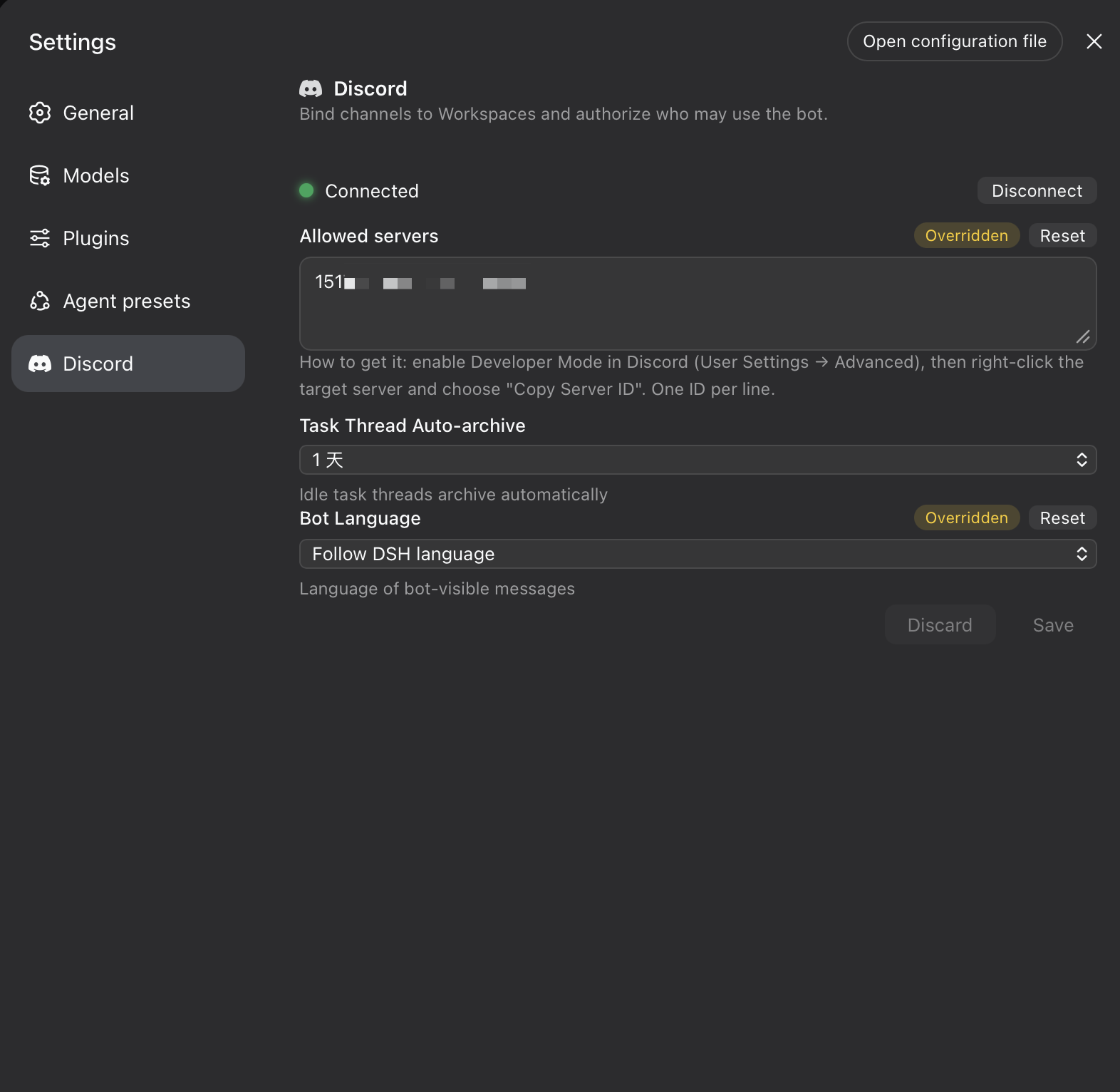
On the security side, the adapter enforces a deny-first authorization model: only explicitly whitelisted guilds are ever touched, mentions are suppressed at both the request header and wire-body level, DSH submission is at-most-once with ambiguous deliveries never blindly resent, and durable bindings survive restarts. It is built for teams that manage multiple workspaces from Discord, need mobile-friendly approvals, or want to assign DSH tasks per channel thread.
Screenshots
Use Cases
- Mention the bot in a Discord channel to submit a task and stream the answer in a thread — no browser needed
- Receive approval prompts as buttons on your phone and confirm or veto with one tap while on the go
- Team members dispatch DSH tasks in isolated threads and manage pending work via /queue
Best For
- Developers who work in Discord and want DSH sessions woven into their daily chat flow
- Engineers who need mobile approvals and must act on DSH tasks away from their desk
- Team leads managing multiple DSH workspaces in a Discord server with per-channel binding and role-based access
Related Plugins
A service-oriented sidebar framework for DSH, offering a full workbench with file explorer, embedded browser, real terminal, Git panel, and extensible plugin services.

A beautiful, practical Claude Code-style TUI plugin with pixel whale top bar, flowing glow title, real-time status line, streaming thought expansion, time rewind, context progress bar and TPS gauge — zero core changes.

The plugin market for DeepSeek Harness: browse/search/one-click install community plugins and themes, with updates, backup/restore, hot disable, diagnostics, and AI fix.

A persistent whale widget on the DSH web UI that shows DeepSeek balance, today's usage, and per-turn cost, with drag-and-snap and sound effects.