dsh-viewer
Run the following command in DeepSeek Harness:
dsh plugin install Crosery/dsh-viewer
Paste the following prompt into your AI chat to install this plugin:
Run dsh plugin install Crosery/dsh-viewer in DeepSeek Harness to install this plugin (source: https://github.com/Crosery/dsh-viewer), then add its package name to dsh.profile.bundles in your profile and restart for bundle changes to take effect.
About this plugin
The built-in read_image tool in DeepSeek Harness feeds a picture into the model context, but the human in front of the screen sees one line of text: a filename and a byte count. Video, audio, PDF, Office documents, local web pages — media a browser plays natively — get no card at all in the web UI. dsh-viewer inverts that. Its entire purpose is to put a file on your screen.
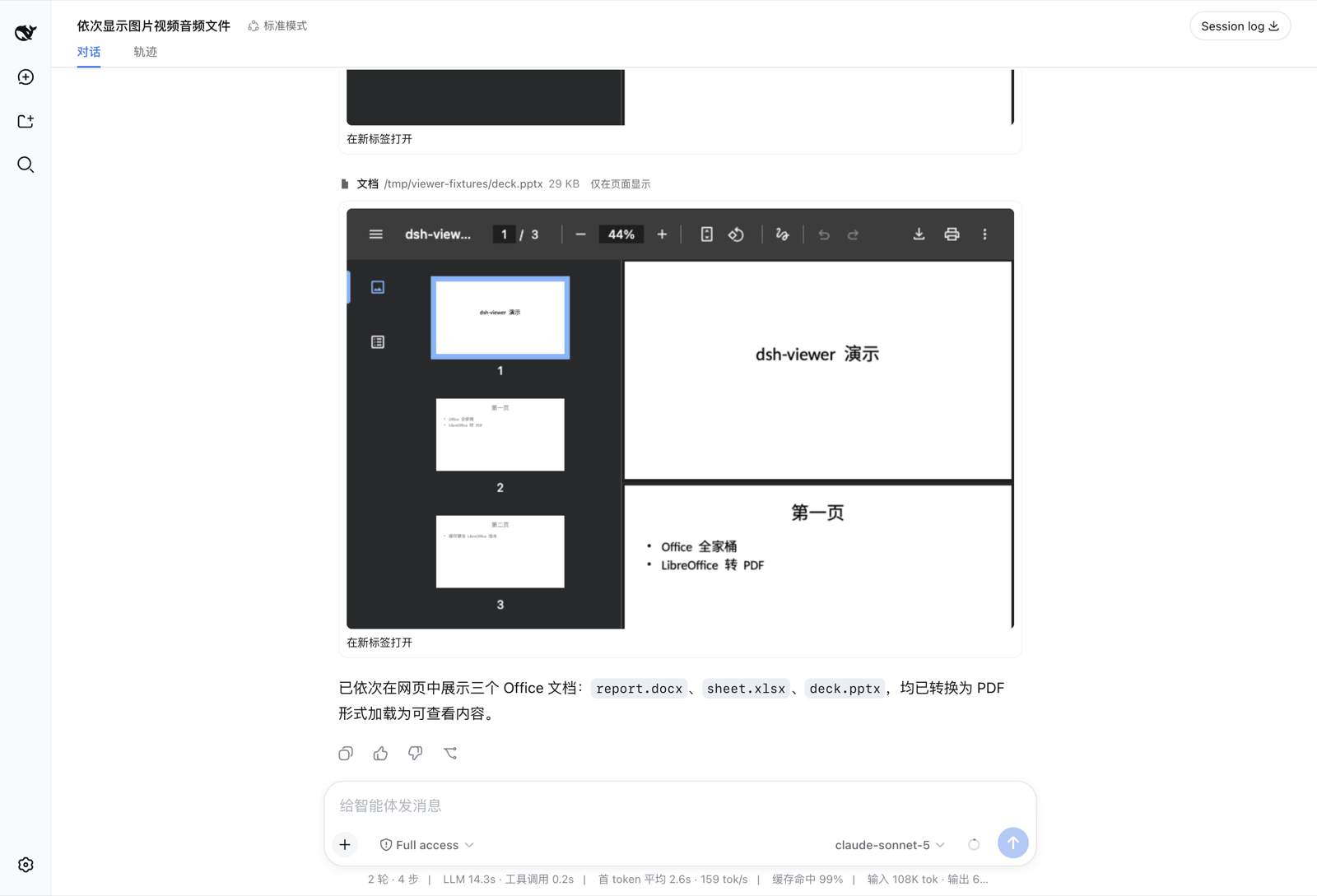
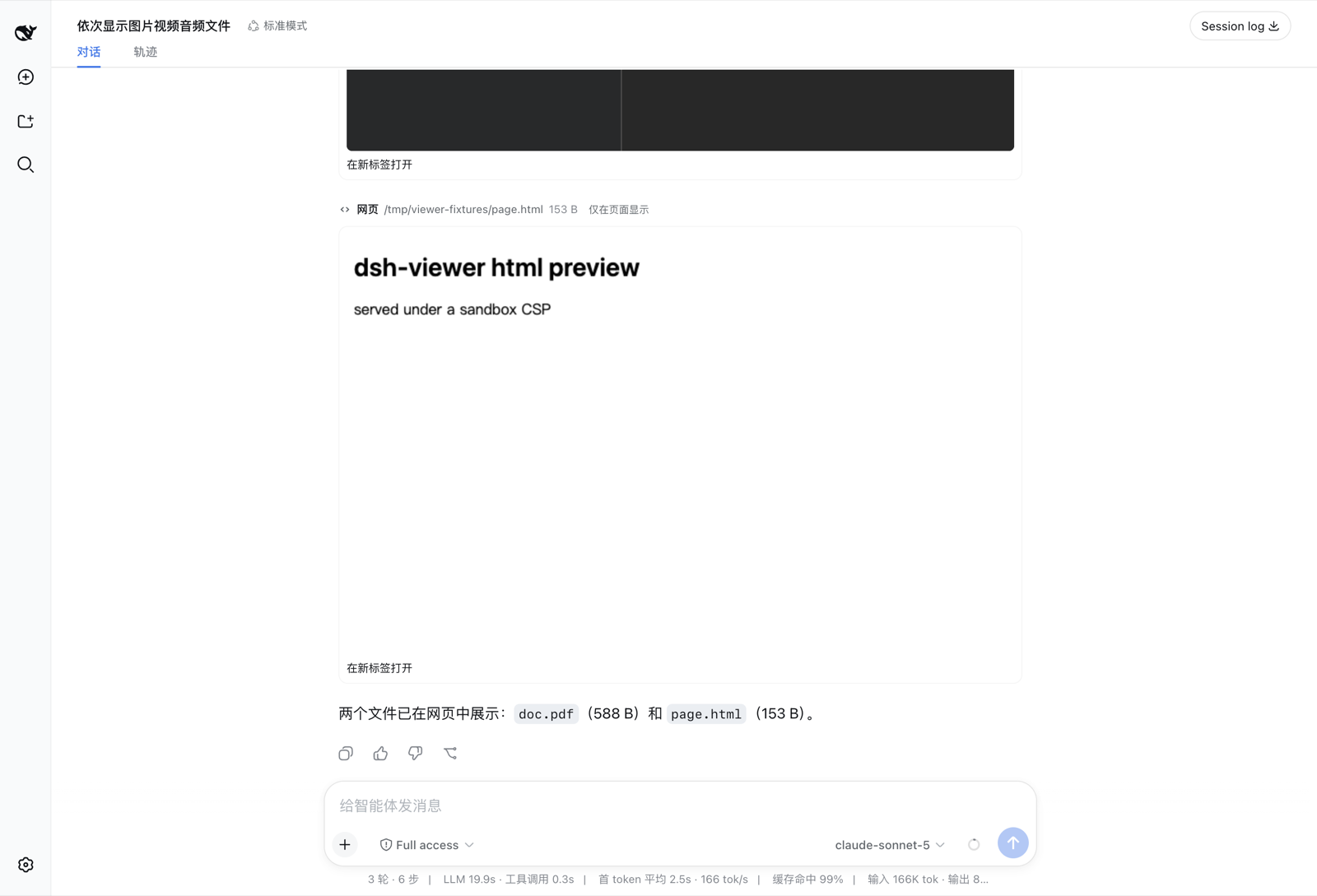
It covers 36 file extensions across six render kinds: images with a click-to-zoom lightbox, seekable video and audio players with real scrub bars, an embedded PDF viewer, Word / Excel / PowerPoint / ODF documents converted on the host via LibreOffice and embedded as PDF, and local HTML pages running inside a sandboxed iframe. A signed HTTP asset route with Range request support makes even a two-hour video fully seekable; HMAC path signing, Content-Security-Policy sandboxes, and nosniff headers form layered security boundaries that survive session-log replay.
If you run multimodal tasks in Harness daily and are tired of "the file is here" followed by a single line of metadata, or if you want the model to see the image while you see it too, this plugin is built for that. One display_file call does both: you get a fully rendered player on screen, and the model receives pixel data in its context.
Screenshots

Use Cases
- Seeing a fully rendered image on screen instead of a filename and byte count after a model generates one
- Previewing local video, audio, PDF, or Office documents with an interactive player in the Harness web UI
- Getting both model context and a visible media player from a single display_file call in multimodal tasks
Best For
- Users who run multimodal tasks in DeepSeek Harness and want to actually see the media, not just a line of metadata
- Developers who frequently preview local images, video, audio, PDF, or Office files in the browser
- Engineering teams that need a complete inline media experience in the Harness web UI alongside model context
Related Plugins
A service-oriented sidebar framework for DSH, offering a full workbench with file explorer, embedded browser, real terminal, Git panel, and extensible plugin services.

A beautiful, practical Claude Code-style TUI plugin with pixel whale top bar, flowing glow title, real-time status line, streaming thought expansion, time rewind, context progress bar and TPS gauge — zero core changes.

The plugin market for DeepSeek Harness: browse/search/one-click install community plugins and themes, with updates, backup/restore, hot disable, diagnostics, and AI fix.

A persistent whale widget on the DSH web UI that shows DeepSeek balance, today's usage, and per-turn cost, with drag-and-snap and sound effects.