dsh-comfyui-canvas
Run the following command in DeepSeek Harness:
dsh plugin install wbin0001/dsh-comfyui-canvas
Paste the following prompt into your AI chat to install this plugin:
Run dsh plugin install wbin0001/dsh-comfyui-canvas in the DeepSeek Harness terminal to install this plugin; find the source at https://github.com/wbin0001/dsh-comfyui-canvas
About this plugin
Building a ComfyUI workflow usually means two separate windows: one where the idea takes shape in chat, and another where you hunt for nodes, drag links, tweak parameters, and hit Run. The back-and-forth breaks your flow, and the AI agent can only emit a block of JSON for you to interpret manually instead of actually seeing what is happening on the canvas in front of you.
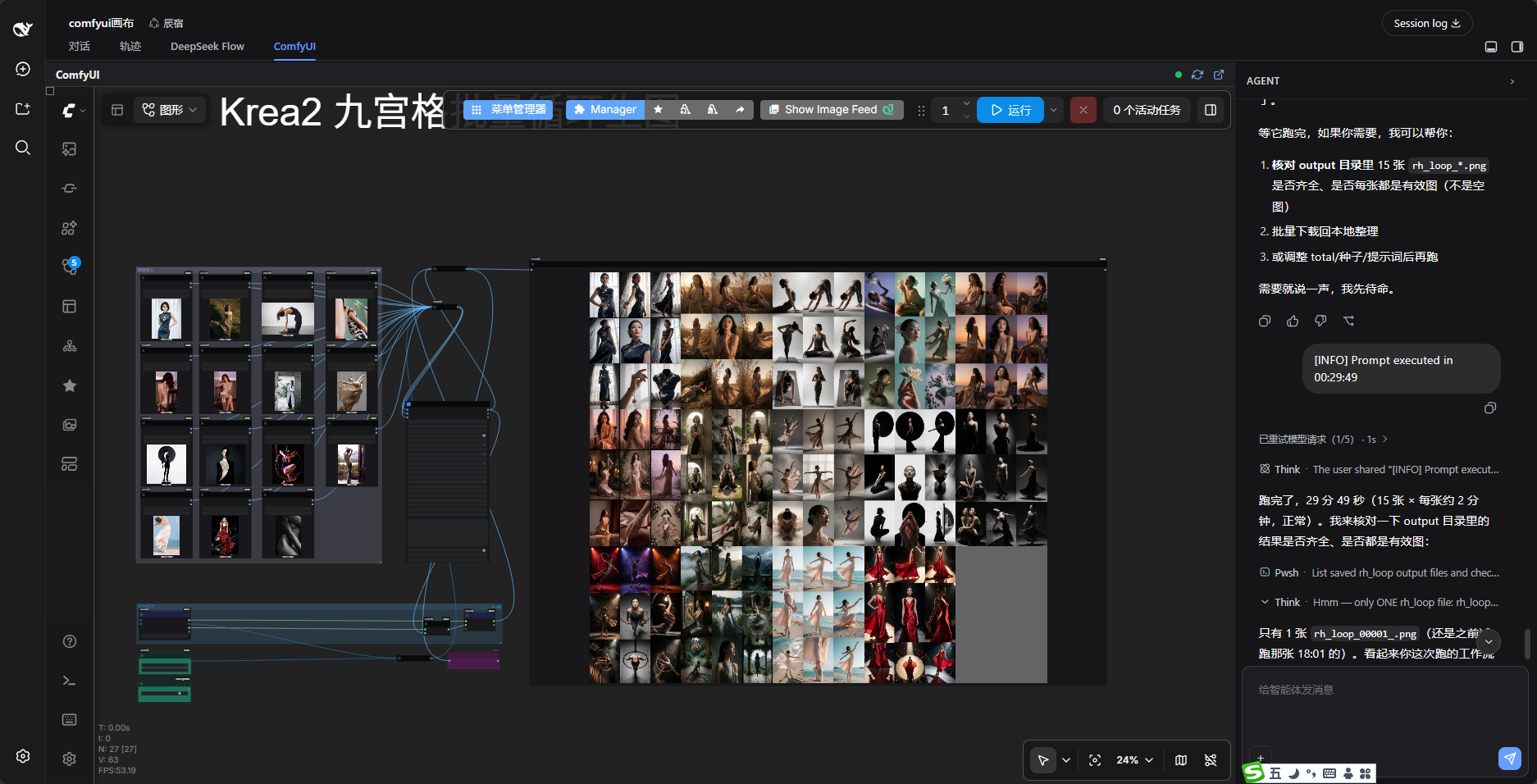
dsh-comfyui-canvas embeds the ComfyUI frontend as a split-screen canvas inside DeepSeek Harness, letting the agent operate the exact interface you are looking at: add nodes, wire links, set parameters, inject text, run workflows, and retrieve outputs, with every step rendered live on screen. It also covers batch parameter sweeps, automatic output-image retrieval back into the chat, one-click upgrades of the ComfyUI core and every custom node, and reading or editing custom-node source directly from the conversation.
This plugin is for creators who want an idea-to-finished-output pipeline across multi-modal generation, spanning images, music, video, and 3D. If you build and tune ComfyUI workflows and want an AI copilot that can see, edit, and drive the live canvas alongside your conversation, this removes the window-switching tax entirely.
Screenshots
Use Cases
- Let the AI agent compose, tune, and run ComfyUI workflows live on the split-screen canvas alongside the chat
- Batch-sweep a seed-and-prompt matrix and pull output images, audio, and video straight back into the conversation
- One-click upgrade of the ComfyUI core and every git-backed custom node, keeping the stack healthy without interruption
Best For
- Multi-modal creators generating images, music, video, or 3D with ComfyUI as part of their daily workflow
- DeepSeek Harness users who want an AI copilot that sees and drives the live canvas in real time
- Developers managing ComfyUI environments, custom nodes, and headless batch pipelines from a single interface
Related Plugins
A service-oriented sidebar framework for DSH, offering a full workbench with file explorer, embedded browser, real terminal, Git panel, and extensible plugin services.

A beautiful, practical Claude Code-style TUI plugin with pixel whale top bar, flowing glow title, real-time status line, streaming thought expansion, time rewind, context progress bar and TPS gauge — zero core changes.

The plugin market for DeepSeek Harness: browse/search/one-click install community plugins and themes, with updates, backup/restore, hot disable, diagnostics, and AI fix.

A persistent whale widget on the DSH web UI that shows DeepSeek balance, today's usage, and per-turn cost, with drag-and-snap and sound effects.