dsh-visualizer
Run the following command in DeepSeek Harness:
dsh plugin install abiddotdev/dsh-visualizer
Paste the following prompt into your AI chat to install this plugin:
Run `dsh plugin install abiddotdev/dsh-visualizer` in a DeepSeek Harness terminal, then ask the model to "visualize …" to trigger rendering; source code is at https://github.com/abiddotdev/dsh-visualizer .
About this plugin
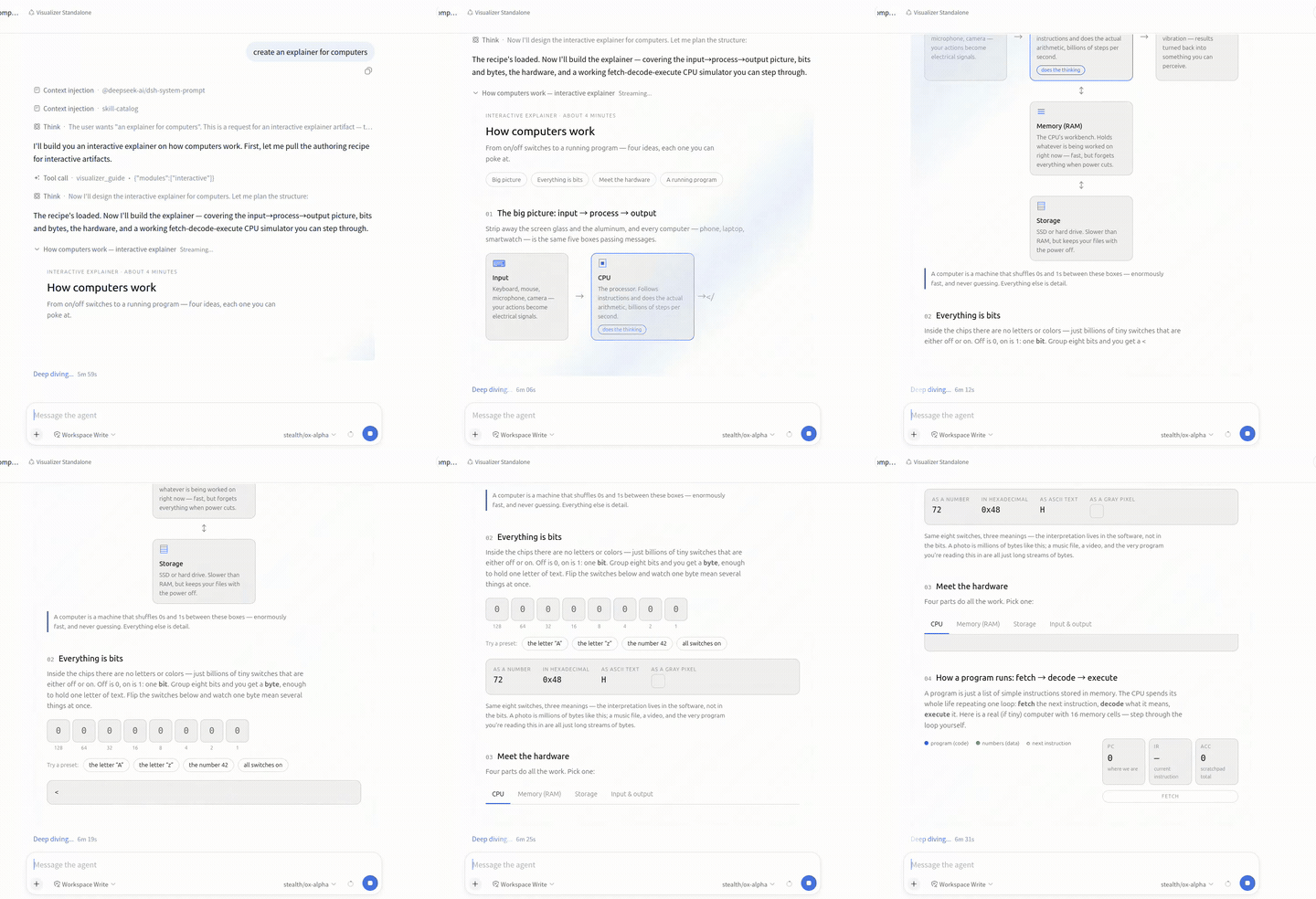
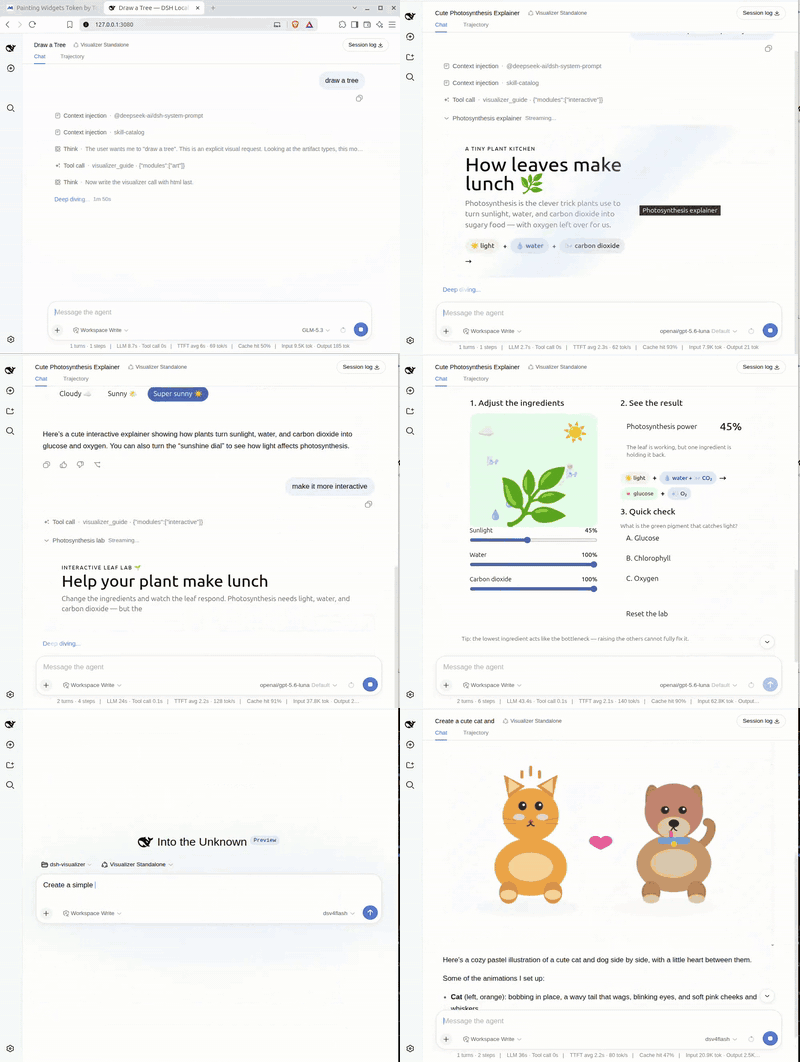
dsh-visualizer turns the model's visual intent into interactive artwork directly in chat. Ask for a revenue trend chart, a compiler pipeline diagram, or an interactive teaching demo, and the plugin streams a self-contained HTML or SVG document into a sandboxed inline preview. Third-party libraries like Chart.js load via CDN—no backend, no workspace writes. The standout interaction is pick-and-comment: enable the pen, click or drag-select any element in the rendered frame, and each pick becomes an annotated row with its selector and markup. Write a short note, hit Send, and the model edits exactly the elements you pointed at, turning vague requests like "make that bar blue" into precise edit conversations. Every finished card offers fullscreen, download as a standalone file, copy HTML, and a shareable link; shared pages run in their own sandbox, fully isolated from the main app. A settle-time static check catches syntax errors, duplicate IDs, and dangling anchors, feeding findings back to the model for an in-turn fix. Ideal for developers and content creators who need quick data charts, architecture diagrams, interactive teachables, or product mockups—no Figma, no hand-rolled frontend, just a prompt and a few refinement rounds.
Screenshots
Use Cases
- Generate data charts or architecture diagrams inline without opening design tools
- Pick specific elements in a rendered frame and send precise edit instructions to the model
- Download finished visualizations as standalone files or share them via a link
Best For
- Developers who need quick diagrams and charts without hand-writing frontend code
- Educators and content creators building interactive teaching demos or product mockups
- Teams who want to drive visualizations with natural language and refine them conversationally
Related Plugins
A service-oriented sidebar framework for DSH, offering a full workbench with file explorer, embedded browser, real terminal, Git panel, and extensible plugin services.

A beautiful, practical Claude Code-style TUI plugin with pixel whale top bar, flowing glow title, real-time status line, streaming thought expansion, time rewind, context progress bar and TPS gauge — zero core changes.

The plugin market for DeepSeek Harness: browse/search/one-click install community plugins and themes, with updates, backup/restore, hot disable, diagnostics, and AI fix.

A persistent whale widget on the DSH web UI that shows DeepSeek balance, today's usage, and per-turn cost, with drag-and-snap and sound effects.