dsh-token-usage
Run the following command in DeepSeek Harness:
dsh plugin install LaoYueHanNi/dsh-token-usage
Paste the following prompt into your AI chat to install this plugin:
Run dsh plugin install LaoYueHanNi/dsh-token-usage in DeepSeek Harness to install this plugin. Source code is available at https://github.com/LaoYueHanNi/dsh-token-usage .
About this plugin
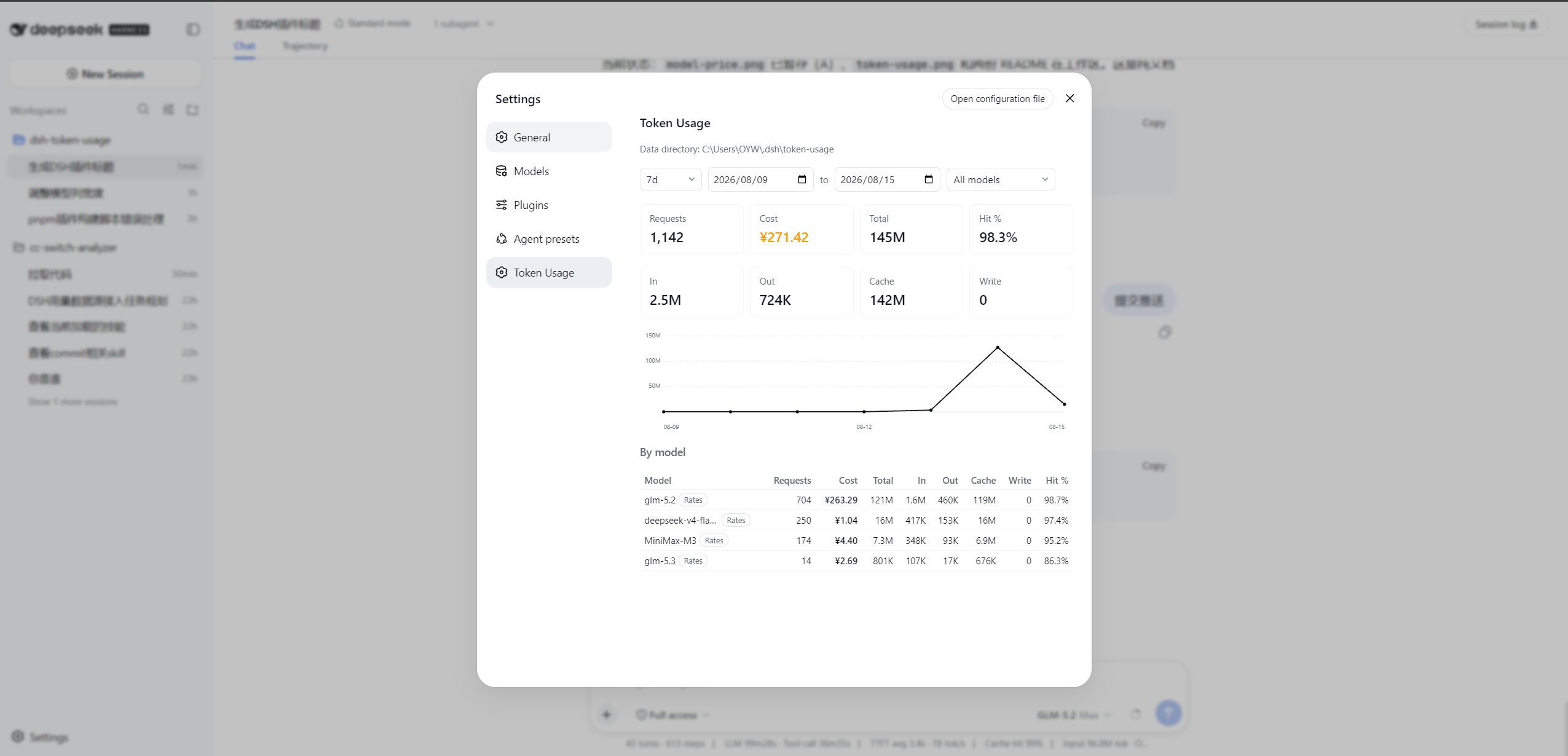
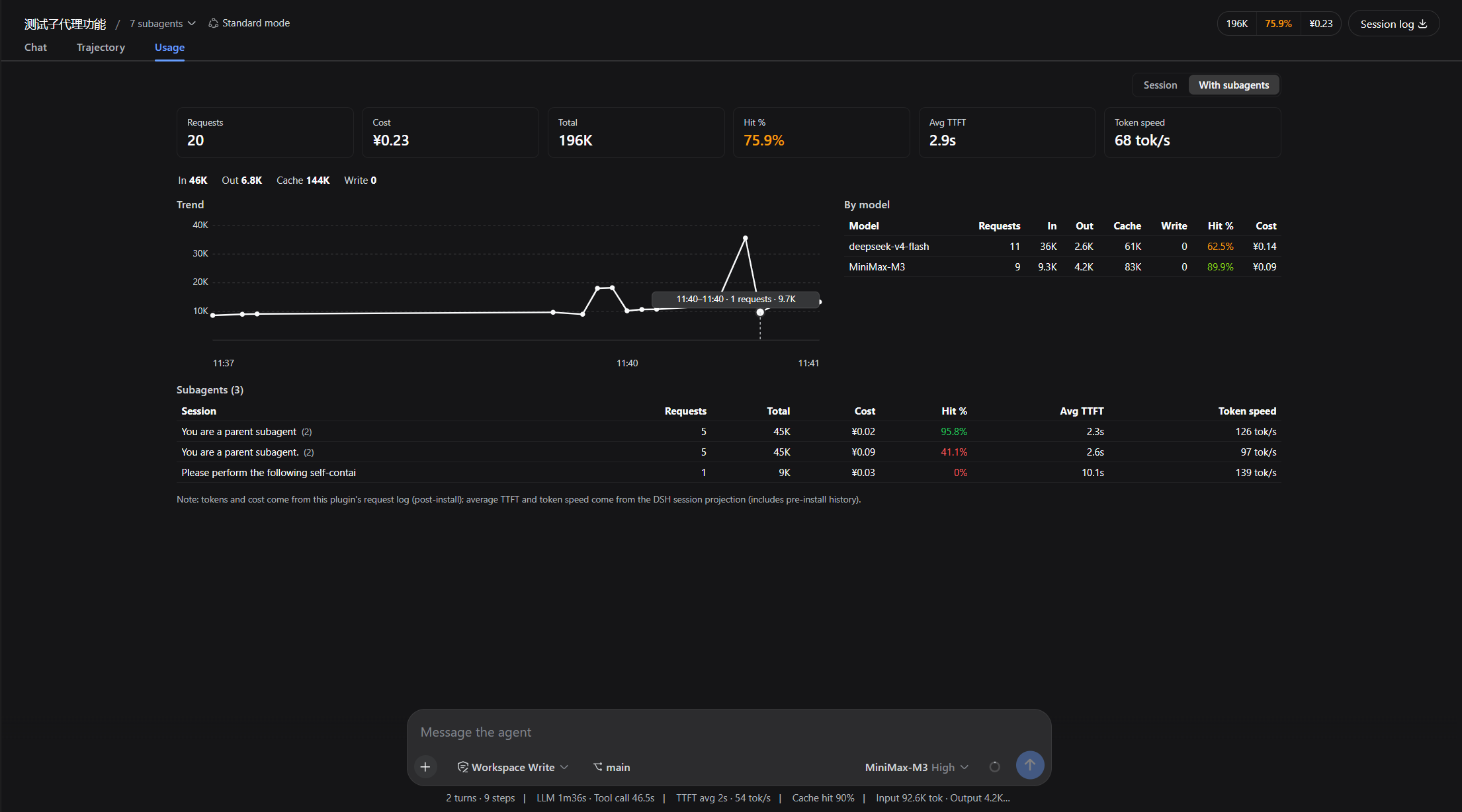
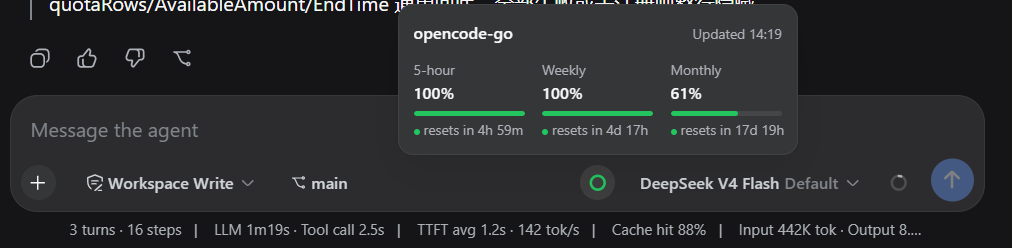
When you call multiple models through dsh, token spend, per-model cost, and remaining provider quota are scattered across logs and vendor dashboards. dsh-token-usage consolidates them into a single Web UI page—open Settings after install and you are ready to go.
Screenshots

Use Cases
- Filter by date range and model to review daily token trends and cost summaries
- Inspect the active session's cache hit rate and time-to-first-token in the chat pane
- Check the selected provider's remaining quota before kicking off a long-running task
Best For
- Developers calling multiple LLM providers through dsh
- Team leads tracking per-model API cost and quota
- Power users who want per-session token analytics without extra tooling
Related Plugins
A service-oriented sidebar framework for DSH, offering a full workbench with file explorer, embedded browser, real terminal, Git panel, and extensible plugin services.

A beautiful, practical Claude Code-style TUI plugin with pixel whale top bar, flowing glow title, real-time status line, streaming thought expansion, time rewind, context progress bar and TPS gauge — zero core changes.

The plugin market for DeepSeek Harness: browse/search/one-click install community plugins and themes, with updates, backup/restore, hot disable, diagnostics, and AI fix.

A persistent whale widget on the DSH web UI that shows DeepSeek balance, today's usage, and per-turn cost, with drag-and-snap and sound effects.