dsh-mattpocock-skills-deck
Run the following command in DeepSeek Harness:
dsh plugin install FeatherHunter/dsh-mattpocock-skills-deck
Paste the following prompt into your AI chat to install this plugin:
Run dsh plugin install FeatherHunter/dsh-mattpocock-skills-deck in DeepSeek Harness to install this plugin; the source repository is available at https://github.com/FeatherHunter/dsh-mattpocock-skills-deck.
About this plugin
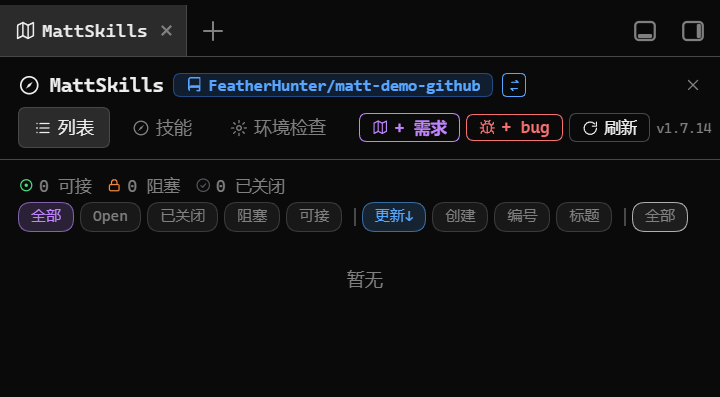
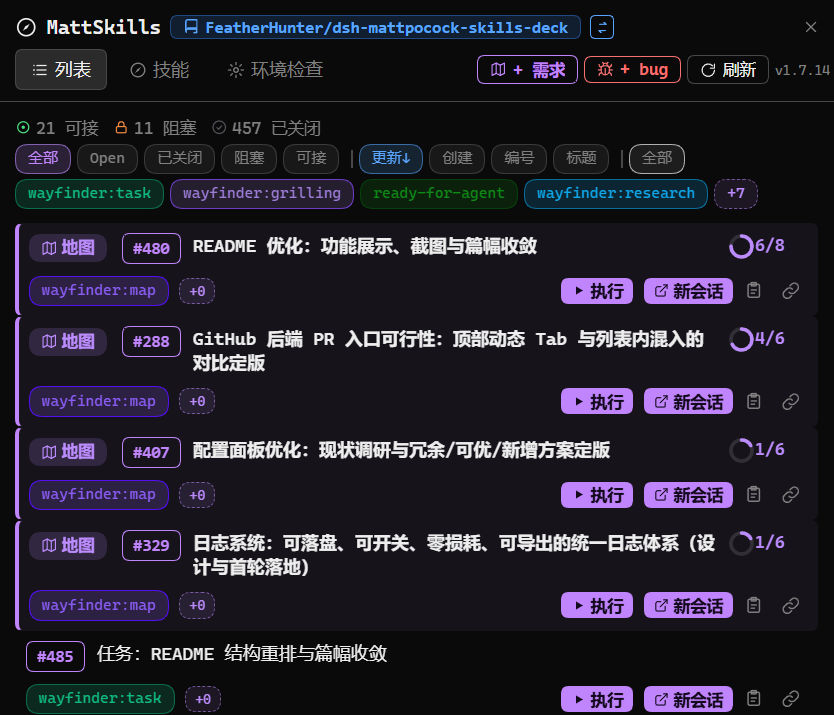
Tasks in a mattpocock/skills repo quickly become a terminal firehose: who should pick up what, where things are blocked, how far a fix has gone all blur into scrolling history. MattSkillsDeck lifts those tasks into a visual task board inside DSH. Items are grouped by ready, blocked, and closed at a glance; every row carries a one-click action button that drops a pre-written command into the input box for review and send, so you stop context-switching back to the terminal just to check state.
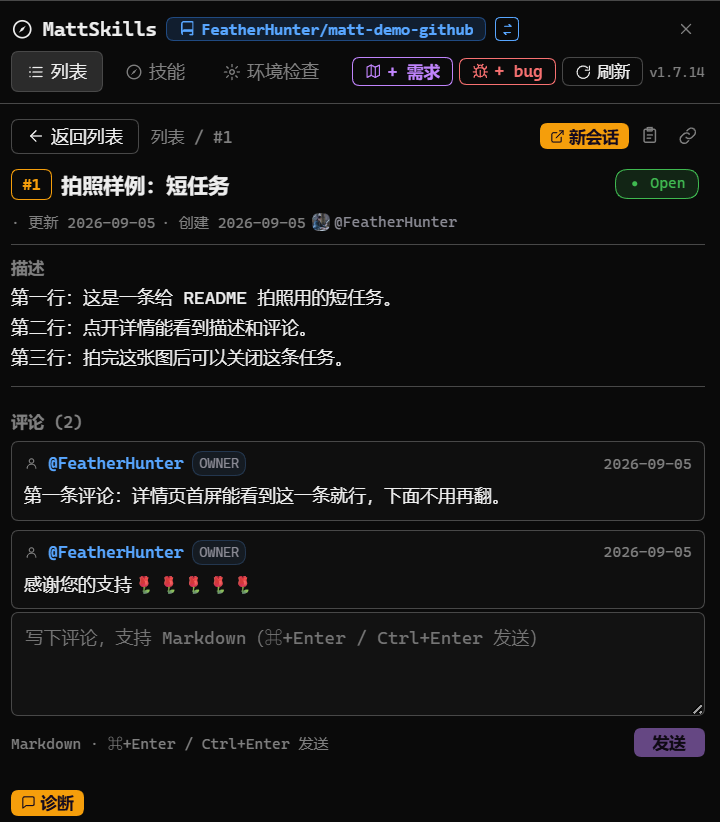
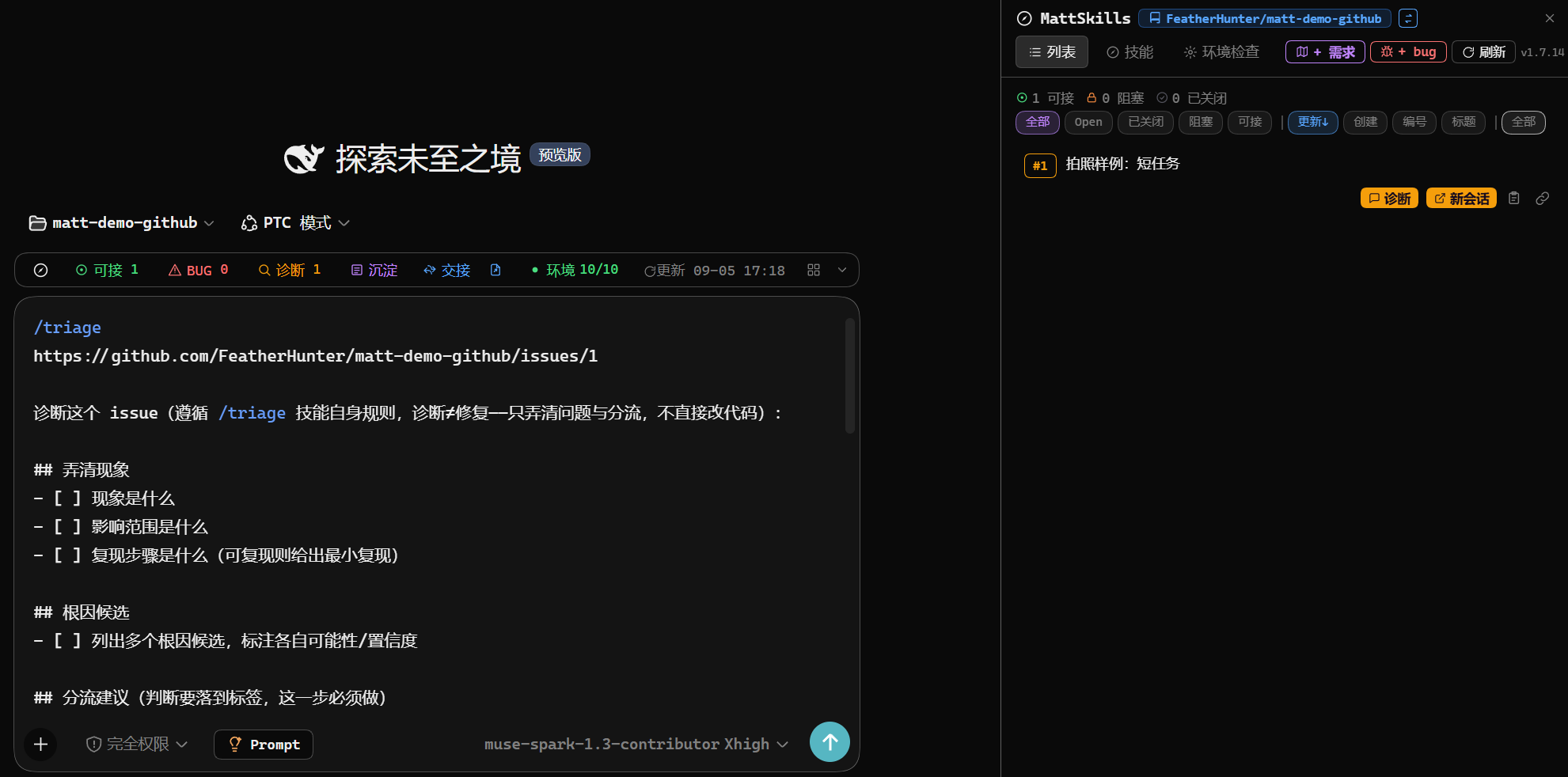
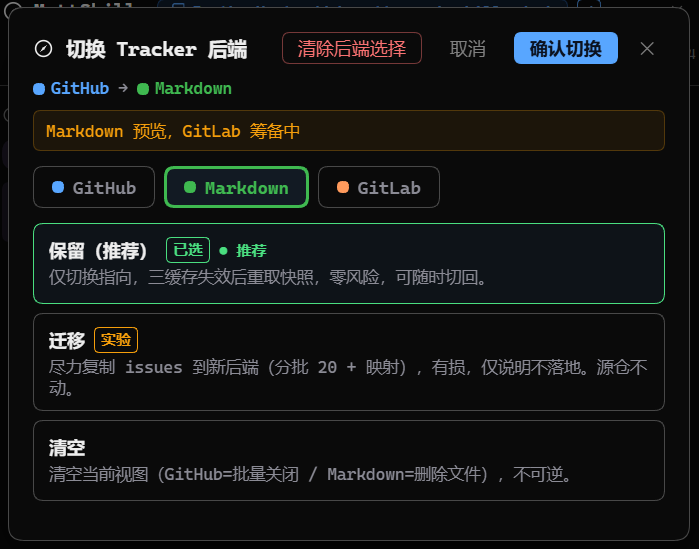
A capsule status bar under each session input tracks ready count, bug count, diagnostics, consolidation, handoff, and environment progress in a single glance. Opening any task lays out description, labels, assignee, and comments right in the panel, with an inline reply box scoped to a single tag-based thread by default. Need a clean session? One click on New Session auto-titles the conversation and pre-fills the handoff command while your current thread stays untouched. Twenty-five skill shortcuts ship in the box, each a one-click slash-command load into the input. The settings page lets you swap the data backend between GitHub, local Markdown, GitLab, or none, and prior data on either side is preserved for whenever you switch back.
If you are driving a mattpocock/skills workflow through DSH and keep losing track of task state and handoff order, MattSkillsDeck is built for you. Install it, restart your DSH entry once, and get a board that turns the fog of war into a clear picture of what to do next.
Screenshots



Use Cases
- Tasks in a mattpocock/skills repo pile up and terminal history becomes unreadable; a task board grouped by ready, blocked, and closed keeps everything in one view
- A capsule bar under the session input shows ready count, bug count, and environment progress; click a segment to jump to the panel and back without interrupting the current chat
- Swap between GitHub, local Markdown, and GitLab backends in the same panel; prior data on either side is preserved for whenever you switch back
- Open any task to read description, labels, and comments inline, reply directly, or spin up a clean session with the handoff command pre-filled in one click
Best For
- Developers driving a mattpocock/skills workflow through DSH who want tasks pulled out of terminal logs and onto a visual board
- Anyone who wants skill command loading, task status tracking, and inline comments handled in a single visual panel
- Teams managing multiple repos or data sources who need to swap backends in one panel without losing prior data
Related Plugins
A service-oriented sidebar framework for DSH, offering a full workbench with file explorer, embedded browser, real terminal, Git panel, and extensible plugin services.

A beautiful, practical Claude Code-style TUI plugin with pixel whale top bar, flowing glow title, real-time status line, streaming thought expansion, time rewind, context progress bar and TPS gauge — zero core changes.

The plugin market for DeepSeek Harness: browse/search/one-click install community plugins and themes, with updates, backup/restore, hot disable, diagnostics, and AI fix.

A persistent whale widget on the DSH web UI that shows DeepSeek balance, today's usage, and per-turn cost, with drag-and-snap and sound effects.