dsh-filescope
Run the following command in DeepSeek Harness:
dsh plugin install KunIsMe/dsh-filescope
Paste the following prompt into your AI chat to install this plugin:
In DeepSeek Harness, you can install this plugin by running the command 'dsh plugin install KunIsMe/dsh-filescope', with the full source code available at: https://github.com/KunIsMe/dsh-filescope.
About this plugin
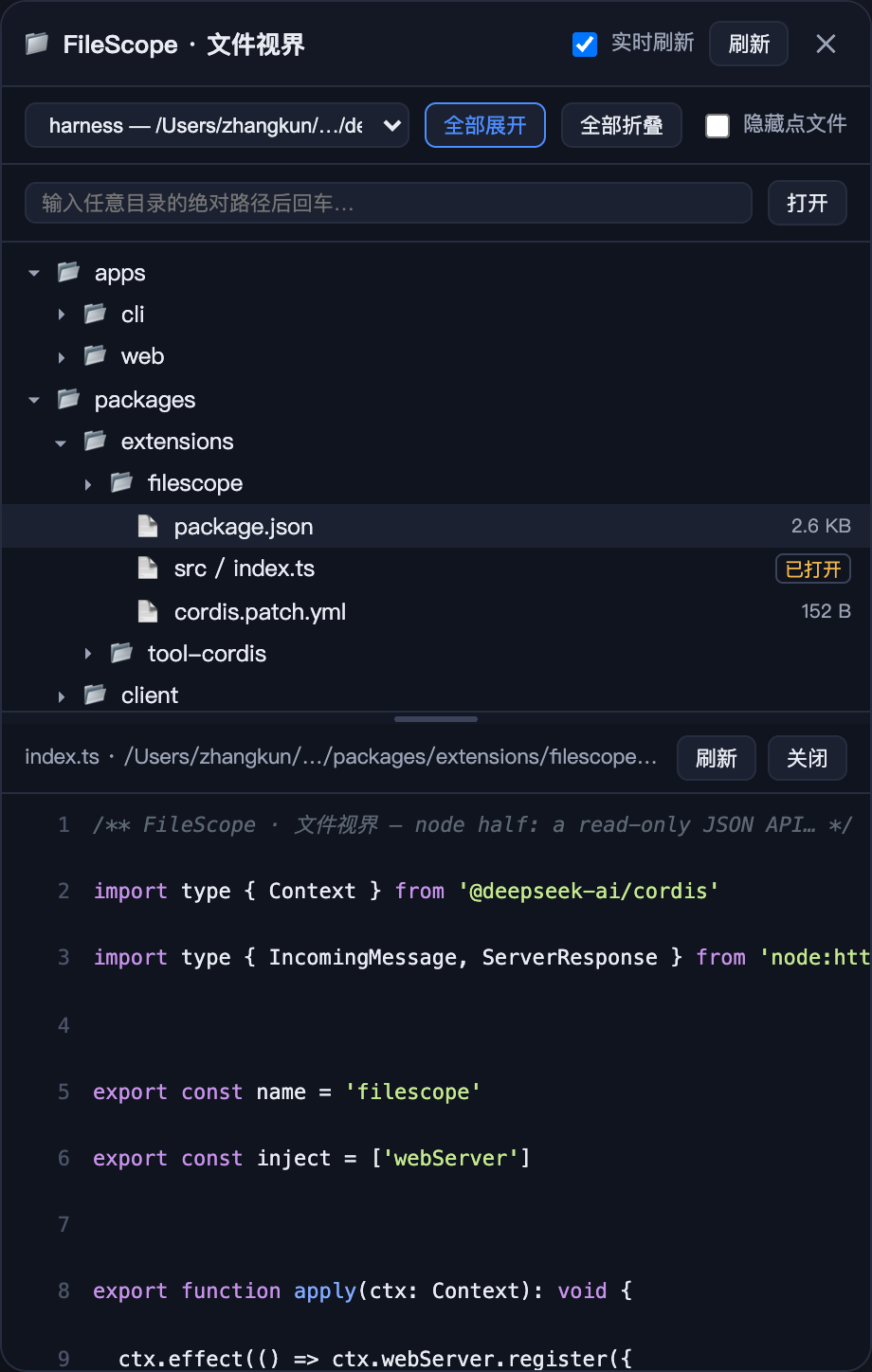
In the workflow of DeepSeek Harness, developers often need to quickly browse and preview workspace files without leaving the current interface. Traditional external file browsers can disrupt the coding rhythm, especially when working with multi-file projects, leading to inefficiency. The dsh-filescope plugin addresses this pain point by integrating a complete directory tree into a right-side drawer within the Web interface, allowing you to stay focused on coding without switching tools.
The plugin's core capabilities lie in its seamless integration: it supports infinite-level directory expansion, real-time file preview with content display (such as text line numbers and binary summaries), and intelligent session following to automatically switch workspaces. Drag-to-resize functionality for the drawer width and directory tree height adds flexibility, while the read-only design ensures safety by preventing accidental file modifications.
dsh-filescope is ideal for programmers, data scientists, or any workspace users who leverage DeepSeek Harness for development. Whether you are a front-end developer handling code files or a data analyst browsing datasets, this plugin provides intuitive file navigation, boosting both efficiency and user experience.
Screenshots
Use Cases
- Quickly browse project file structure while coding.
- Preview code or binary file content in real time.
- Automatically update workspace view when switching sessions.
Best For
- Programmers developing with DeepSeek Harness.
- Data analysts needing efficient file management.
- Web engineers seeking smooth development experiences.
Related Plugins
A service-oriented sidebar framework for DSH, offering a full workbench with file explorer, embedded browser, real terminal, Git panel, and extensible plugin services.

A beautiful, practical Claude Code-style TUI plugin with pixel whale top bar, flowing glow title, real-time status line, streaming thought expansion, time rewind, context progress bar and TPS gauge — zero core changes.

The plugin market for DeepSeek Harness: browse/search/one-click install community plugins and themes, with updates, backup/restore, hot disable, diagnostics, and AI fix.

A persistent whale widget on the DSH web UI that shows DeepSeek balance, today's usage, and per-turn cost, with drag-and-snap and sound effects.