dsh-sidechat
Run the following command in DeepSeek Harness:
dsh plugin install Mintcolour/dsh-sidechat
Paste the following prompt into your AI chat to install this plugin:
Run dsh plugin install Mintcolour/dsh-sidechat in the DeepSeek Harness terminal to install the plugin. The source repository is hosted at https://github.com/Mintcolour/dsh-sidechat .
About this plugin
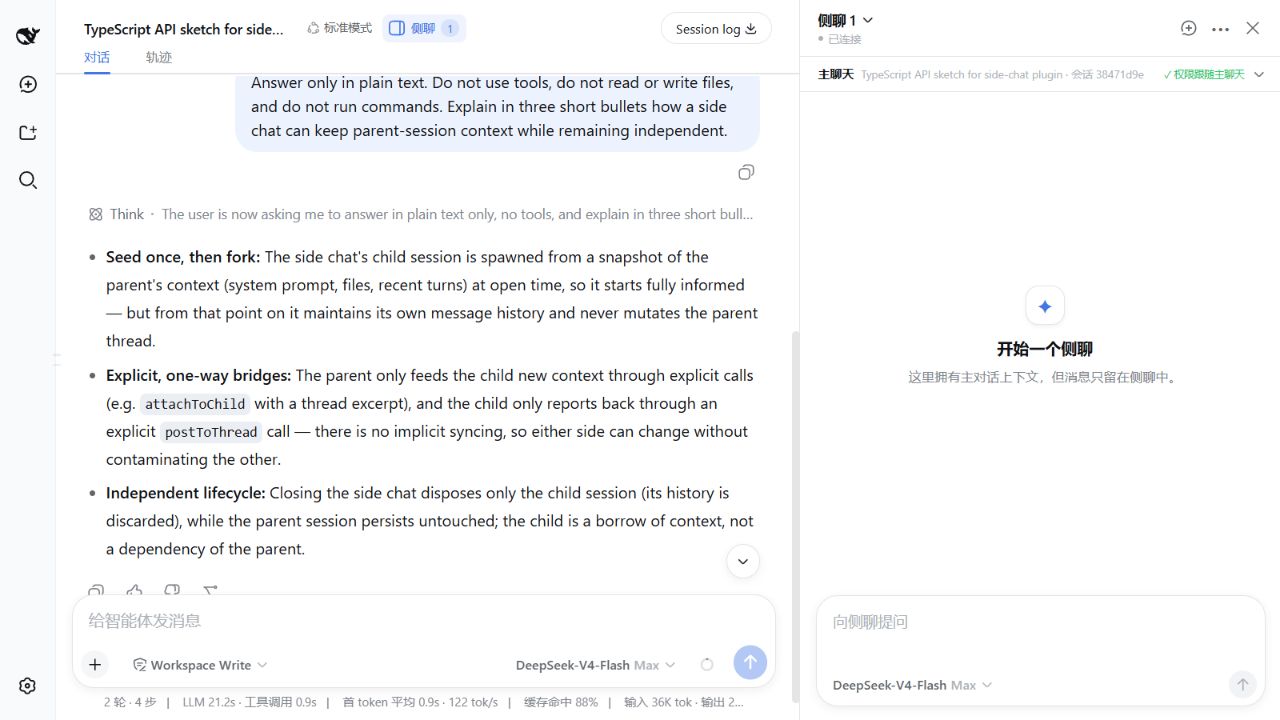
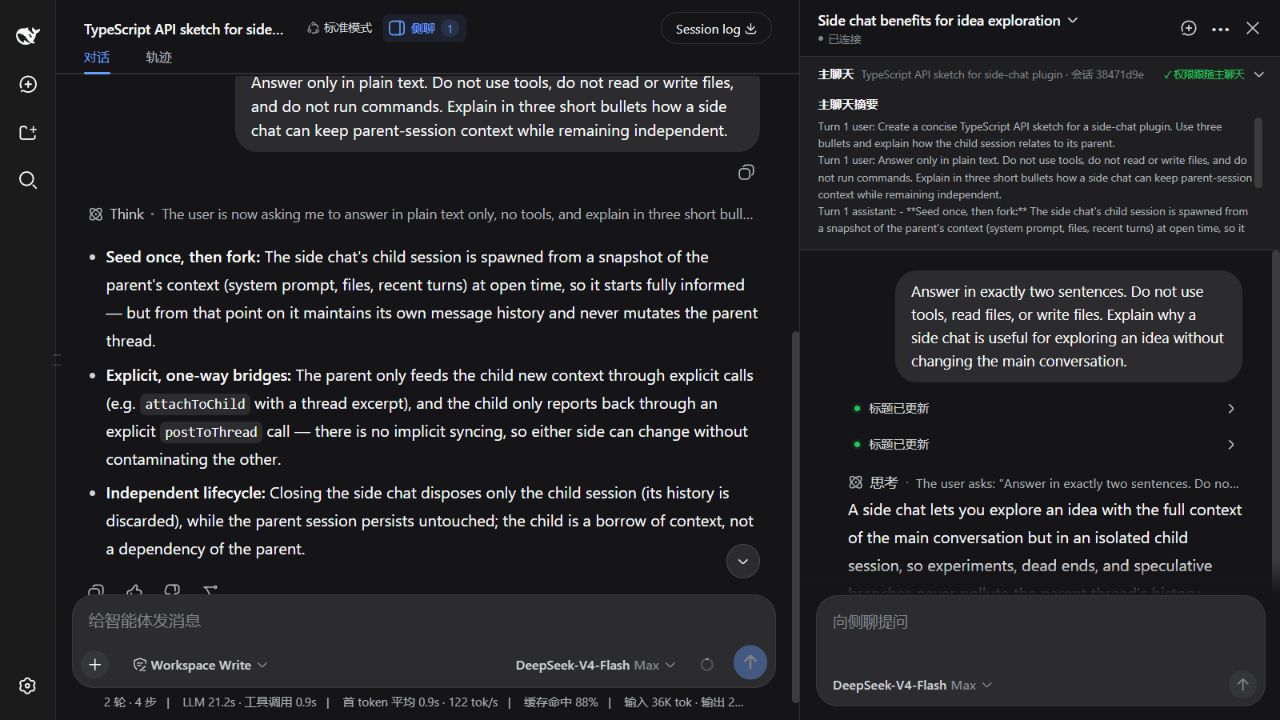
The main conversation in DeepSeek Harness Web is a single thread. When you need a second model opinion, a code review pass, a translation check, or a quick place to hand off a selected paragraph, you end up opening another window or copying by hand. dsh-sidechat opens a dedicated child session beside the main chat as two resizable, draggable panes. It never overlays the main conversation and keeps the child session out of the official left sidebar, giving you a clean main-thread-plus-side-notes workflow on one screen.
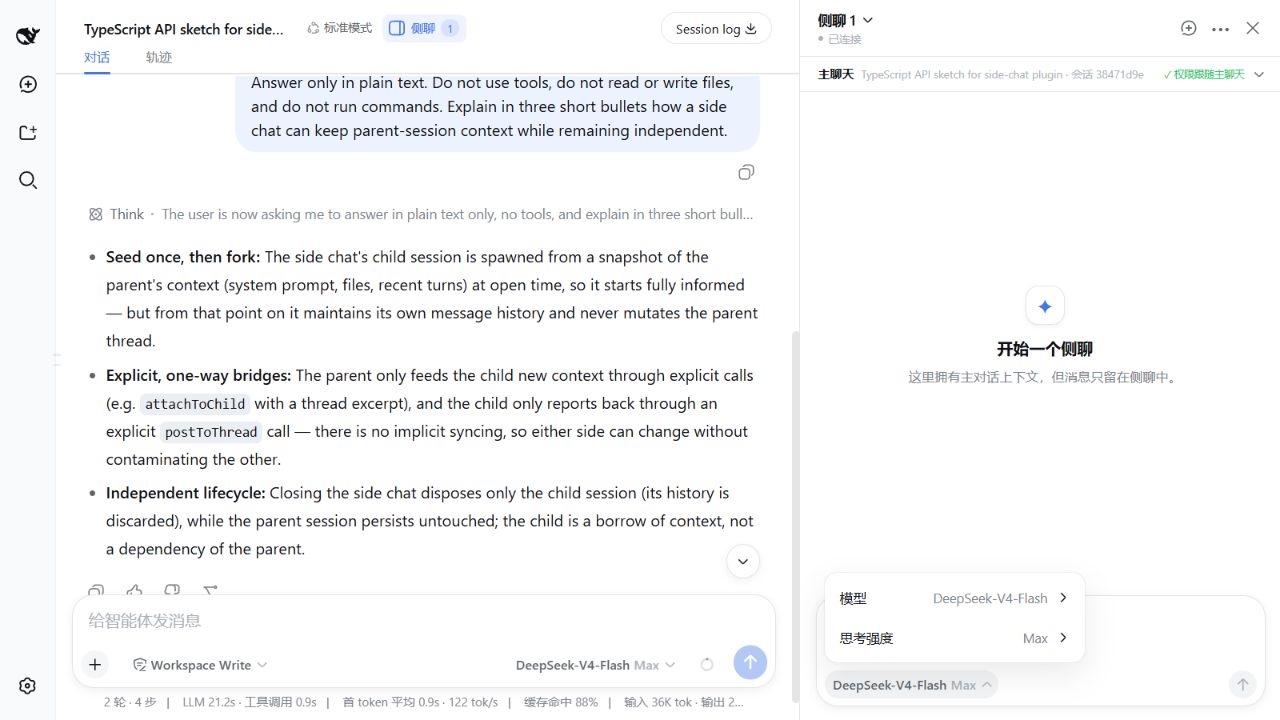
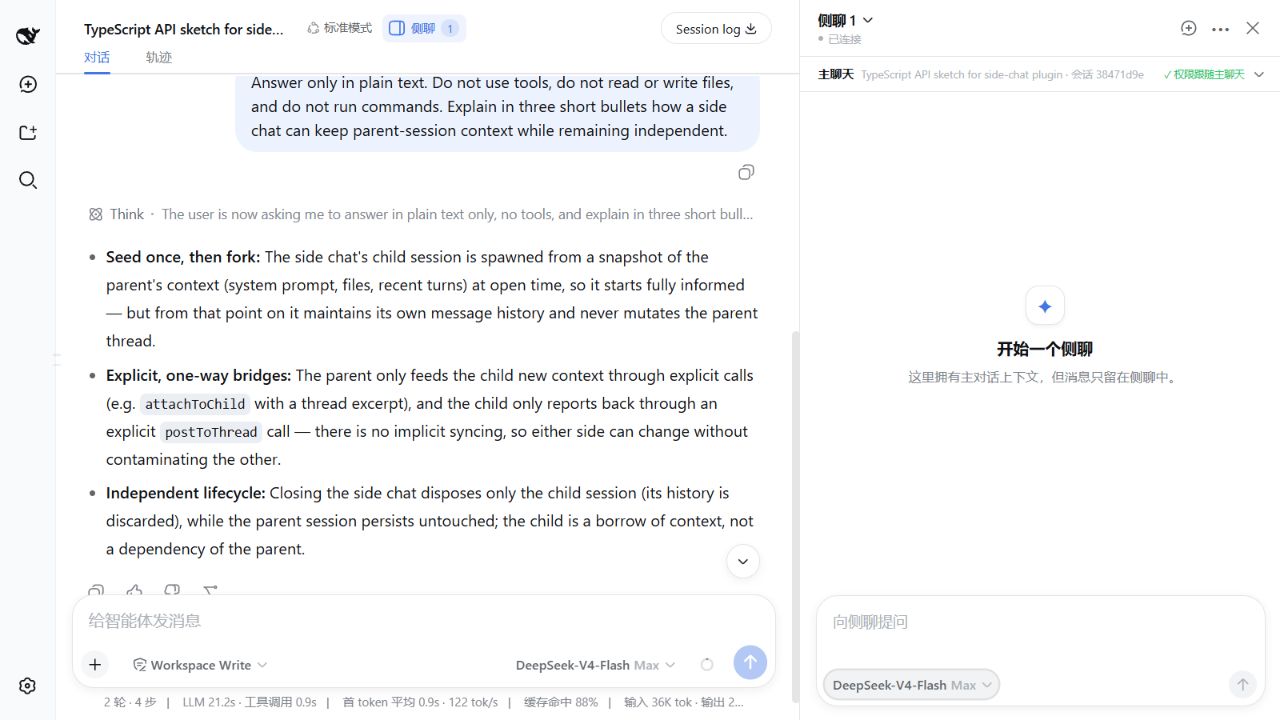
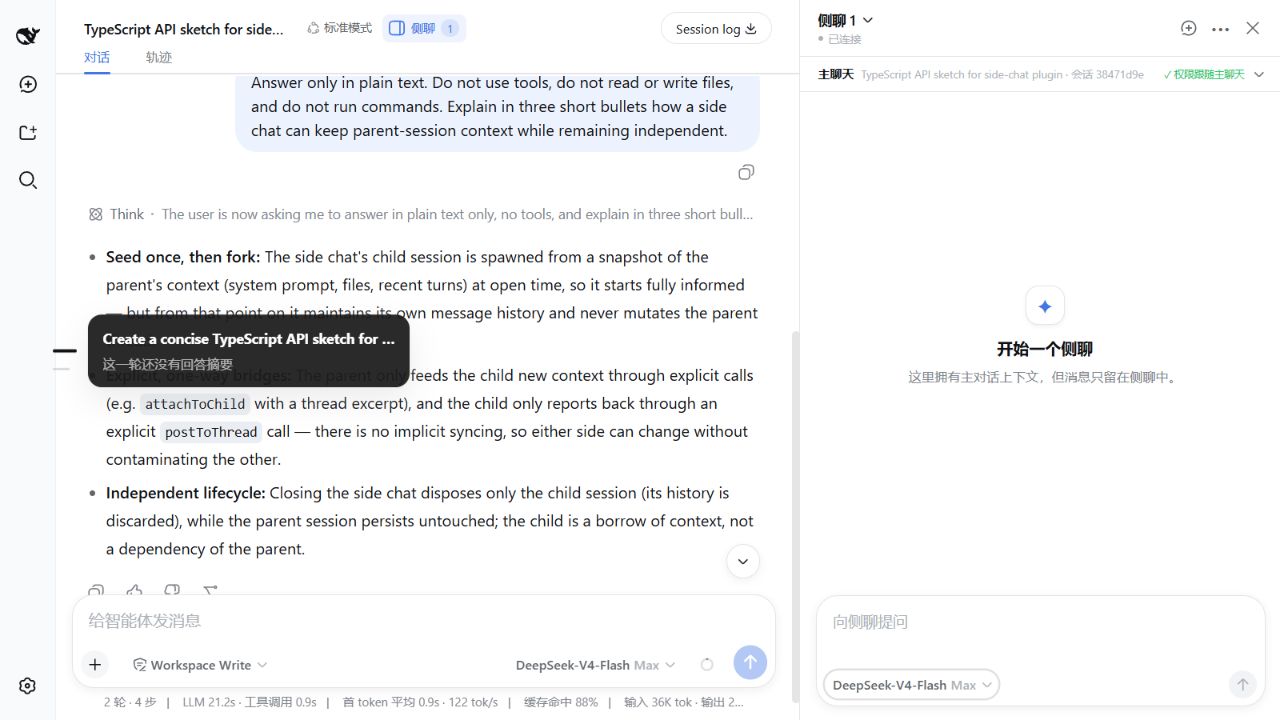
Each side chat can pick its own model and reasoning effort independently, inheriting the main chat model by default and switchable at any time. Create a side chat from the current conversation with selected-text quoting (no auto-send), open the most recent side chat via /sidechat, or pipe content into its draft with /sidechat content. Messages render through a generic timeline covering Markdown, reasoning traces, tool activity, approvals, questions, slash-command lifecycle, and unknown events. Navigation uses compact Codex-style Turn rails: quiet equal ticks when idle, fisheye expansion with a preview card on hover. The header shows parent title, short Session ID, summary, and a live indicator confirming the side chat follows the main chat permissions. Titles auto-generate from the first question; a manual rename takes permanent precedence.
Ideal for developers who regularly use Harness Web for model comparison, code review by a second session, translation passes, or a non-intrusive thinking scratchpad. The plugin relies solely on Harness public Session, Storage, Workspace, and Connection RPC surfaces. MIT licensed. No modifications to the official source.
Screenshots
Use Cases
- Open a second session beside the main chat for cross-validation or code review
- Quote selected text into a side chat and let a different model refine or translate it
- Use it as a lightweight thinking scratchpad that never overlays the main thread or clutters the sidebar
Best For
- Developers running multi-model workflows in Harness Web daily
- Plugin users who want an intrusive-free, side-by-side dual-session UI without patching official source
- Harness users who prefer Codex-style interactions such as Turn rails and slash commands
Related Plugins
A service-oriented sidebar framework for DSH, offering a full workbench with file explorer, embedded browser, real terminal, Git panel, and extensible plugin services.

A beautiful, practical Claude Code-style TUI plugin with pixel whale top bar, flowing glow title, real-time status line, streaming thought expansion, time rewind, context progress bar and TPS gauge — zero core changes.

The plugin market for DeepSeek Harness: browse/search/one-click install community plugins and themes, with updates, backup/restore, hot disable, diagnostics, and AI fix.

A persistent whale widget on the DSH web UI that shows DeepSeek balance, today's usage, and per-turn cost, with drag-and-snap and sound effects.