dsh-file-explorer
Run the following command in DeepSeek Harness:
dsh plugin install wolfsonliu/dsh-file-explorer
Paste the following prompt into your AI chat to install this plugin:
Run dsh plugin install wolfsonliu/dsh-file-explorer inside DeepSeek Harness to install this plugin; the full source repository is https://github.com/wolfsonliu/dsh-file-explorer .
About this plugin
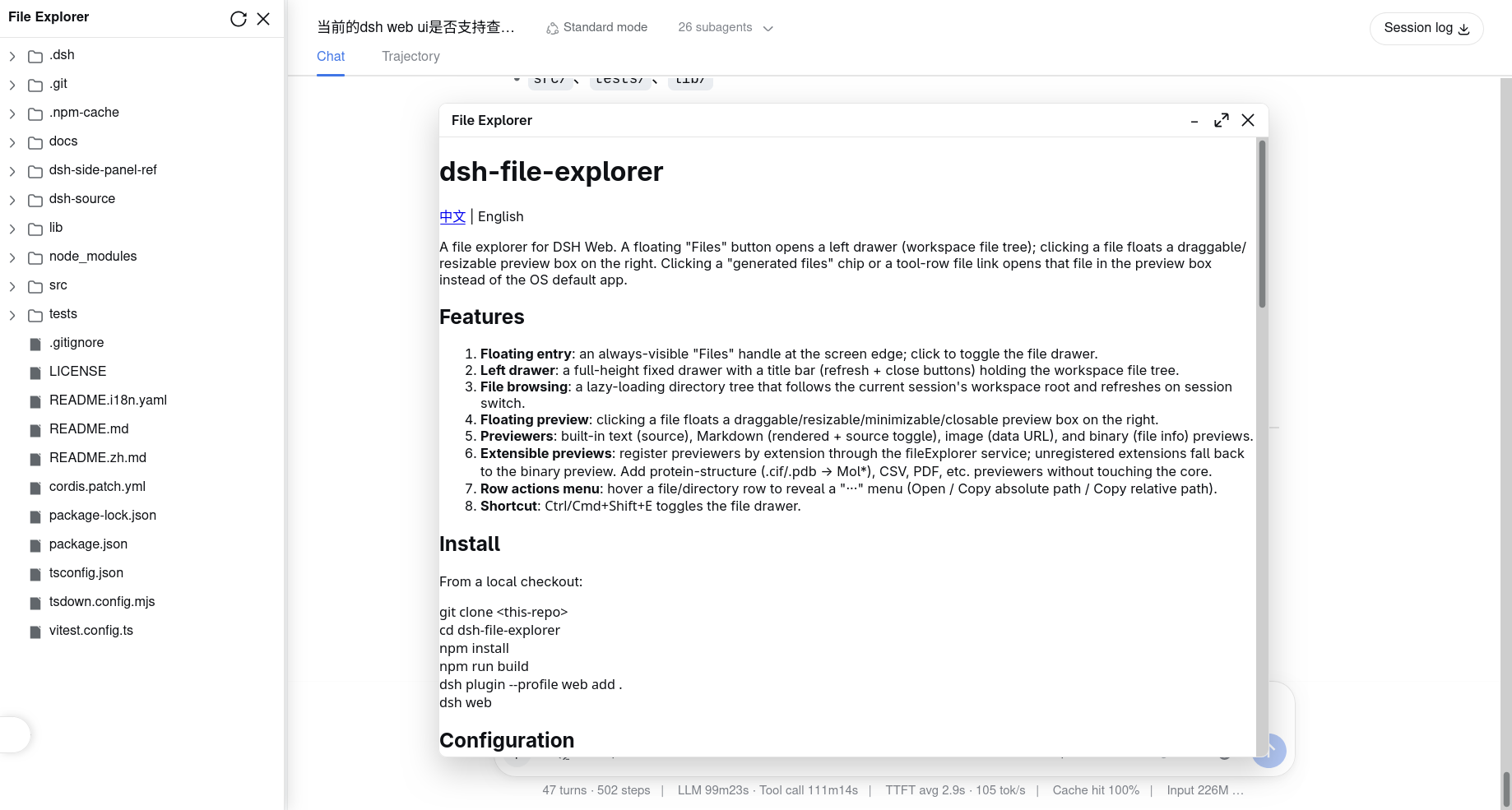
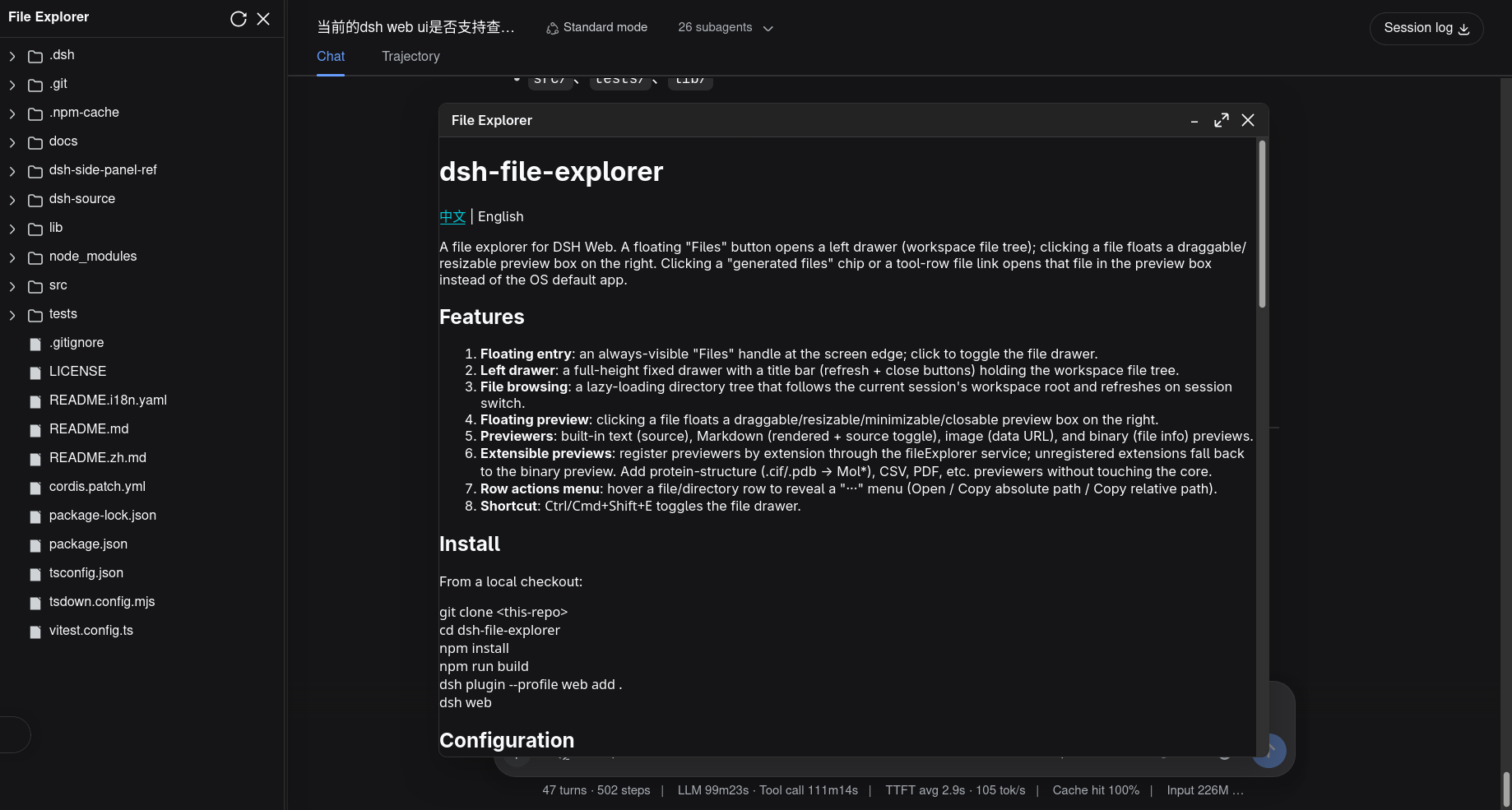
In a DSH Web session the agent continuously generates and rewrites code, configs, and data files inside the workspace, yet inspecting any of them usually means hopping out to the OS file manager and breaking the flow. dsh-file-explorer keeps the entire browsing experience inside the browser: a low-profile floating handle on the left edge expands into a lazy-loading file-tree drawer that tracks the current session root, with search, sort, and hidden-file toggle built in. Clicking any file floats a draggable, resizable, minimizable preview panel on the right — paginated source viewing for large texts, rendered Markdown with a source toggle and inline editing, data-URL image display, a read-only CSV table, hexdump for binaries, and native browser rendering for PDF, HTML, and JSON. Hovering a row reveals rename, move, copy, and delete actions; directory rows add in-place new-file and new-folder creation, so a lightweight file manager lives right inside the drawer.\n\nThe plugin is also a platform rather than a fixed set of viewers. Every built-in previewer registers at priority 0, so domain experts can register higher-priority components per file extension through the fileExplorer service without touching core code: Mol* renders .cif and .pdb protein structures, SeqViz handles FASTA, GenBank, SnapGene, and SBOL files, and CodeMirror 6 brings syntax-highlighted editing to every text format. A computational biology lab can inspect 3D structures inline, a bioinformatics team can preview SnapGene exports, and none of these conflict — they simply stack on demand.\n\nIt suits anyone working in DSH Web where the agent produces a steady stream of intermediate artifacts — configs, logs, datasets, structural files — and wants to verify them without leaving the browser. The plugin is a pure UI surface: it emits no session events, modifies no session logs, and stays entirely invisible to the model, making it a zero-config, drop-in addition to any workspace.
Screenshots
Use Cases
- Inspect, edit, and manage workspace files without leaving DSH Web after the agent generates code or data
- Preview domain-specific files — SnapGene, FASTA, .cif/.pdb structures — inline in the browser
- Quickly review and manage intermediate artifacts such as configs, logs, and CSVs produced by the agent
Best For
- Day-to-day DSH Web users who want to inspect agent output without leaving the browser
- Developers who need to preview text, images, CSV, PDF, and binary files side by side
- Domain experts who want to register custom previewers via the fileExplorer service
Related Plugins
A service-oriented sidebar framework for DSH, offering a full workbench with file explorer, embedded browser, real terminal, Git panel, and extensible plugin services.

A beautiful, practical Claude Code-style TUI plugin with pixel whale top bar, flowing glow title, real-time status line, streaming thought expansion, time rewind, context progress bar and TPS gauge — zero core changes.

The plugin market for DeepSeek Harness: browse/search/one-click install community plugins and themes, with updates, backup/restore, hot disable, diagnostics, and AI fix.

A persistent whale widget on the DSH web UI that shows DeepSeek balance, today's usage, and per-turn cost, with drag-and-snap and sound effects.