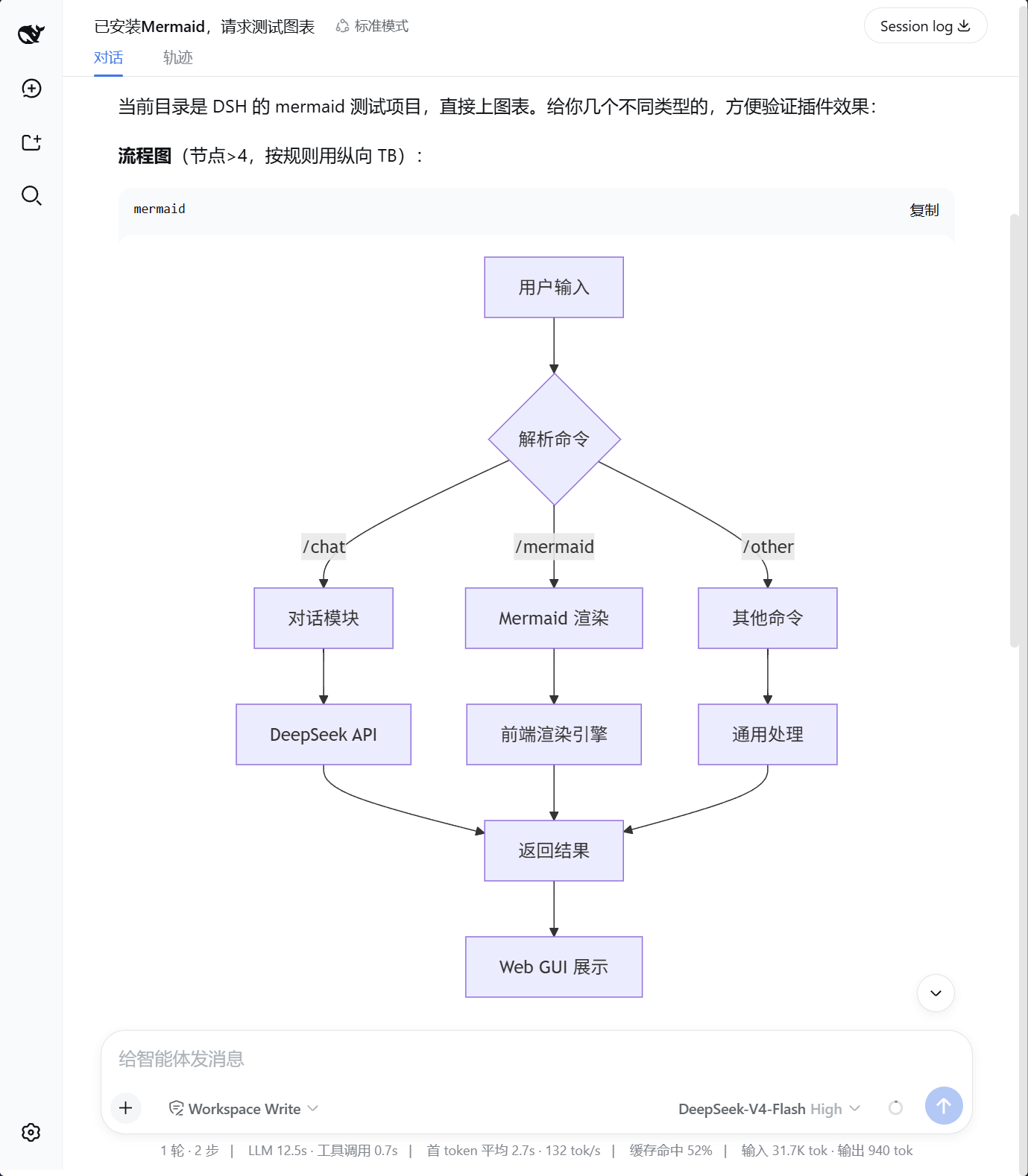
dsh-web-mermaid
Run the following command in DeepSeek Harness:
dsh plugin install vtxf/dsh-web-mermaid
Paste the following prompt into your AI chat to install this plugin:
Run dsh plugin install vtxf/dsh-web-mermaid in the DeepSeek Harness terminal to install; the source code lives at https://github.com/vtxf/dsh-web-mermaid .
About this plugin
In the DeepSeek Harness web chat, Mermaid fenced blocks in assistant replies used to sit as inert text, forcing you to copy them into another tool to see a diagram. dsh-web-mermaid removes that detour: the instant a streamed message finishes, every Mermaid block is rendered in place as a crisp vector chart, supporting flowcharts, sequence diagrams, class diagrams, gantt charts, and all other Mermaid syntaxes.
The plugin bundles a mermaid.min.js runtime of roughly 3.4 MB; after the initial load the browser caches it, so subsequent renders are instant and offline-friendly. Rendering is deliberately deferred until the full message arrives, preventing half-drawn shapes from flashing on screen. One caveat: DSH user messages are plain text rather than Markdown, so Mermaid blocks only activate in assistant-side messages. External images or links referenced inside a diagram still require network access.
Built for developers, technical writers, and documentation maintainers who sketch architecture, process, or teaching diagrams inside DSH conversations day to day, turning code fences into interactive visuals without a single copy-paste round-trip.
Screenshots
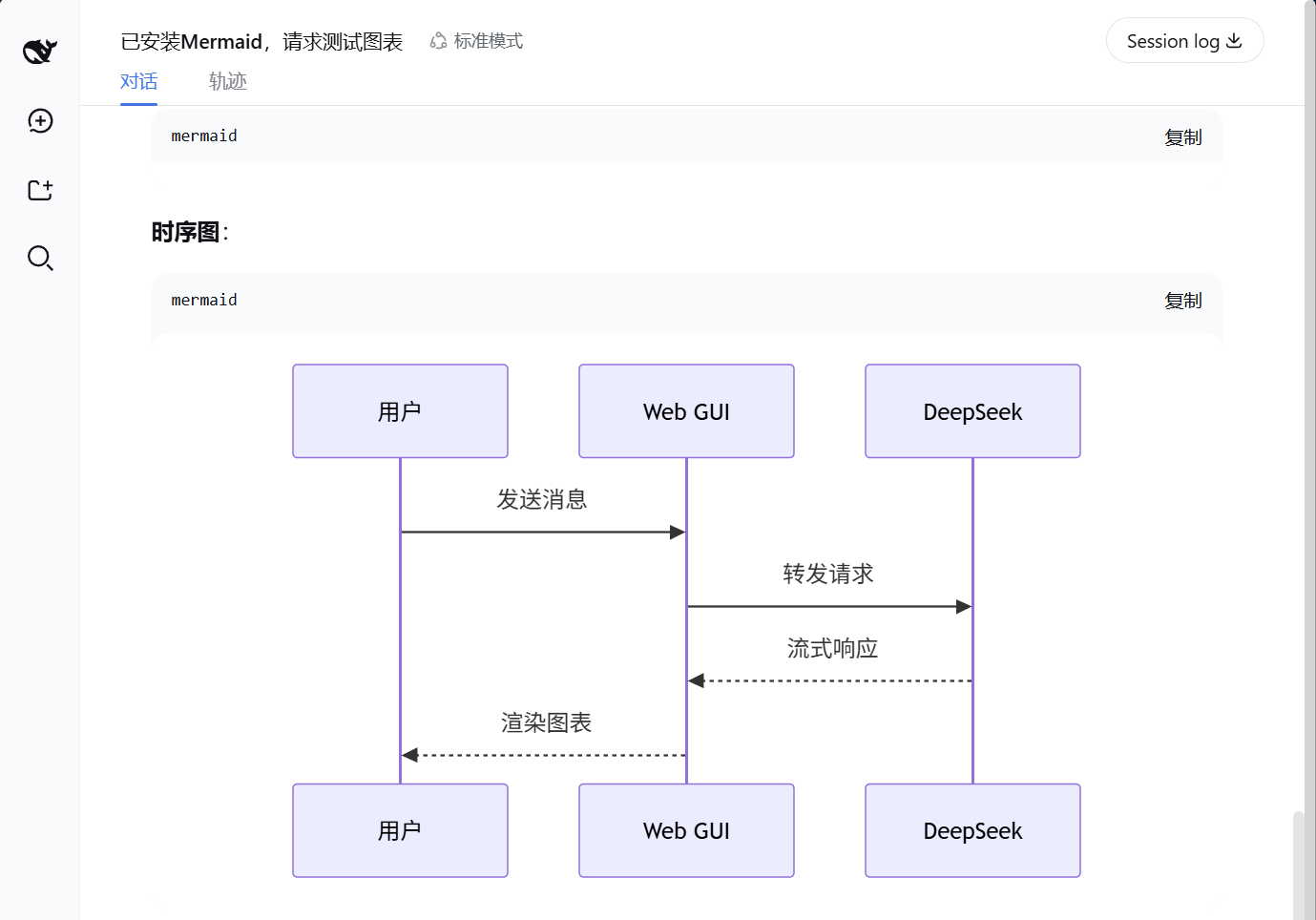
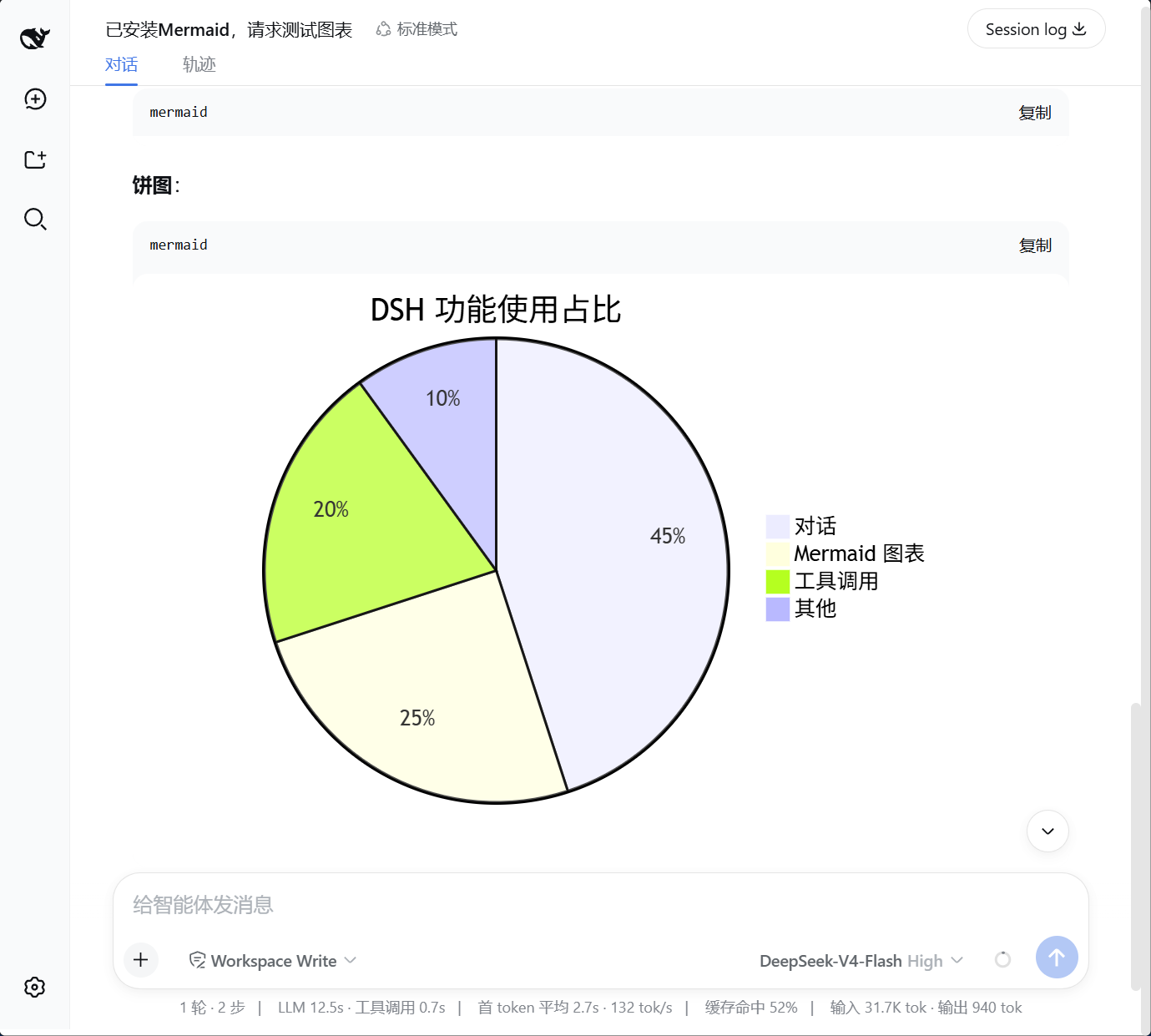
Use Cases
- Rendering architecture or process flowcharts inline in DSH replies without copying code out
- Letting assistant Mermaid blocks become screenshot-ready diagrams during technical doc drafting
- Generating sequence, gantt, and class diagrams on the fly for teaching or design reviews
Best For
- Developers who sketch architecture or workflow diagrams inside chat on a daily basis
- Technical writers embedding Mermaid snippets into blogs, wikis, or internal docs
- Instructors and tech leads who explain system flows with visual diagrams
Related Plugins
A service-oriented sidebar framework for DSH, offering a full workbench with file explorer, embedded browser, real terminal, Git panel, and extensible plugin services.

A beautiful, practical Claude Code-style TUI plugin with pixel whale top bar, flowing glow title, real-time status line, streaming thought expansion, time rewind, context progress bar and TPS gauge — zero core changes.

The plugin market for DeepSeek Harness: browse/search/one-click install community plugins and themes, with updates, backup/restore, hot disable, diagnostics, and AI fix.

A persistent whale widget on the DSH web UI that shows DeepSeek balance, today's usage, and per-turn cost, with drag-and-snap and sound effects.