dsh-file-explorer-preview-molstar
Run the following command in DeepSeek Harness:
dsh plugin install wolfsonliu/dsh-file-explorer-preview-molstar
Paste the following prompt into your AI chat to install this plugin:
Run dsh plugin install wolfsonliu/dsh-file-explorer-preview-molstar in a DeepSeek Harness terminal to install; source code is available at https://github.com/wolfsonliu/dsh-file-explorer-preview-molstar
About this plugin
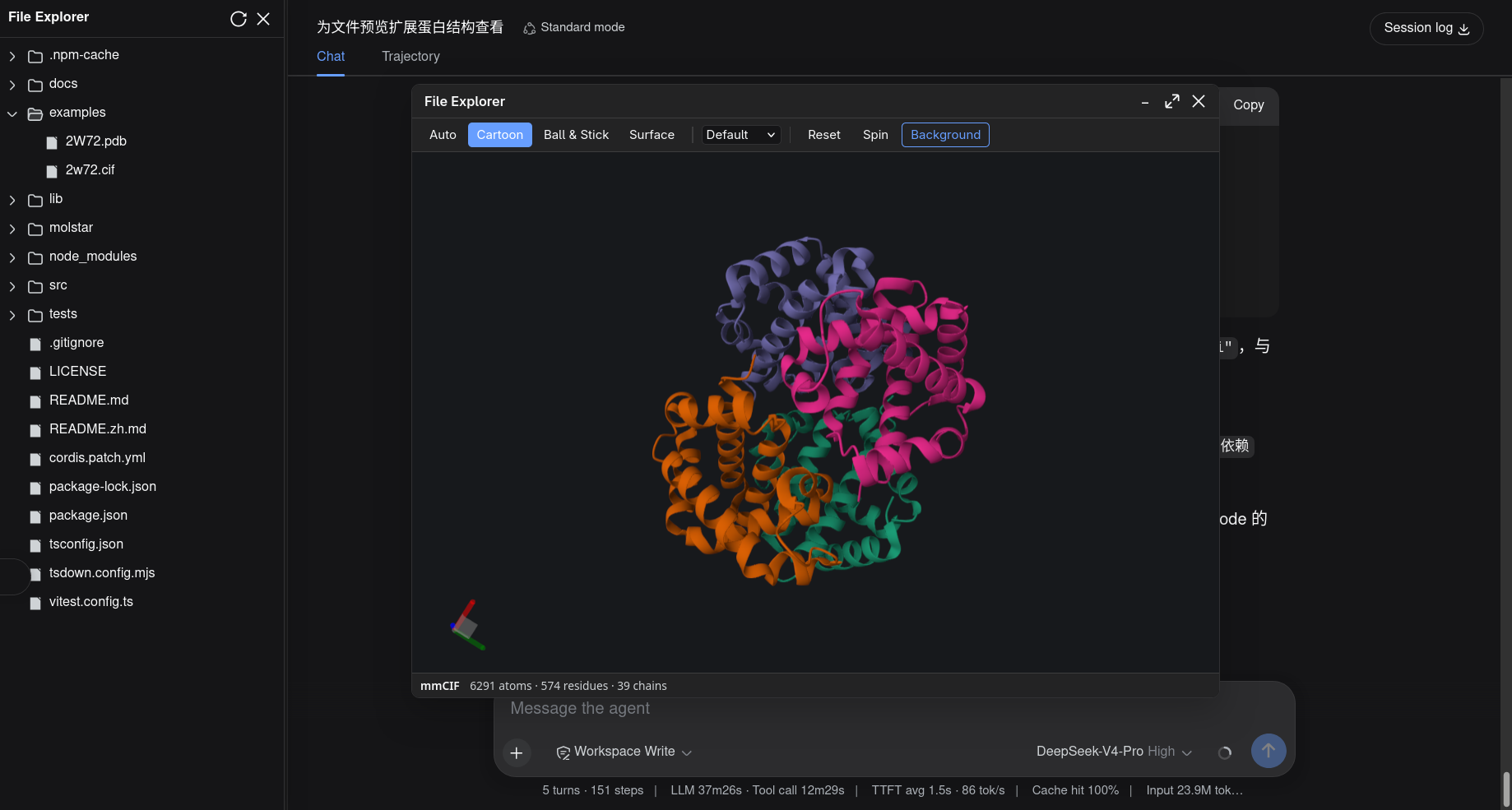
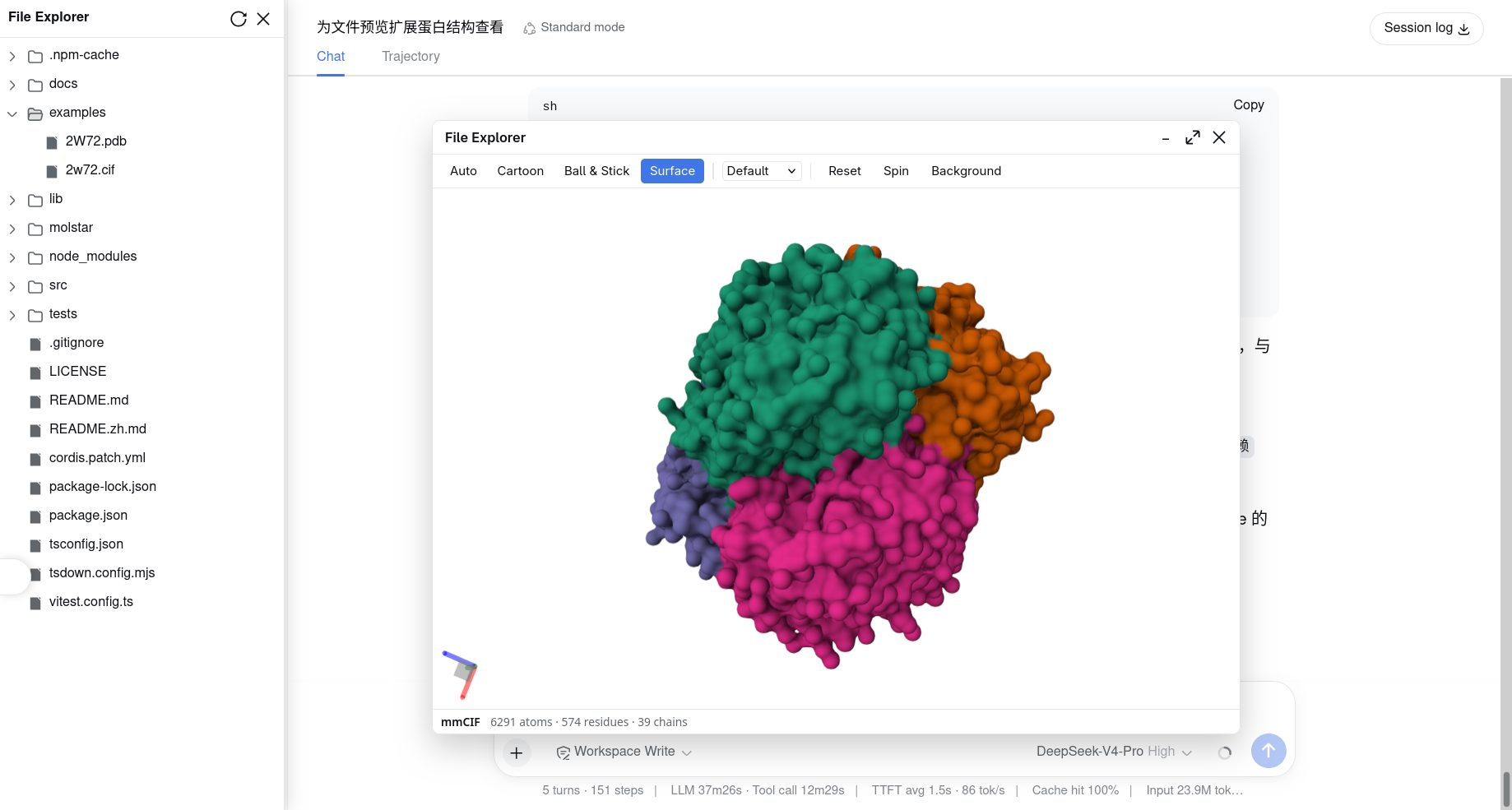
When browsing protein structure or small-molecule files in dsh-file-explorer, the preview panel used to show only raw text. A PDB or mmCIF file with thousands of lines is nearly impossible to interpret as a spatial conformation. This plugin injects Mol* WebGL rendering directly into that panel: select a .cif, .pdb, or .sdf file and an interactive, rotatable 3D model appears in place of the plain text.
The viewer ships with Cartoon, Ball & Stick, and Molecular Surface representation presets, chain- or entity-based coloring, an auto-spin toggle, and a one-click camera reset. The background follows DSHs dark and light theme automatically. A status bar reports the file format badge plus atom, residue, and chain counts, and all toolbar and status copy is localized in English and Chinese. For text files over 2 MiB and binary .bcif files, the plugin fetches raw bytes through the core readRawFile service, so no external tool is needed. On dsh-file-explorer v0.9.0 and later it registers as a named viewer labeled Mol* Structure, giving the Open with menu and the panel switcher a proper name instead of the generic Extension viewer.
The plugin is aimed at structural biologists, computational chemists, and drug-discovery researchers who want a fast, in-browser way to inspect fold topology, binding pockets, or molecular geometry without launching heavyweight desktop applications such as Jmol or Chimera. It is a read-only, lightweight preview layer: no editing, no export. It slots naturally into your file-management workflow and lets you get a 3D sense of a structure with a single click.
Screenshots
Use Cases
- Click a .cif or .pdb file in the file explorer to see a 3D fold of the protein instantly
- Inspect small-molecule PDB, SDF, or XYZ files as ball-and-stick or space-filling models to judge geometry at a glance
- Switch Cartoon, Ball & Stick, and Molecular Surface presets and color by chain to locate binding pockets and secondary-structure layout quickly
Best For
- Structural biology and proteomics researchers
- Computational chemists and drug-design professionals
- Lab teams who need a lightweight in-browser 3D structure preview alongside their file files
Related Plugins
A service-oriented sidebar framework for DSH, offering a full workbench with file explorer, embedded browser, real terminal, Git panel, and extensible plugin services.

A beautiful, practical Claude Code-style TUI plugin with pixel whale top bar, flowing glow title, real-time status line, streaming thought expansion, time rewind, context progress bar and TPS gauge — zero core changes.

The plugin market for DeepSeek Harness: browse/search/one-click install community plugins and themes, with updates, backup/restore, hot disable, diagnostics, and AI fix.

A persistent whale widget on the DSH web UI that shows DeepSeek balance, today's usage, and per-turn cost, with drag-and-snap and sound effects.