dsh-file-explorer-preview-code
Run the following command in DeepSeek Harness:
dsh plugin install wolfsonliu/dsh-file-explorer-preview-code
Paste the following prompt into your AI chat to install this plugin:
Run dsh plugin install wolfsonliu/dsh-file-explorer-preview-code in DeepSeek Harness to install; the full source is available at https://github.com/wolfsonliu/dsh-file-explorer-preview-code .
About this plugin
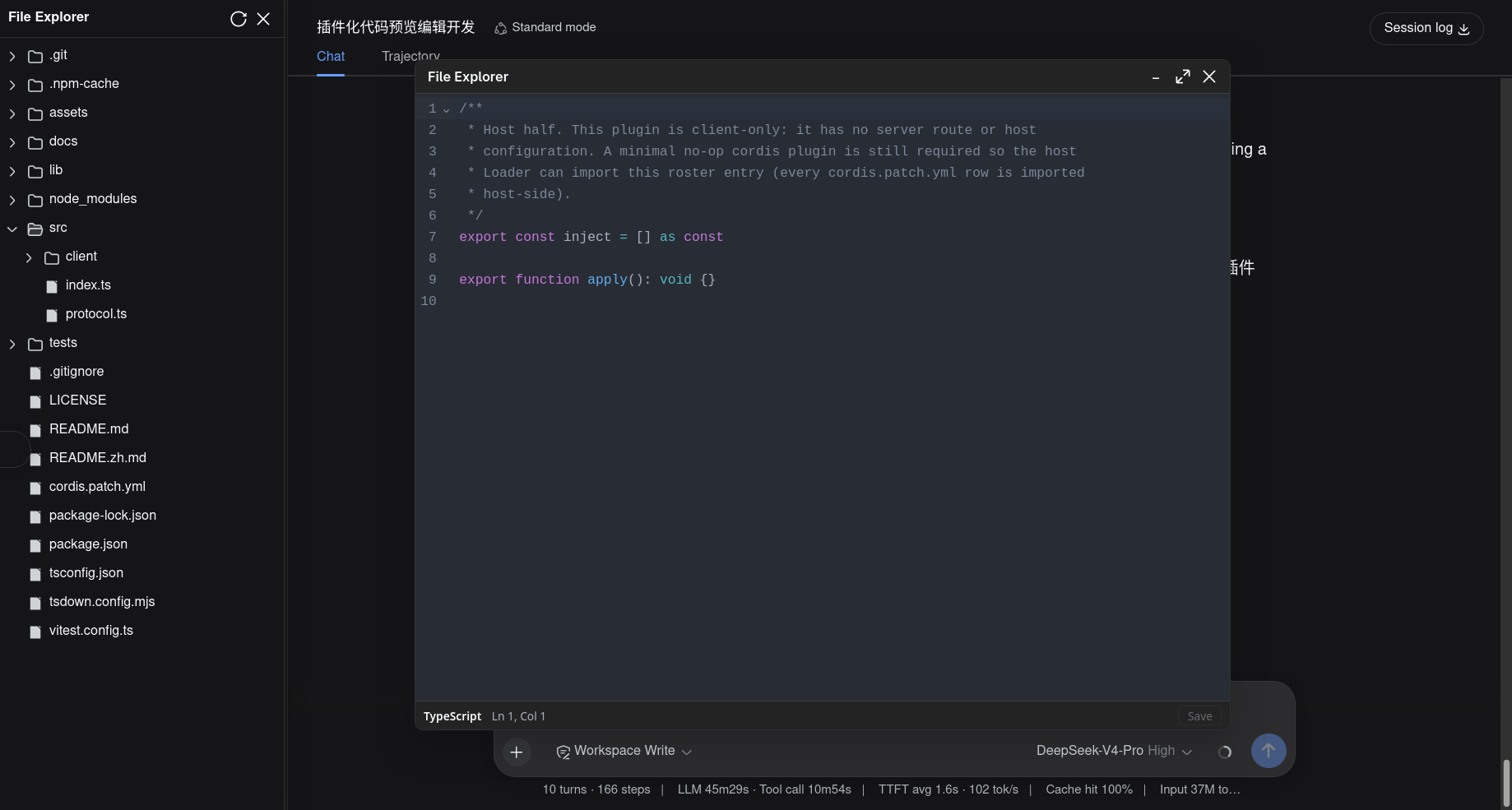
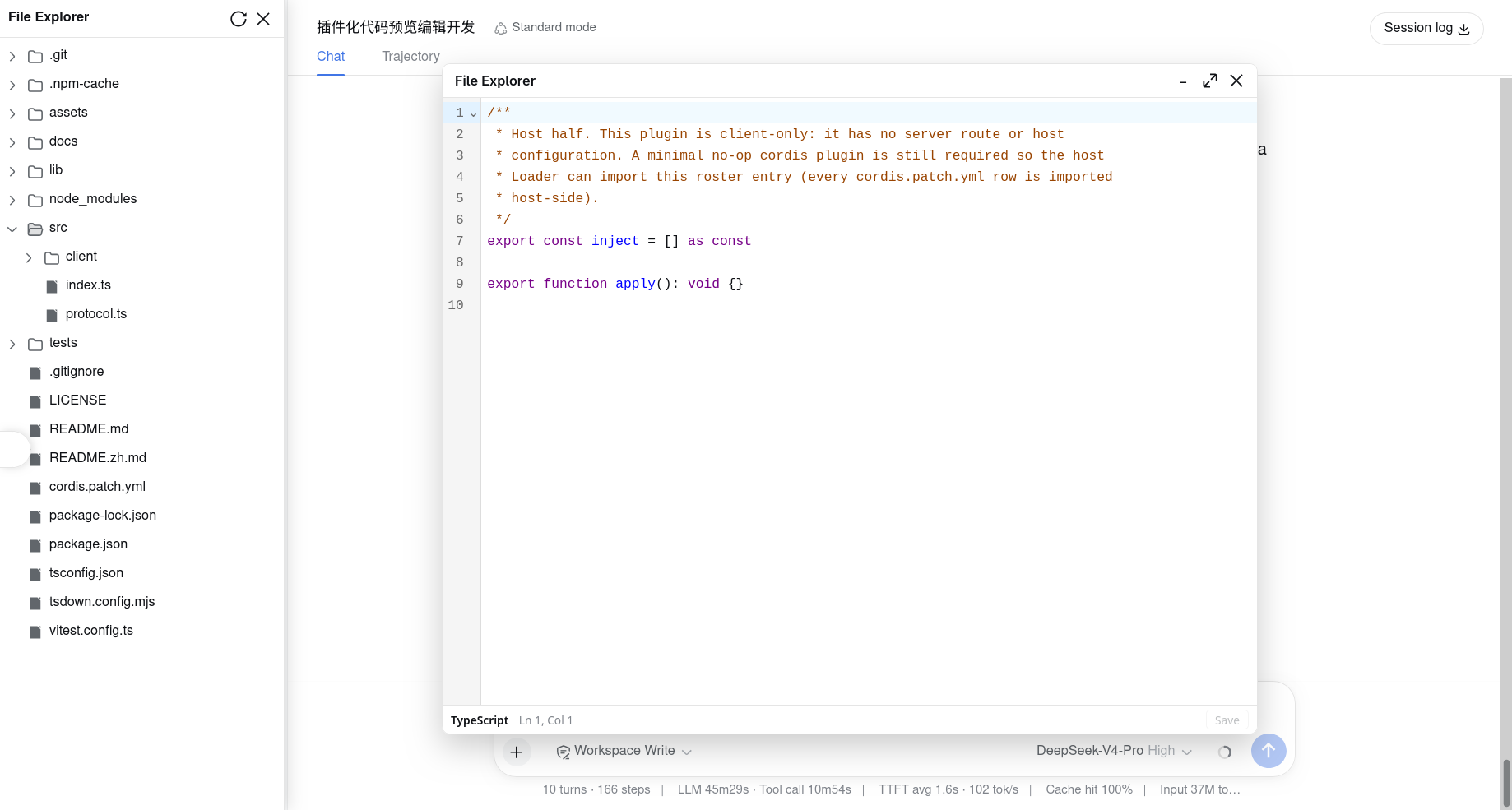
DSH Web's built-in file browser displays code files as plain text—no syntax highlighting, no editing. dsh-file-explorer-preview-code replaces that pipeline with a full CodeMirror 6 editor, bringing near-IDE reading and editing directly into the browser.
The plugin auto-detects roughly 90 file types (TypeScript, Python, Go, Rust, SQL, YAML, and more) via @codemirror/language-data and applies per-language token coloring. Standard editor affordances—line numbers, undo/redo, soft word wrap—are included out of the box. Edits autosave 500 ms after the last keystroke or immediately with Ctrl/Cmd+S; a slim status bar reports the active language, cursor position, and save state in real time. Syntax themes follow DSH's dark/light toggle live, with zero manual configuration.
Ideal for front-end, back-end, and DevOps engineers who regularly inspect or fine-tune code in DSH Web—confirm a config, tweak a script, or fix a JSON field without switching to a local IDE. The plugin registers as a named Code Editor viewer alongside the built-in Text viewer in the file explorer's Open with menu, so the two modes coexist without conflict. It requires the dsh-file-explorer base package.
Screenshots
Use Cases
- Quickly inspect and tweak JSON, YAML, or other config files in DSH Web
- Fix a script bug or correct a code error without switching to a local IDE
- Review highlighted code before committing changes
Best For
- Front-end and back-end engineers who frequently read or edit code in the browser
- DevOps engineers who review configuration files within DSH Web
- Development teams seeking a consistent code-viewing experience with fewer tool switches
Related Plugins
A service-oriented sidebar framework for DSH, offering a full workbench with file explorer, embedded browser, real terminal, Git panel, and extensible plugin services.

A beautiful, practical Claude Code-style TUI plugin with pixel whale top bar, flowing glow title, real-time status line, streaming thought expansion, time rewind, context progress bar and TPS gauge — zero core changes.

The plugin market for DeepSeek Harness: browse/search/one-click install community plugins and themes, with updates, backup/restore, hot disable, diagnostics, and AI fix.

A persistent whale widget on the DSH web UI that shows DeepSeek balance, today's usage, and per-turn cost, with drag-and-snap and sound effects.