dsh-trace-collapse
Run the following command in DeepSeek Harness:
dsh plugin install AwesomeHou/dsh-trace-collapse
Paste the following prompt into your AI chat to install this plugin:
Run dsh plugin install AwesomeHou/dsh-trace-collapse inside DeepSeek Harness to install the plugin, whose source code is available at https://github.com/AwesomeHou/dsh-trace-collapse
About this plugin
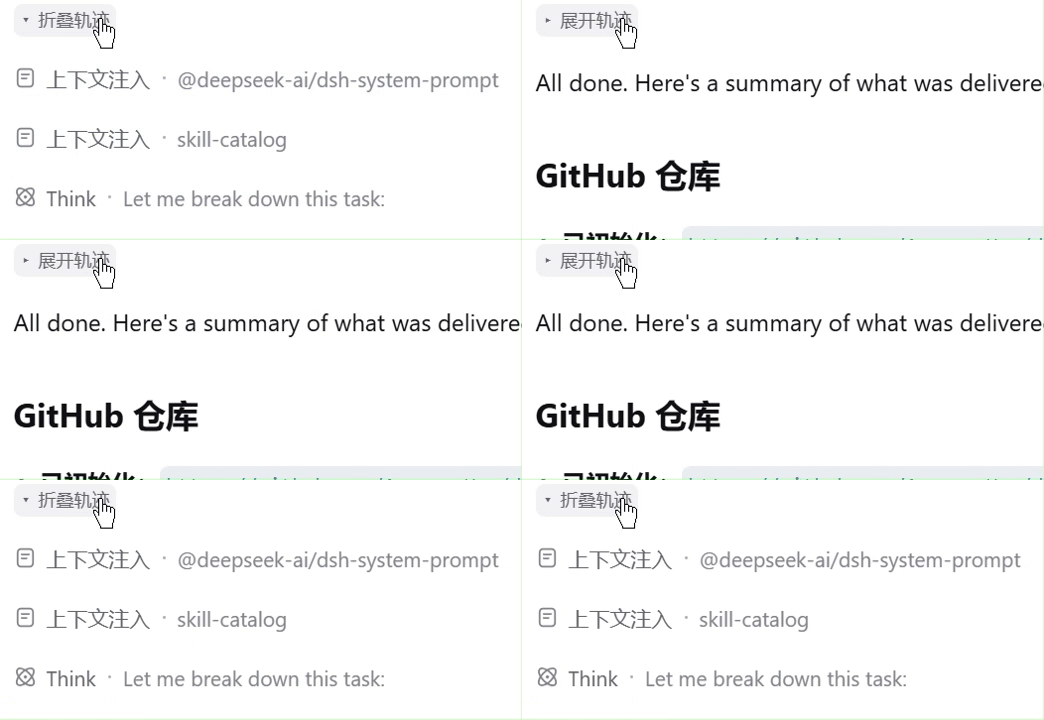
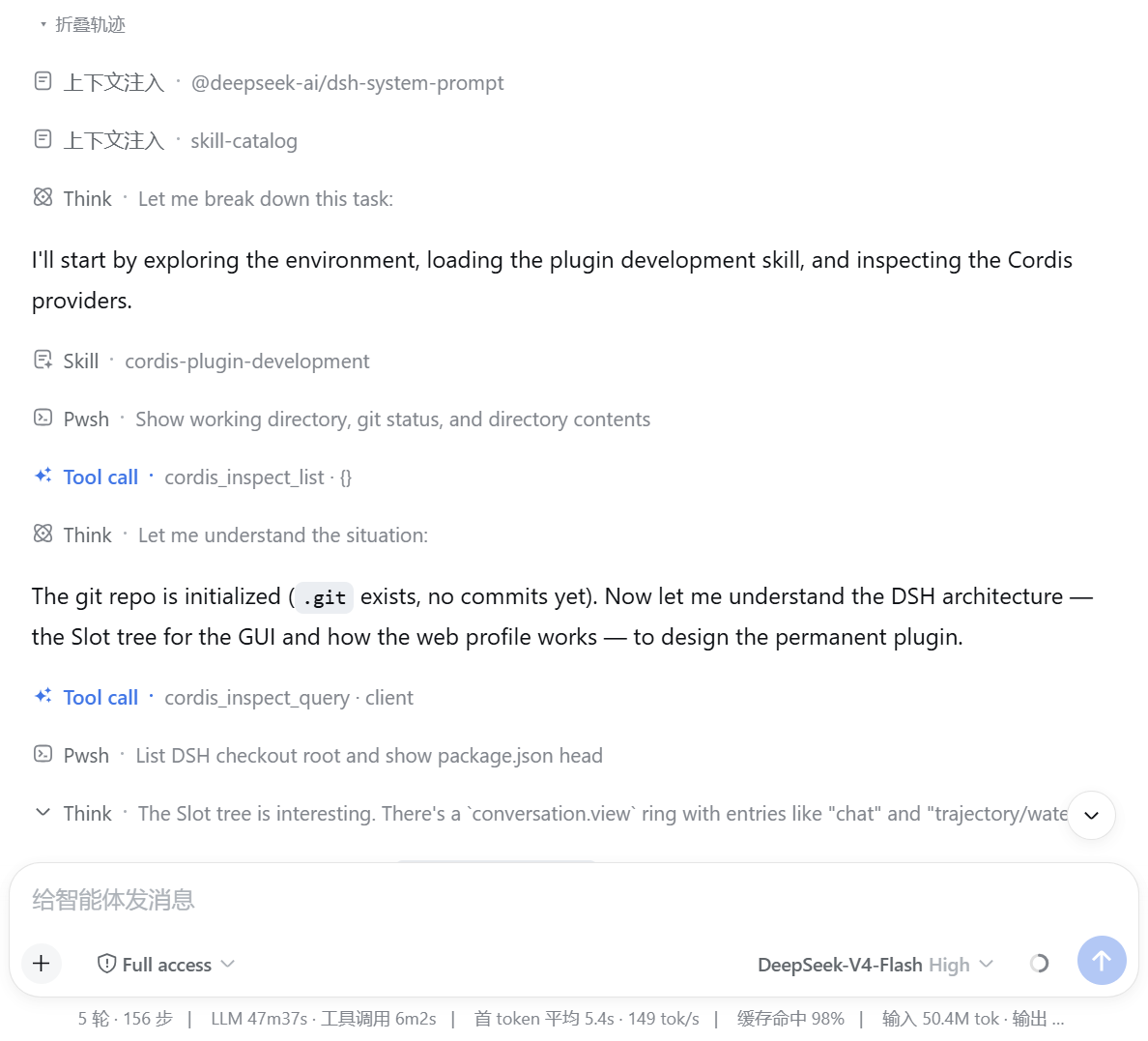
Every time an Agent runs inside the DeepSeek Harness Web UI, it leaves behind a long trail of intermediate steps: multi-turn reasoning, tool calls, steering directives, workflow executions, system-prompt and skill-catalog context injections. Those records are genuinely useful for debugging, but in day-to-day conversation they push the one thing you actually care about — the final output — off-screen and make it tedious to find.
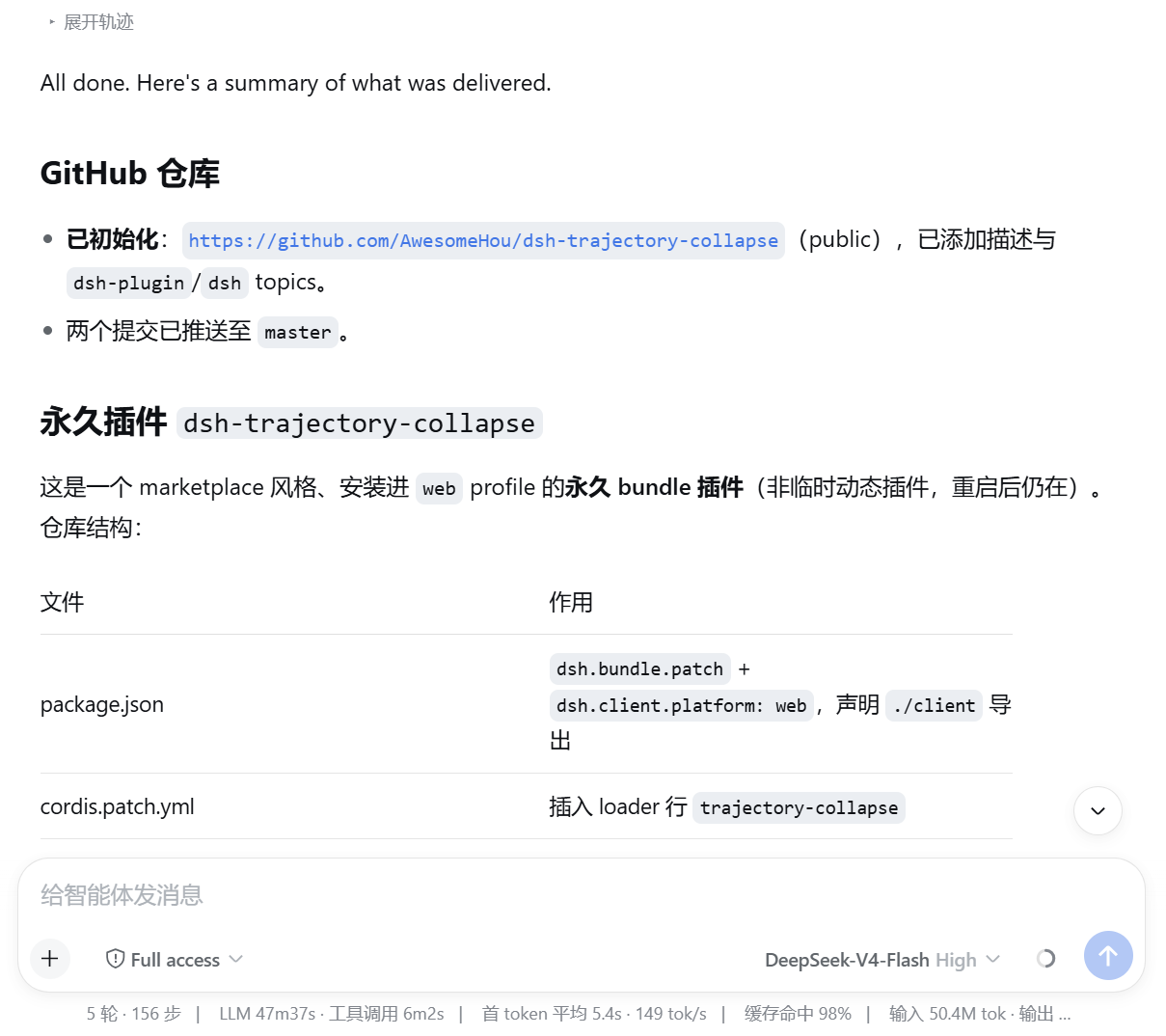
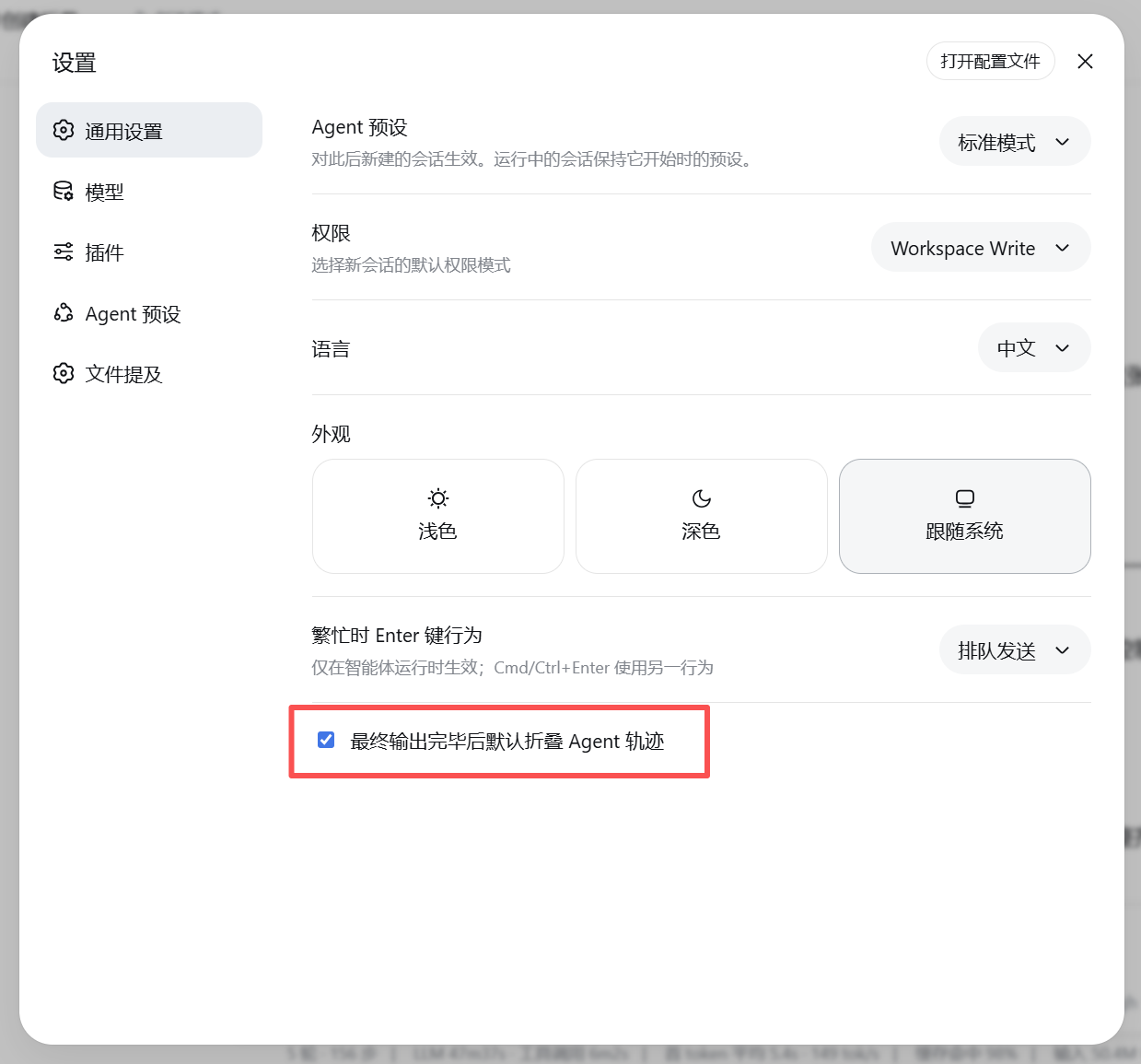
The fix is deliberately simple: a small, restrained collapse button sits above each completed Agent turn. Hit it and every intermediate node in that turn — tool-calls, non-final assistant reasoning steps, steering lines, workflow runs, context-injection rows, even unknown entries — disappears, leaving only your prompt and the final reply. Re-expand any time you need to audit the steps. A settings toggle ("Collapse agent trace by default after final output", on by default) removes the need to click per turn on a daily basis.
Who should use it? If you interact with Agents in DeepSeek Harness many times a day and your workflow is production conversation rather than step-by-step debugging, but you still want the full trail available when something goes wrong, this plugin is a quiet quality-of-life upgrade. It is implemented entirely client-side; no server changes, no performance cost when idle.
Screenshots
Use Cases
- Focus instantly on the Agent final output in high-frequency daily conversations without scrolling past verbose intermediate steps
- Re-expand any completed turn on demand when auditing tool calls, reasoning, or workflow runs
- Reduce visual noise in the chat window so multi-turn sessions read more like a natural conversation
Best For
- Heavy DeepSeek Harness users who want a clean reading experience while keeping full trace history for later review
- Technical users who need fast access to final outputs without losing auditability of every tool call and reasoning step
- Individual developers who prefer purely client-side plugins and want zero server-side changes
Related Plugins
A service-oriented sidebar framework for DSH, offering a full workbench with file explorer, embedded browser, real terminal, Git panel, and extensible plugin services.

A beautiful, practical Claude Code-style TUI plugin with pixel whale top bar, flowing glow title, real-time status line, streaming thought expansion, time rewind, context progress bar and TPS gauge — zero core changes.

The plugin market for DeepSeek Harness: browse/search/one-click install community plugins and themes, with updates, backup/restore, hot disable, diagnostics, and AI fix.

A persistent whale widget on the DSH web UI that shows DeepSeek balance, today's usage, and per-turn cost, with drag-and-snap and sound effects.