dsh-evo-vis
Run the following command in DeepSeek Harness:
dsh plugin install simplosophy/dsh-evo-vis
Paste the following prompt into your AI chat to install this plugin:
Install this plugin in DeepSeek Harness by running dsh plugin install simplosophy/dsh-evo-vis; source: https://github.com/simplosophy/dsh-evo-vis
About this plugin
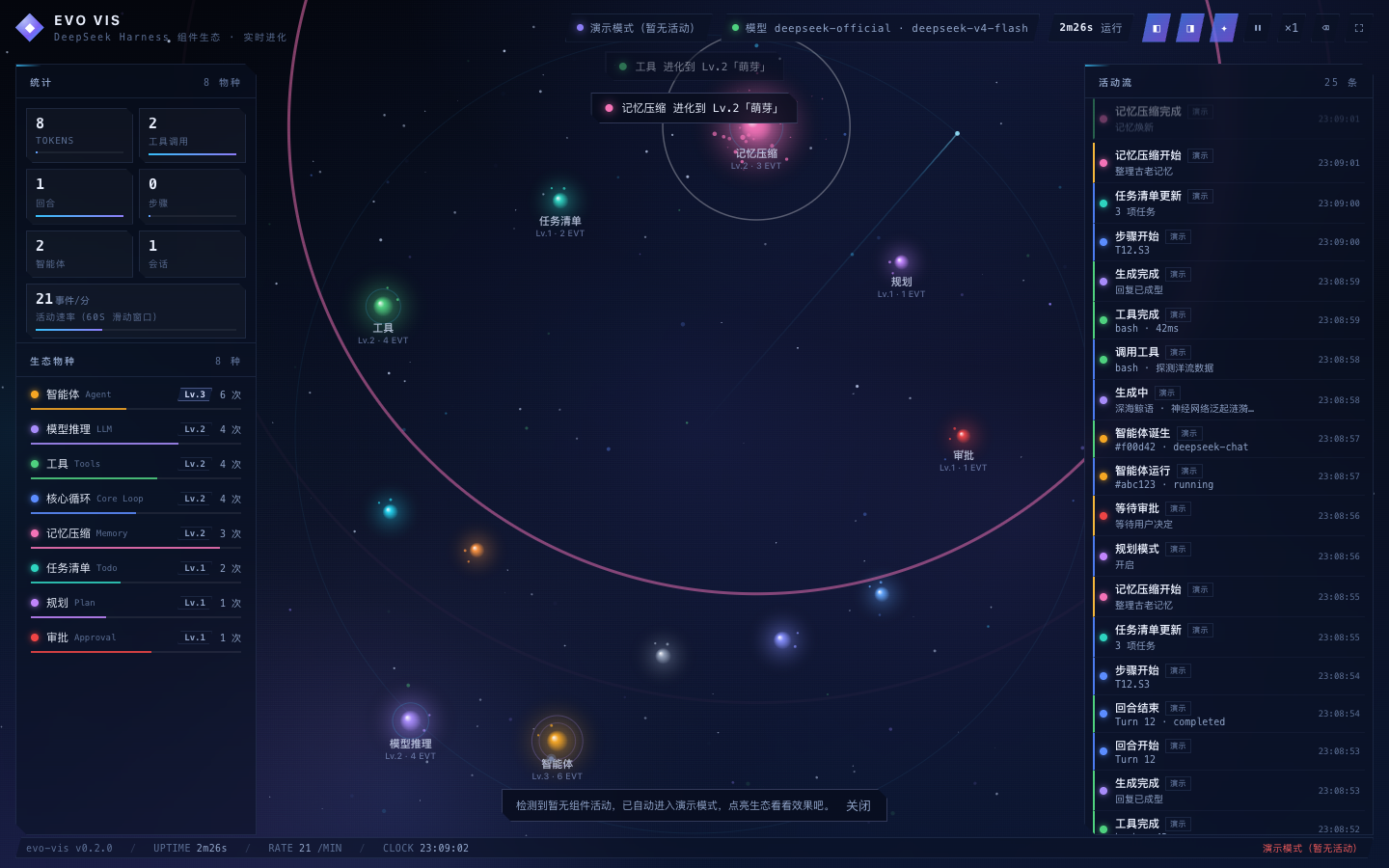
A single DeepSeek Harness session drives a dozen or so components simultaneously—core loop, model inference, tool calls, memory compaction, agents, todo lists, approvals—yet in the terminal they collapse into a flat stream of Cordis event text that is hard to parse at a glance. dsh-evo-vis turns those events into a living picture: each component becomes a species in a deep-sea biome that accumulates energy and evolves from Lv.1 Spore all the way to Lv.6 Supernova, making harness runtime state visible as a breathing, evolving ecosystem.
The plugin listens to session/event, tools/result, agent/* and other event streams, normalises them into lightweight signals, and pushes them over SSE to a zero-dependency full-screen Canvas particle panel. A top badge shows the current Provider and Model in real time, a 60-second sliding window displays activity rate, and streaming chunks are coalesced per session to avoid per-token flood. On first open with no live activity the panel automatically enters demo mode and lights up the biome. Everything is plain ESM JavaScript with no build step—install and go, uninstall and fully restore.
It is aimed at developers who want runtime visualisation of Their harness inside the Web UI, especially when juggling multiple agents or complex tool chains: a single glance reveals which component is busy, which just finished, and how the overall pace is flowing—without constantly scrolling through terminal logs.
Screenshots
Use Cases
- Seeing which components are busy or idle when running multiple agents
- Tracing Cordis event flow while debugging tool call chains
- Demonstrating the harness runtime ecosystem to a team or client
Best For
- Developers working with DeepSeek Harness
- Engineers orchestrating multiple agents and tool chains
- Users who prefer a graphical runtime view over terminal logs
Related Plugins
A service-oriented sidebar framework for DSH, offering a full workbench with file explorer, embedded browser, real terminal, Git panel, and extensible plugin services.

A beautiful, practical Claude Code-style TUI plugin with pixel whale top bar, flowing glow title, real-time status line, streaming thought expansion, time rewind, context progress bar and TPS gauge — zero core changes.

The plugin market for DeepSeek Harness: browse/search/one-click install community plugins and themes, with updates, backup/restore, hot disable, diagnostics, and AI fix.

A persistent whale widget on the DSH web UI that shows DeepSeek balance, today's usage, and per-turn cost, with drag-and-snap and sound effects.