mermaid2aichat-dsh
Run the following command in DeepSeek Harness:
dsh plugin install supergameboy/mermaid2aichat-dsh
Paste the following prompt into your AI chat to install this plugin:
Run dsh plugin install supergameboy/mermaid2aichat-dsh in your terminal to install; source code is available at https://github.com/supergameboy/mermaid2aichat-dsh .
About this plugin
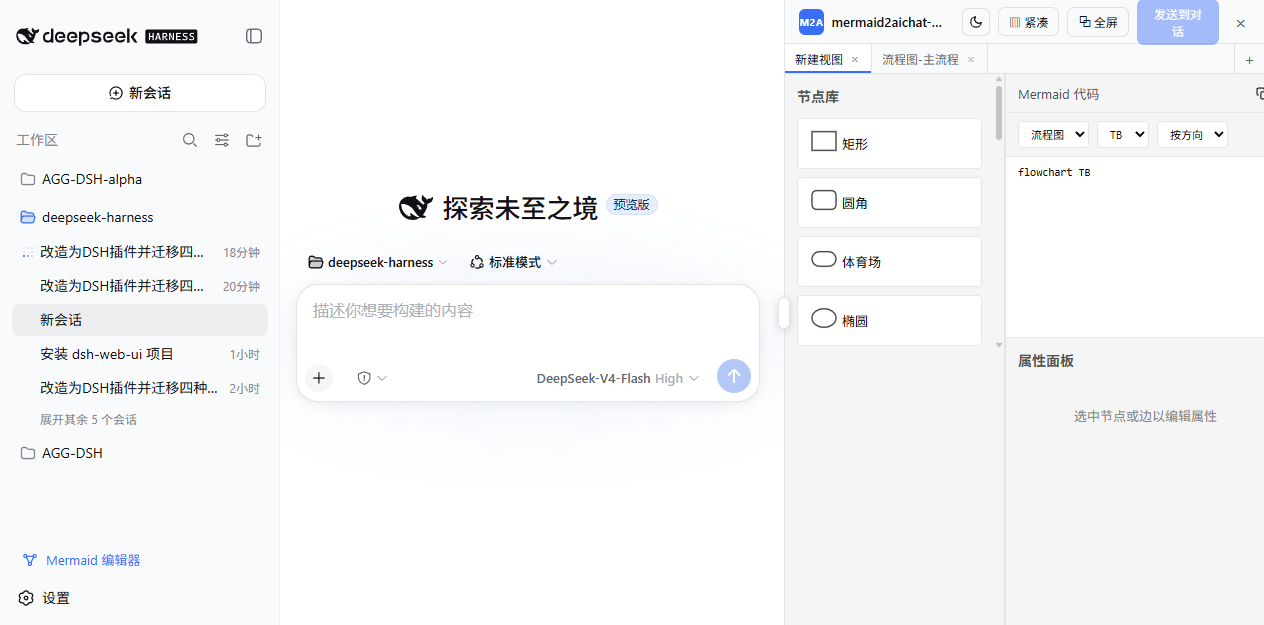
When collaborating with AI on diagrams inside dsh (DeepSeek Harness), the biggest friction is the gap between code and visuals — hand-writing Mermaid is tedious, and AI-generated output cannot be tweaked by dragging nodes. mermaid2aichat-dsh bridges that gap by embedding a full Mermaid visual editor in the browser sidebar with real-time two-way canvas-to-code sync.
Screenshots
Use Cases
- Drag and drop nodes and connections to refine AI-generated Mermaid diagrams on the canvas
- Sketch a flowchart or sequence diagram, then send it to chat for the AI to analyze and implement
- Manage charts across sessions in tabs with real-time two-way canvas-code sync
Best For
- Engineers using dsh for AI-assisted development who frequently draw and iterate on diagrams
- Technical writers who prefer visual editing over raw Mermaid code
- Architects who want the AI to consume flowcharts, ER diagrams, and other visual inputs for design assistance
Related Plugins
A service-oriented sidebar framework for DSH, offering a full workbench with file explorer, embedded browser, real terminal, Git panel, and extensible plugin services.

A beautiful, practical Claude Code-style TUI plugin with pixel whale top bar, flowing glow title, real-time status line, streaming thought expansion, time rewind, context progress bar and TPS gauge — zero core changes.

The plugin market for DeepSeek Harness: browse/search/one-click install community plugins and themes, with updates, backup/restore, hot disable, diagnostics, and AI fix.

A persistent whale widget on the DSH web UI that shows DeepSeek balance, today's usage, and per-turn cost, with drag-and-snap and sound effects.