dsh-prompt-boost
Run the following command in DeepSeek Harness:
dsh plugin install 060625dfy/dsh-prompt-boost
Paste the following prompt into your AI chat to install this plugin:
Run dsh plugin install 060625dfy/dsh-prompt-boost in your DeepSeek Harness terminal to install this plugin; the full source code is available at https://github.com/060625dfy/dsh-prompt-boost .
About this plugin
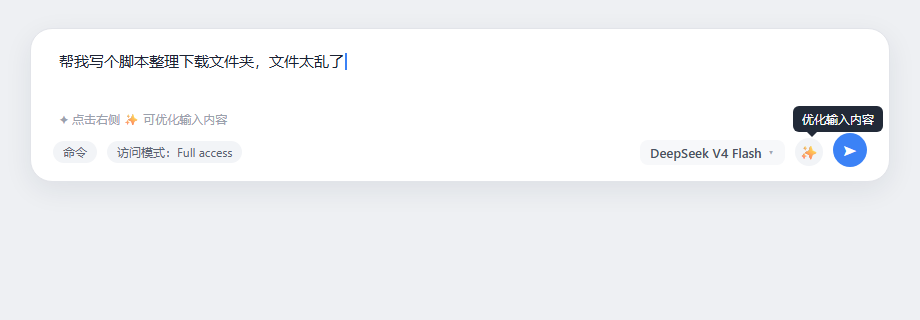
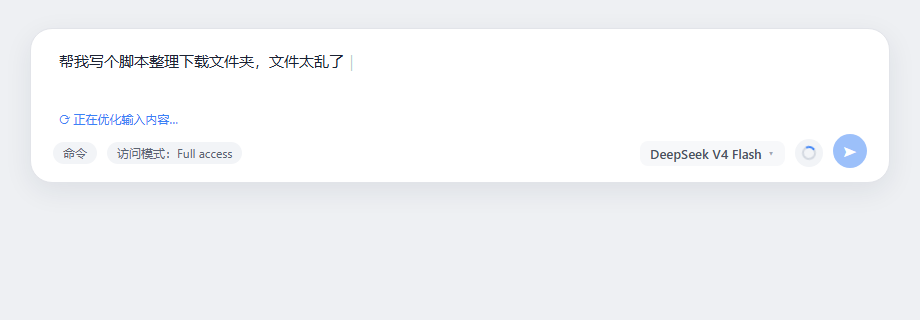
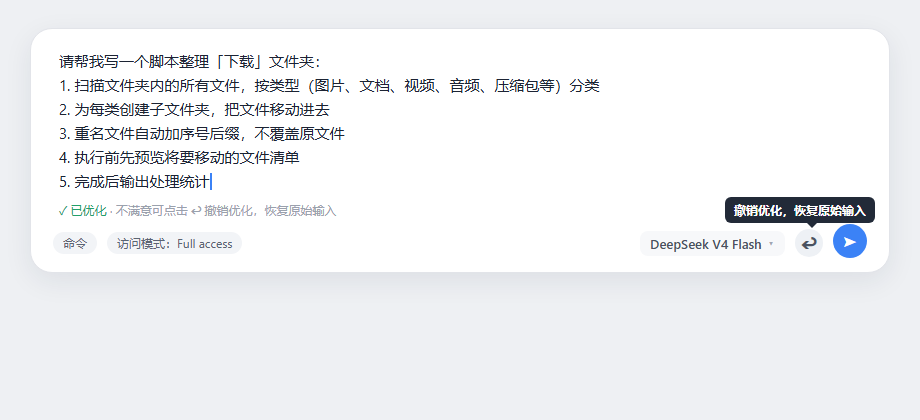
When drafting prompts in the DSH web GUI, a rough sentence or two is often too vague and missing key details for the model to act on reliably. dsh-prompt-boost adds a sparkle button right beside the model selector that rewrites your current draft into a clear, structured, directly executable instruction in one click; if the result is not what you want, the button becomes an undo icon so you can restore the original text and iterate as many times as you like.
Rather than slapping on a fixed template, the optimizer is task-aware, detecting whether the work involves coding, data processing, writing, analysis, research, or ops and organizing the output accordingly. It is fidelity-first: every concrete detail such as file paths, numbers, names, and commands is preserved verbatim, and any missing critical information is flagged with a placeholder instead of being invented. Output language is locked to input language, and an anti-clobber safeguard ensures that if you edit the draft mid-optimization, the result is never written back over your changes.
It is well suited for DSH users who prefer typing short Chinese or English notes and want instantly structured, high-quality prompts, as well as developers who care about prompt engineering but would rather not hand-craft templates every time. The integration is lightweight with zero build step, ready to use from the composer tool row as soon as it is mounted.
Screenshots
Use Cases
- Type a rough idea and get a structured, executable prompt in one click
- Undo the optimization to restore your original text and try another phrasing
- Automatically adapts output structure for coding, writing, data analysis, and other tasks
Best For
- DSH daily users who prefer typing short Chinese or English notes
- Developers who care about prompt quality but want to avoid hand-crafting templates
- Teams seeking efficient human-AI collaboration with less prompt polishing overhead
Related Plugins
A service-oriented sidebar framework for DSH, offering a full workbench with file explorer, embedded browser, real terminal, Git panel, and extensible plugin services.

A beautiful, practical Claude Code-style TUI plugin with pixel whale top bar, flowing glow title, real-time status line, streaming thought expansion, time rewind, context progress bar and TPS gauge — zero core changes.

The plugin market for DeepSeek Harness: browse/search/one-click install community plugins and themes, with updates, backup/restore, hot disable, diagnostics, and AI fix.

A persistent whale widget on the DSH web UI that shows DeepSeek balance, today's usage, and per-turn cost, with drag-and-snap and sound effects.