dsh-chatflow-rail
Run the following command in DeepSeek Harness:
dsh plugin install veritas501/dsh-chatflow-rail
Paste the following prompt into your AI chat to install this plugin:
Run dsh plugin install veritas501/dsh-chatflow-rail in your terminal to install the plugin; the source repository is available at https://github.com/veritas501/dsh-chatflow-rail .
About this plugin
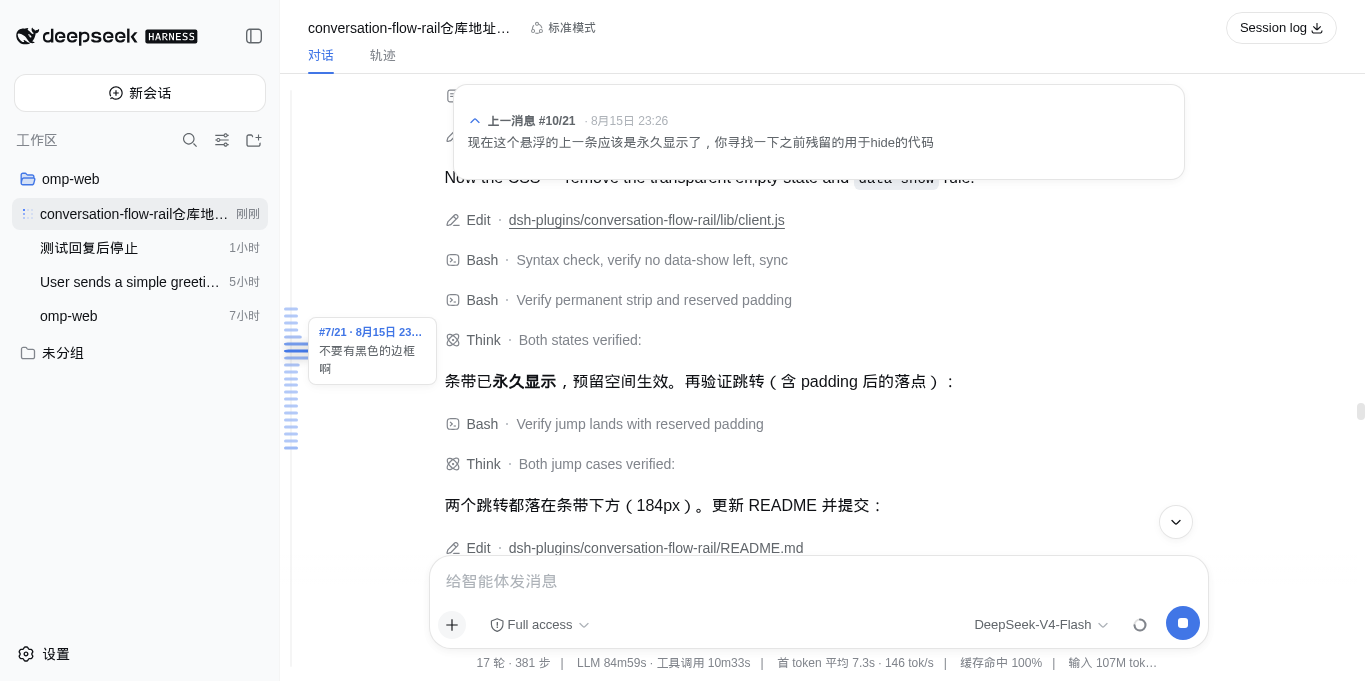
A long conversation in the dsh web GUI can easily stretch past a hundred messages, and finding the one line from three minutes ago means dragging the scroll bar back through the entire transcript. dsh-chatflow-rail compresses the whole exchange into a slim rail on the left edge of the chat: one dash per user message, positioned one-to-one with the real content. As the pointer sweeps across, the dashes fan outward, darken, and ease into a smooth falloff; cross the preview threshold and a small card appears with the message number, timestamp, and a snippet. A single click glides the view to that message with a gentle animation, settling just below the top card.
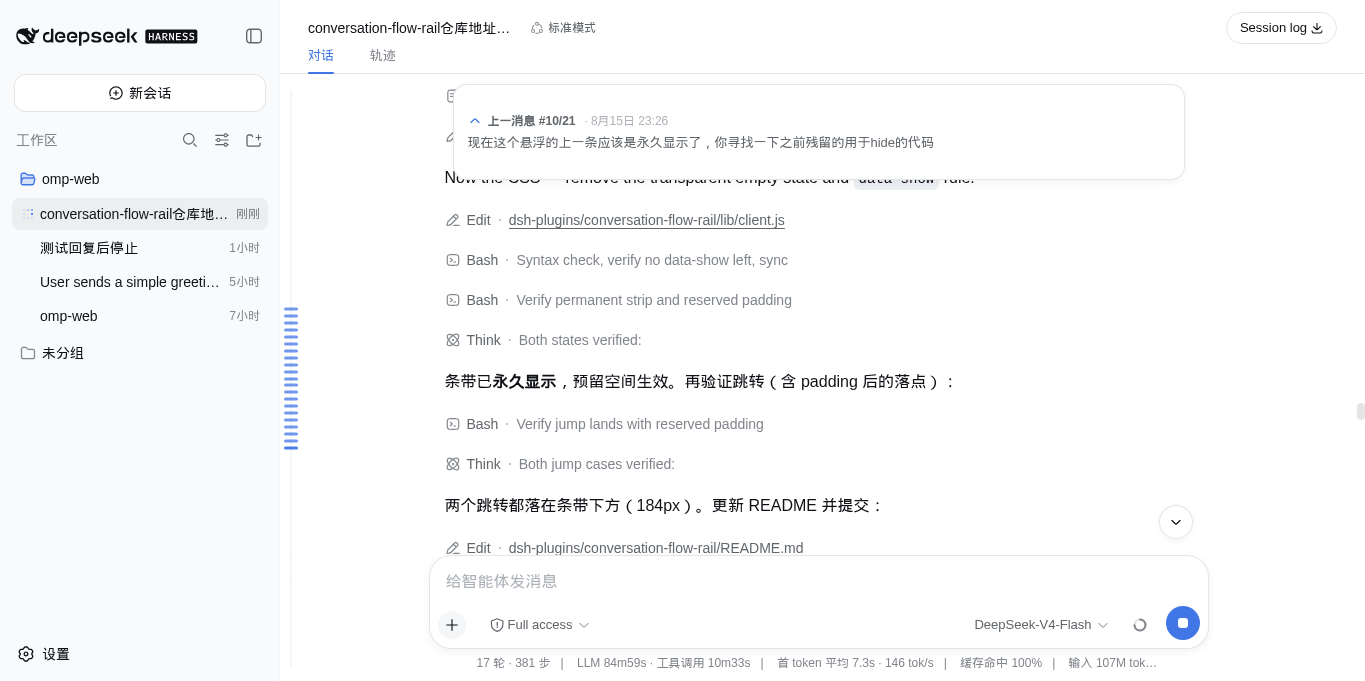
On the opposite side, once a user message has scrolled above the viewport, a system-styled floating card appears at the top showing the N/M index, timestamp, and a three-line preview; one click jumps you back. The card is a pure overlay that stays fully transparent when there is nothing to display, so it never reserves space. The plugin also auto-expands dsh's history window so the rail maps the entire conversation rather than just the rendered tail, and follow-up messages sent during an active run are recorded as anchors too.
If you regularly work through long sessions in the dsh web GUI-debugging multi-turn prompts, tracing a specific parameter discussion, or hunting for the key context among dozens of a single hover-and-click replaces a long scroll and keeps your focus on the conversation itself.
Screenshots
Use Cases
- Quickly locate a key message among dozens in a debugging session
- Trace back to an early parameter discussion after long prompt iteration
- Instantly jump back to the previous anchor mid-run
Best For
- Developers working through long sessions in the dsh web GUI
- AI engineers who frequently trace back through multi-turn prompt discussions
- Users who want less scrolling and faster conversation browsing
Related Plugins
A service-oriented sidebar framework for DSH, offering a full workbench with file explorer, embedded browser, real terminal, Git panel, and extensible plugin services.

A beautiful, practical Claude Code-style TUI plugin with pixel whale top bar, flowing glow title, real-time status line, streaming thought expansion, time rewind, context progress bar and TPS gauge — zero core changes.

The plugin market for DeepSeek Harness: browse/search/one-click install community plugins and themes, with updates, backup/restore, hot disable, diagnostics, and AI fix.

A persistent whale widget on the DSH web UI that shows DeepSeek balance, today's usage, and per-turn cost, with drag-and-snap and sound effects.