dsh-weniger-theme
Run the following command in DeepSeek Harness:
dsh plugin install lesliechowsh/dsh-weniger-theme
Paste the following prompt into your AI chat to install this plugin:
To install this plugin in DeepSeek Harness, run the command dsh plugin install lesliechowsh/dsh-weniger-theme; the source code is available at https://github.com/lesliechowsh/dsh-weniger-theme.
About this plugin
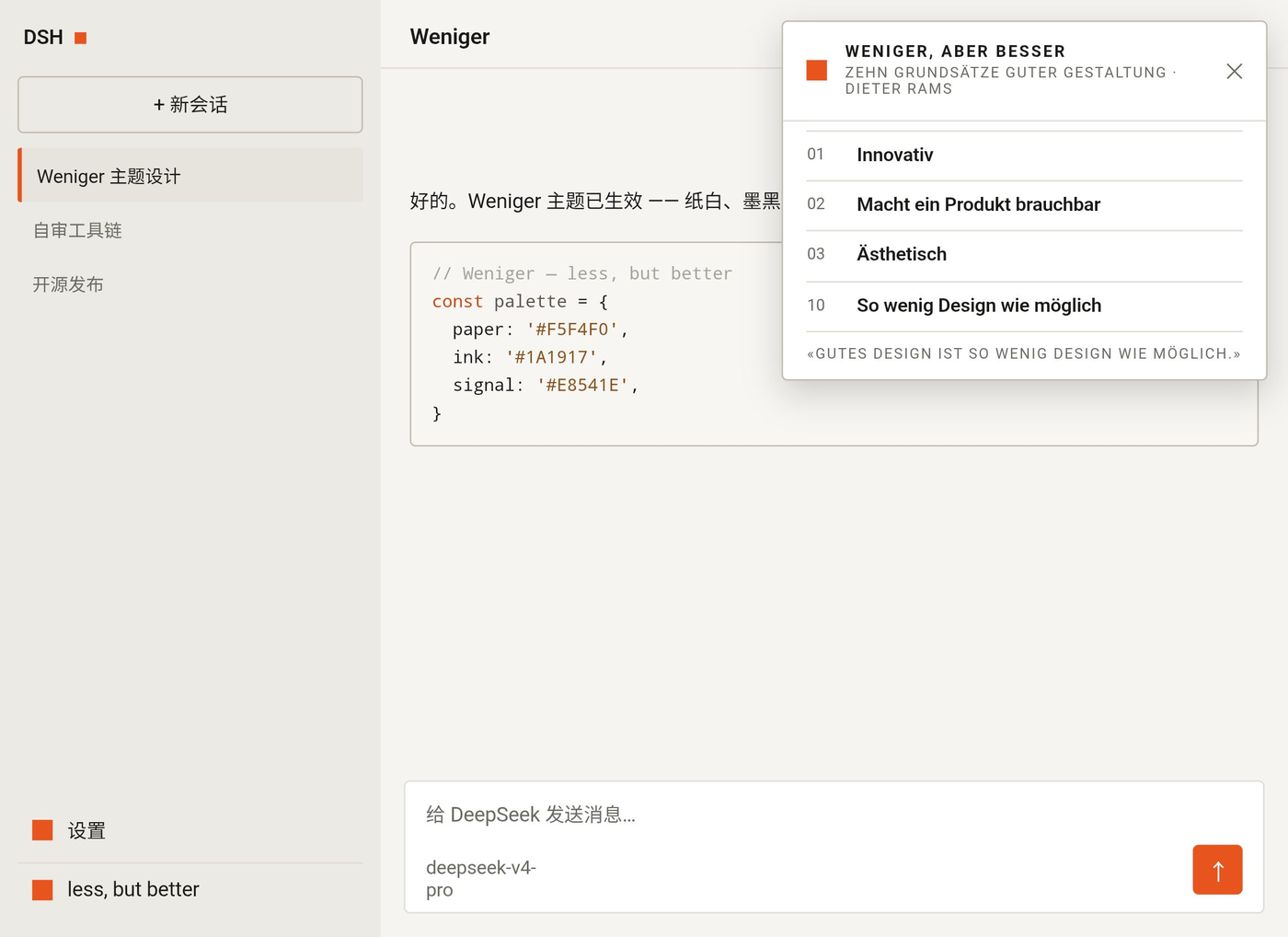
The DeepSeek Harness Web GUI, as an AI dialogue tool, relies heavily on its interface design for user experience, but the default theme may lack visual consistency and personality. The dsh-weniger-theme plugin addresses this by offering a theme inspired by Dieter Rams' design philosophy, enhancing both aesthetics and functionality. Its core capabilities involve remapping the entire design-token graph, including colors, shadows, and component shapes, with warm paper whites, hairline borders, near-black ink, and a single signal-orange accent, converging all component radii to a 0–4px grid and flattening shadows. It recolors UI elements like user bubbles and code blocks, and adds a footer chip quoting the ten principles of good design. This plugin is ideal for users who appreciate minimalist, functional, and high-quality design, such as designers, developers, or anyone looking to personalize their DSH interface, offering complete light and dark mode switching for easy integration into daily workflows.
Screenshots
Use Cases
- Enhance the DeepSeek Harness Web GUI interface
- Personalize the visual style of AI dialogue tools
- Apply a consistent design language to projects
Best For
- Designers seeking minimalist design inspiration
- Developers looking to customize UI themes
- Users pursuing high-quality interfaces
Related Plugins

whale-girl is a desktop pet in the DSH Web GUI (bottom-right for instant companionship) — draggable, feedable, playable; completed tasks, sessions and companionship time accrue into seniority levels, titles, and memories.

Renders your local Wallpaper Engine wallpapers as the DSH web background, supporting video, web, and scene wallpapers with a liquid-glass effect and rich customization.

A WebGPU ocean skin for DeepSeek Harness with five-wave Gerstner waves, translucent theme, day/night cycle, and quick controls, installable as plugin or extension.

A Galgame-style conversation view and visual scene editor for DSH web sessions, with a real-time editing mode.