dsh-niao-quick-open
Run the following command in DeepSeek Harness:
dsh plugin install dsh-niao/dsh-niao-quick-open
Paste the following prompt into your AI chat to install this plugin:
In DeepSeek Harness, run the command `dsh plugin install dsh-niao/dsh-niao-quick-open` to install the plugin, or visit the GitHub repository at https://github.com/dsh-niao/dsh-niao-quick-open for details.
About this plugin
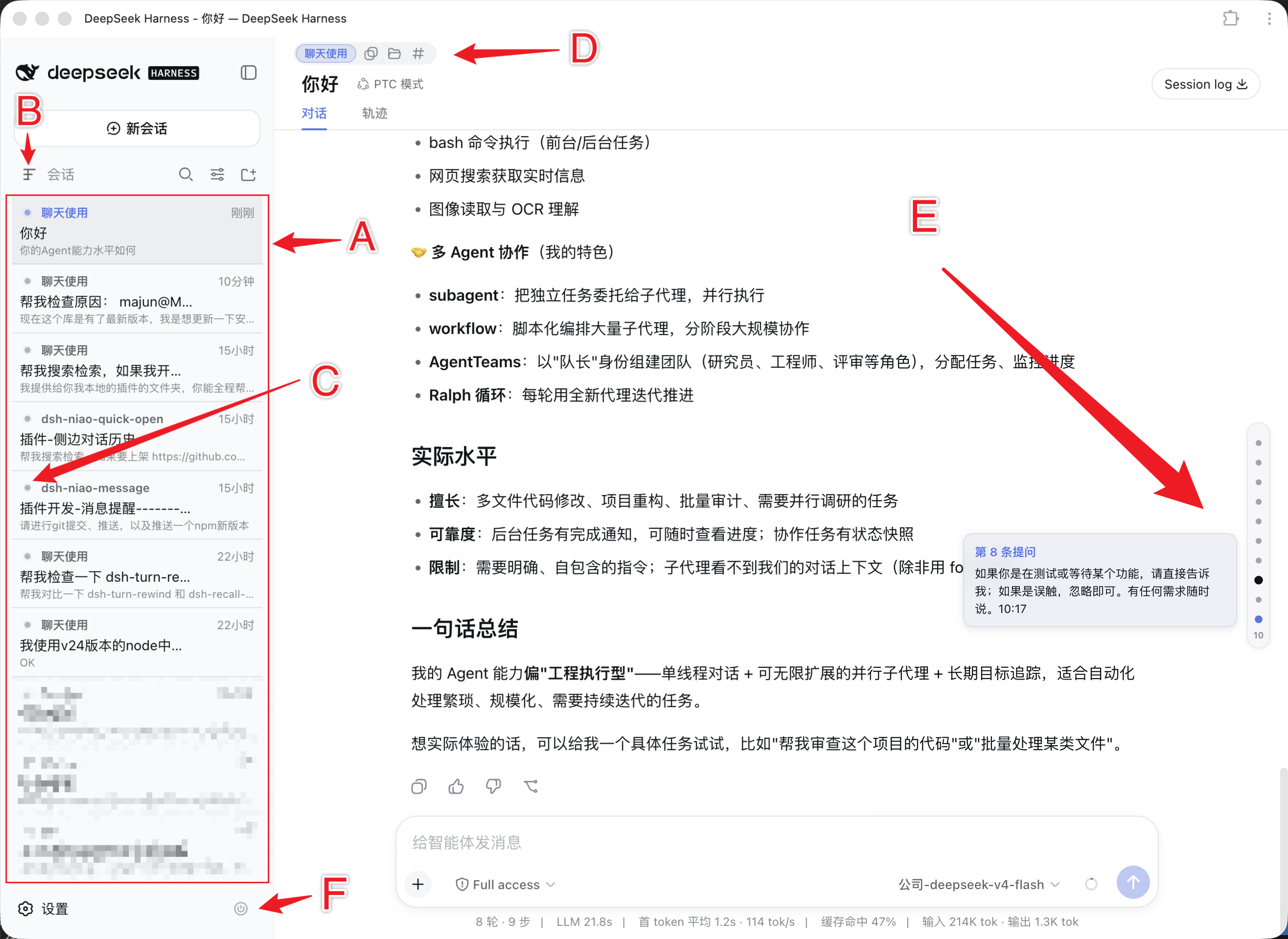
The default interface of DeepSeek Harness, while powerful, can feel slightly cumbersome when frequently switching workspaces, navigating historical messages, or restarting services, often requiring users to break their context. This plugin is designed to solve these pain points by integrating a suite of high-frequency operations directly into the interface, allowing you to access workspace files, seamlessly navigate dialog content, and manage session status without switching windows or remembering commands.
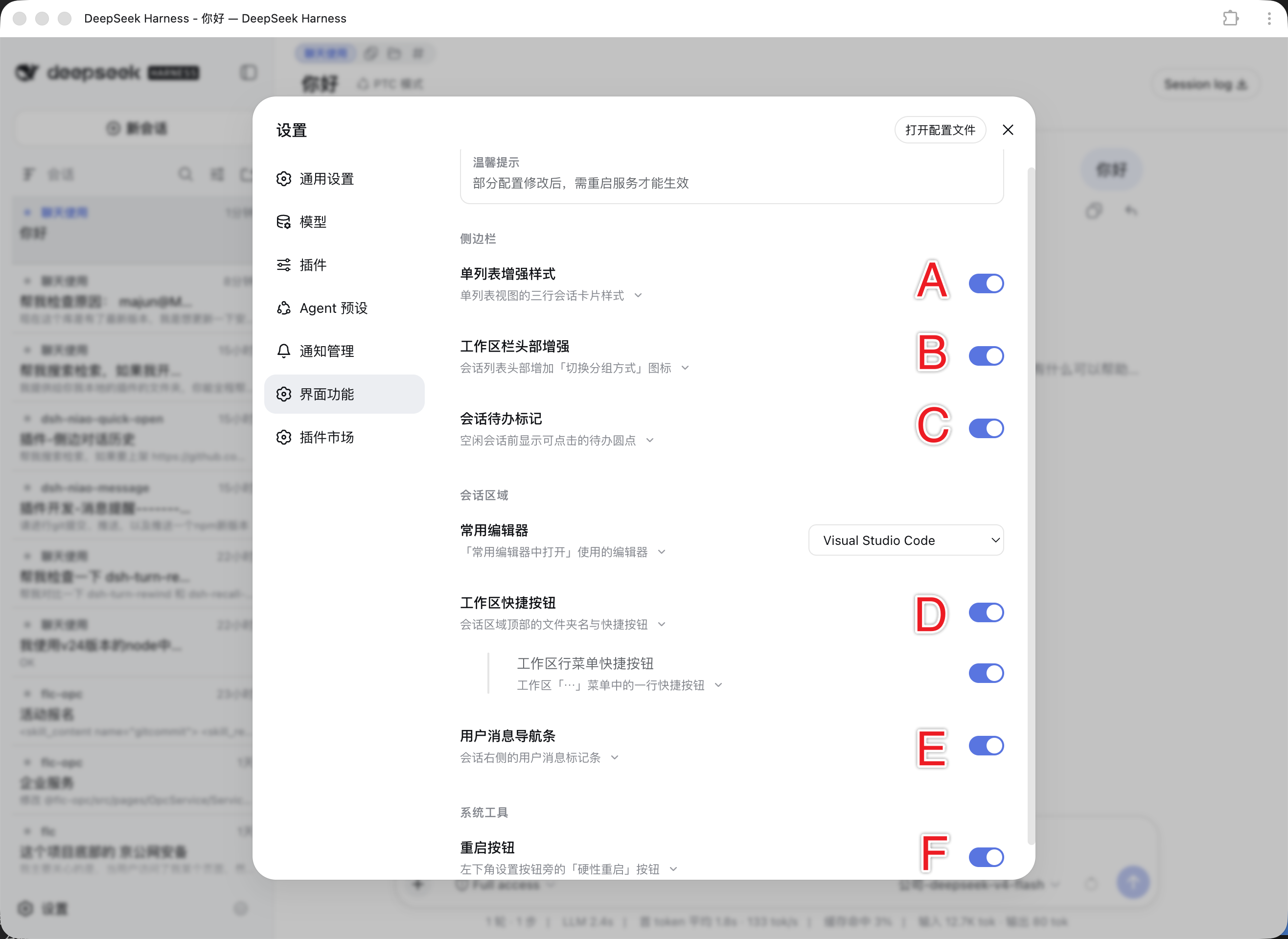
The plugin's core capabilities shine in several areas: first, it enables one-click access to workspace folders, path copying, and editor launching through top shortcuts and workspace menus, automatically discovering installed editors on your system to eliminate manual searching. Second, it replicates the DeepSeek web version's user message navigation bar, enabling quick jumps to any question in long conversations, while to-do markers and enhanced single-list styling make session management more intuitive and organized. Additionally, the hard restart button provides a quick way to reboot the DSH service, avoiding complex manual procedures.
Whether you are a heavy user of DeepSeek Harness or an engineer looking to boost daily development efficiency, this plugin can significantly optimize your workflow. It is especially suitable for developers who frequently operate multiple workspaces, handle lengthy conversations, or prioritize interface tidiness, making interactions smoother and more focused.
Screenshots
Use Cases
- Quickly open workspace folders for editing
- Use message navigation bar to jump to specific questions in long conversations
- One-click restart DeepSeek Harness service to apply configurations
Best For
- Developers who frequently use DeepSeek Harness
- Engineers needing efficient management of multiple workspaces
- Users looking to optimize interface operations
Related Plugins
A service-oriented sidebar framework for DSH, offering a full workbench with file explorer, embedded browser, real terminal, Git panel, and extensible plugin services.

A beautiful, practical Claude Code-style TUI plugin with pixel whale top bar, flowing glow title, real-time status line, streaming thought expansion, time rewind, context progress bar and TPS gauge — zero core changes.

The plugin market for DeepSeek Harness: browse/search/one-click install community plugins and themes, with updates, backup/restore, hot disable, diagnostics, and AI fix.

A persistent whale widget on the DSH web UI that shows DeepSeek balance, today's usage, and per-turn cost, with drag-and-snap and sound effects.