dsh-deepseek-quota
Run the following command in DeepSeek Harness:
dsh plugin install ricardolicong/dsh-deepseek-quota
Paste the following prompt into your AI chat to install this plugin:
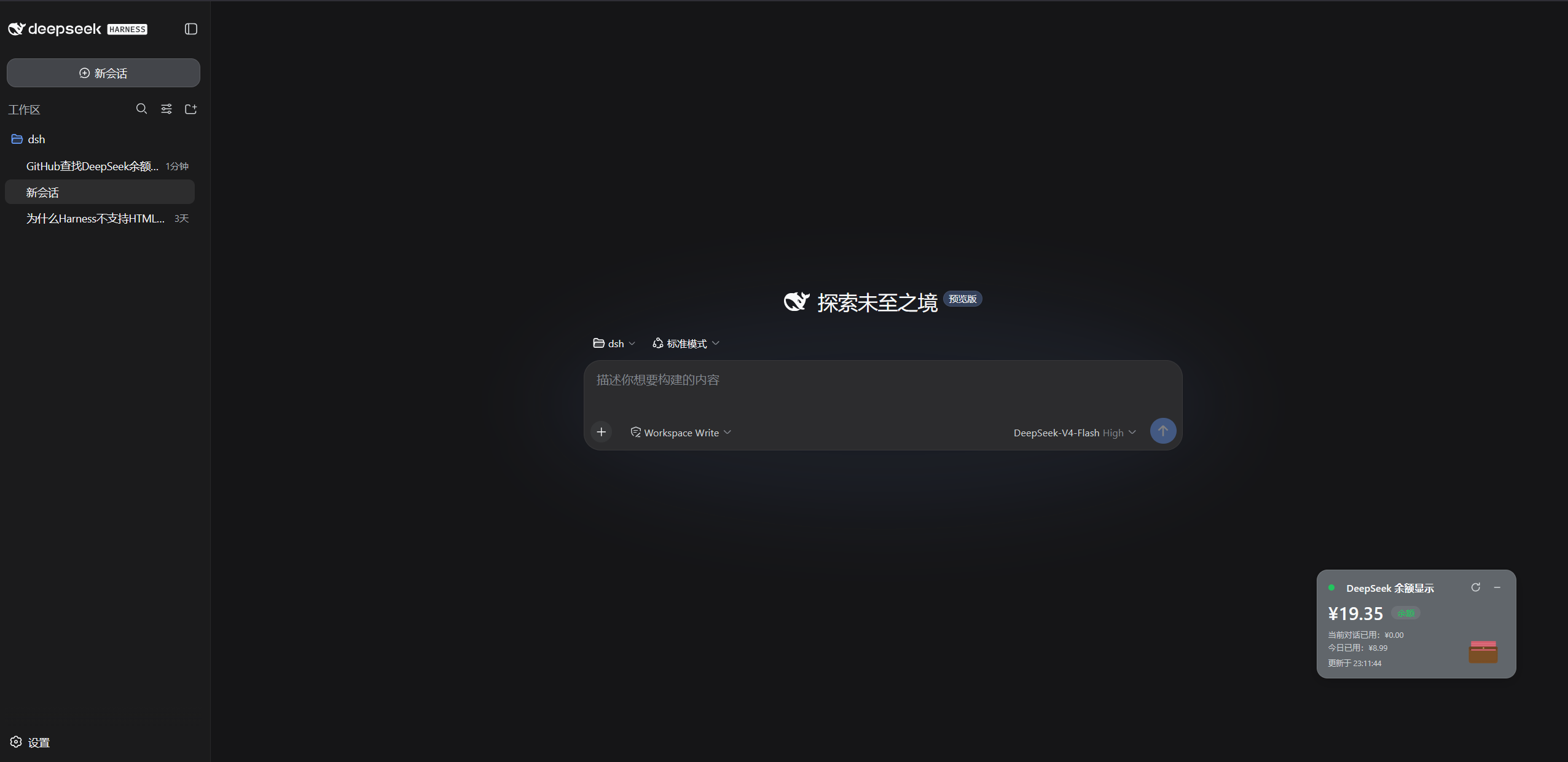
Install with the DSH CLI by running dsh plugin install ricardolicong/dsh-deepseek-quota (source at https://github.com/ricardolicong/dsh-deepseek-quota), then restart dsh web and refresh the page to see the quota card in the bottom-right corner.
About this plugin
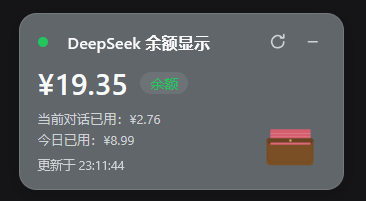
When you let an agent run long tasks in the DSH web GUI, the nagging question is rarely about output quality and more often about cost: how many tokens has this conversation already burned, and does the balance still look healthy? dsh-deepseek-quota compresses both answers into a compact floating card pinned to the bottom-right corner, glanceable at any moment.
Under the hood, the plugin polls the balance every 60 seconds and the live conversation cost every 5 seconds with no manual intervention. Conversation cost is priced message-by-message against the official DeepSeek rate table (including peak and off-peak tiers) and replayed from the persisted session log, so history accumulated before the plugin was installed is included. Daily spend prefers the official platform figure when a DEEPSEEK_PLATFORM_TOKEN is configured and falls back to a clearly labelled balance-delta estimate otherwise. Visually, a leather-wallet SVG whose protruding bill stack mirrors the ratio of current balance to the last recharge reference sits at the bottom of the card; while the agent is thinking, seven 100-yuan notes flutter up out of the wallet mouth with random curling trajectories and continuous, non-pausing flight, fading only after they finish their current cycle. The card is freely draggable and minimisable to a small tile, with position and state persisted in localStorage.
This plugin suits users who run frequent long conversations or batch tasks in the DSH web interface, care closely about token spend, and want their API key to never leave the machine. Setup is minimal: set the key on the Settings page, restart dsh web, and the quota card appears in the corner.
Screenshots
Use Cases
- Checking live token cost mid-conversation
- Monitoring balance drain during batch agent runs
- Cross-referencing official daily spend with a local estimate
Best For
- Researchers running long tasks in the DSH web GUI
- Team developers who need to control API spend
- Privacy-conscious users who keep keys local
Related Plugins
A service-oriented sidebar framework for DSH, offering a full workbench with file explorer, embedded browser, real terminal, Git panel, and extensible plugin services.

A beautiful, practical Claude Code-style TUI plugin with pixel whale top bar, flowing glow title, real-time status line, streaming thought expansion, time rewind, context progress bar and TPS gauge — zero core changes.

The plugin market for DeepSeek Harness: browse/search/one-click install community plugins and themes, with updates, backup/restore, hot disable, diagnostics, and AI fix.

A persistent whale widget on the DSH web UI that shows DeepSeek balance, today's usage, and per-turn cost, with drag-and-snap and sound effects.