dsh-shell-command
Run the following command in DeepSeek Harness:
dsh plugin install CHplus0/dsh-shell-command
Paste the following prompt into your AI chat to install this plugin:
To install this plugin in DeepSeek Harness, run the command 'dsh plugin install CHplus0/dsh-shell-command'; the full source code is available at https://github.com/CHplus0/dsh-shell-command.
About this plugin
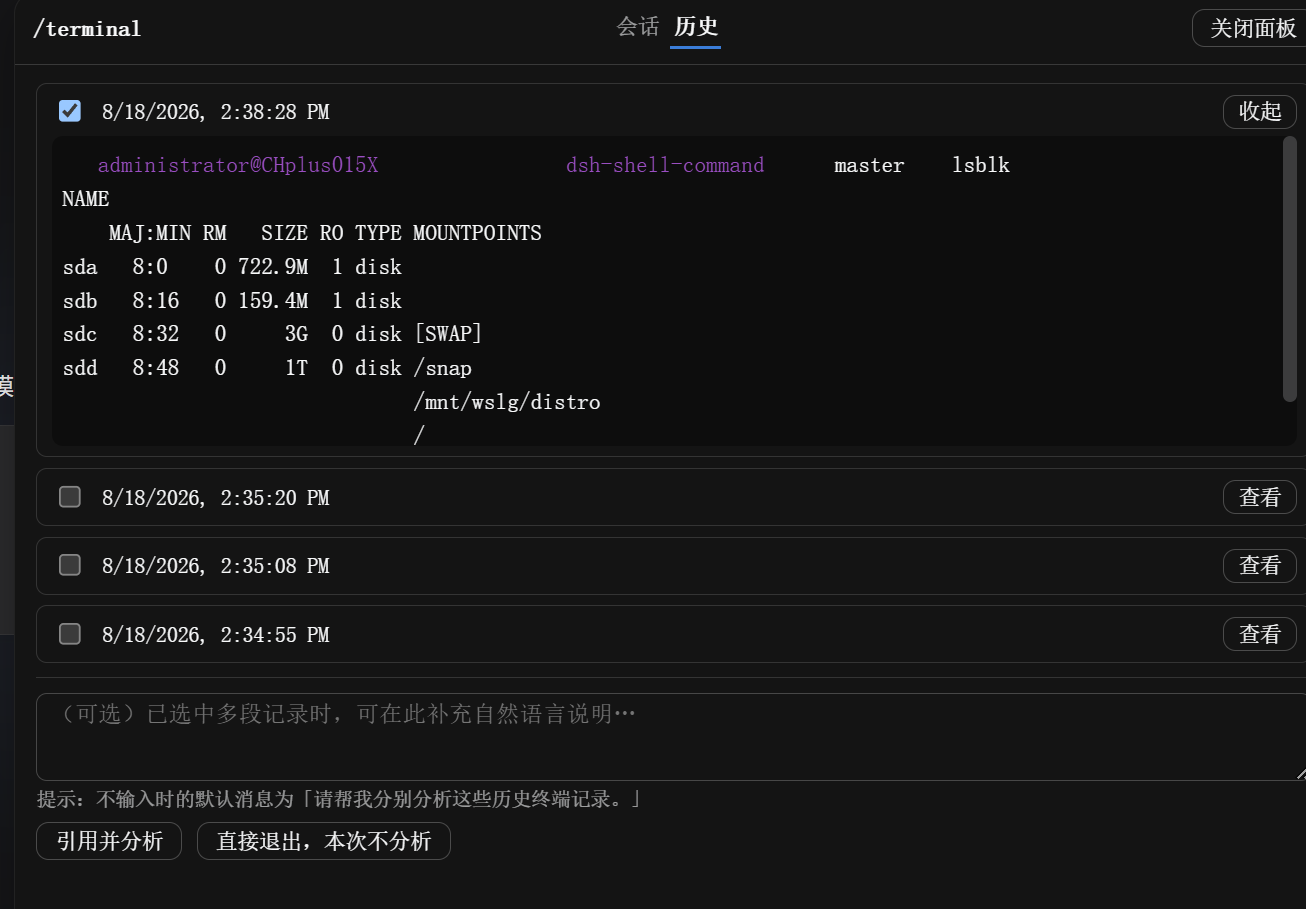
In daily development and operations work, we often need to run a command and instantly analyze its output for insights, or open a terminal for interactive exploration. Traditional methods require switching between different windows, breaking the workflow and causing context loss. The dsh-shell-command plugin solves this by seamlessly integrating powerful command-line capabilities directly into the DeepSeek Harness conversational flow. It offers two complementary core modes: using the /! command, you can execute any Shell command with a single action—akin to Claude Code's ! prefix—and immediately submit the output to the model for analysis, perfect for quick status checks, log investigations, or one-off operations. Using the /terminal command opens a persistent interactive terminal where you can perform multi-command sessions without fearing lost progress. Upon closing the terminal, the entire session history is automatically saved. You can then selectively reference any part or all of this history, optionally adding contextual notes, and send it to the model for in-depth review and comparative analysis via the 'Reference & Analyze' feature. This plugin is ideal for developers, SREs, and data scientists who frequently engage with system-level tasks, debugging, operations, or exploratory data analysis, transforming AI into a natural partner for command-line work rather than just an isolated reference tool.
Screenshots
Use Cases
- Quickly diagnose server status or run a one-off Shell command
- Perform multi-step code debugging or environment testing in an interactive terminal
- Compare results from multiple command runs and have AI analyze differences and patterns
Best For
- Software developers who frequently interact with the command line and need AI to analyze output
- DevOps engineers performing system operations, troubleshooting, and testing automation scripts
- Data scientists working with data processing, scientific computing, or requiring exploratory analysis
Related Plugins
A service-oriented sidebar framework for DSH, offering a full workbench with file explorer, embedded browser, real terminal, Git panel, and extensible plugin services.

A beautiful, practical Claude Code-style TUI plugin with pixel whale top bar, flowing glow title, real-time status line, streaming thought expansion, time rewind, context progress bar and TPS gauge — zero core changes.

The plugin market for DeepSeek Harness: browse/search/one-click install community plugins and themes, with updates, backup/restore, hot disable, diagnostics, and AI fix.

A persistent whale widget on the DSH web UI that shows DeepSeek balance, today's usage, and per-turn cost, with drag-and-snap and sound effects.