dsh-message-map
Run the following command in DeepSeek Harness:
dsh plugin install ChiYuKe/dsh-message-map
Paste the following prompt into your AI chat to install this plugin:
Run dsh plugin install ChiYuKe/dsh-message-map in the DeepSeek Harness terminal to install. Repository: https://github.com/ChiYuKe/dsh-message-map
About this plugin
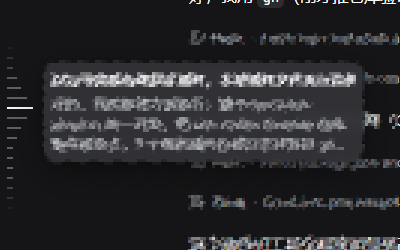
Losing track of a specific message in a long DSH conversation forces you to scroll endlessly through the chat log. dsh-message-map ports the Codex-style message navigation rail into DSH, drawing a vertical tick track along the left edge of the chat area so you can jump to any user message without scrolling.\n\nThe rail is driven entirely by already-rendered session nodes. It never mutates message data or executes Host commands, making it a pure read-only visual aid. Once a conversation accumulates four user messages, the ticks appear automatically with no toggle needed. Hovering reveals a message summary and context-injection source; clicking eases to the target with a 200 ms animation and a brief highlight; dragging lets you scan the whole axis at a glance. Appends, history loads, window resizes, and scroll changes are all tracked, keeping the rail in sync with live state.\n\nBuilt for developers who run long multi-turn sessions, chain tool calls, or repeatedly debug context in DSH. Instead of hunting through dozens of messages from memory, you can jump straight back to the original prompt or a mid-conversation tool return and focus on reasoning rather than scrolling.
Screenshots
Use Cases
- Jump back to a specific user prompt in a long conversation
- Locate a mid-conversation tool return after multiple calls
- Review the full message sequence when debugging context injection
Best For
- Developers running long multi-turn DSH sessions
- Engineers frequently debugging multi-turn context
- DSH users who want a Codex-style navigation rail
Related Plugins
A service-oriented sidebar framework for DSH, offering a full workbench with file explorer, embedded browser, real terminal, Git panel, and extensible plugin services.

A beautiful, practical Claude Code-style TUI plugin with pixel whale top bar, flowing glow title, real-time status line, streaming thought expansion, time rewind, context progress bar and TPS gauge — zero core changes.

The plugin market for DeepSeek Harness: browse/search/one-click install community plugins and themes, with updates, backup/restore, hot disable, diagnostics, and AI fix.

A persistent whale widget on the DSH web UI that shows DeepSeek balance, today's usage, and per-turn cost, with drag-and-snap and sound effects.