dsh-token-tracker
Run the following command in DeepSeek Harness:
dsh plugin install XiaHouSheng/dsh-token-tracker
Paste the following prompt into your AI chat to install this plugin:
With DeepSeek Harness already installed, run dsh plugin install XiaHouSheng/dsh-token-tracker to add this plugin; the source is available at https://github.com/XiaHouSheng/dsh-token-tracker .
About this plugin
After a long-context inference run in dsh, the question most developers struggle to answer at a glance is: how many tokens did this conversation actually consume, and what does that cost in CNY? dsh-token-tracker is a dsh web purpose-built for exactly that. It reads provider usage fields from the durable session log, buckets tokens per session and per turn, attributes each message to the model named by the most recent request header, and prices everything against a peak/off-peak rate table denominated in CNY per million tokens, anchored to Beijing local time.
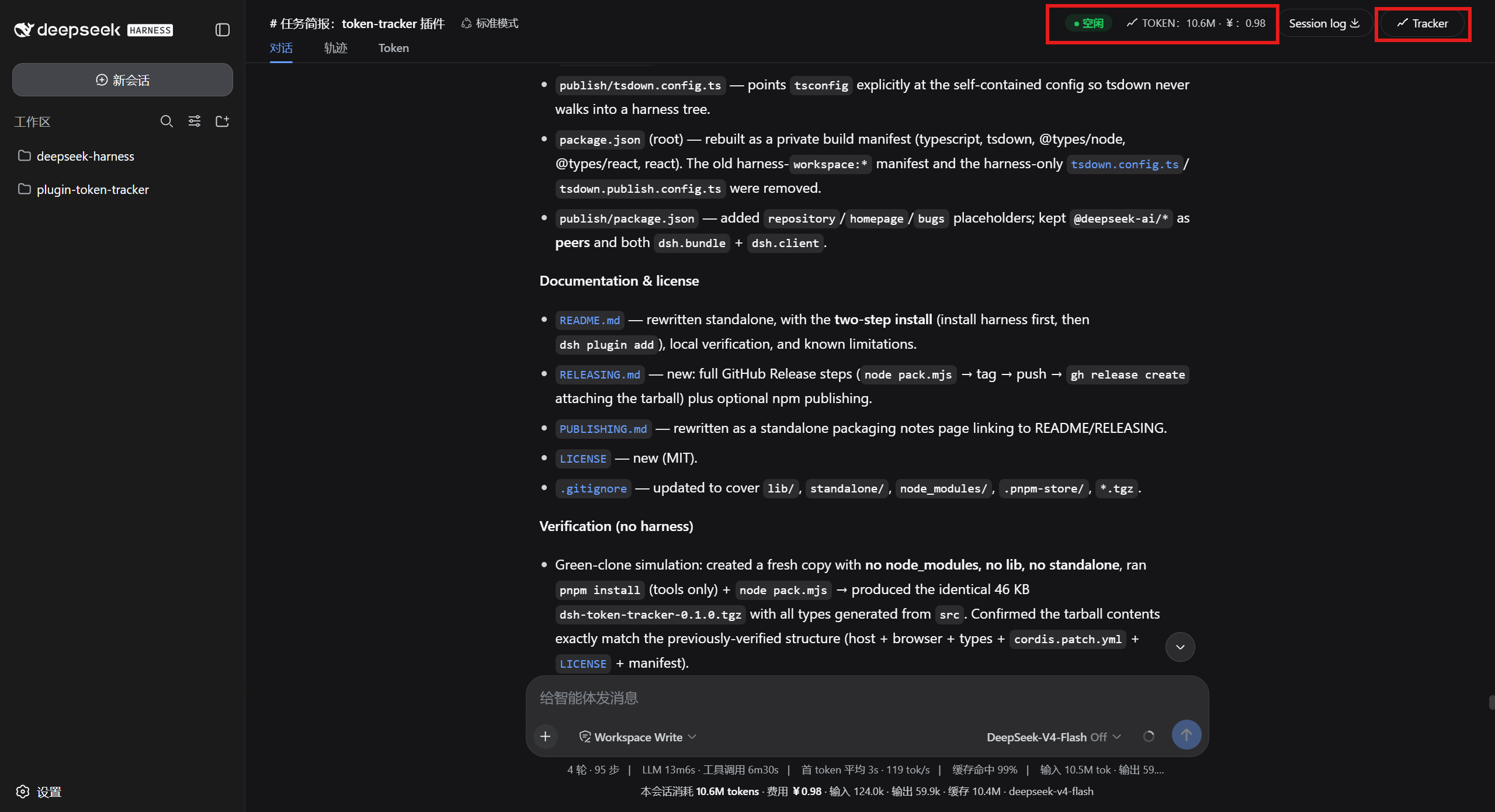
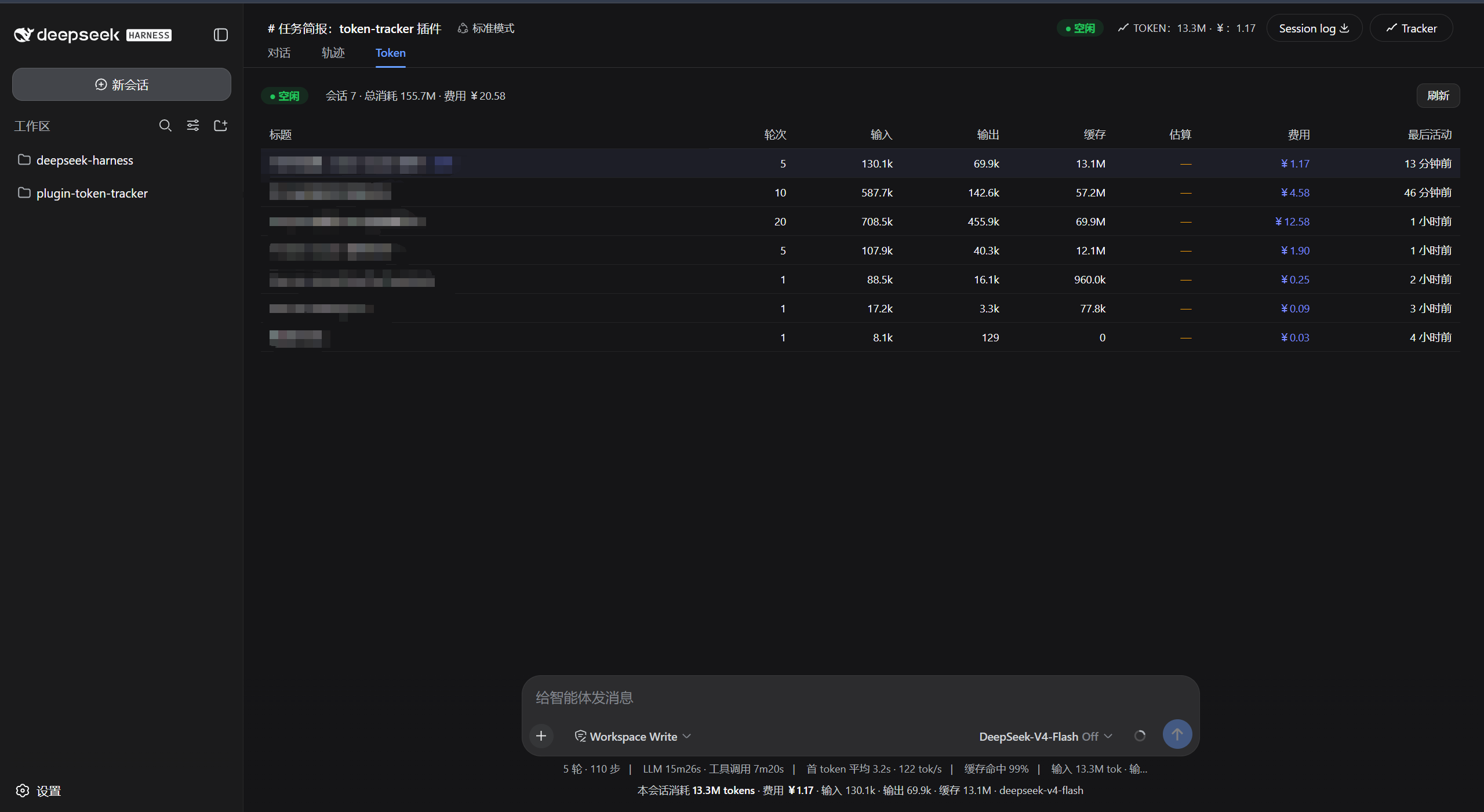
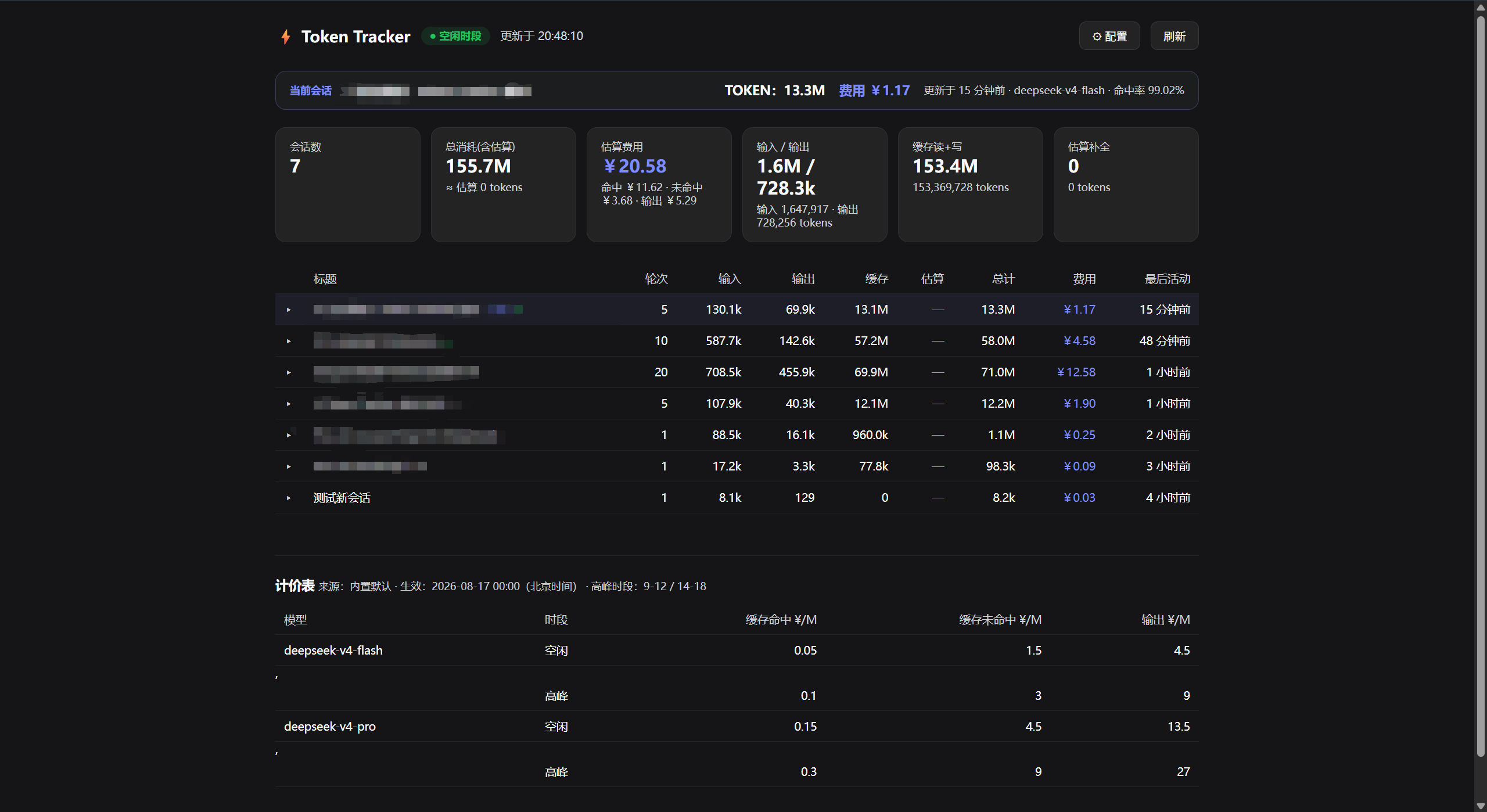
On the UI side, the plugin weaves cost information into several natural touchpoints of the dsh web GUI: a header badge with a peak/off-peak period tag, a one-line summary in the composer dock, a closed-turn tail after each exchange, and a dedicated Token tab inside conversation.view that provides a per-turn breakdown. A standalone overview page and a JSON API are also available for scripting or embedding the data in external dashboards.
By default, Beijing hours 09:00–12:00 and 14:00–18:00 are treated as peak (2× the off-peak rate) for deepseek-v4-flash and deepseek-v4-pro. To apply your own rates, drop a token-pricing.json file into the workspace root or a session working directory; the override is picked up within a few seconds via a short TTL cache.
Who it is for: individual developers running long-context inference in dsh who want an at-a-glance cost readout without leaving the browser; team engineers who need per-turn token exports for cost allocation or audit trails; and anyone who wants to reconcile API bills against actual usage directly inside the dsh web interface.
Screenshots
Use Cases
- Gauge token consumption and CNY cost of a session at a glance
- Calculate inference cost by Beijing peak and off-peak windows to spot expensive hours
- Export per-turn token breakdowns for team cost allocation or bill reconciliation
Best For
- Individual developers running long-context inference in dsh who need instant cost visibility
- Team engineers exporting per-turn token data for allocation or audit trails
- Users who want to cross-check API usage against bills without leaving the browser
Related Plugins
A service-oriented sidebar framework for DSH, offering a full workbench with file explorer, embedded browser, real terminal, Git panel, and extensible plugin services.

A beautiful, practical Claude Code-style TUI plugin with pixel whale top bar, flowing glow title, real-time status line, streaming thought expansion, time rewind, context progress bar and TPS gauge — zero core changes.

The plugin market for DeepSeek Harness: browse/search/one-click install community plugins and themes, with updates, backup/restore, hot disable, diagnostics, and AI fix.

A persistent whale widget on the DSH web UI that shows DeepSeek balance, today's usage, and per-turn cost, with drag-and-snap and sound effects.