dsh-workspace-dock
Run the following command in DeepSeek Harness:
dsh plugin install qschen86/dsh-workspace-dock
Paste the following prompt into your AI chat to install this plugin:
Run dsh plugin install qschen86/dsh-workspace-dock in the DeepSeek Harness terminal to install this plugin; the source code is available at https://github.com/qschen86/dsh-workspace-dock
About this plugin
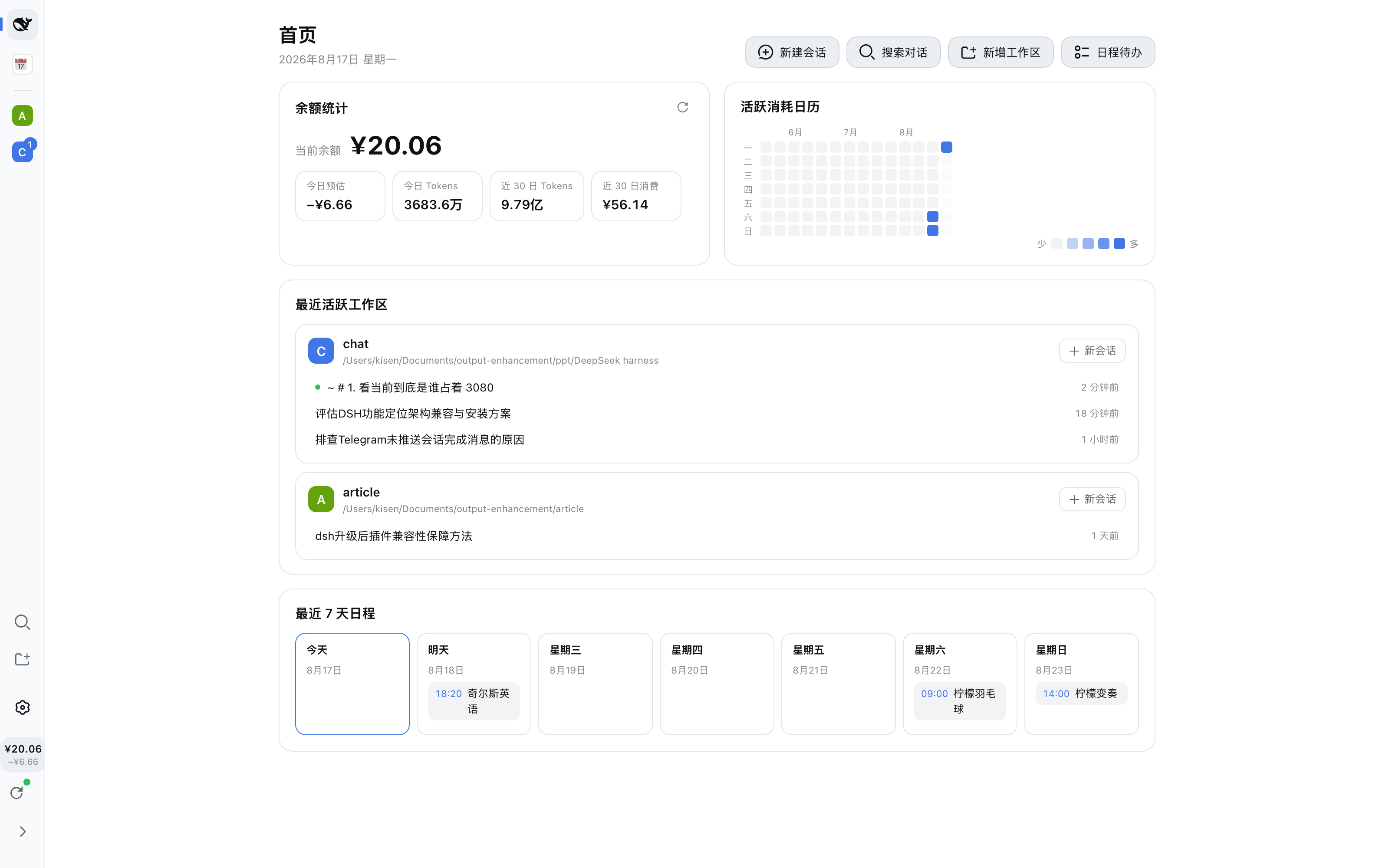
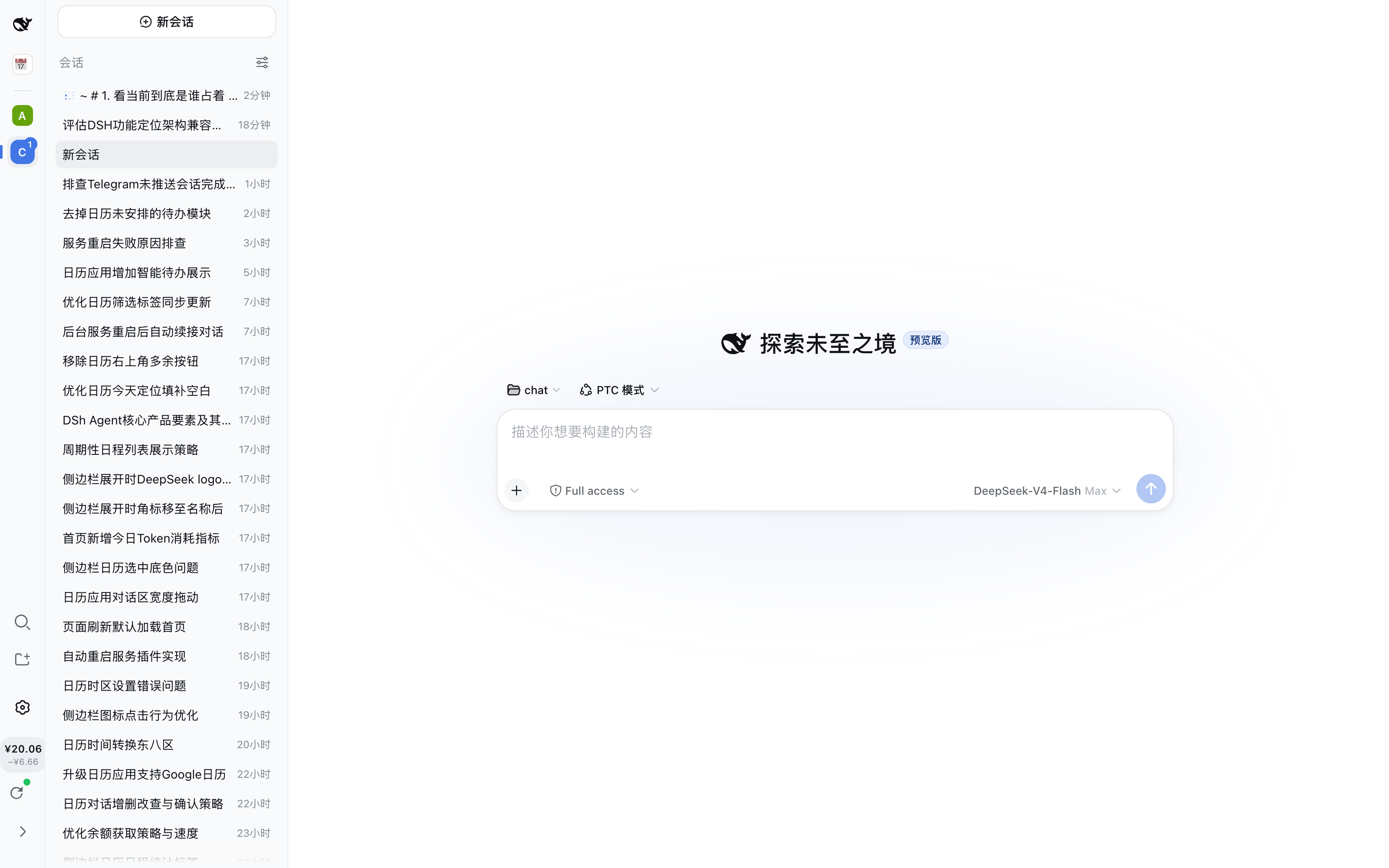
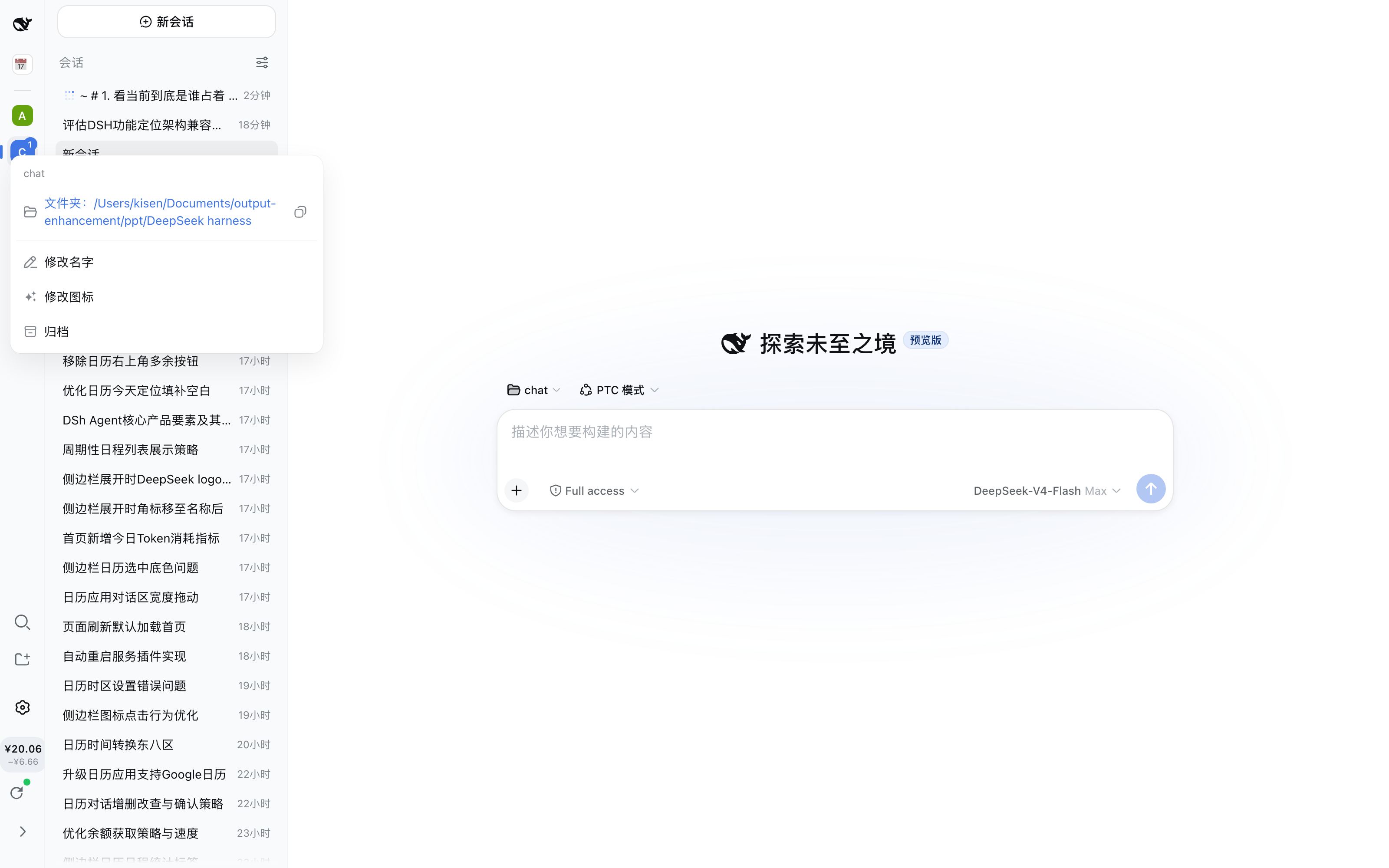
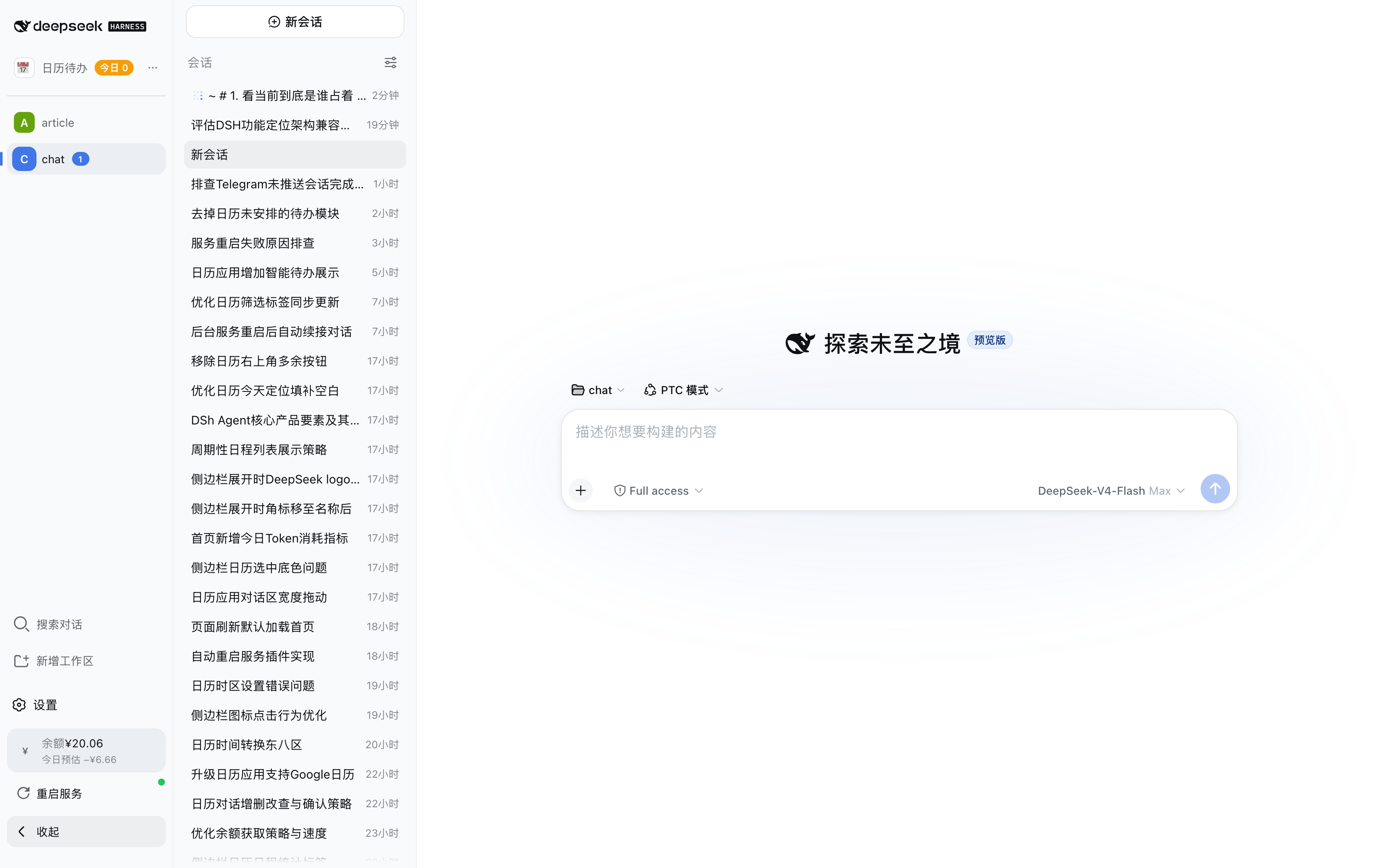
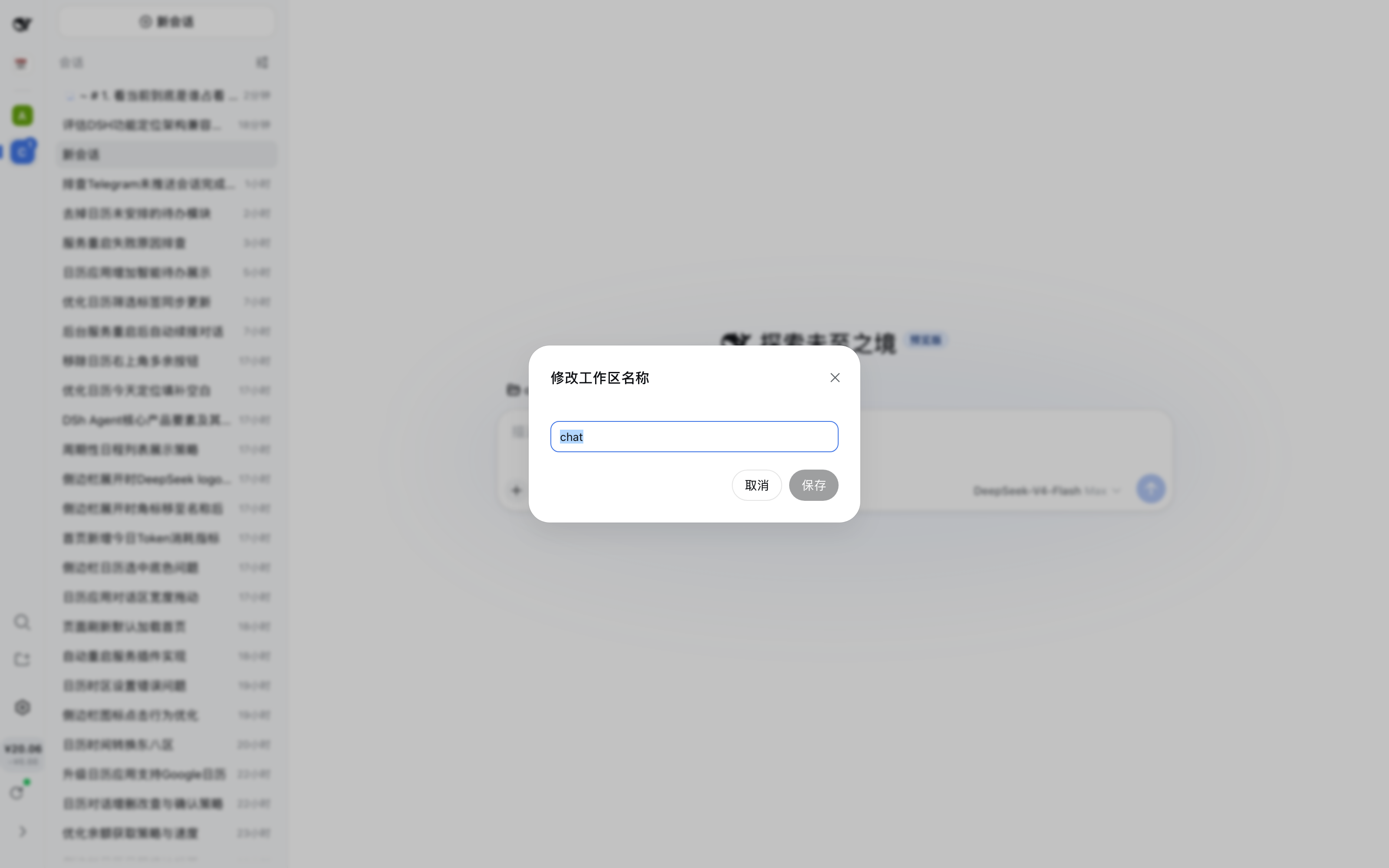
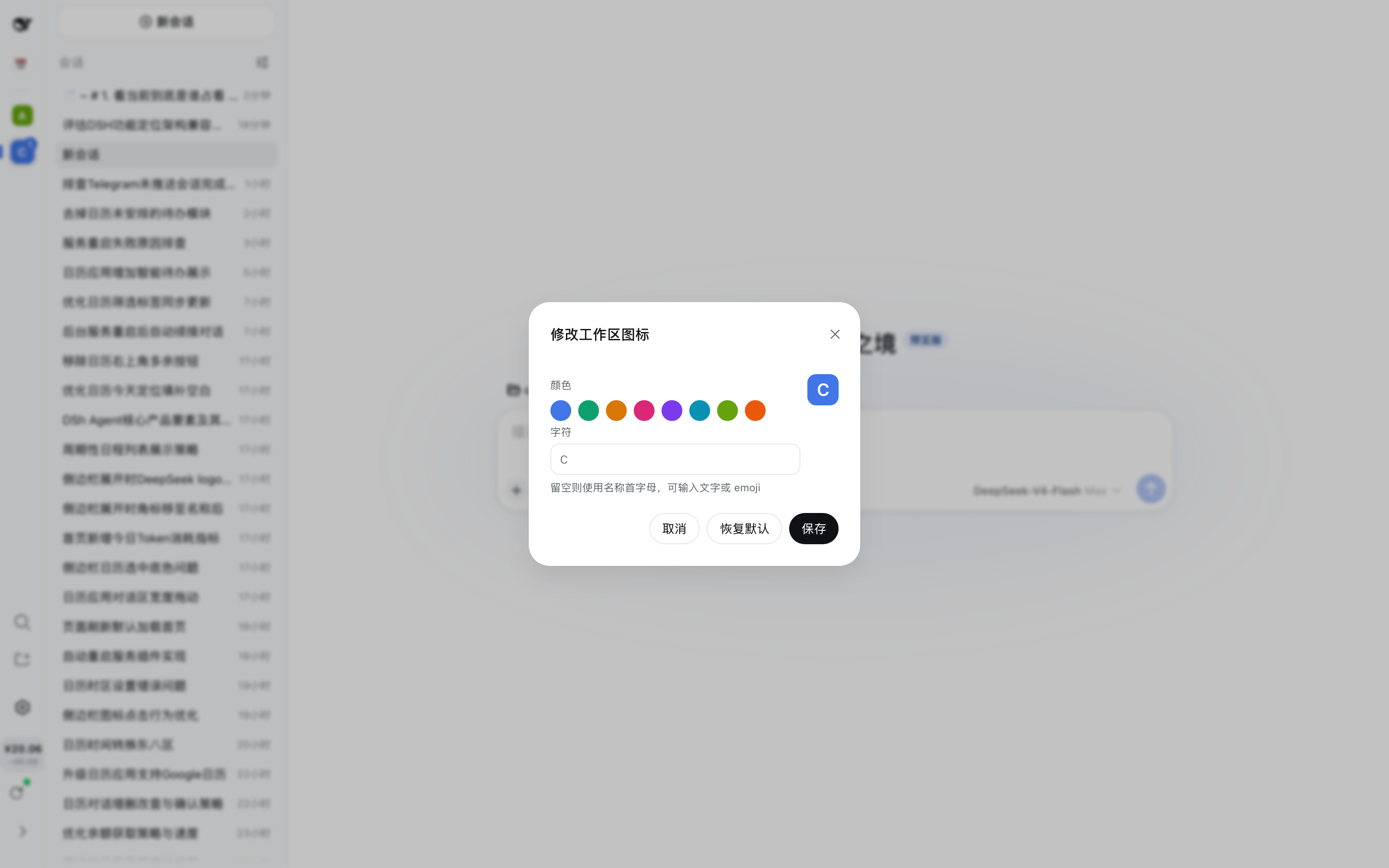
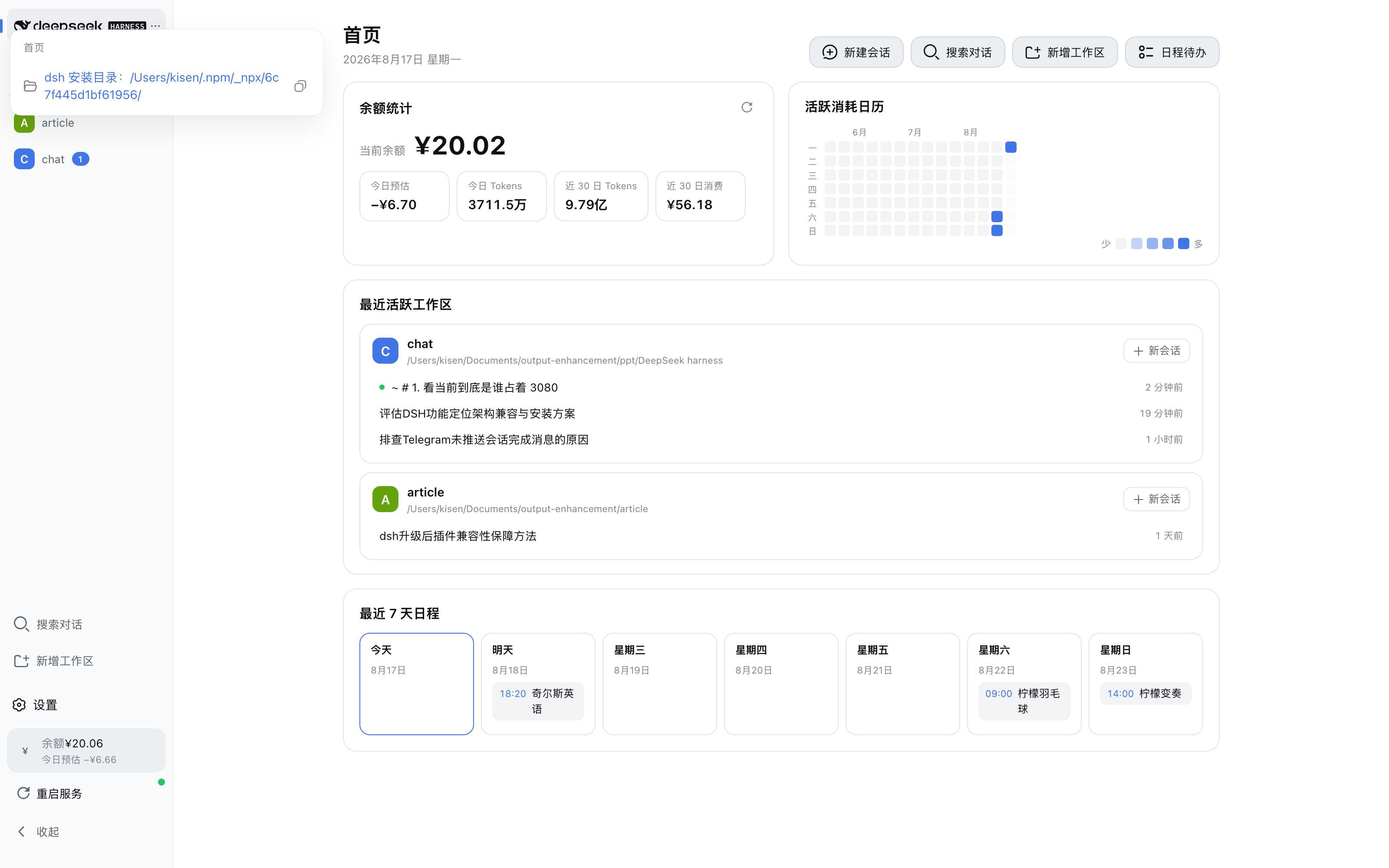
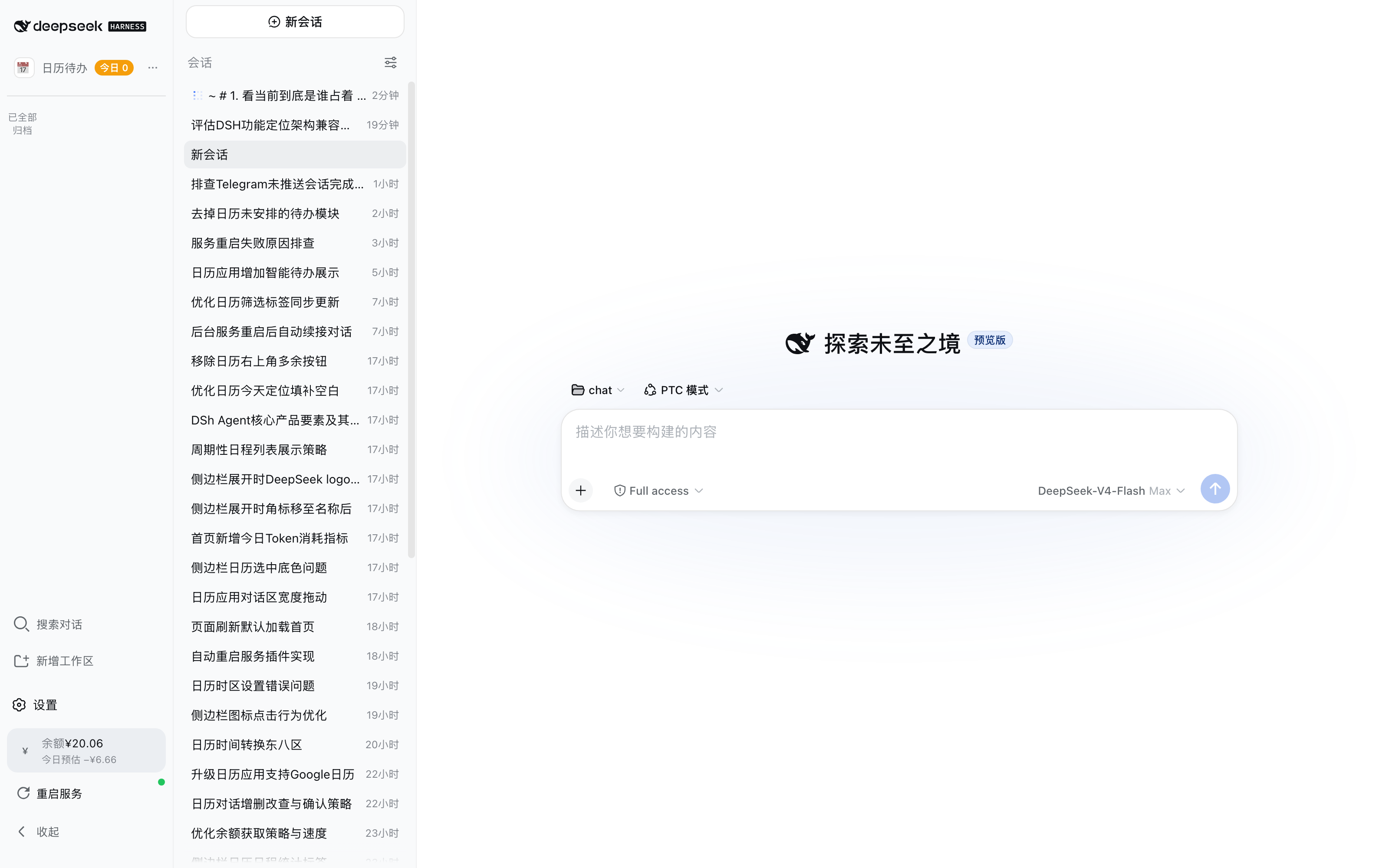
When juggling multiple workspaces in DeepSeek Harness, every chat session lands in the same sidebar list, making it hard to switch context or find the conversation you need. dsh-workspace-dock adds a slim Dock bar to the left of the sidebar, giving each workspace its own colored icon entry. Click an icon to filter the session list down to that workspace; click it again or right-click to open a workspace menu where you can copy the folder path, rename the workspace, customize the icon, or archive it. A double-click on the blank rail area toggles between a compact 52-pixel narrow bar and a 200-pixel wide bar that shows workspace names alongside status pills, so you get a full overview at a glance.
Real-time session status is equally powerful. Every icon carries a live numeric badge for running sessions and a dot badge for sessions awaiting your attention; in wide mode these become readable status capsules. You can see execution progress across all workspaces without opening each one individually. Icon color and glyph are fully customizable per workspace, supporting text labels or emoji, and persist in browser localStorage across restarts.
The plugin mounts into the official sidebar.rail slot via pure slot injection with zero modifications to built-in files, so routine upgrades carry no compatibility risk. It is ideal for DeepSeek Harness users who maintain several project workspaces and want fast switching with always-on session status awareness.
Screenshots
Use Cases
- Quickly switch between multiple project workspaces by clicking their icons to filter the session list
- Monitor running and pending sessions across all workspaces at a glance without opening each one individually
- Archive idle workspaces to keep the sidebar clean and focused on active projects
Best For
- DeepSeek Harness users juggling multiple project workspaces
- Developers who frequently switch context between different projects
- Power users who prefer a compact layout with at-a-glance session status across workspaces
Related Plugins
A service-oriented sidebar framework for DSH, offering a full workbench with file explorer, embedded browser, real terminal, Git panel, and extensible plugin services.

A beautiful, practical Claude Code-style TUI plugin with pixel whale top bar, flowing glow title, real-time status line, streaming thought expansion, time rewind, context progress bar and TPS gauge — zero core changes.

The plugin market for DeepSeek Harness: browse/search/one-click install community plugins and themes, with updates, backup/restore, hot disable, diagnostics, and AI fix.

A persistent whale widget on the DSH web UI that shows DeepSeek balance, today's usage, and per-turn cost, with drag-and-snap and sound effects.