dsh-skill-manager
Run the following command in DeepSeek Harness:
dsh plugin install xingyingyuzhui/dsh-skill-manager
Paste the following prompt into your AI chat to install this plugin:
Run dsh plugin install xingyingyuzhui/dsh-skill-manager in your terminal to install; the full source is available at https://github.com/xingyingyuzhui/dsh-skill-manager .
About this plugin
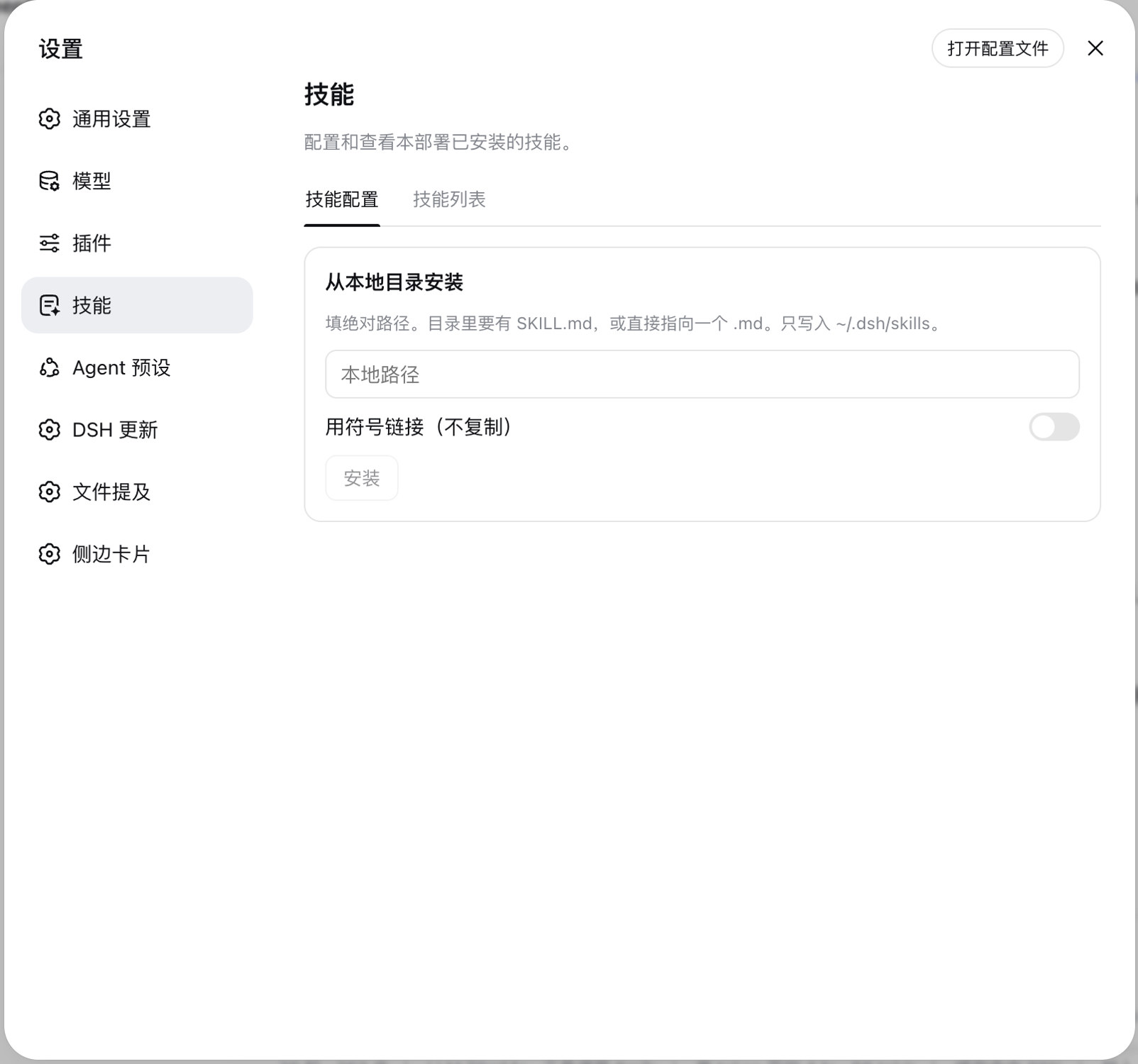
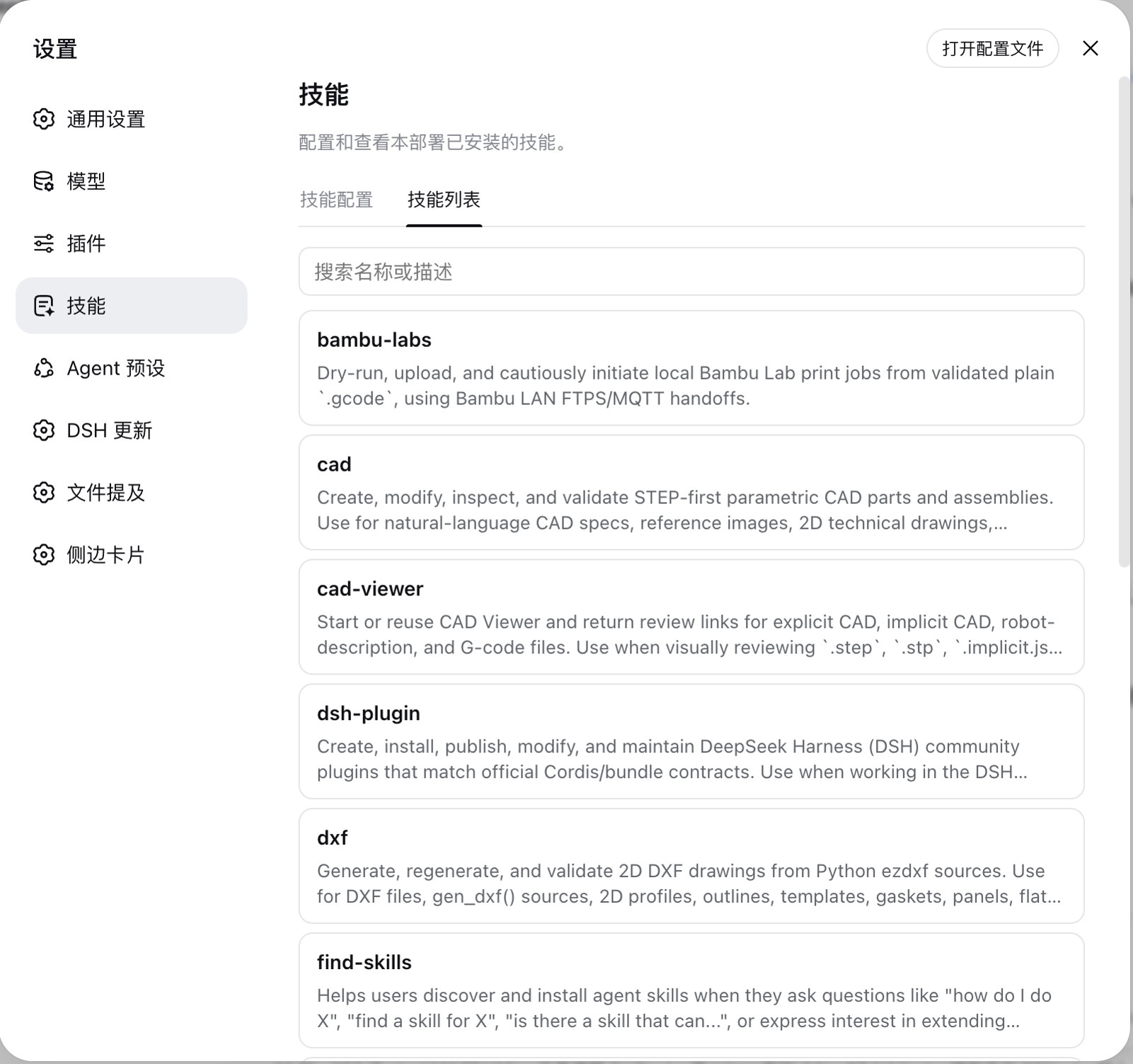
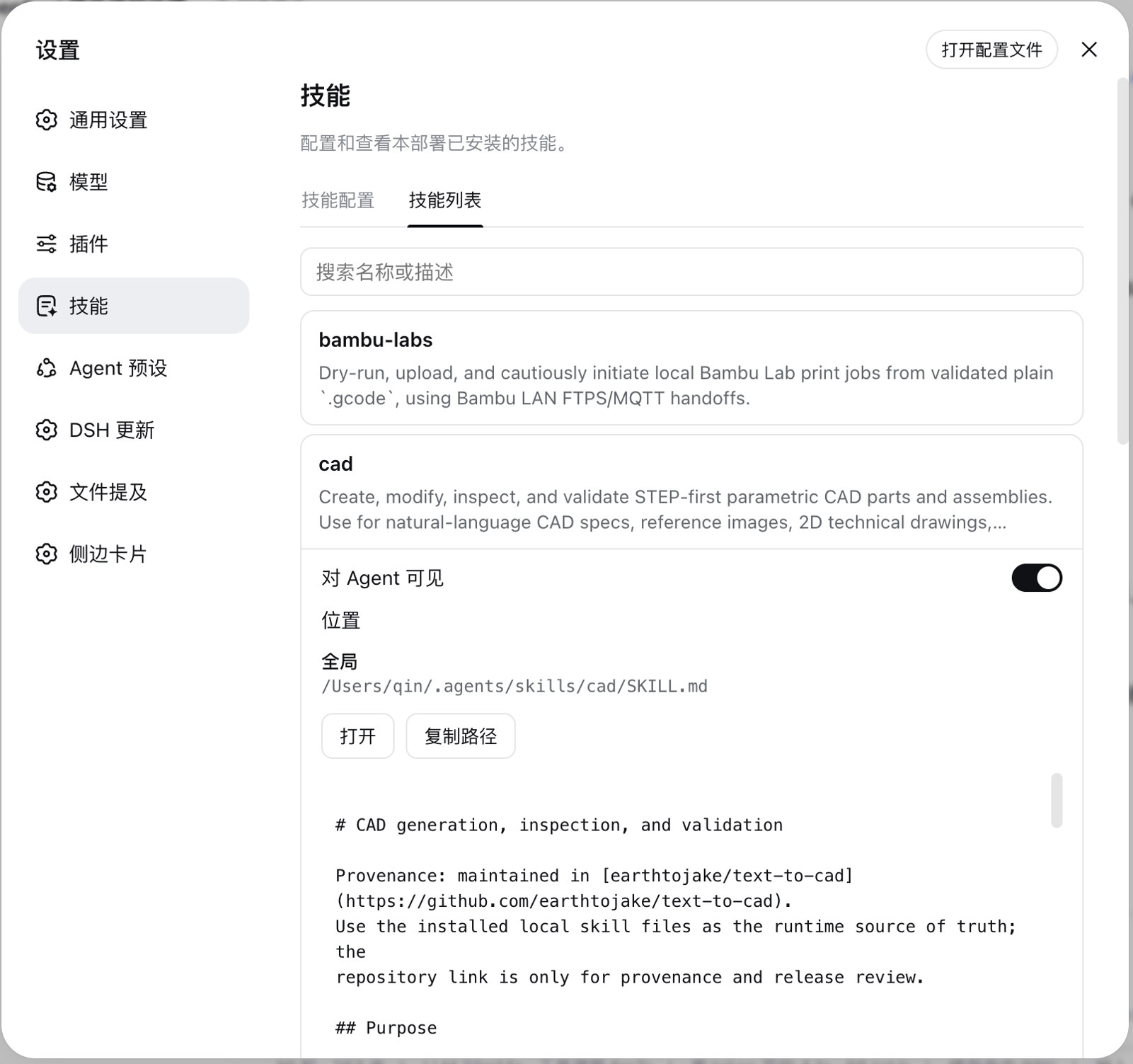
Managing a growing set of DSH skills can become a chore — digging through folders and hand-editing configs just to toggle one on or off. dsh-skill-manager adds a dedicated Skills page inside Settings that lists every skill discovered on your machine, so your day-to-day work stays in one place and you never have to open a SKILL.md.
Three capabilities stand out. First, disable a skill by name: the source file is untouched, yet the name disappears from the Agent directory and every workspace. Second, install a skill from a local absolute path — it is copied or symlinked into your user skills directory — and uninstalling removes only that user-level copy, leaving the original exactly where it was. Third, expand any entry to see whether it is scoped globally or to a specific workspace, and flip a single switch to control its visibility to the Agent.
It is built for DSH users who juggle multiple local skills, need to switch them on or off frequently, or want to keep skill visibility isolated per project. The page mirrors the official plugin layout in structure and styling, so it blends into your existing workflow without friction.
Screenshots
Use Cases
- Toggling multiple local skills on and off frequently
- Isolating skill visibility per workspace to avoid cross-contamination
- Quickly installing or uninstalling user-level skill copies from a local path
Best For
- DSH users managing multiple local skills
- Developers who want per-project or per-workspace skill visibility control
- Heavy DSH users who frequently add or remove skill copies
Related Plugins
A service-oriented sidebar framework for DSH, offering a full workbench with file explorer, embedded browser, real terminal, Git panel, and extensible plugin services.

A beautiful, practical Claude Code-style TUI plugin with pixel whale top bar, flowing glow title, real-time status line, streaming thought expansion, time rewind, context progress bar and TPS gauge — zero core changes.

The plugin market for DeepSeek Harness: browse/search/one-click install community plugins and themes, with updates, backup/restore, hot disable, diagnostics, and AI fix.

A persistent whale widget on the DSH web UI that shows DeepSeek balance, today's usage, and per-turn cost, with drag-and-snap and sound effects.