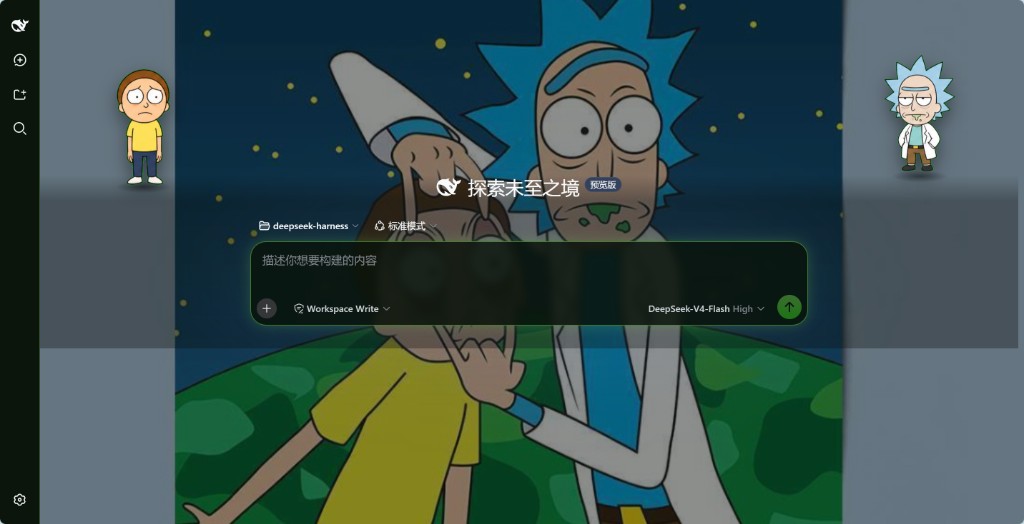
dsh-rick
Run the following command in DeepSeek Harness:
dsh plugin install xxxrickymorty-dev/dsh-rick
Paste the following prompt into your AI chat to install this plugin:
Run dsh plugin install xxxrickymorty-dev/dsh-rick in your terminal to install the plugin; the source code is available at https://github.com/xxxrickymorty-dev/dsh-rick.
About this plugin
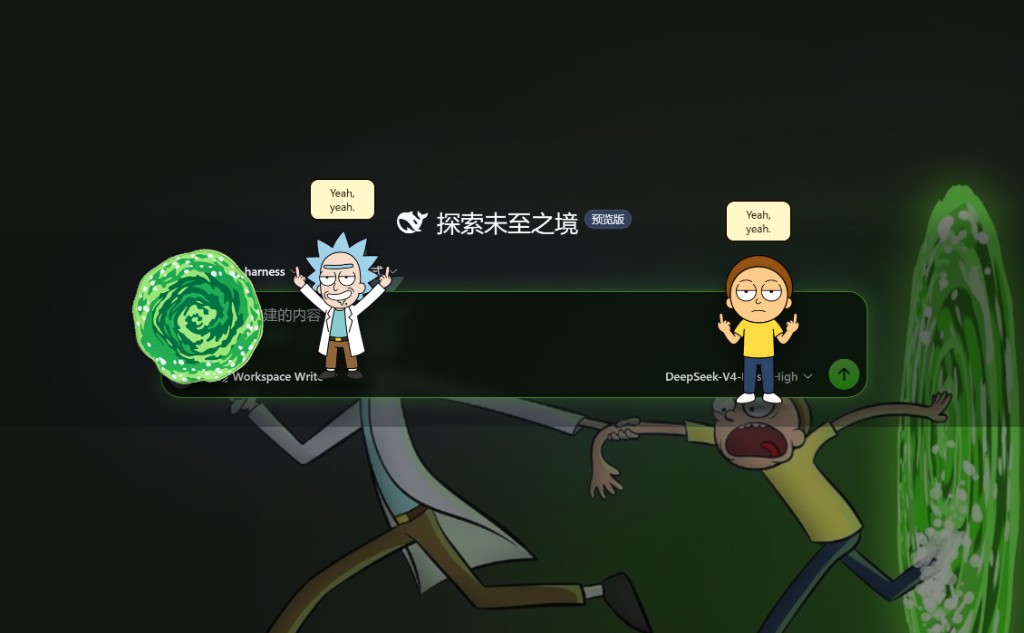
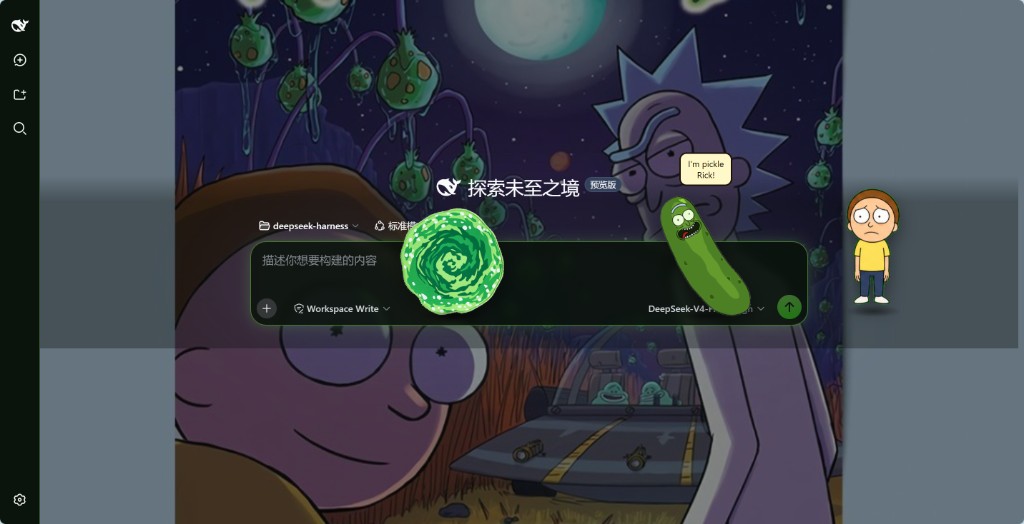
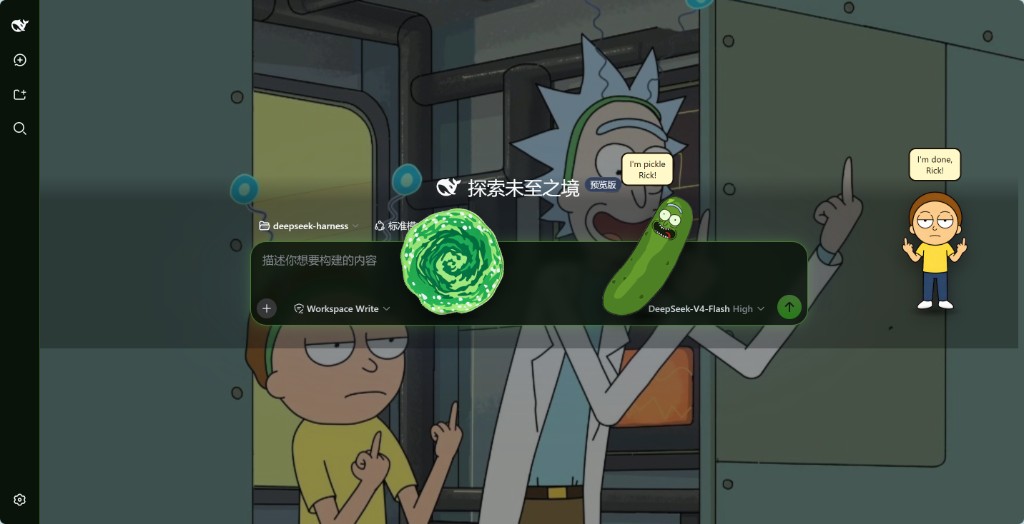
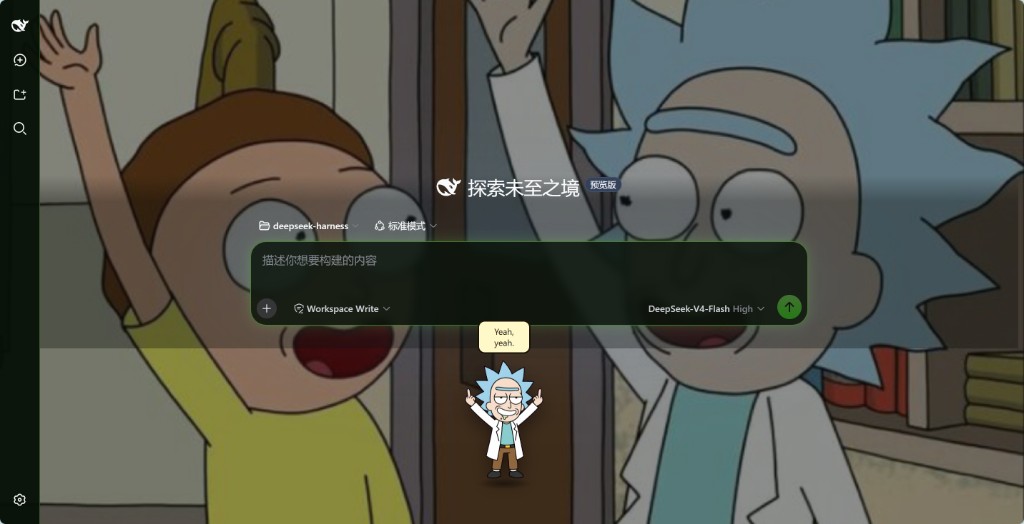
The default DeepSeek Harness UI is functional but impersonal. dsh-rick drops the C-137 dimension into your terminal: pick a poster to swap the entire skin—background, palette, and atmosphere change in one step—while leaving your Appearance settings untouched.
At the core it ships 28 catalog posters plus up to 12 user-added custom scenes, wrapped in a neon-chrome look. On the home shell you can place up to four overlay pets—Rick, Morty, and the portal gun. Click Rick for his catchphrases, charge and fire the portal gun, drag pets into the portal to pocket them, and trigger the Pickle Rick easter egg. All state persists under a dedicated c137 namespace without touching the agent loop or session logs.
Ideal for Rick and Morty fans who want a single poster to reshape their terminal personality without modifying core logic. Note: do not install this plugin on builds where dsh-client-ui-theme already vendors C-137, as two competing Skin rows will appear.
Screenshots
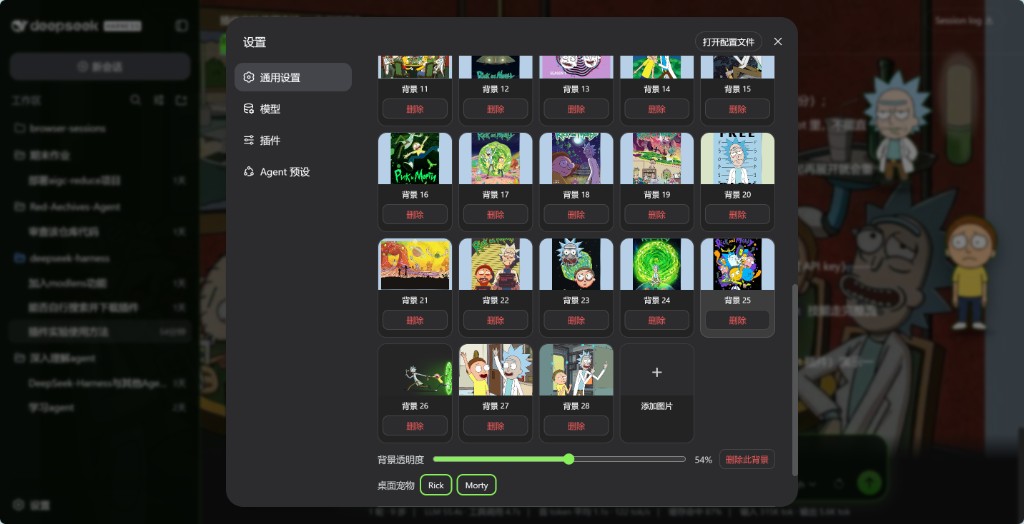
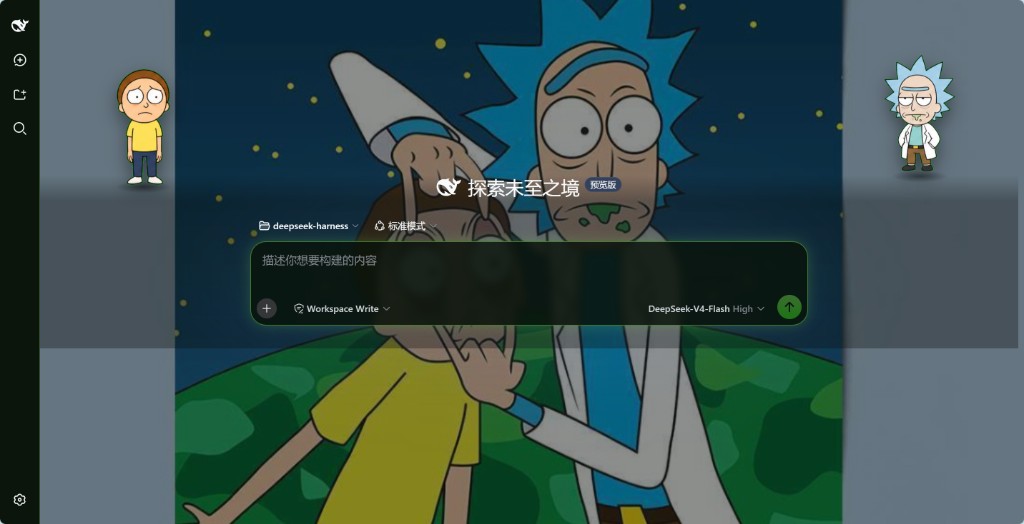
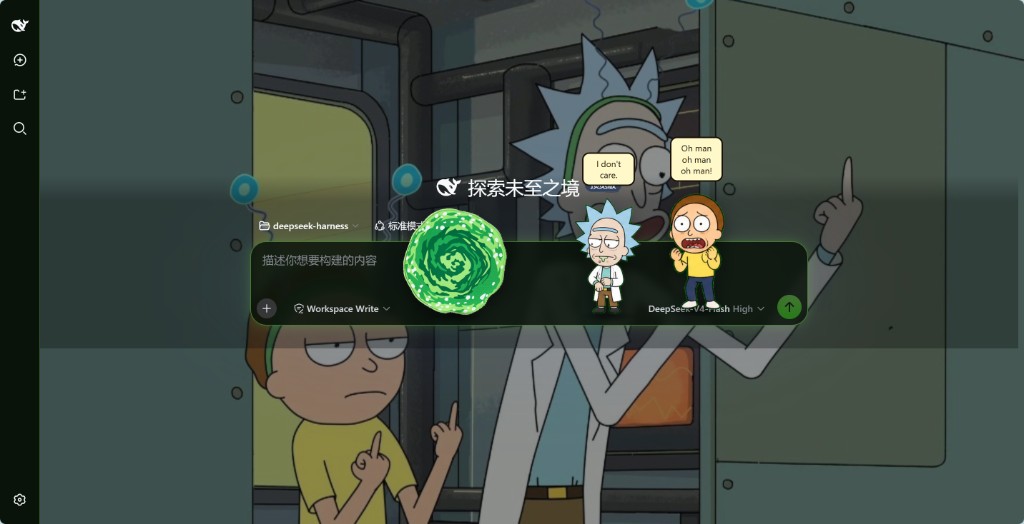
Use Cases
- Swap the entire terminal look by picking a single catalog poster or custom scene
- Trigger Rick's catchphrases, charge and fire the portal gun, and pocket pets
- Drag Rick or Morty into the portal for interactive play and unlock the Pickle Rick moment
Best For
- Rick and Morty fans who want their terminal to feel like C-137 and not a plain shell
- Daily DeepSeek Harness users who enjoy playful touches without touching core logic
- Users who love dressing up their workspace with custom scenes and interactive overlay pets
Related Plugins

whale-girl is a desktop pet in the DSH Web GUI (bottom-right for instant companionship) — draggable, feedable, playable; completed tasks, sessions and companionship time accrue into seniority levels, titles, and memories.

Renders your local Wallpaper Engine wallpapers as the DSH web background, supporting video, web, and scene wallpapers with a liquid-glass effect and rich customization.

A WebGPU ocean skin for DeepSeek Harness with five-wave Gerstner waves, translucent theme, day/night cycle, and quick controls, installable as plugin or extension.

A Galgame-style conversation view and visual scene editor for DSH web sessions, with a real-time editing mode.