dsh-token-plan-monitor
Run the following command in DeepSeek Harness:
dsh plugin install YOYOYOAKE/dsh-token-plan-monitor
Paste the following prompt into your AI chat to install this plugin:
Run dsh plugin install YOYOYOAKE/dsh-token-plan-monitor in your terminal to install the plugin; full source code available at https://github.com/YOYOYOAKE/dsh-token-plan-monitor
About this plugin
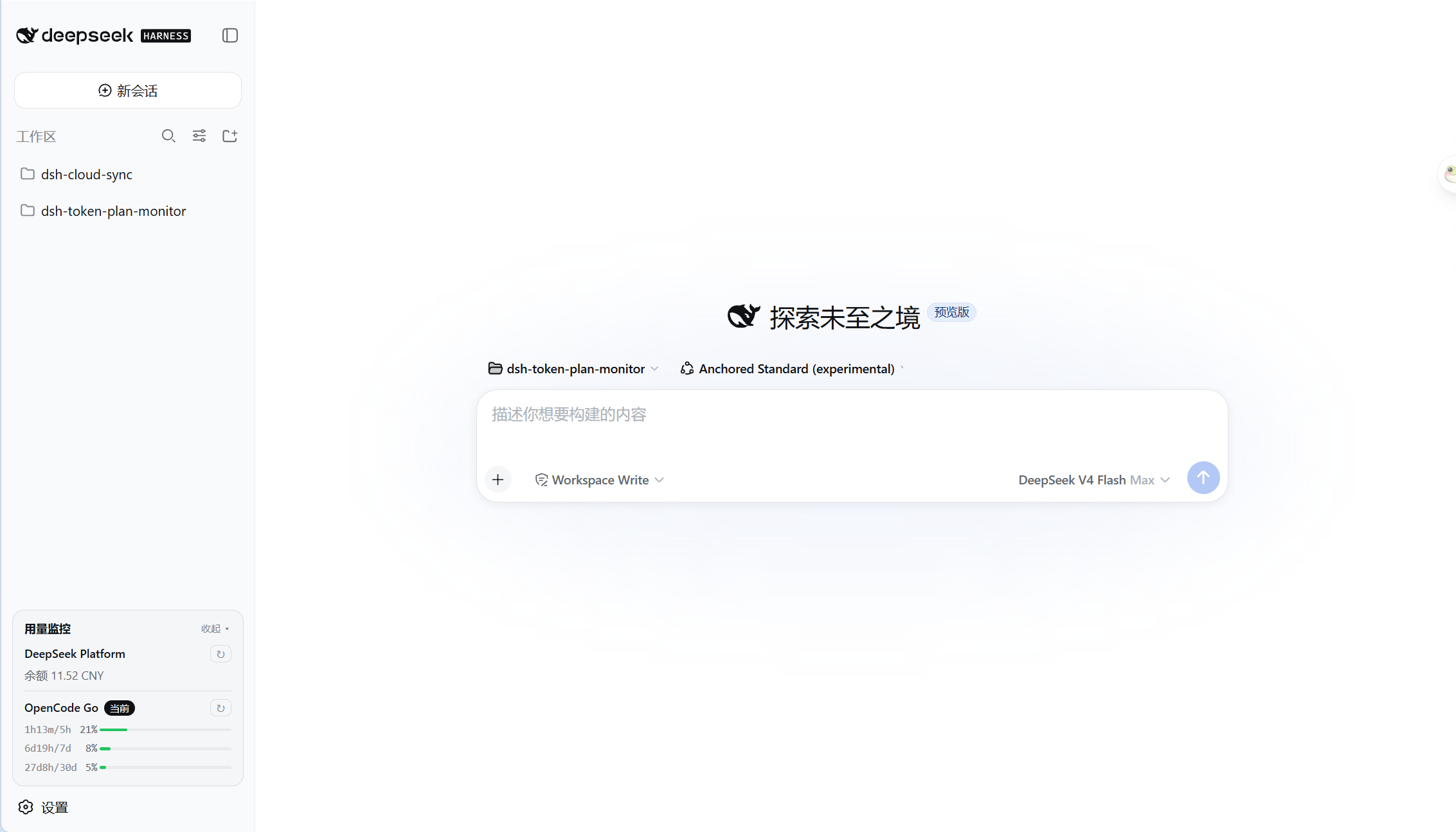
Checking API balance or Token Plan usage while working in DeepSeek Harness usually means hopping out to an external dashboard, which breaks your flow. dsh-token-plan-monitor tucks that information right at the bottom of the sidebar so you can glance at your remaining quota without ever leaving the editor.
The plugin currently supports two services: DeepSeek Platform balance and OpenCode Go usage. The former automatically picks up your configured API key and queries the balance with zero extra steps. The latter requires a WorkSpace ID and a Cookie entered in settings, after which it pulls real-time usage data. Results are rendered as clean card lines for instant readability.
If you rely on DeepSeek APIs day to day or are working with OpenCode Go, and you are tired of opening a browser tab just to check your balance, this lightweight plugin is worth a try.
Screenshots
Use Cases
- Glance at API balance mid-coding without switching windows
- Track OpenCode Go Token Plan usage in real time
- Consolidate quota status across services in the sidebar
Best For
- Developers and teams who rely on DeepSeek APIs daily
- OpenCode Go users who keep an eye on their usage quota
- Developers who want to minimize context switching and stay in flow
Related Plugins
A service-oriented sidebar framework for DSH, offering a full workbench with file explorer, embedded browser, real terminal, Git panel, and extensible plugin services.

A beautiful, practical Claude Code-style TUI plugin with pixel whale top bar, flowing glow title, real-time status line, streaming thought expansion, time rewind, context progress bar and TPS gauge — zero core changes.

The plugin market for DeepSeek Harness: browse/search/one-click install community plugins and themes, with updates, backup/restore, hot disable, diagnostics, and AI fix.

A persistent whale widget on the DSH web UI that shows DeepSeek balance, today's usage, and per-turn cost, with drag-and-snap and sound effects.