dsh-git-panel
Run the following command in DeepSeek Harness:
dsh plugin install DashingMonkey/dsh-git-panel
Paste the following prompt into your AI chat to install this plugin:
Run `dsh plugin install DashingMone/dsh-git-panel` in your DeepSeek Harness terminal to install this plugin (source: https://github.com/DashingMonkey/dsh-git-panel).
About this plugin
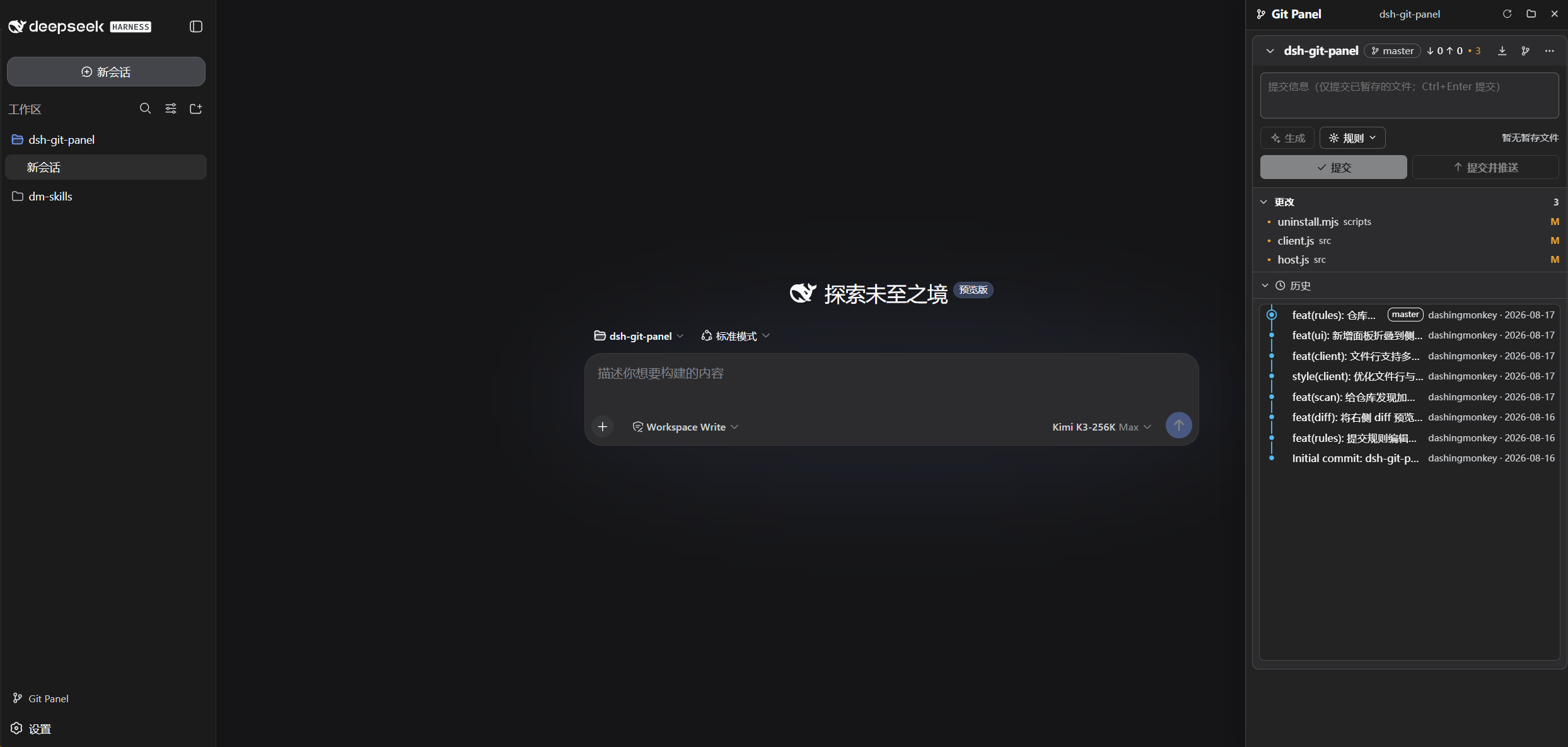
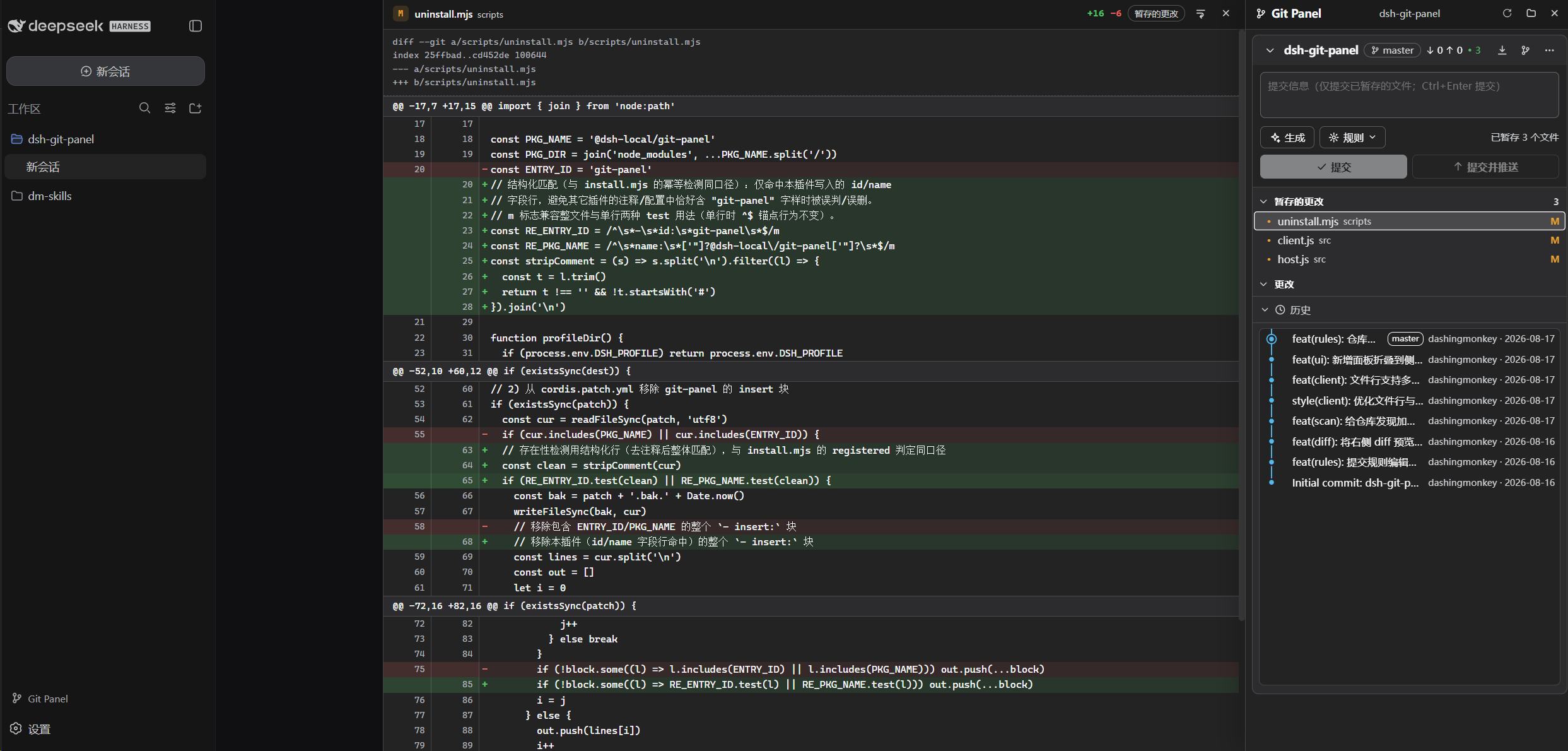
Juggling multiple Git repositories inside DSH Web usually means bouncing between a terminal tab and the browser—one for staging and committing, another for tracking branches. dsh-git-panel brings a Visual Studio Code source-control workflow straight into the web interface: the panel auto-discovers every repository in the current workspace (nested repos and worktrees included), and rescan is triggered the moment you switch workspaces. Staged, Changes, and Untracked groups are laid out side by side; hover a file to stage it, click to open a read-only diff, and use the toolbar for Pull, Push, Stash, Reset, and Clean.
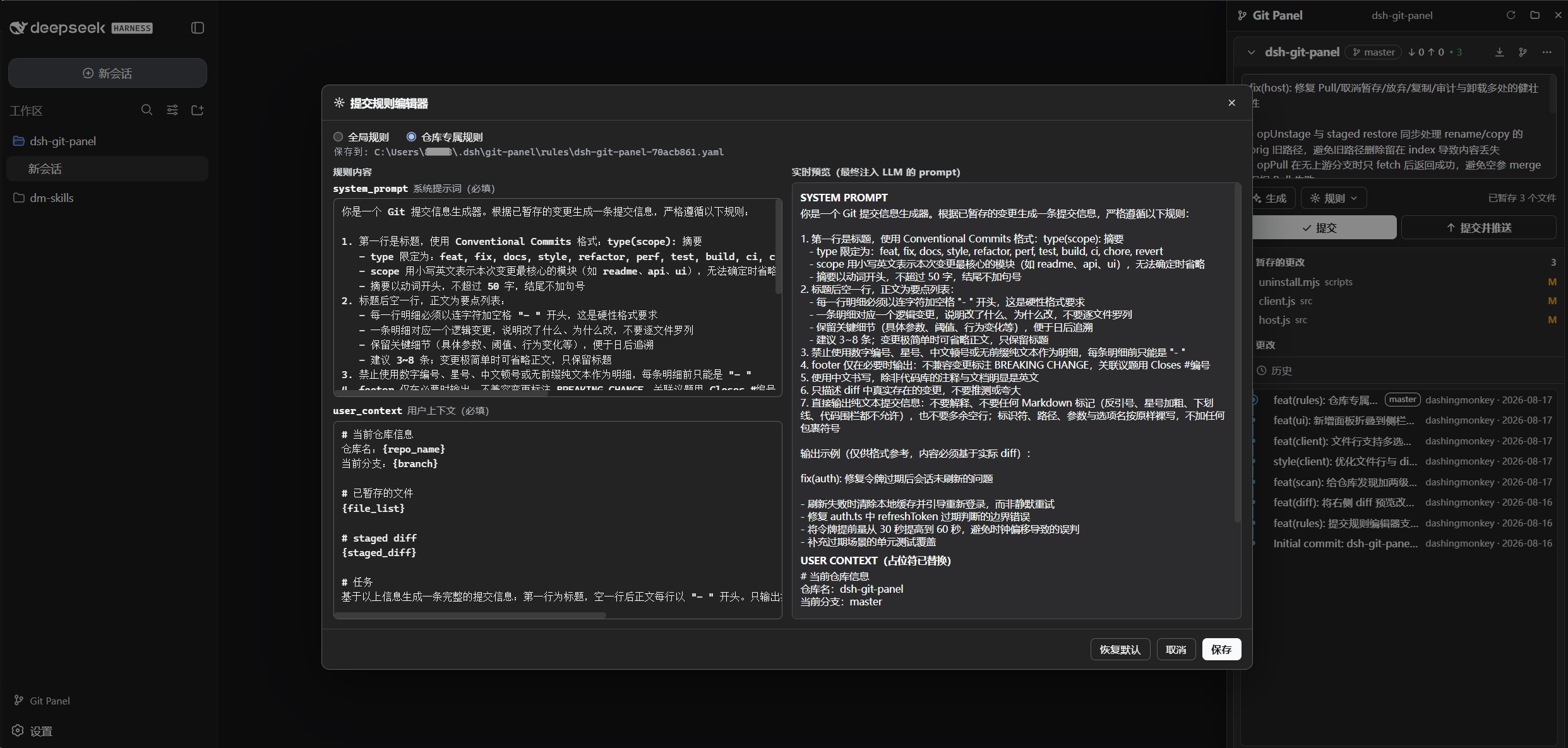
Writing a commit message no longer has to be a guess. The plugin ships with a configurable YAML rule system—global rules can be overridden per repository, and edits take effect immediately. An LLM generates the commit message following whatever rules you set, fills it into the field, and stops there, leaving the actual commit to you.
If you work across several projects daily inside DSH Web and want a clear visual history graph (SVG lane layout with infinite scroll) without leaving the browser or bolting on extra dependencies, this is the panel for you. Zero new npm packages, fully bilingual in English and Chinese, and every write operation is logged for audit. Clone it in, and the Git workflow lives where you already work.
Screenshots
Use Cases
- Managing multiple repository repos inside DSH Web without tab-switching to a terminal
- Generating standardized commit messages via configurable YAML rules backed by an LLM
- Reviewing branch history at a glance with an SVG lane-layout infinite-scroll graph
Best For
- Developers who juggle several repos daily within DSH Web
- Teams that enforce commit-message conventions and need auditable workflows
- Users who prefer a visual Git interface over a purely command-line one
Related Plugins
A service-oriented sidebar framework for DSH, offering a full workbench with file explorer, embedded browser, real terminal, Git panel, and extensible plugin services.

A beautiful, practical Claude Code-style TUI plugin with pixel whale top bar, flowing glow title, real-time status line, streaming thought expansion, time rewind, context progress bar and TPS gauge — zero core changes.

The plugin market for DeepSeek Harness: browse/search/one-click install community plugins and themes, with updates, backup/restore, hot disable, diagnostics, and AI fix.

A persistent whale widget on the DSH web UI that shows DeepSeek balance, today's usage, and per-turn cost, with drag-and-snap and sound effects.