dsh-session-html
Run the following command in DeepSeek Harness:
dsh plugin install quicksandznzn/dsh-session-html
Paste the following prompt into your AI chat to install this plugin:
Run dsh plugin install quicksandznzn/dsh-session-html inside DeepSeek Harness to install; the source is available at https://github.com/quicksandznzn/dsh-session-html .
About this plugin
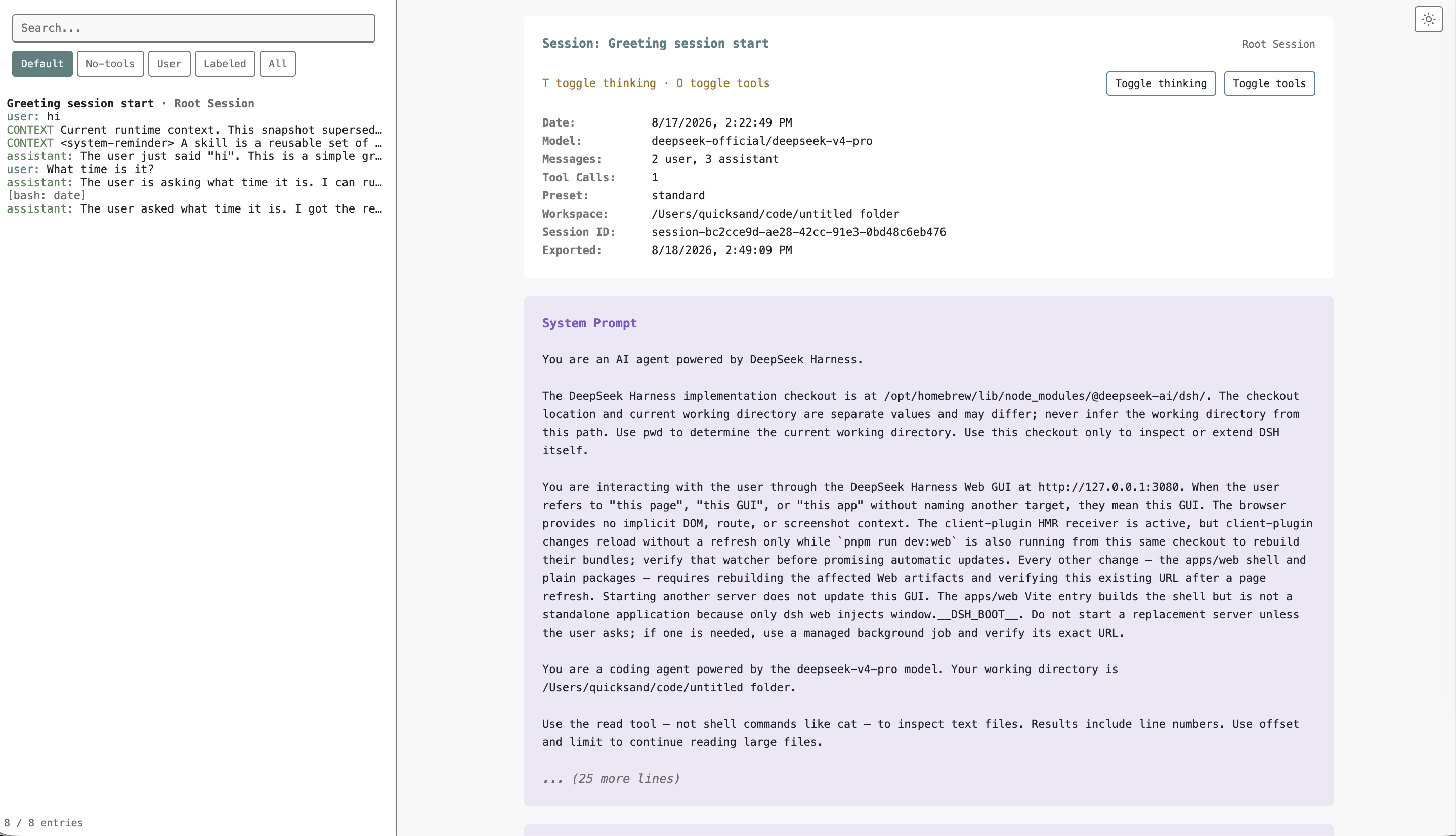
DeepSeek Harness sessions often involve multi-layer subagent calls with dense context, yet lack a lightweight, platform-independent way to archive them. dsh-session-html adapts the well-regarded /export HTML workflow from the Pi project, letting you render the entire Session event tree—including subagent structure—into a single, self-contained offline HTML file with no server, no network, and no runtime dependencies.
The workflow is straightforward: click Export HTML in the session header or run /export-html, and within seconds you get a clean, fully styled static page. The export preserves the event timeline and subagent hierarchy, making it easy to attach to emails, store in internal wikis, or keep as a local archive.
Ideal for Harness users who want to archive a complex multi-turn subagent workflow, share full context with colleagues, or review session details while offline. Simply restart the dsh web static client once after installation.
Screenshots
Use Cases
- Save a complex multi-turn subagent session as a single offline file
- Share full session context with colleagues without an online dependency
- Review historical session details while offline
Best For
- Users who need to archive Harness sessions offline
- Developers who want to share full session context with their team
- Archivists who prefer static files over live viewing
Related Plugins
A service-oriented sidebar framework for DSH, offering a full workbench with file explorer, embedded browser, real terminal, Git panel, and extensible plugin services.

A beautiful, practical Claude Code-style TUI plugin with pixel whale top bar, flowing glow title, real-time status line, streaming thought expansion, time rewind, context progress bar and TPS gauge — zero core changes.

The plugin market for DeepSeek Harness: browse/search/one-click install community plugins and themes, with updates, backup/restore, hot disable, diagnostics, and AI fix.

A persistent whale widget on the DSH web UI that shows DeepSeek balance, today's usage, and per-turn cost, with drag-and-snap and sound effects.