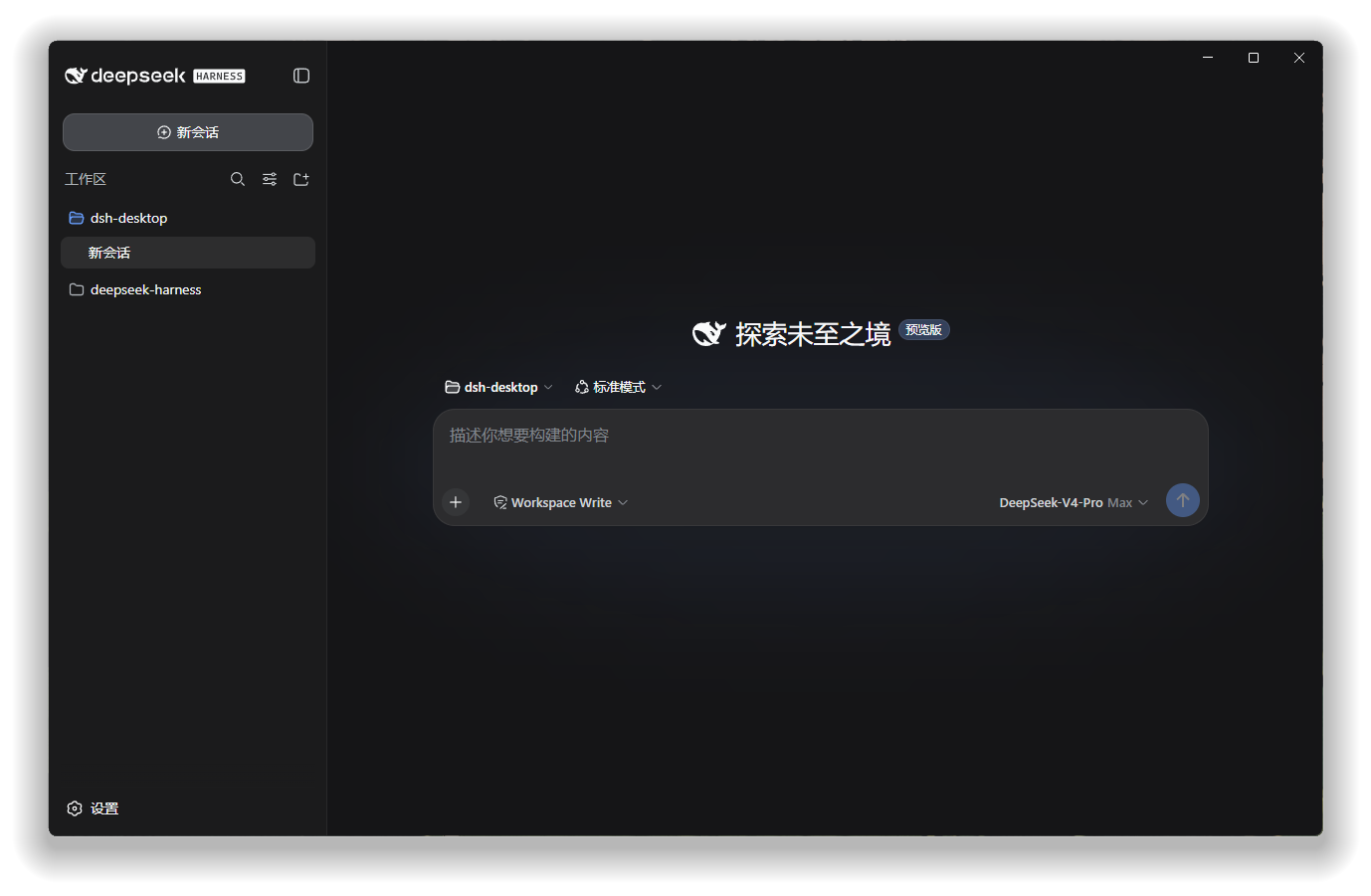
dsh-desktop
Run the following command in DeepSeek Harness:
dsh plugin install Anestis271/dsh-desktop
Paste the following prompt into your AI chat to install this plugin:
In DeepSeek Harness, install the plugin using the command 'dsh plugin install Anestis271/dsh-desktop', with the full source repository at https://github.com/Anestis271/dsh-desktop.
About this plugin
For users accustomed to the official DeepSeek Harness WebUI, a true desktop experience means more than just a standalone application window. dsh-desktop is a lightweight plugin born precisely for this purpose. It perfectly addresses the need to seamlessly transform a web-based application into a natural part of your desktop workflow. You no longer need to endure the clutter of browser tabs, nor install a bloated, separate client that might drift out of sync with official updates. The plugin's core capability lies in "wrapping" rather than "rewriting": it encases the official WebUI in a clean, native desktop shell, bringing you features like persistent system tray integration, coordinated window management, native menu access, and one-click desktop shortcut creation. Crucially, it ensures all business logic and interface remain perpetually aligned with the official version.
This makes it especially ideal for developers, researchers, and power users who value efficiency and a tidy workspace. If you wish for DeepSeek Harness to have a solid desktop presence—like VS Code or Slack—supporting quick launch and background residency, while simultaneously cherishing system resources and avoiding the maintenance of an extra client, then dsh-desktop is the perfect choice. It respects the official ecosystem, doing only what a desktop shell should, allowing you to focus on the conversations and creations that matter.
Screenshots
Use Cases
- Using the WebUI from a browser as a native desktop application.
- Requiring system tray persistence for quick launch and window management.
- Creating desktop shortcuts to streamline daily startup processes.
Best For
- Developers or researchers who frequently use DeepSeek Harness.
- Power users seeking efficient and tidy desktop workflows.
- Tech enthusiasts who prefer lightweight solutions without standalone installations.
Related Plugins
A service-oriented sidebar framework for DSH, offering a full workbench with file explorer, embedded browser, real terminal, Git panel, and extensible plugin services.

A beautiful, practical Claude Code-style TUI plugin with pixel whale top bar, flowing glow title, real-time status line, streaming thought expansion, time rewind, context progress bar and TPS gauge — zero core changes.

The plugin market for DeepSeek Harness: browse/search/one-click install community plugins and themes, with updates, backup/restore, hot disable, diagnostics, and AI fix.

A persistent whale widget on the DSH web UI that shows DeepSeek balance, today's usage, and per-turn cost, with drag-and-snap and sound effects.