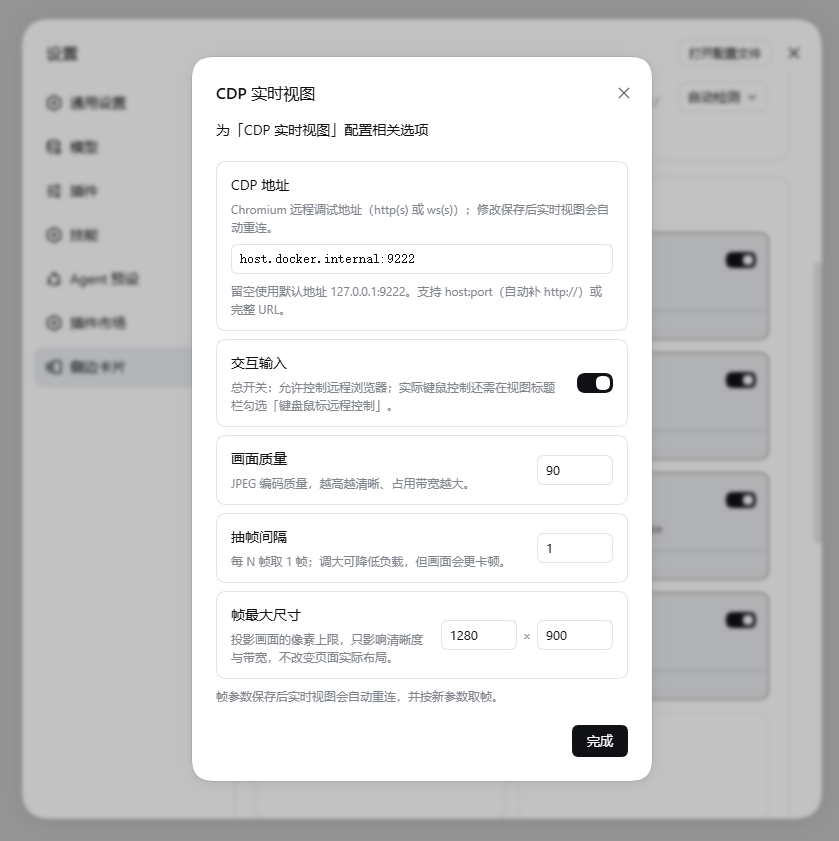
dsh-cdp-live-view
Run the following command in DeepSeek Harness:
dsh plugin install chendefine/dsh-cdp-live-view
Paste the following prompt into your AI chat to install this plugin:
Run dsh plugin install chendefine/dsh-cdp-live-view in your terminal to install; source is at https://github.com/chendefine/dsh-cdp-live-view
About this plugin
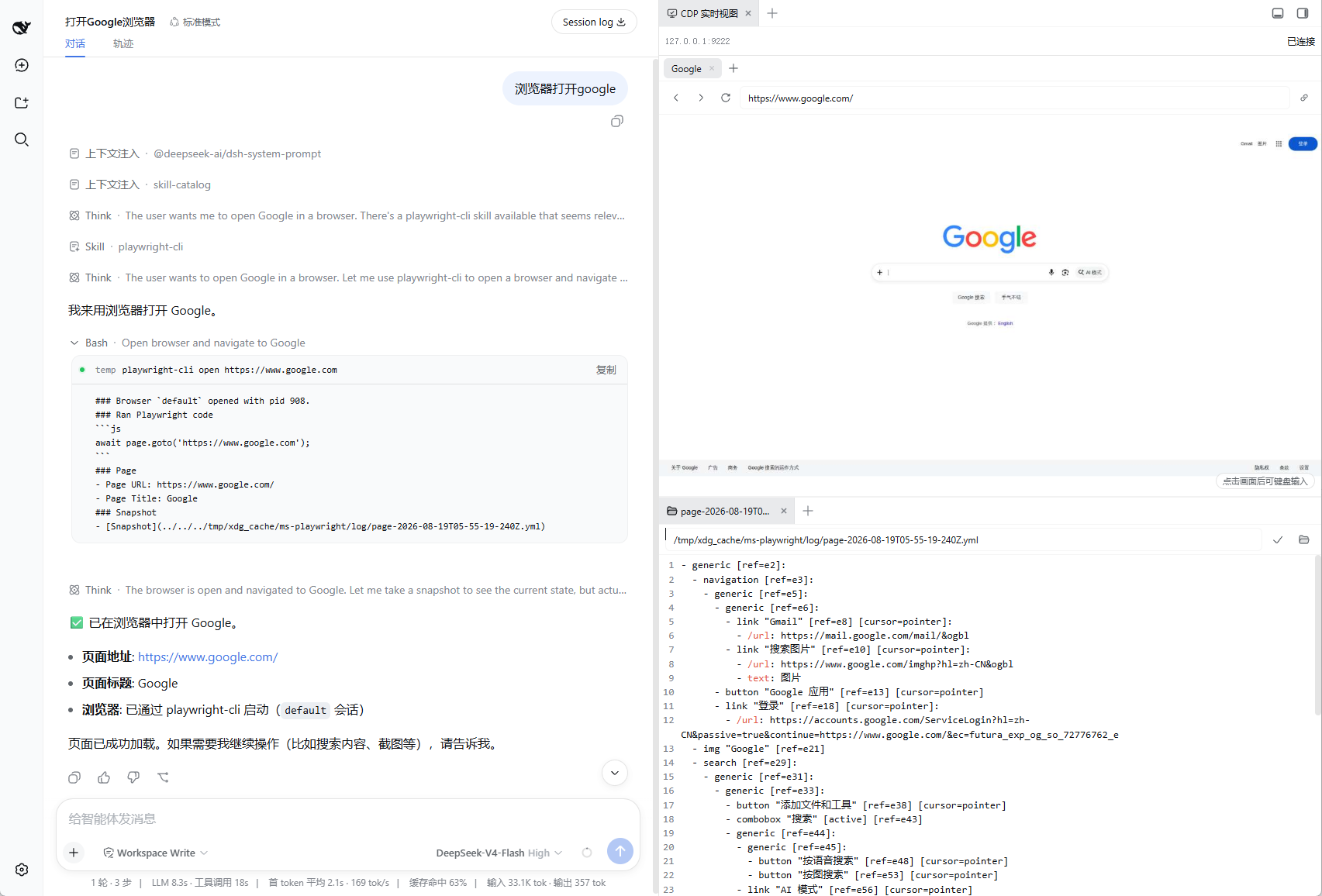
Your Chromium runs on a remote server or inside a container, yet you want to see the page, click around, and type directly from the DSH Web GUI instead of spinning up a VNC client or hand-crafting CDP calls in a terminal. dsh-cdp-live-view projects the external browser as a live JPEG pixel stream onto a sidebar canvas while the host process keeps the single CDP connection. The browser side never learns the CDP address, so no arbitrary CDP passthrough is possible, giving you a clean security boundary with a simple deployment.
Interaction flows through a strict zod allow-list: mouse clicks, drags, wheel events, keyboard input, IME composition commits, paste, page navigation, and tab management are all predefined commands with no arbitrary CDP escape hatch. A two-level gate enforces the boundary: a settings-level master switch decides whether the view may accept control at all, and a per-view checkbox in the header toggles the current session. Both must be on for interactive mode, and the host validates the ticket on every command, so an unauthorized or forged client cannot emit a single control instruction.
The CDP endpoint, frame quality, capture interval, and maximum dimensions are configured and persisted from the Web settings page. Saving a new address tears down the old connection and live views reconnect automatically. Frame width and height are projection caps only and never override the remote Chromium true viewport layout.
Ideal for visualising remote or headless browsers in real time, supervising an agent-driven browser inside a DSH session, projecting a test browser to colleagues with permission-scoped navigation and clicks, or any scenario where a browser-only remote view with zero client installs is all you need.
Screenshots
Use Cases
- Watch and interact with a headless Chromium on a remote server in real time
- Supervise an AI-agent-driven browser session and take over at any moment
- Project a test browser to colleagues for permission-scoped, controlled demos
Best For
- Developers and ops engineers who need remote visualisation of headless browsers
- Engineers building AI-agent browser-automation pipelines
- Technicians who project browser sessions to a team for demos or debugging
Related Plugins
A service-oriented sidebar framework for DSH, offering a full workbench with file explorer, embedded browser, real terminal, Git panel, and extensible plugin services.

A beautiful, practical Claude Code-style TUI plugin with pixel whale top bar, flowing glow title, real-time status line, streaming thought expansion, time rewind, context progress bar and TPS gauge — zero core changes.

The plugin market for DeepSeek Harness: browse/search/one-click install community plugins and themes, with updates, backup/restore, hot disable, diagnostics, and AI fix.

A persistent whale widget on the DSH web UI that shows DeepSeek balance, today's usage, and per-turn cost, with drag-and-snap and sound effects.