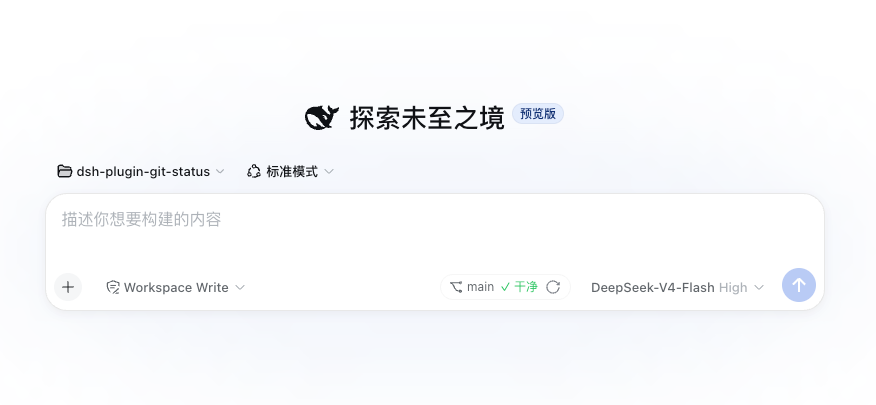
dsh-plugin-git-status
Run the following command in DeepSeek Harness:
dsh plugin install jdz321/dsh-plugin-git-status
Paste the following prompt into your AI chat to install this plugin:
Run dsh plugin install jdz321/dsh-plugin-git-status in your terminal to install the plugin; the source is available at https://github.com/jdz321/dsh-plugin-git-status. After installation, restart the Harness process and hard-refresh the browser page.
About this plugin
When you are in the middle of a multi-turn conversation around a repository in DeepSeek Harness, checking the current branch or spotting unstaged changes usually means switching to a terminal, running git status, and switching back. dsh-plugin-git-status brings that information into the conversation surface in a strictly read-only manner: it never creates, modifies, or deletes any file and stores no data of its own, simply computing results on demand via git status and git log.
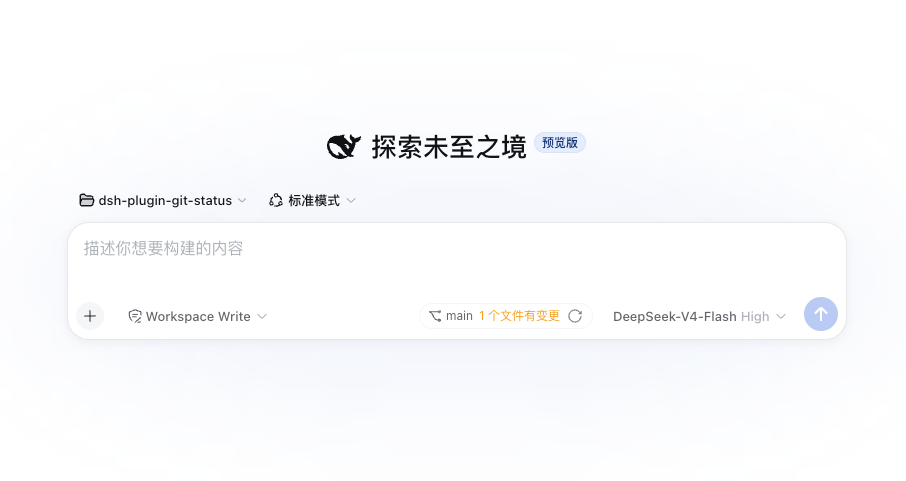
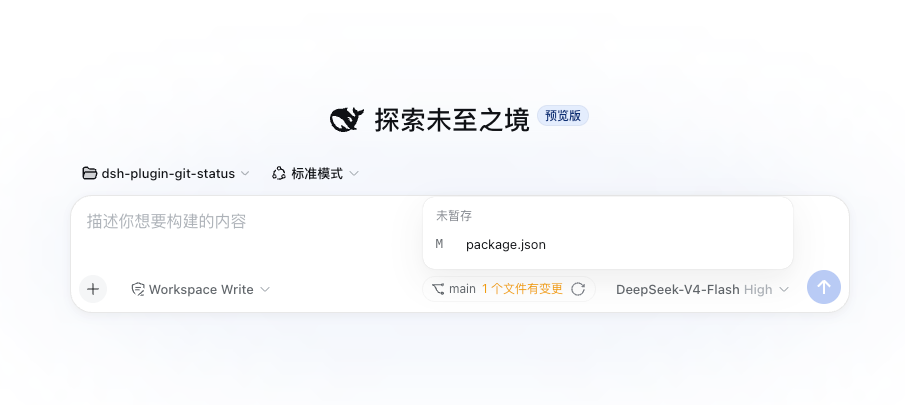
It offers two layers of capability. First, a Git status chip on the composer tool row shows the branch name and a clean/dirty summary; the change count is clickable and expands into a file list grouped by conflicted, staged, unstaged, and untracked, each row carrying the porcelain status code and rename origin. The panel auto-refreshes every 30 seconds by default, pauses while the browser tab is hidden, resumes with an immediate refresh when the tab becomes visible, and hides entirely when the workspace is not a Git repository. Second, the git_status model tool is callable through the standard tool pipeline and returns structured JSON including the branch, commits ahead/behind upstream, grouped change counts, the full file list, and the most recent commit; it also accepts an optional cwd parameter to inspect any directory. The refresh interval is adjustable at runtime from Settings or the plugin config file; setting it to 0 disables auto-refresh entirely.
It is best suited for workflows where you are iterating on the same repository over multiple rounds of reasoning, debugging, or code discussion inside Harness. Keeping the status always at a glance reduces context-switching interruptions and lets the AI read the working-tree state directly when needed, without extra prompts.
Screenshots
Use Cases
- Glance at branch and changed files mid-conversation
- Let the AI read working-tree Git summaries via a tool call
- View staged, unstaged, and untracked file groups without leaving the chat
Best For
- Developers iterating on the same repo across multiple Harness turns
- Users who want fewer interruptions between chat and terminal
- Teams that depend on the AI sensing working-tree Git state during reasoning
Related Plugins
A service-oriented sidebar framework for DSH, offering a full workbench with file explorer, embedded browser, real terminal, Git panel, and extensible plugin services.

A beautiful, practical Claude Code-style TUI plugin with pixel whale top bar, flowing glow title, real-time status line, streaming thought expansion, time rewind, context progress bar and TPS gauge — zero core changes.

The plugin market for DeepSeek Harness: browse/search/one-click install community plugins and themes, with updates, backup/restore, hot disable, diagnostics, and AI fix.

A persistent whale widget on the DSH web UI that shows DeepSeek balance, today's usage, and per-turn cost, with drag-and-snap and sound effects.