dsh-balance
Run the following command in DeepSeek Harness:
dsh plugin install linshule/dsh-balance
Paste the following prompt into your AI chat to install this plugin:
You can install this plugin from the GitHub repository by running the command: dsh plugin install linshule/dsh-balance, or by visiting the full source address at https://github.com/linshule/dsh-balance.
About this plugin
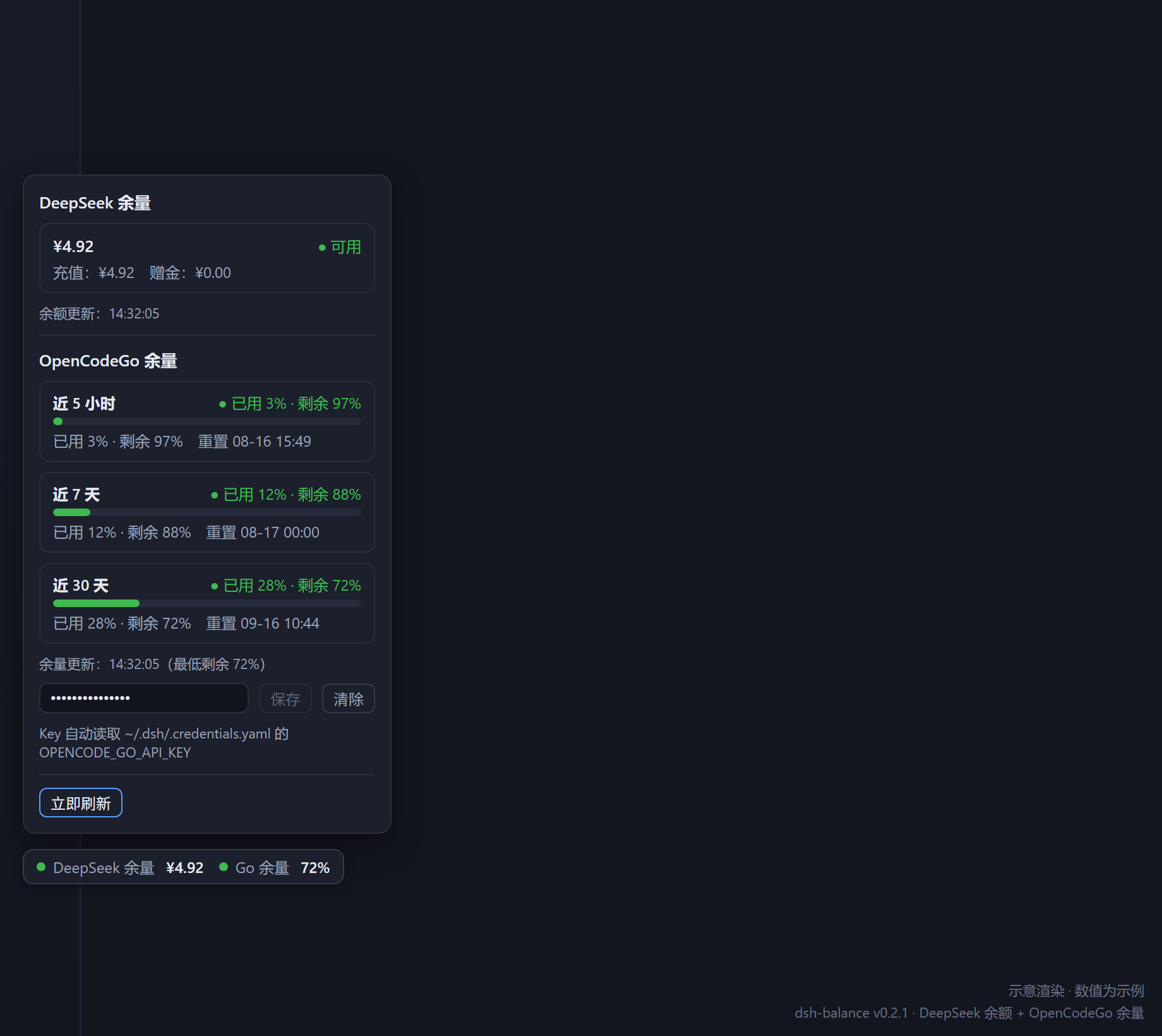
Developers using DeepSeek API often juggle multiple services like OpenCodeGo, leading to fragmented monitoring and potential service disruptions if balances are overlooked. The dsh-balance plugin tackles this by merging DeepSeek account balance and OpenCodeGo plan quota into a single, draggable badge that provides a unified, real-time overview. Its core capabilities include secure local data retrieval, intuitive color-coded status indicators, multi-window progress bars for quota tracking, and flexible auto-refresh with easy key management—all streamlined within your workflow. Ideal for developers, AI engineers, or teams relying on the DeepSeek ecosystem, this plugin enhances operational stability by preventing downtime from quota exhaustion, making it a practical choice for those valuing efficiency and convenience.
Screenshots
Use Cases
- Monitor DeepSeek API account balance and OpenCodeGo plan quota in real-time within the DeepSeek Harness Web GUI to prevent service interruptions.
- Quickly view dual indicators via a draggable badge at the edge of the workspace, without switching interfaces or opening a console.
- Track OpenCodeGo usage across multiple time windows and reset times using auto-refresh and progress bars.
Best For
- Software engineers and AI developers who rely on the DeepSeek API for their work.
- Technical teams using OpenCodeGo services that need to monitor plan quota and usage.
- Individual or team users who prioritize workflow efficiency and prefer visual tools to avoid quota exhaustion.
Related Plugins
A service-oriented sidebar framework for DSH, offering a full workbench with file explorer, embedded browser, real terminal, Git panel, and extensible plugin services.

A beautiful, practical Claude Code-style TUI plugin with pixel whale top bar, flowing glow title, real-time status line, streaming thought expansion, time rewind, context progress bar and TPS gauge — zero core changes.

The plugin market for DeepSeek Harness: browse/search/one-click install community plugins and themes, with updates, backup/restore, hot disable, diagnostics, and AI fix.

A persistent whale widget on the DSH web UI that shows DeepSeek balance, today's usage, and per-turn cost, with drag-and-snap and sound effects.